


Add AI live chat, a help center and ticketing to any Nuxt app in about two minutes, free, with no credit card. @deskcrew/nuxt is the official DeskCrew module: one entry in nuxt.config.ts puts a support widget on every page, answers visitor questions from your own help articles, and turns anything it cannot answer into a real support ticket.
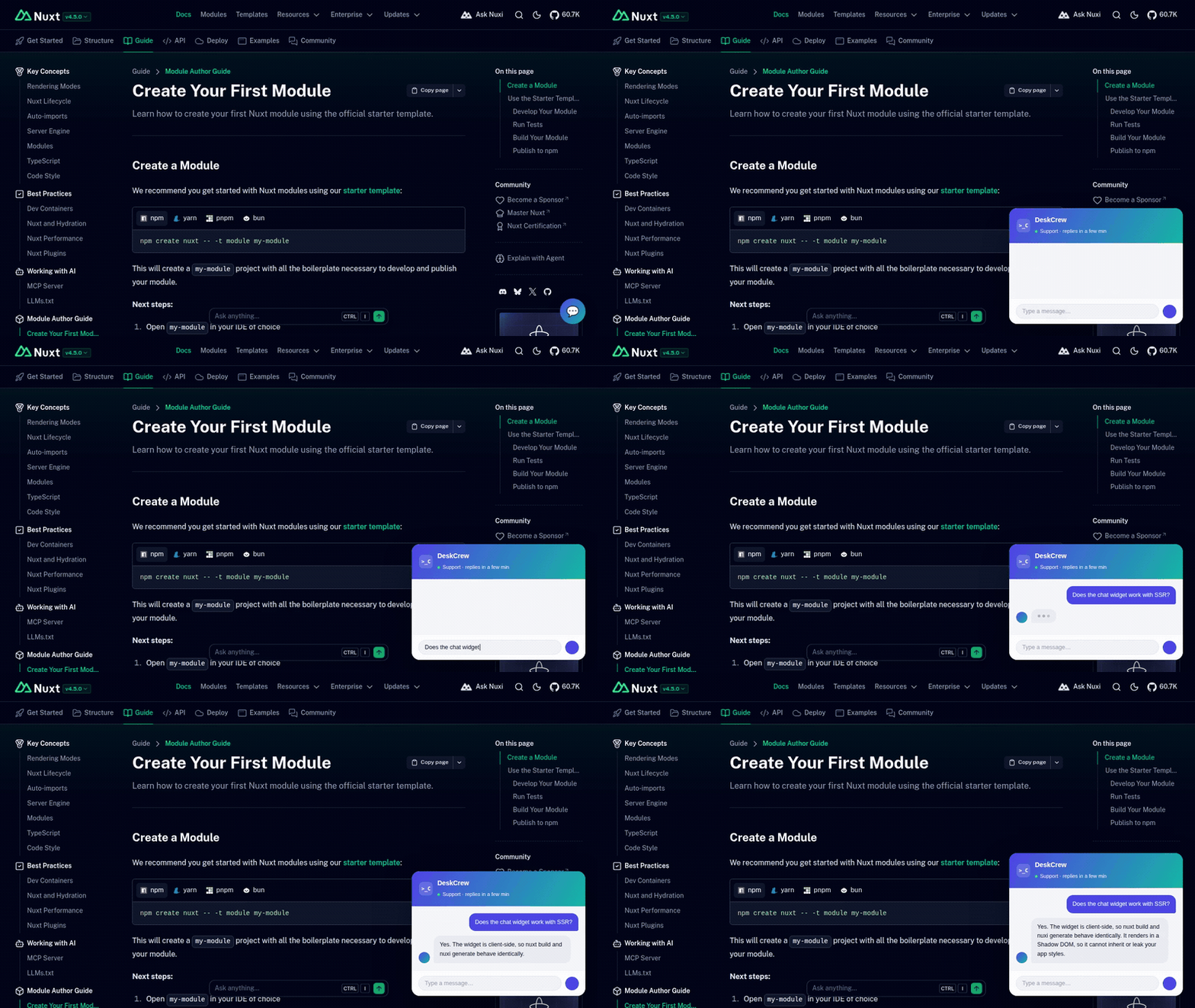
The widget running on a Nuxt site. Watch the full quality video.
npm install @deskcrew/nuxt// nuxt.config.ts
export default defineNuxtConfig({
modules: ['@deskcrew/nuxt'],
deskcrew: {
widgetKey: 'pub_xxxxxxxx', // required, from Dashboard → Install
// board: 'your-workspace', // optional
// color: '#4f46e5', // optional accent colour
// position: 'right', // optional: 'left' | 'right'
// greeting: 'Hi! How can we help?', // optional
},
})Run or build your app and the chat launcher appears on every page. No account yet? Create one free, then copy your key from Dashboard → Install.
- AI answers grounded in your own help articles. The assistant only answers from the knowledge base you publish, so it cannot invent product facts.
- A human approves before anything sends. Every AI draft waits in an approval queue. Nothing reaches a customer unreviewed.
- Every conversation becomes a ticket. Widget chats, emails and board posts land in one dashboard with full history.
- Visitors who leave still get answered. Leave an email address and the reply arrives by email.
- Free plan, no card. Chat widget, public knowledge base and ticketing are included on the free plan.
| Option | Type | Required | Description |
|---|---|---|---|
widgetKey |
string |
yes | Your public key (pub_…). |
board |
string |
no | Board slug (lowercase letters, numbers, dashes). |
color |
string |
no | Accent colour as a 6-digit hex value, e.g. #4f46e5. |
position |
'left' | 'right' |
no | Which side the launcher sits on. |
greeting |
string |
no | Greeting shown on the launcher. |
If widgetKey is missing or malformed the module prints a build-time warning and adds nothing. Your app still builds.
The module appends a single <script src="https://deskcrew.io/desk.js"> entry to the app head (app.head.script). The widget renders inside a Shadow DOM, so it cannot inherit or leak your app's CSS. desk.js reads your settings from its data-* attributes and derives its API origin from its own src, so there is nothing else to configure.
Nuxt compatibility: works with Nuxt 3 and later, in both SSR and static (nuxi generate) modes.
| DeskCrew | Intercom | Crisp | Tidio | |
|---|---|---|---|---|
| Free plan with AI answers | Yes | No | Limited | Limited |
| Human approves AI replies | Yes, built in | No | No | No |
| Official Nuxt module | Yes | No | No | No |
| Public knowledge base included | Yes | Paid add-on | Paid tier | Paid tier |
| Credit card to start | No | Yes | No | No |
Install @deskcrew/nuxt, add it to modules in nuxt.config.ts with your public widget key, and restart. The launcher appears on every page.
Yes. The free plan includes the chat widget, a public knowledge base and ticketing, with no credit card. Paid plans add higher AI allowances and team features. See pricing.
Both. The widget is client-side, so nuxt build and nuxi generate behave the same.
The module adds one deferred script tag. Nothing renders until the visitor opens the launcher, and the widget is isolated in a Shadow DOM so it cannot affect your styles or layout.
It answers from the knowledge base you publish. When it has no grounded answer it escalates to a human instead of guessing, and every draft reply requires human approval before sending.
Yes. Each site is its own workspace with a separate knowledge base, ticket history and widget key.
- Nuxt integration page: https://deskcrew.io/integrations/nuxt
- All integrations: https://deskcrew.io/integrations
- Pricing: https://deskcrew.io/pricing
- Start free: https://deskcrew.io/signup
MIT © DeskCrew · deskcrew.io · hello@deskcrew.io
Updated July 2026.