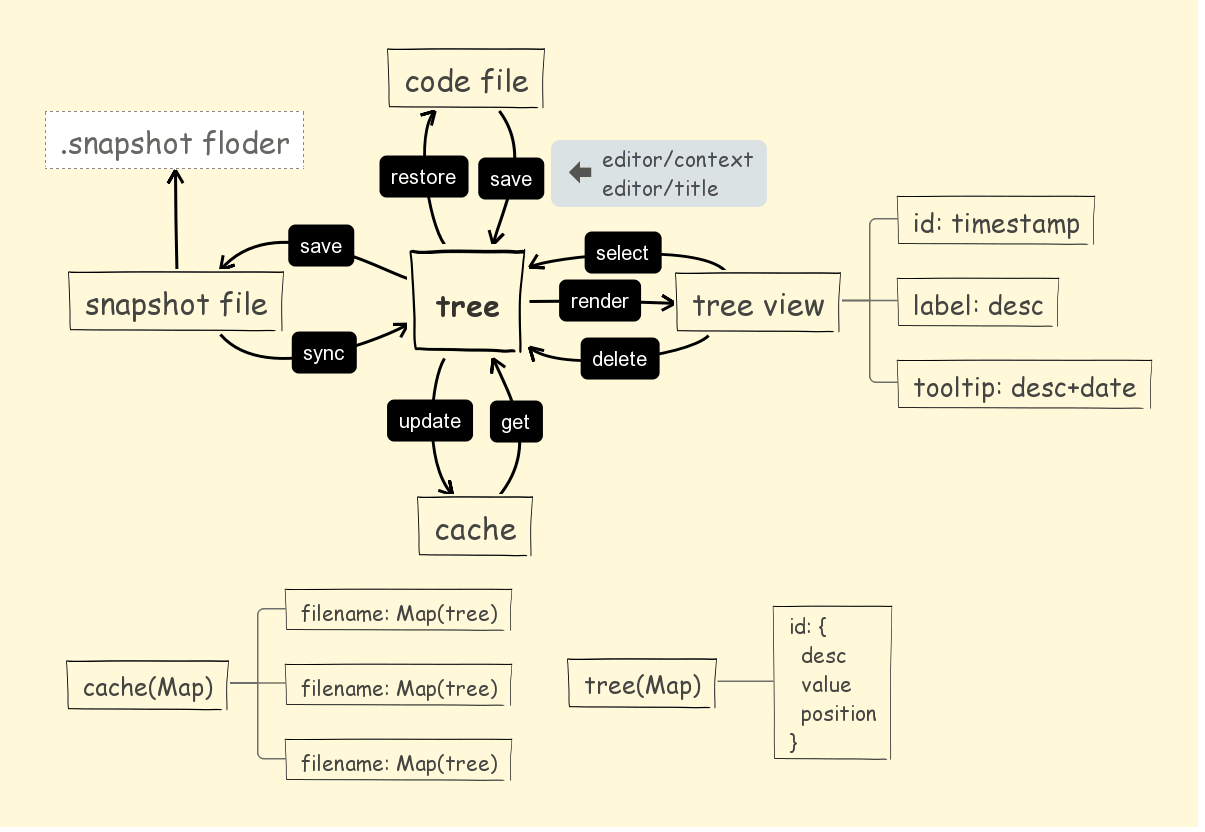
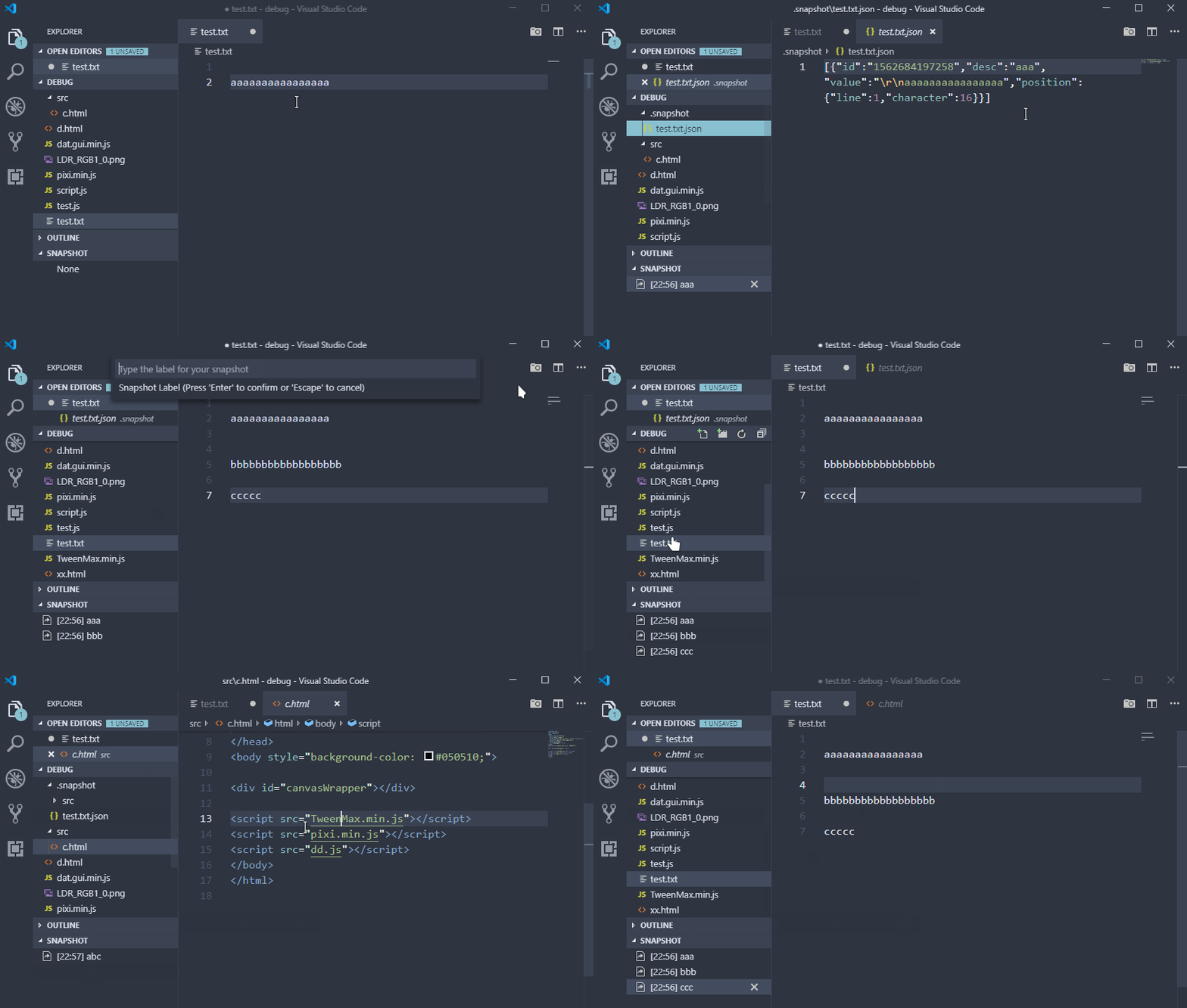
SnapShot saves named snapshots of the current file, then lets you restore, sync, or delete those snapshots from a VS Code tree view.
This extension is a VS Code port of atom-snapshot.
- Save the full content of the active file as a labeled snapshot.
- Restore a snapshot from the Snapshot tree view.
- Delete one snapshot, delete the current file's snapshots, or clear all snapshots.
- Configure where snapshot files are stored.
- Use the Snapshot tree directly in Explorer.
- Save snapshots with a user-defined keyboard shortcut.
Run Snapshot: Save from the editor title, editor context menu, or command palette. Enter a label, then use the Snapshot tree view in Explorer to restore or manage saved snapshots.
No default shortcut is assigned. To add one, open VS Code's Keyboard Shortcuts editor and search for Snapshot: Save.
snapshot.path: Snapshot storage folder. Defaults to.snapshot. Relative paths are resolved from the workspace folder.