



Deep midnight darks and crisp lights for VS Code, tied together by a single emerald glow.
Soft off-white surfaces (#f3f5f4) paired with deep slate text (#101828) and a rich emerald accent (#007d6d) tuned for readable, low-glare contrast.
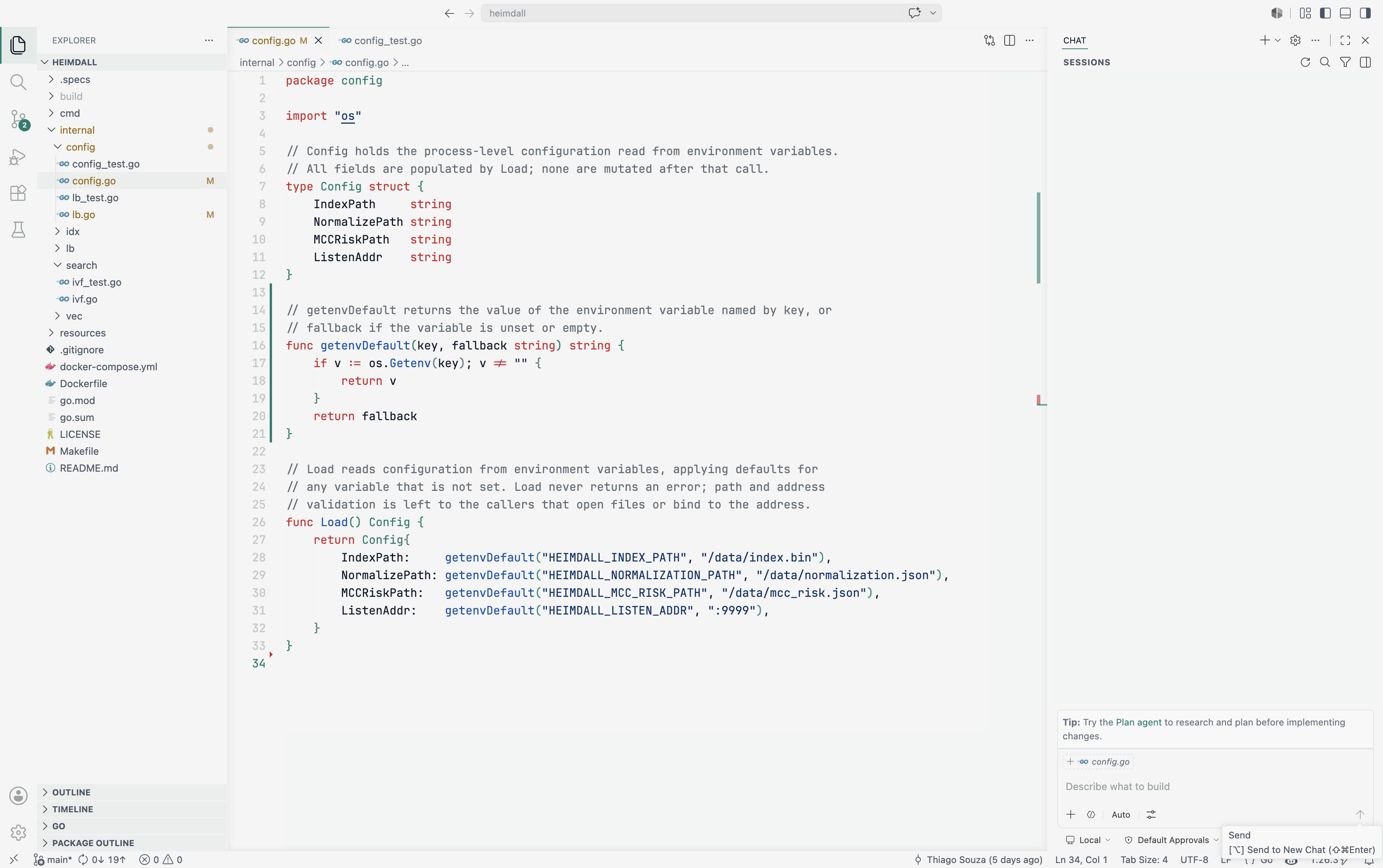
Deep midnight surfaces (#111111) with calm light-gray text (#e5e5e5) and a bright emerald accent (#00d2be) that glows across the UI without straining the eyes.
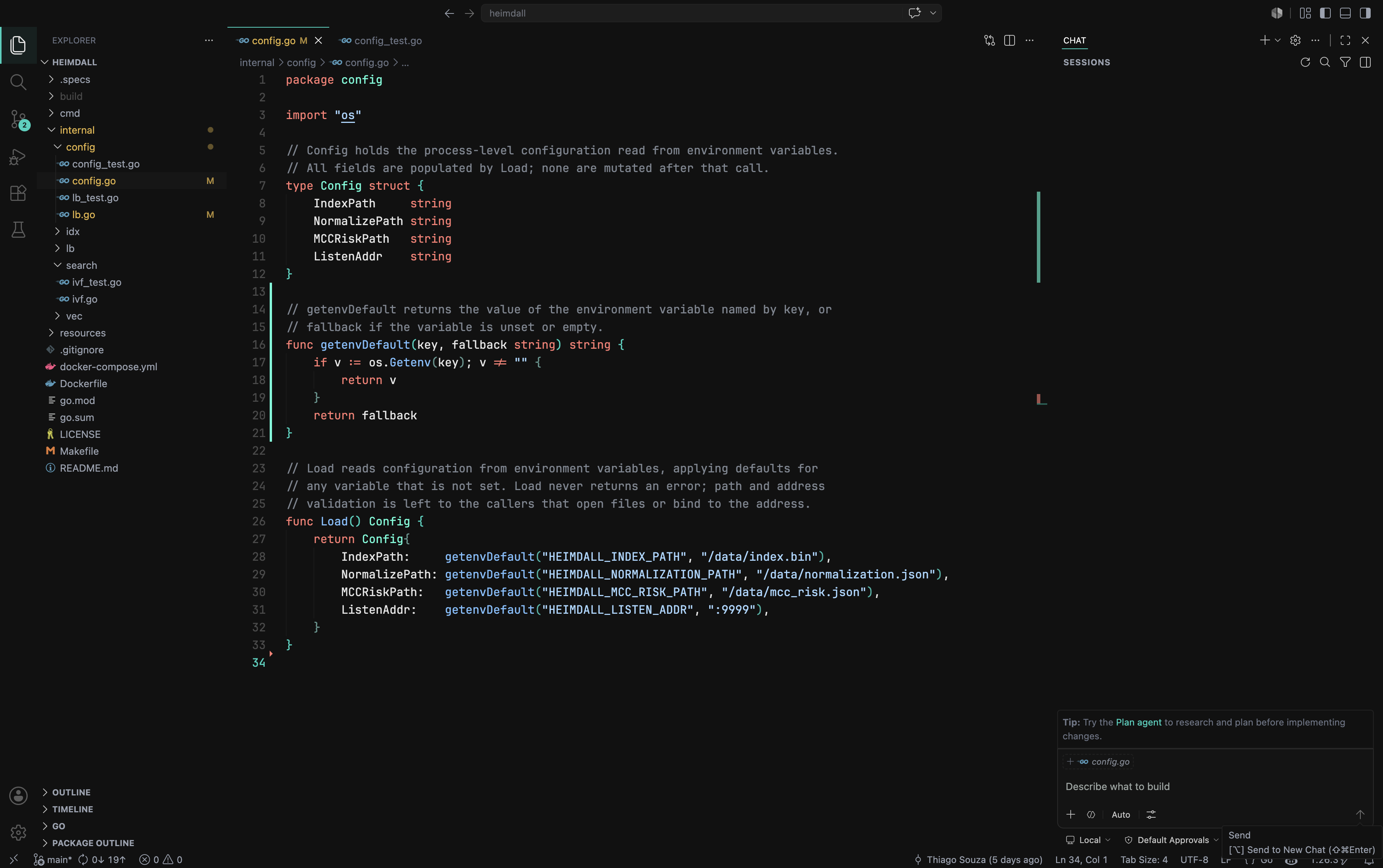
- Fully styled interface — editor, sidebar, tabs, panels, status bar, and command palette.
- Carefully tuned syntax highlighting for readability in both light and dark.
- Matching integrated terminal, Git decorations, and diff colors.
- Bracket pair colorization that stays subtle and on-theme.
- Open the Extensions view in VS Code (
Ctrl/Cmd+Shift+X). - Search for Emerald Minimal Theme.
- Click Install.
- Open the Command Palette (
Ctrl/Cmd+Shift+P). - Run Preferences: Color Theme.
- Pick Emerald Minimal Dark or Emerald Minimal Light.
Released under the MIT License.