A durable personal lifelog — aggregating what I play, watch, read, listen to, and attend, with a public timeline, feeds, status cards, yearly Wrapped, and an MCP endpoint for AI tools. See the cards live →
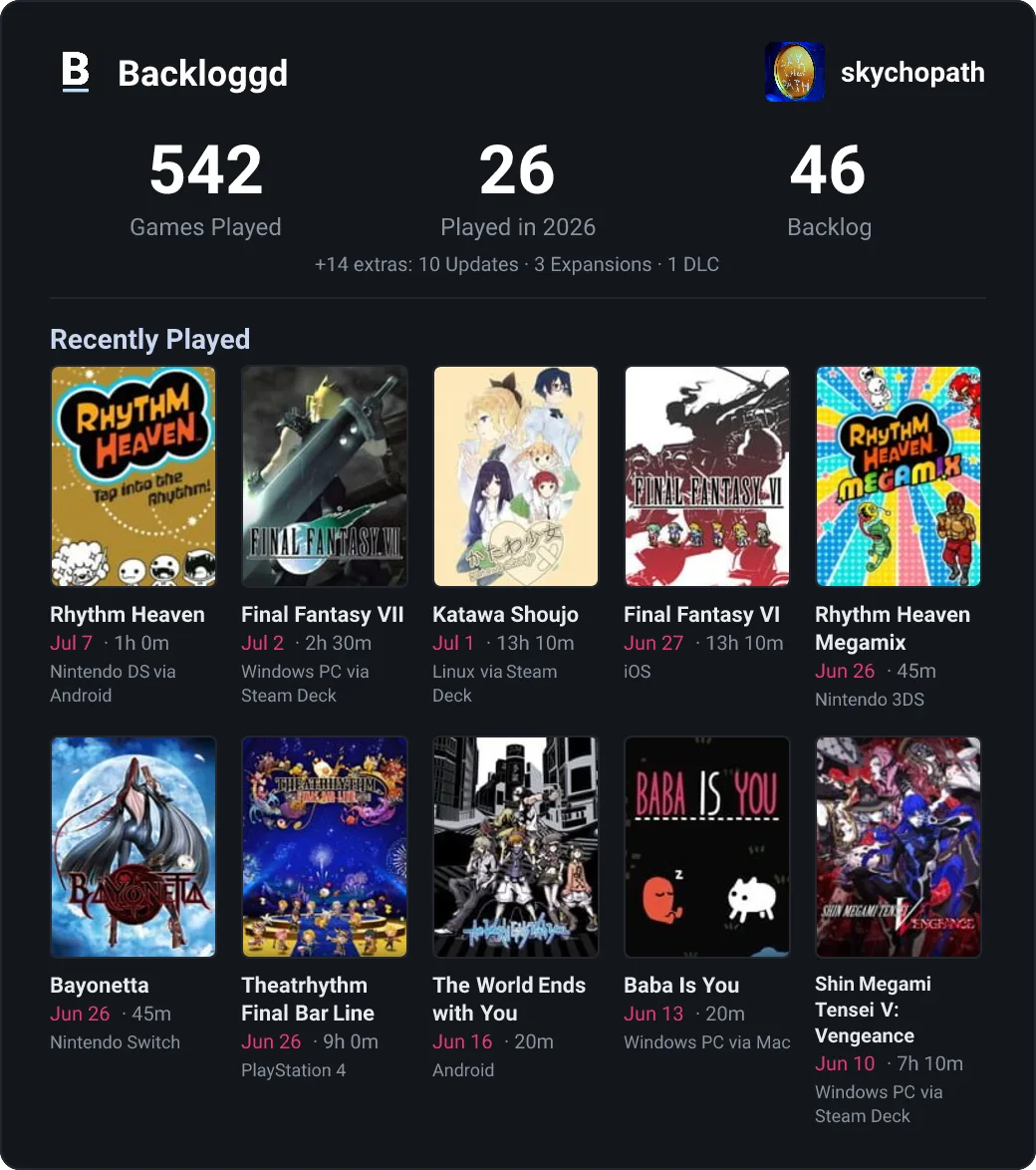 |
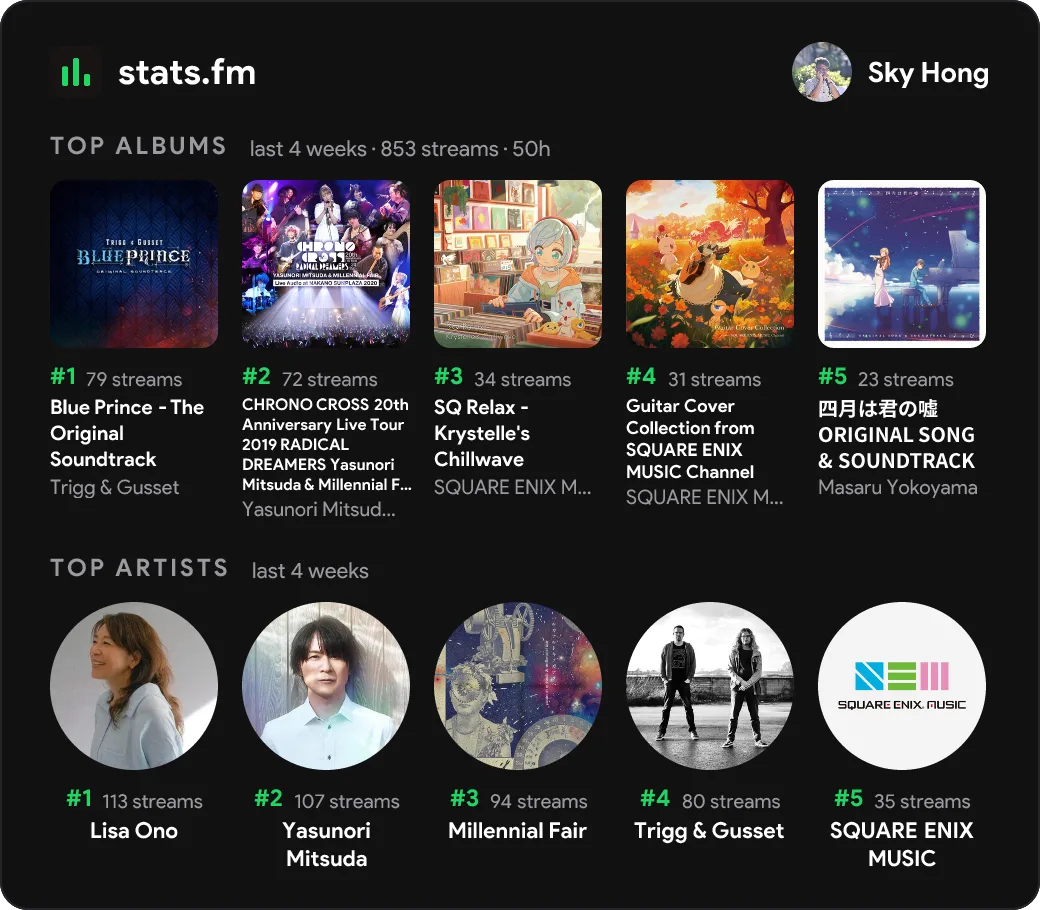 |
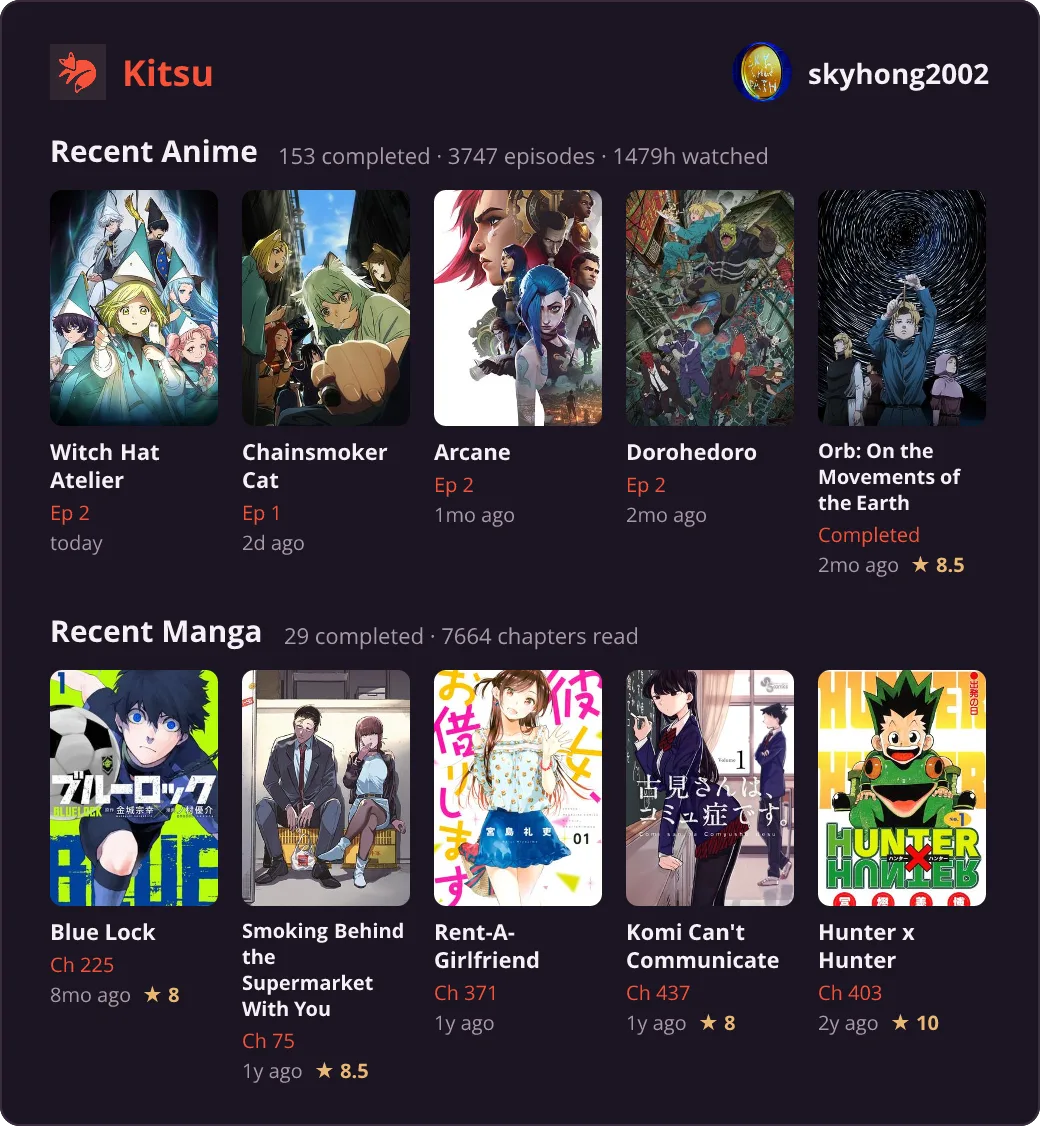 |
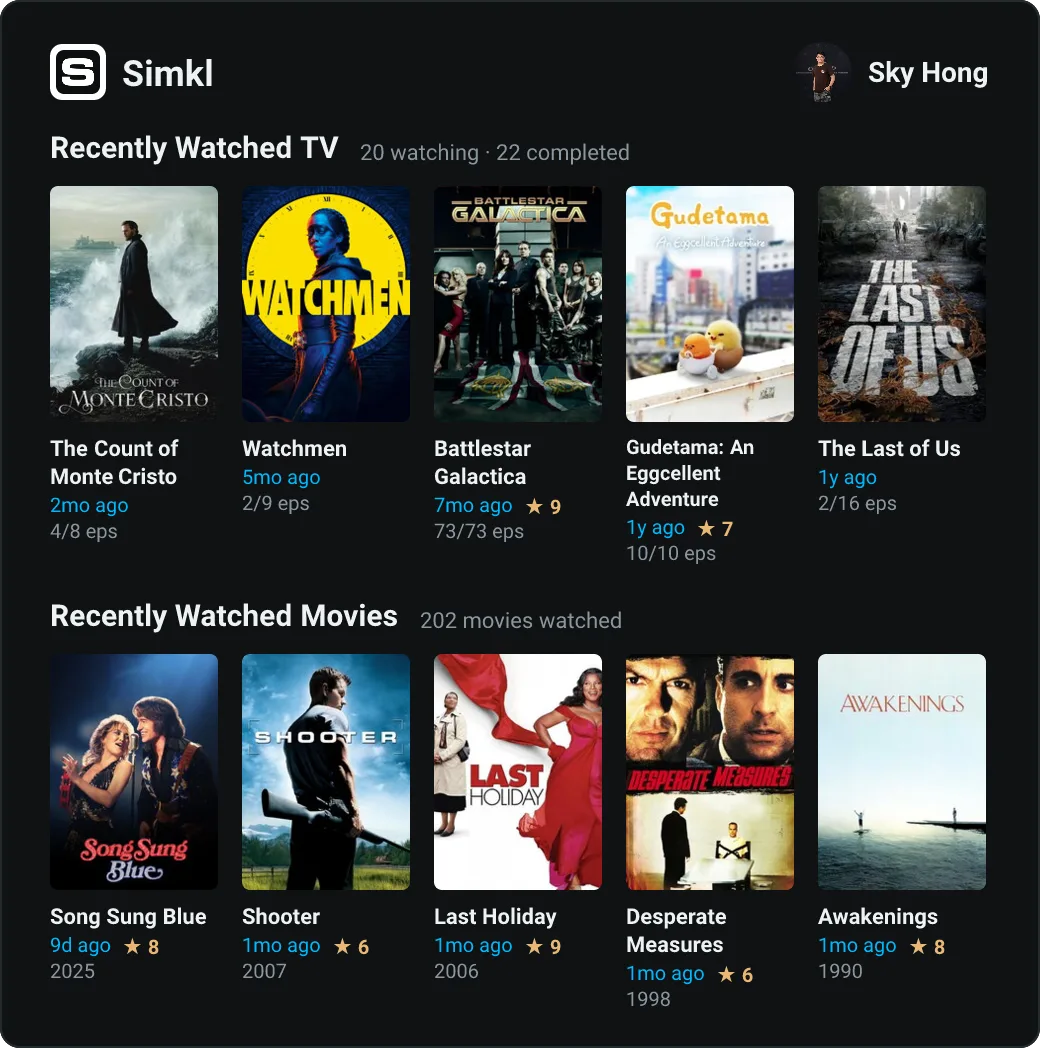 |
 |
|
The data is the point — cards are just the first way to look at it. The code is split into three layers so a new source or a new way of presenting the data can be added independently:
sources/  ──fetch + normalize──▶  data/  ──read-only──▶  output/
(one file per platform)        (unified model, cache)    (one file per format)
src/sources/— one module per platform. Each fetches/scrapes its source and normalizes the result into aSourceSnapshot(see below). All the platform-specific mess (HTML scraping, Anubis proof-of-work solving, OAuth, JSON:API quirks) is contained here and never leaks past this layer.src/data/—types.tsdefines the snapshot and durable Activity v2 models; SQLite stores last-good snapshots, sync runs, and the deduplicated activity timeline. The in-memory cache is restored from SQLite at startup, so an upstream outage or restart does not blank the site.src/output/— one module per rendered format. Today that's Satori SVG/PNG/WebP cards; each card reads onlySourceSnapshotfields, never a source's raw shape.
The unified model (src/data/types.ts):
MediaEntry— one normalized activity item:source,kind(game / anime / manga / movie / show / book / music / video / event),title,image,status,activityAt,rating, and a smallextrabag for the long tail that doesn't generalize (platform/playtime, episode counts, author, ...).SourceSnapshot<TExtra>— one refresh cycle's worth of data for a source:profile, headlinestatscounters, the normalizedentries, and a typedextrafor whatever genuinely doesn't fitentries/stats(e.g. stats.fm's weekly top-albums/top-artists leaderboard has no per-item date, so it isn't an "entry").
Adding a source: add src/sources/<name>.ts exporting a
fetch<Name>(): Promise<SourceSnapshot<...>>, register it in the
fetchers map in src/index.ts. No output module needs to change.
Adding an output: add a module under src/output/ that reads
SourceSnapshot and register it (in src/index.ts's cards map, or its
own registry for a non-card output like a feed). No source module needs to
change.
| Service | Method |
|---|---|
| Backloggd | HTML scrape (no public API) |
| Kitsu | Official JSON:API |
| stats.fm | Public API |
| Simkl | Official API (client ID + OAuth token via PIN flow) |
| Goodreads | Shelf RSS feeds + profile scrape |
| YouTube | Google Takeout import + private Chrome capture; Data API metadata |
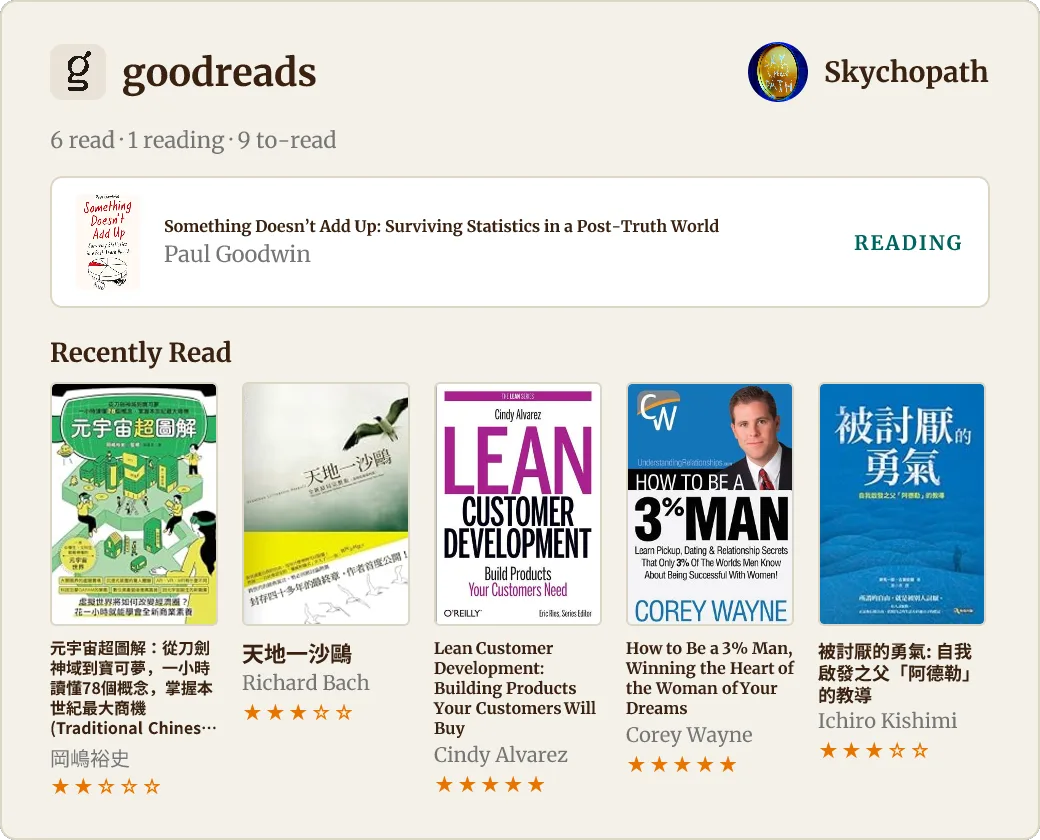
Fourteen cards in total — combined and single-medium variants:
backloggd (10 recent games), kitsu / kitsu-anime / kitsu-manga,
statsfm / statsfm-albums / statsfm-artists,
simkl / simkl-shows / simkl-movies, goodreads,
youtube / youtube-channels / youtube-topics.
Each card is served as svg (vector), png, or webp — the previews above use webp (≈10× smaller than the SVG), so this page loads fast.
GET /— recent entries from every source in one chronological timelineGET /platforms//platforms/{source}— per-platform local mirror pagesGET /cards— card gallery (responsive HTML)GET /profile— public cross-media profileGET /now— current media, upcoming events, and recent activityGET /wrapped/{year}— annual cross-media recapGET /status— service status overview (JSON)GET /card/{name}.{svg,png,webp}— a card;?scale=1..3for raster (default 2)GET /api/{source}.json— a source's normalizedSourceSnapshot(raw cached data)GET /api/activities.json?limit=100— persisted, deduplicated public activity timelineGET /api/youtube/summary.json?range=28d— public-safe YouTube aggregatesGET /api/youtube/recent.json— ten recently watched distinct videosGET /feed.json/GET /feed.xml— JSON and RSS activity feedsGET /api/wrapped/{year}.json— machine-readable annual recapPOST /api/ingest/events— authenticated private-ingest service (JSON)POST /api/ingest/youtube/capture— dedicated-token Chrome viewing captureGET /api/ingest/youtube/history/status— private cross-device sync checkpointPOST /api/ingest/youtube/history— private Google My Activity event batchesPOST /api/ingest/youtube/progress— explicit history progress importPOST /mcp— stateless MCP Streamable HTTP endpointGET /healthz— freshness-aware health check (healthy,degraded, orunhealthy)
Embed a card anywhere with <img src="…/card/kitsu.webp">.
git clone https://github.com/skyhong2002/infovore.git
cd infovore
cp .env.example .env      # then edit .env with YOUR accounts
docker compose up -d --build
Open http://localhost:3000. That's it — no other services required.
The Compose setup mounts a named infovore-data volume at /data; activity
history survives image rebuilds and container replacement. For a non-Docker
run, DATABASE_PATH defaults to ./data/infovore.sqlite.
Compose runs the public app and authenticated ingest boundary as separate
containers. They share only the SQLite WAL volume. Generate INGEST_TOKEN
with at least 32 random characters before enabling ingestion. The Traefik
overlay routes only /api/ingest/* to the write service.
Set only the sources you use via SOURCES in .env (e.g. SOURCES=kitsu,statsfm);
the rest are hidden. Every account id/username is an env var — see the comments
in .env.example, including how to get a Simkl client id + OAuth token.
Set YOUTUBE_PRIVATE_DATA_KEY, then import a Google Takeout archive locally:
npm run youtube:import -- /path/to/takeout.zipThe same parser is available through authenticated ingestion:
curl -X POST https://infovore.example/api/ingest/youtube/takeout \
  -H "Authorization: Bearer $INGEST_TOKEN" \
  -H "Content-Type: application/zip" \
  --data-binary @/path/to/takeout.zip
Imports are idempotent. Full watch events use aggregate-only visibility and
search queries are encrypted at rest; neither is exposed by the generic
timeline, feeds, or MCP tools. Configure the Google Data Portability OAuth
values for daily myactivity.youtube archive sync. Testing OAuth applications
require reauthorization every seven days. For local Compose, the OAuth callback
uses the ingest service at http://localhost:3001; production reverse proxies
route the same /api/ingest/* path on the public domain.
AI topic classification is disabled by default, even when AI credentials are
present. Set AI_CLASSIFICATION_ENABLED=true only for an intentional bootstrap
or classification run, then disable it again. Existing taxonomy and topic
assignments remain available while classification is disabled.
Google Data Portability is not available for every account country. The
Manifest V3 extension in chrome-extension/ is the
incremental fallback:
- Generate a separate
YOUTUBE_CAPTURE_TOKENwith at least 32 random characters. Do not reuseINGEST_TOKEN. - Open
chrome://extensions, enable Developer mode, choose Load unpacked, and select this repository'schrome-extensiondirectory. - Enter the capture token in the extension settings and test the connection.
The extension has three separate private inputs:
- Chrome playback capture starts after five non-ad playback seconds and sends cumulative measured watch time every 30 seconds.
- Daily account sync reads the signed-in Google My Activity YouTube page. This covers watches and searches performed on phones, TVs, and other devices using the same Google account. It runs when Chrome starts if the last successful sync is over 20 hours old, and checks hourly while Chrome remains open.
- YouTube History supplies recent resume positions and playback progress after each daily account sync. A manual full progress scan remains available.
Failed measured captures remain in chrome.storage.local, retry with bounded
exponential backoff, and survive browser restarts. Account sync overlaps its
checkpoint by two hours and the server deduplicates retries. Search terms are
sent only to the private ingest service over HTTPS and encrypted before storage.
The dedicated token can access only the capture, history, and progress
endpoints; cookies and unrelated browsing data are never collected.
The popup's Sync now action runs the same two-stage account-history and recent-progress workflow immediately. Full progress scan opens the signed-in YouTube History page and scans the entire available history for video ids, resume/progress, and duration. Progress rows remain private and contribute only aggregate content-coverage statistics. Automatic viewing capture does not collect playback position, and non-Chrome playback time remains estimated rather than measured.
For TLS + a custom domain via Traefik (e.g. a
Dokploy stack sharing a dokploy-network), set DOMAIN
in .env (and optionally LEGACY_DOMAIN for an old domain that now CNAMEs
here, to keep both working during a migration) and add the overlay:
docker compose -f docker-compose.yml -f docker-compose.traefik.yml up -d --buildnpm install
npm run dev # http://localhost:3000
npm run check # typecheck + fixture/unit/integration testsThe endpoint accepts one manually recorded event or { "events": [...] }.
Every event requires a public HTTPS image. A stable id lets later edits
(including upcoming → attended) update the same timeline entry. Free-form
tags are optional manual labels, not separate event types or sources. Ticket
QR codes, order numbers, seats, and payment data are not part of the schema.
curl -X POST https://infovore.example/api/ingest/events \
  -H "Authorization: Bearer $INGEST_TOKEN" \
  -H "Content-Type: application/json" \
  -d '{
    "title": "Concert",
    "startAt": "2026-08-01T19:30:00+08:00",
    "image": "https://example.com/concert-poster.webp",
    "tags": ["音樂會"],
    "venue": "Concert Hall",
    "url": "https://kktix.com/events/example",
    "status": "upcoming"
  }'
When url is a supported public OPENTIX, KKTIX, or Accupass event page, the
ingest service fills missing schema.org/Open Graph metadata. Other public HTTPS
URLs are saved as references without being fetched. It never signs in to a
ticket wallet.
Connect a Streamable HTTP MCP client to https://infovore.example/mcp.
Available tools are get_recent_activities, search_lifelog,
get_current_media, get_upcoming_events, and get_annual_summary.
- Separate authenticated ingestion for private/event sources
- Public profile and
/now - RSS and paginated/filterable JSON feeds
- MCP Streamable HTTP server for AI agents
- Annual cross-media Wrapped
See TODO.md for the verified delivery checklist and deliberate
external-authorization boundaries.