
Visit Runebook, a social media web app built with Ruby on Rails!
Runebook is a Ruby on Rails social media app built from scratch. Taking a broad list of general specs, I tackled them one by one, starting with setting up a simple PostgreSQL database, and moving forward to adding users, implementing the ability for those users to add friends, make posts, make comments, like posts/comments, and share pictures. I ended up with a really cool, fully-functional, tested and deployed website that demos like an early Facebook.
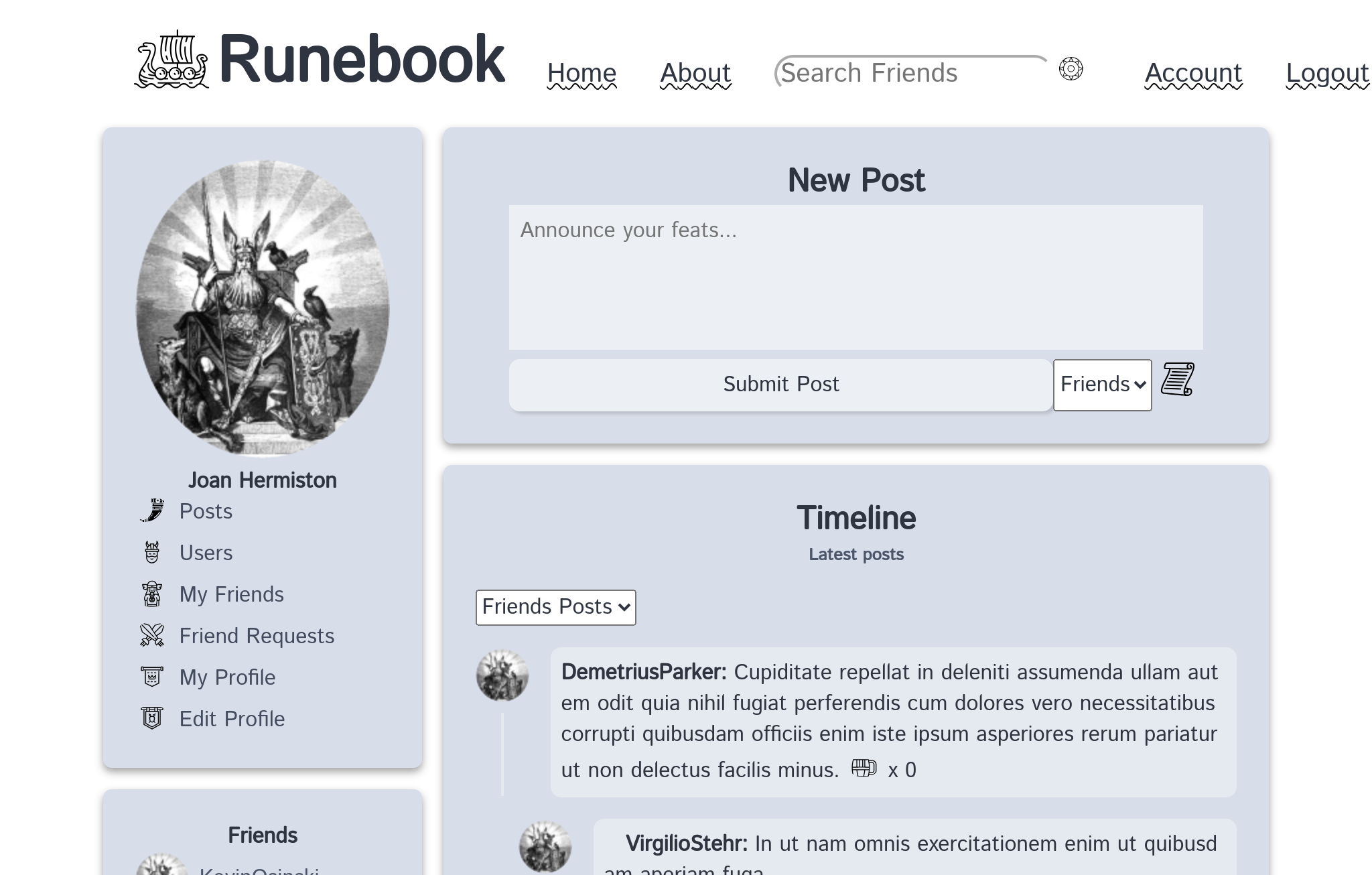
My general motivation was that I wanted to gain experience building a web app with a full suite of features that you might find on a social media website like Facebook. To build up a complete website from scratch that lives on the web thanks to code I wrote was an exciting thought that motivated me throughout the process. I also wanted to understand the Ruby on Rails framework more thoroughly, and experience firsthand all of its powerful capabilities.
- Create User Accounts with Devise gem
- Custom profile images and descriptions
- Add friends and view in friendlist
- Timeline feed of recent posts
- Create posts/comments with images
- Like posts/comments
- Tested with RSpec
Log in with a seeded profile:
acc: User_1@example.com
pw: password
acc: User_2@example.com
pw: password
acc: User_3@example.com
pw: password
Follow the recipe below to run Runebook on your a fresh, local machine. If you're starting from scratch, you will need to download a handful of dependencies to get it working locally!
- Install Ruby. For help with that, here is a great resource on installing the latest version of Ruby.
- Install Ruby on Rails. For help with that, I recommend this great resource on installing Rails.
- Finally, install PostgreSQL. If you need help, here is a good resource on install PostgreSQL. You may need to install node first.
- Clone the repo, instructions on how to do that here. If you need help installing git, try this resource on installing git.
- Run the command
bundle installto install all dependencies in the Gemfile. - Run the command
rake db:setupto set up the PSQL database and seed it. - Run the command
rails serverto launch the local server. - Visit
localhost:3000in your browser of choice. - Log in with the fake accounts listed in the above section or create a new one.
- Play around with it!
All tests are written in RSpec. Run in your terminal with
bundle exec rspec