Contain multiple domains and regex for specific needs.
-
เข้าไปที่ pi-hole.net
-
จะเจอ Link ไปที่ github ก็ไป copy installation script มาแปะ
curl -sSL https://install.pi-hole.net | bash
- แล้วทำตาม Instruction ที่หน้าจอ ตรงไปตรงมา กด next ไปเรื่อย ๆ พอติดตั้งเสร็จแล้วกลับมาที่ Terminal แล้วพิมพ์
sudo pihole -a -p
- จะเจอ prompt ให้ตั้งรหัสผ่านใหม่ ก็ตั้งให้เรียบร้อย
- เข้า Admin web interface ที่ http://pi.hole/admin หรือ http://[pi_ip]/admin จะเจอหน้า Login ใช้รหัสผ่านที่ตั้งเมื่อกี้
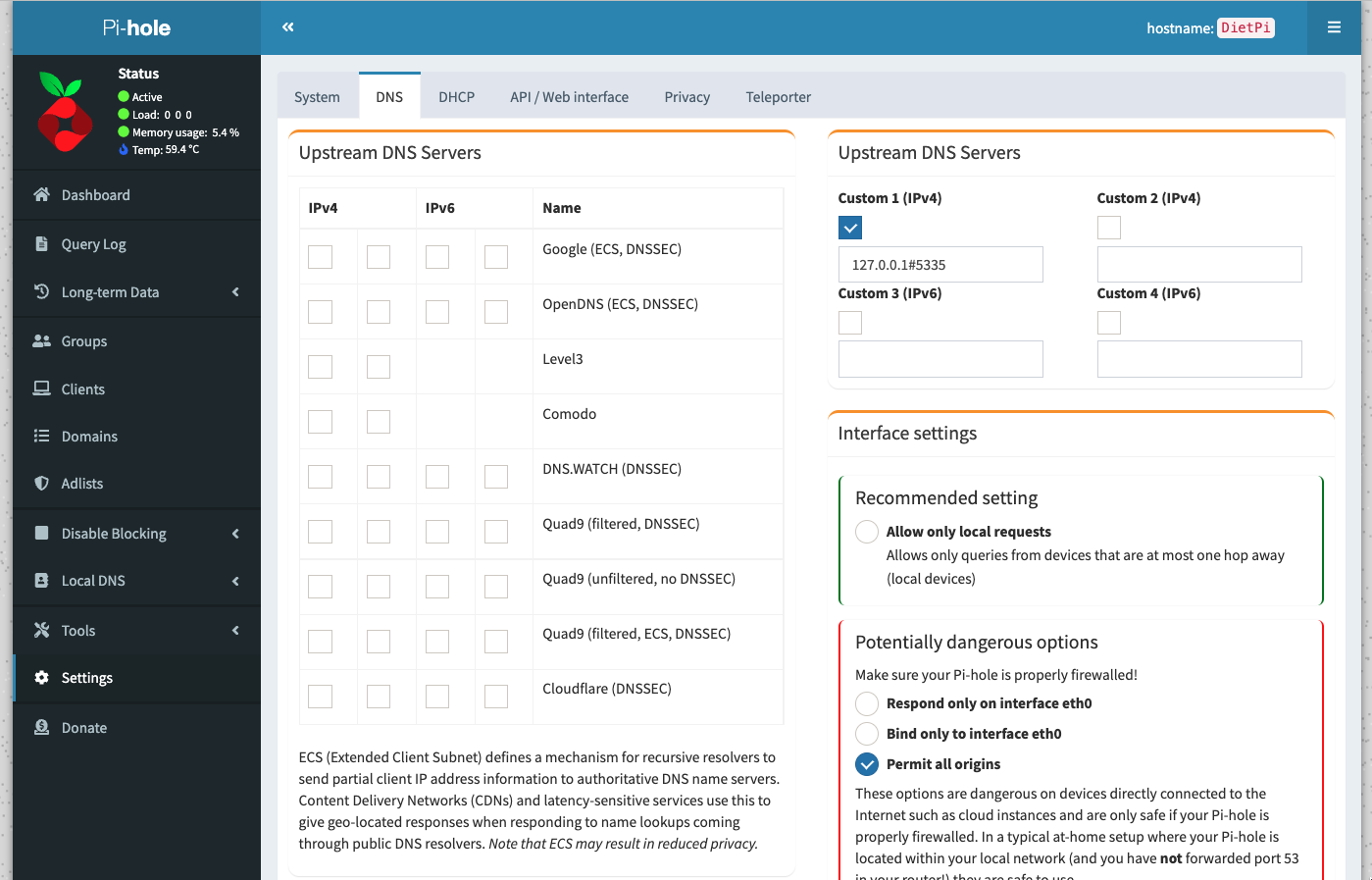
ไปที่ Setting → DNS → Upstream DNS Servers ถ้าจะใช้ Unbound ที่ติดตั้งไว้เมื่อกี้ก็ติ๊กอันอื่นออกแล้วใส่ 127.0.0.1#5335 ในช่อง Custom ลงมากด Save ด้านล่าง
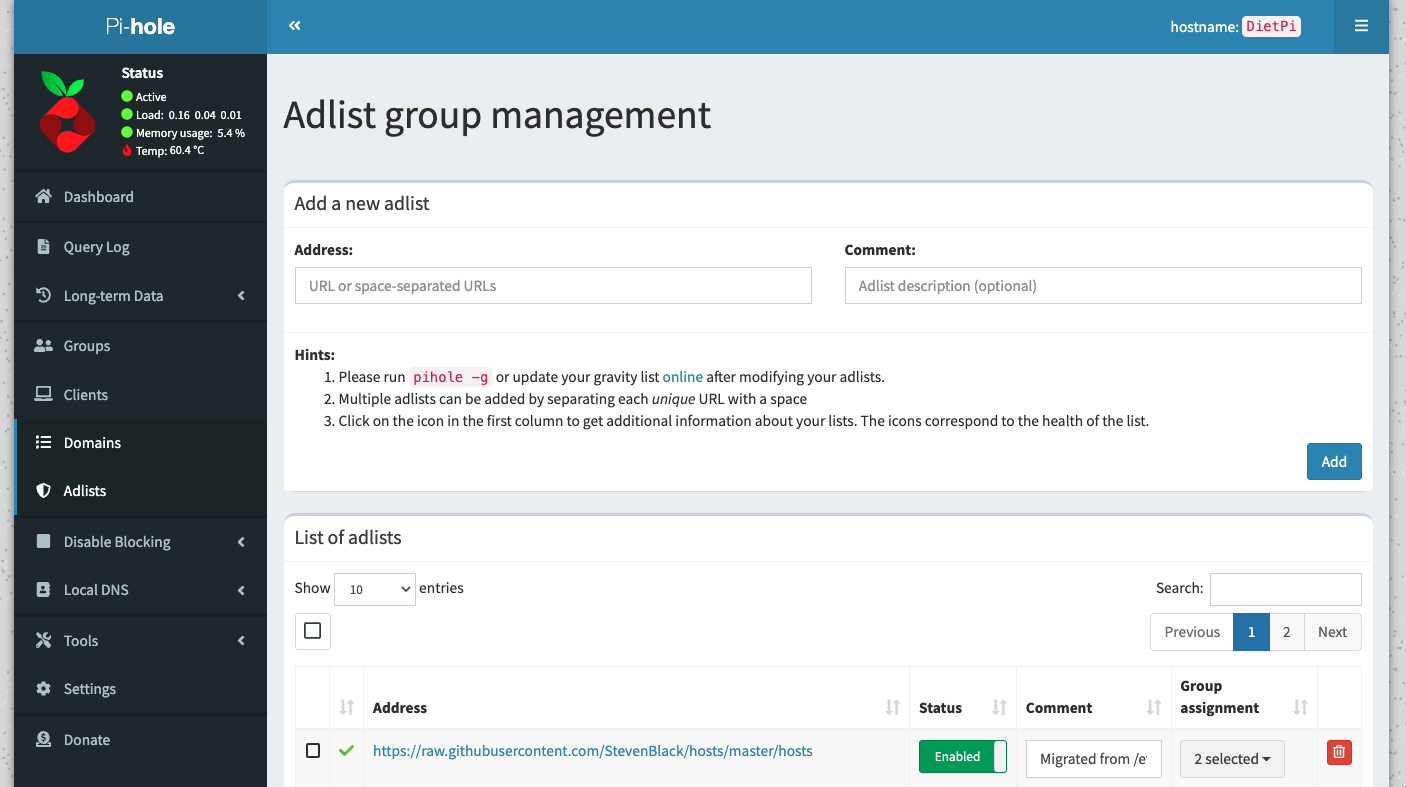
- ไปที่ Adlists → แล้วใส่ URL ของ list ที่ต้องการ ใส่ไปทีเดียวหลาย ๆ อันได้ไม่เหมือน AGH (คั่นแต่ละ URL ด้วย Space) เสร็จแล้วกด Add
- หลังจาก Add เสร็จให้ Update Gravity โดยพิมพ์
pihole -gใน Terminal หรือไปที่เมนู Tools → Update Gravity → Update ใน Web UI - โดยปกติ Pi-hole จะมีการ Update Adlists ทุกวันอาทิตย์เวลาตี 4 ถึงตี 5 (สุ่มเวลาตอนติดตั้ง) เป็น cronjob อยู่ที่
/etc/cron.d/pihole - ถ้าอยากเช็คถี่กว่านั้นก็ไปตั้ง cron เพิ่มเองได้โดย Create file ใหม่
sudo nano /etc/cron.d/pihole-extra
- ใส่บรรทัดนี้เข้าไป คือ Update ตอน 4:50 ของวันพุธเพิ่มอีกวัน
50 4 * * 3 root PATH="$PATH:/usr/sbin:/usr/local/bin/" pihole updateGravity
- ส่วน Regex Pi-hole ก็รองรับเหมือนกัน แต่ไม่รองรับเป็น List ต้อง add ทีละอัน แต่ว่ามีคนทำ python script เอาไว้แล้วให้ add ง่าย ๆ
GitHub — mmotti/pihole-regex: Custom regex filter list for use with Pi-hole.
curl -sSl https://raw.githubusercontent.com/mmotti/pihole-regex/master/install.py | sudo python3
curl -sSl https://raw.githubusercontent.com/mmotti/pihole-regex/master/uninstall.py | sudo python3
Pi-hole ไม่รองรับ Allowlist แบบเป็นไฟล์ ต้องเพิ่มทีละ Domain เอาเองจากหน้า Web UI หรือจาก Terminal
pihole -w [domain1] [domain2] […]
แต่มีคนทำ python script เอาไว้แล้วเหมือนกัน รันทีเดียว add ได้ทีละเยอะ ๆ
GitHub — anudeepND/whitelist: A simple tool to add commonly white listed domains to your Pi-Hole
git clone https://github.com/anudeepND/whitelist.git
sudo python3 whitelist/scripts/whitelist.py
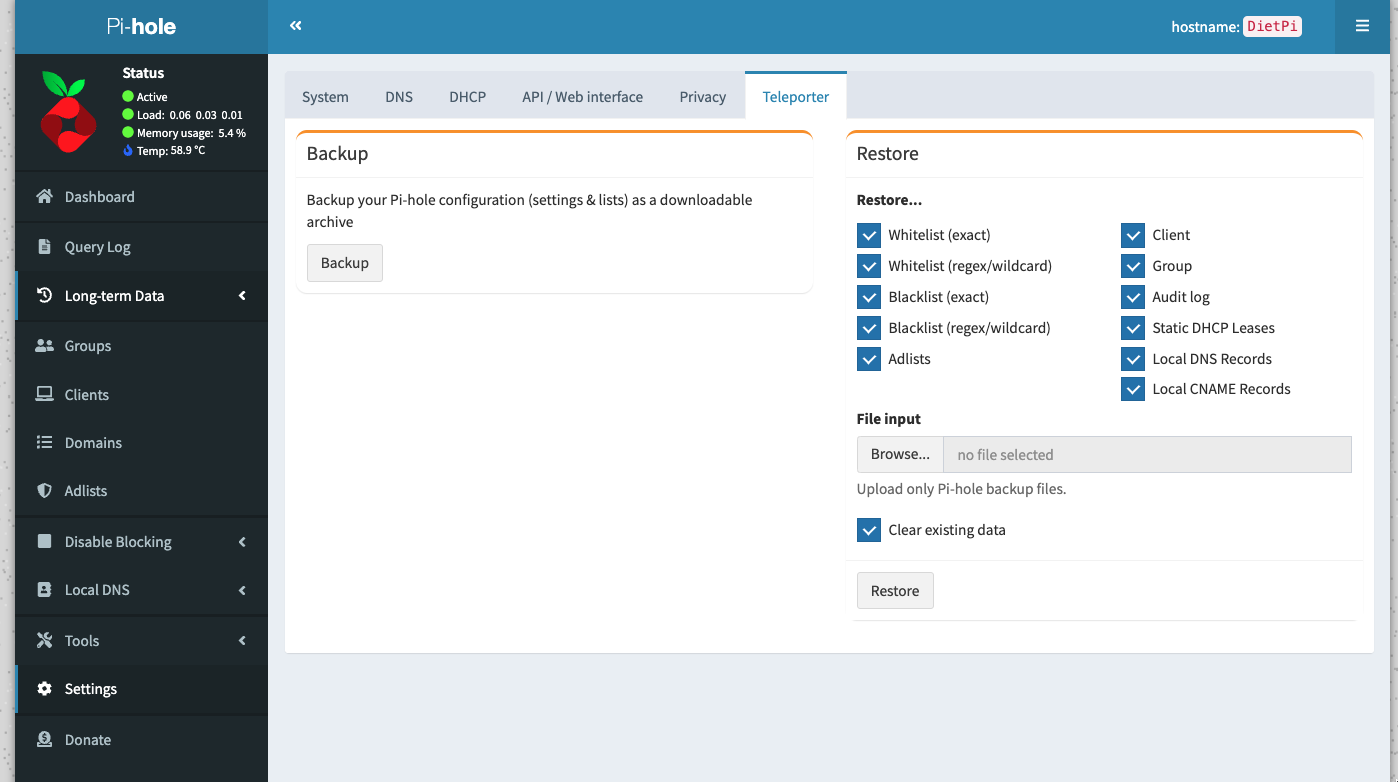
Pi-hole มี tools สำหรับ Backup และ Restore ที่ง่าย (มากๆ) อยู่ชื่อ Teleporter กด Backup จะได้ไฟล์มาเก็บไว้ เอาไป Restore จะได้ Settings กลับมาทุกอย่างเลย
Config ของ Pi-hole จะมีสองส่วน คือ/etc/pihole/pihole-FTL.conf
# Log 0 = show everything
PRIVACYLEVEL=0
# Blocking mode default is NULL
BLOCKINGMODE=NULL
# Number of days to keep query logs
MAXDBDAYS=7
# Rate limit queries per seconds
RATE_LIMIT=1000/30
# Delay startup 5 sec in case of
# slow starting of DHCP server
DELAY_STARTUP=5
# Default is 2
BLOCK_TTL=10
กับอีกที่คือใน Directory /etc/dnsmasq.d/
ในนี้ไฟล์ 01-pihole.conf จะโดนเขียนทับเวลามี update เพราะงั้นถ้าต้องการแก้ config ให้สร้างไฟล์ใหม่ เช่น
sudo nano /etc/dnsmasq.d/99-custom.conf
fast-dns-retry
edns-packet-max=1232
ถ้าแก้ไฟล์ทั้งสองที่นี้ออกมาก็ restart Pi-hole ทีนึง pihole restartdns ก็เรียบร้อย
Donate to Pi-hole team here: https://pi-hole.net/donate
Docs: https://docs.pi-hole.net
Subreddit: https://www.reddit.com/r/pihole