DevPSU Startup with Attollo Prep
Can't run from this since I deleted the manage.py and wsgi files for better performance in Digital Ocean VM
- attollo (all of django app)
- MasterSheet CSVS
- Gitignore
- Contains manage.py and wsgi.py because they have different settings on production and development
- Contains my .env file which contains all important keys and passwords from settings so it is more secure
- Translate csvs (Jupyter Notebook)
- Contains all the data cleaning of the csvs and then outputs them to attollo/basic/management/commands
- The first one was translate csvs, then translate 2020, then translate 2021
- attollo/ (project folder)
- settings/
- common.py (contains all things in common between dev and prod
- .env (hides environment variables)
- can find on the digital ocean server
- dev.py (inherits from common)
- prod.py (inherits from common)
- urls.py
- includes app urls, admin urls, favicon, signin pages, and urls to media and static files
- db.sqlite3 (only in development)
- wsgi.py (webserver config with all default values expect specifying which settings)
- settings/
- basic/
- management/commands/
- cleaned csvs for each class
- uploadpastdata.py which is run by
manage.py uploadpastdata filename gradyear
- migrations/ (automatically created by
manage.py makemigrationscommand)- delete after changing models.py
- static/
- includes all static css, js, and custom templates that are taken from this start bootstrap theme
- this is the original files that get copied when collect static is run to the static folder in the project directory
- place all static files here
- templates/
- basic/
- the three confirm_delete pages are called automatically by the DeleteViews in the views/staff.py file
- all display the same page, so they inherit deleting.html
- registration/
- login.html (called automatically from default accounts url)
- signup_form.html (called by both Student and Staff SignUpView)
- password reset templates aren't used but would be automatically called if you went to /accounts/password_reset/
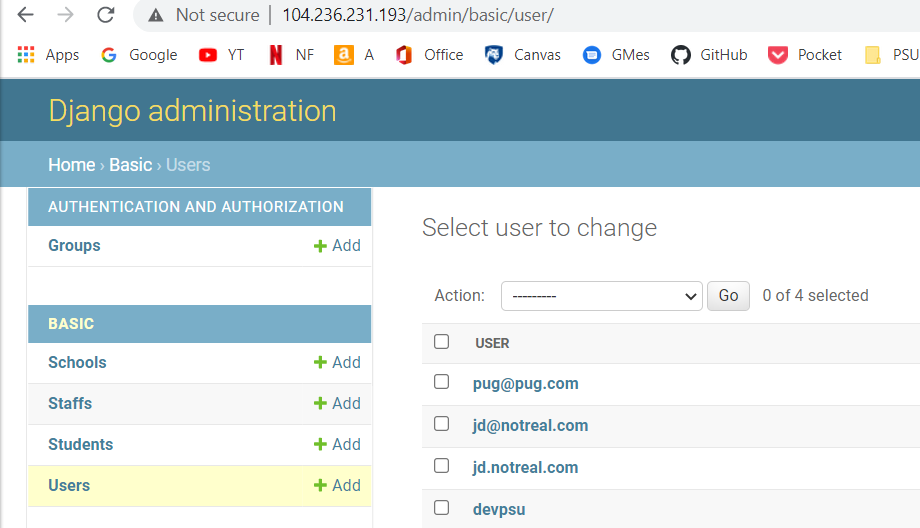
- followed this tutorial but didnt finish it since it wasn't a priority to have a reset confirmation. IF reset password was needed you can just go to /admin and delete the specific user and sign up again.
- staff/
- contains most staff templates
- student/
- contains most student templates
- 404.html and 500.html
- default error pages used when debug = False in settings (aka prod.py)
- base.html (for templates that don't want the navigation menu and dashboard like homepages, signin, signup, uploadnewstudent, and deleting)
- basestaff.html (contains staff nav bar)
- basestudent.html (contains student nav bar)
- home.html (contains home page)
- basic/
- views/
- basic.py (contains the homepage that refers each user to staff and student indexes)
- staff.py (contains all staff only views)
- student.py (contains all student views)
- admin.py
- decorators.py
- code that creates student/staff required decorators to prevent a student from viewing a staff view
- forms.py
- used for every from including signup form, uploading data forms, and updating data
- layout.py (created by me to clean up forms.py
- used to create different crispy form layouts (Third party thing to stylize forms)
- models.py
- contains all code that stores an object in the database
- test.py
- I didn't have enough time to create comprehensive tests, this file has just a few I created, might not be updated
- urls.py
- contains homepage url, and all urls for students and staff
- management/commands/
- media/
- automatically created when profile picture is uploaded
- static/
- automatically created when
manage.py collectstatic is called
- automatically created when
- attollo.log
- Created by attollo/settings/prod.py for logging purposes in production server
- Use
sudo tail attollo.logto view it on digital ocean server
- manage.py
- won't exist in repo since the settings were different in prod and dev
- migrate.bat
- shortcut to migrate database on windows
- requirements.txt
- contains all the necessary python packages
- can use the freeze.bat shortcut to automatically update on windows
- is automatically downloaded in the digital ocean server when
$ . deployis called
- Student and Staff inherit Person object because then data_id in User can refer to either a Student or Staff by referring to a Person object.
- get_absolute_url function: required for the implementation of certain class-based views like UpdateView, where the success url is automatically the get_absolute_url function.
- get_fields_forsearch - used for grabbing all the fields for the staff dashboard
- get_fields_fordetail - calls get_fields_forsearch but takes out the name since in detail view, the name is called seperately for the header
- get_fields_forprofile - deletes the has an account variable since this is a function for students
I used primarily Class-based Views because with good models, they make code really easy. See documentation
- only contains homepage which redirects based on the current user
- contains the staff signup view
- contains the two dashboards
- contains upload, detail, delete, update views for each object
- contains the student signup view
- contains the profile view which is the student homepage
- redirects to student:upload if there is no user.
- If there is a problem where you are stuck in the upload view it might come from here
- contains the upload view which is called when the profile view doesn't see a user
- contains a student update view which is the only functionality that the student has right now
- All of the above views that require a POST request refer to functionality in forms.py
- This is where most cleaning and validation of the forms occurs
- StudentUpdate is the base class for StudentUpload and NewStudentUpload
- StudentUpdate doesn't have validation that makes sure that the student is already existing
- The NewStudentUpload also doesn't have validation since this is only for student users that don't have any data in our database about them
- excludes fname, lname, email, since these are taken from the current user model
- Address fields and save function are copied in StudentUpload and NewStudentUpdate - this is used to create more standard formatting when asking for an address. Stores it in a text format.
- This was done in a text format because the excel sheet contains unstandardized data (aka has addresses without states and cities)
- School and Staff Uploads just have validation that makes sure that there is not an object with the same name, or email in the case of staff
- Contains staff and student signup forms
- copied mostly from this blog
- I copied most of base html code from this start bootstrap template
- Look at documentation to see how to inherit base templates and use python code to get what is sent through the request in the views
- Most of my coding occurred on my Windows machine, and then I just pulled all my code from github to update on the digital ocean server.
- I wrote a script in /home/parker/bin/deploy.sh (also copied it to the github)
- This script can be called from anywhere with
. deploy - activates my environment, stashes changes, pulls from github, installs requirements, and restarts gunicorn system which makes the changes available to the website
- This script can be called from anywhere with
- Therefore, it is set up so all you have to do is freeze requirements and push to github and then run deploy to make changes to the server
- The primary difference between the dev.py and prod.py settings is that Debug=True or False. Debug = False should never be run on the production Linux server because it gives errors and information that shouldn't be seen by the normal user.
- Debug = False instead displays a 404 or 500 page when there is an error
- The other difference is that prod.py logs all information to the attollo.log file. This is to store what went wrong.
- Finally, I use a PostgresSQL server on the production environment, but wasn't able to properly configure it on my Windows computer, therefore in development, I ran it with a default SQLlite database.
- Root Password: ReesesRG8candy
- Used this tutorial to set everything up
- How to create a PostgresSQL database and user from scratch:
sudo -u postgres psqlCREATE USER devpsu WITH PASSWORD 'psu';ALTER ROLE devpsu SET client_encoding TO 'utf8';ALTER ROLE devpsu SET default_transaction_isolation TO 'read committed';ALTER ROLE devpsu SET timezone TO 'UTC';GRANT ALL PRIVILEGES ON DATABASE test1 TO devpsu;
- How to delete and create test1 database, when there is unwanted data in there
sudo -u postgres psqlDROP DATABASE test1;CREATE DATABASE test1;GRANT ALL PRIVILEGES ON DATABASE test1 TO devpsu;\qpython manage.py migratepython manage.py createsuperuser
- Important log to view when there is a internal server error not caused by your code, but by gunicorn
sudo journalctl -u gunicorn
- Add a domain name with any service like Domain.com, or godaddy.com
- Make the website secure with https - requires a domain name
- easy tutorial here
- Create an alumni model and table (Leo wanted this)
- Create an interns model (Leo wanted this)
- could create a different user is_intern variable and create it like I have with is_student or is_staff.
- if you wanted to restrict access to certain things like the staff information than you could just add a decorator for the intern user
- Add 2019, 2018, and alumni data
- Maybe the table view better by implementing more functions from jquery datatables.net
- Create a better search mechanism with datatables, like one where you could search for a specific variable
- one where you could toggle different fields
- one where you could search for a specific variable