Desktop tool for making OptiFine connected texture packs from a single block PNG. You load the texture, set up borders, preview the layout, and export tiles 0.png–46.png plus the .properties file.
Python + Flet + Pillow. Everything lives in main.py.

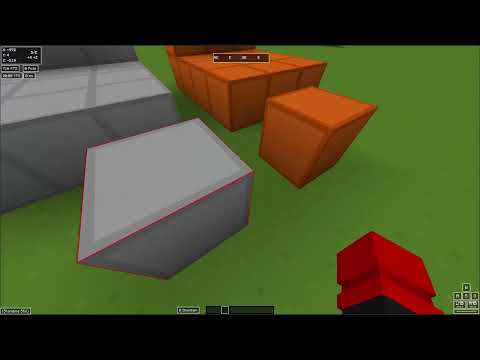
- Slices one source image into all 47 standard CTM tiles
- Live preview with zoom and right-click pan
- Colored frame borders (width up to 16 px, alpha, color, eyedropper) or a custom frame PNG
- Basic paint tools on the loaded texture: pick, brush, fill, undo/redo
- Red guide lines for where borders get cut
- Debug tile IDs: stamps each tile with its index in red so you can see what OptiFine picks in-game, then regenerate without debug when you're done
- A handful of UI themes (Moonlight is the default; also Light, Dark, Obsidian, Catppuccin, Dracula, Nord)
git clone https://github.com/oNxZero/CTM-Gen.git
cd CTM-Gen
pip install -r requirements.txt
python main.py
Linux and Windows. Use python or python3 depending on what your system has.
- Open texture: click Open texture or use New texture.
- Pick a border mode:
- Colored frame: procedural border. Eyedropper samples from the preview.
- Custom PNG: separate image with just the frame (transparent center). Use Open outline while this mode is active.
- Preview controls:
- Zoom slider or Ctrl + scroll (50%–500%)
- ← / → to change tiles
- [ / ] to zoom out / in
- Ctrl+Z / Ctrl+Y for undo / redo
- Toggle guide lines, paint if something needs a touch-up.
- Generate pack: choose a folder. If that pack folder already exists, the app asks before overwriting.
- Copy the output into your resource pack:
assets/minecraft/mcpatcher/ctm/<your_texture_name>/
If CTM looks wrong in-game, turn on Debug tile IDs in the Export panel, place blocks, note which numbers show up on bad faces, fix the source, turn debug off, and export again.
Theme and last save folder are stored in ~/.config/ctm-generator/settings.json.
Moonlight palette is from oNxZero/Moonlight.
Tile indexing idea from Minecraft-Connected-Textures-Generator-CTM by Rostezkiy. This repo is a rewrite with a new UI, preview, paint tools, and export flow.
MIT