Receive animated QR codes (BC-UR) in the browser: camera to bytes, no wallet required.
Try it with your phone · Fountain-code explainer · Docs
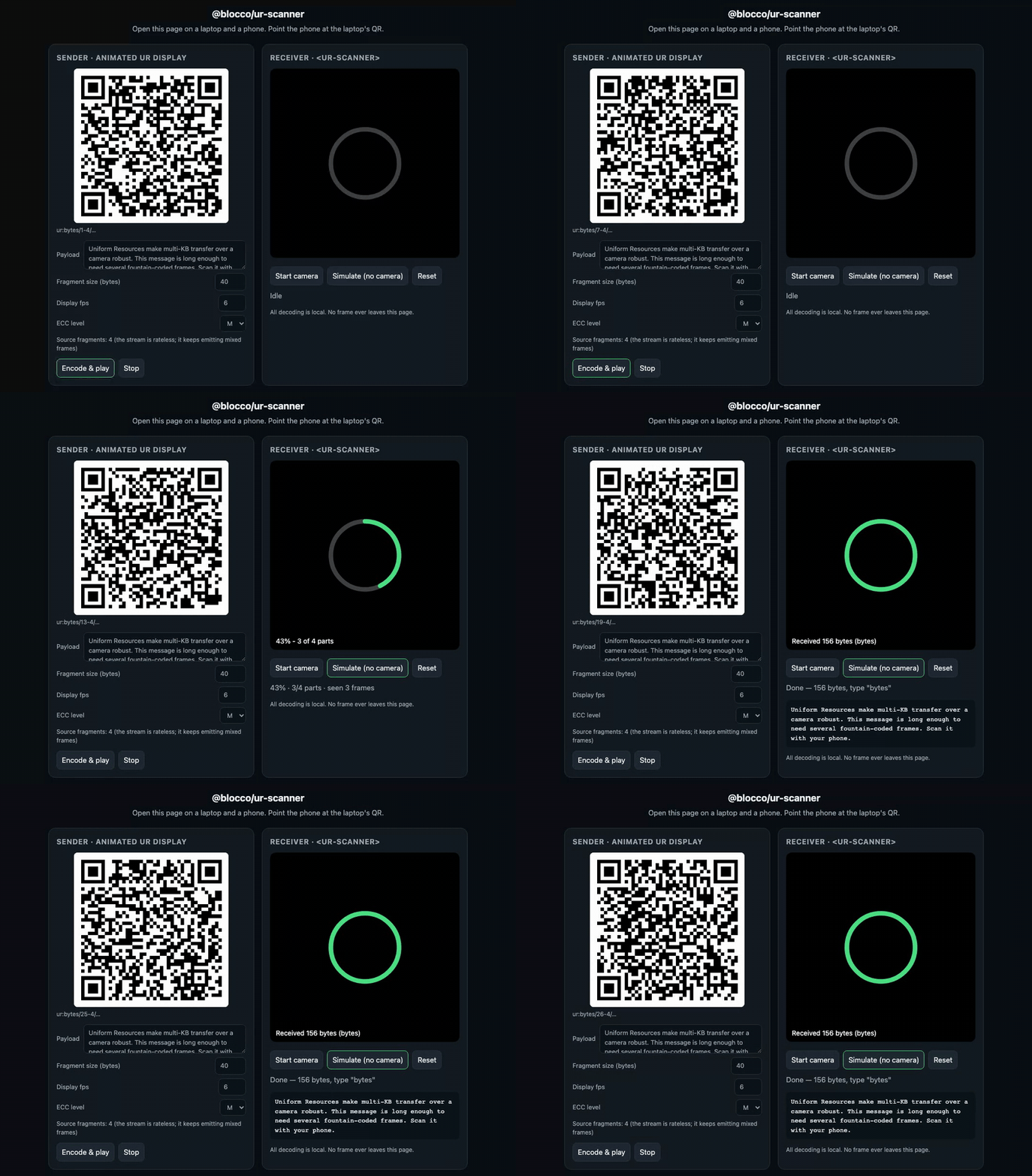
QR is a zero-infrastructure transport: no pairing, no network, no accounts, works across an air gap and in a power cut. But one QR code caps out around 3 KB, so anything larger has to be split across an animated sequence of frames. BC-UR (Uniform Resources) fountain-codes that sequence so a camera can reconstruct the whole payload even while missing many frames, and the receiver can join the stream at any point. Senders are everywhere (every hardware wallet ships one); the browser lacked a good, framework-agnostic receiving end. This is that end.
This is not a wallet library. It hands you bytes. Wallet payloads (crypto-hdkey, crypto-psbt, and friends) are one recipe among many: see wallet payloads.
The demo is one static page that both displays an animated UR and scans one. Open it on a laptop, open the same URL on your phone, point the phone at the laptop: the bytes transfer and the ring fills. No camera? Hit Simulate for the one-device fixture path.
pnpm demo:build && node scripts/serve-demo.mjs # http://localhost:4173npm i @nkwib/ur-scanner @ngraveio/bc-ur
# optional: a JS fallback for browsers without a native BarcodeDetector
npm i jsqr<ur-scanner auto-start expected-type="bytes"></ur-scanner>
<script type="module">
import '@nkwib/ur-scanner/element';
const scanner = document.querySelector('ur-scanner');
scanner.addEventListener('ur-complete', (e) => {
// e.detail.cbor is a Uint8Array. Payloads are just bytes.
console.log(`received ${e.detail.cbor.length} bytes of ${e.detail.type}`);
scanner.stop();
});
scanner.addEventListener('ur-error', (e) => console.error(e.detail.code));
</script>import { URReceiver } from '@nkwib/ur-scanner';
const receiver = new URReceiver({
expectedType: 'bytes',
onProgress: (p) => console.log(`${Math.round(p.estimatedPercent * 100)}%`),
onComplete: (ur) => console.log('bytes:', ur.cbor),
});
// Feed strings from any source: a camera, an <input type=file>, a test fixture.
for (const part of frames) {
if (receiver.addPart(part).complete) break;
}Both snippets are real files: examples/web-component.html and examples/headless.ts, compiled in CI so they cannot rot.
All processing is local. No frame, byte, or pixel ever leaves the page. There is no network call and no telemetry of any kind. The camera stream goes to a canvas, the canvas to a QR detector, the strings to a decoder, all in the tab. A camera is a sensitive surface and this library treats it as one: it opens the stream only when you call start() / fromCamera() and releases it on stop(). See SECURITY.md.
| Browser | QR detection | Verified |
|---|---|---|
| Chrome / Edge (desktop + Android) | native BarcodeDetector |
yes (Playwright/Chromium) |
| Safari (macOS 14+, iOS 17+) | jsqr fallback (no native detector) |
not yet, help wanted |
| Firefox | jsqr fallback (no native detector) |
not yet, help wanted |
The core decode logic runs anywhere JavaScript does and is verified by the unit and fixture tests. The camera and detector paths depend on the browser; the honest, per-device matrix (a community-PR target) lives in docs/compat.md. Native BarcodeDetector is fastest; where it is missing, install jsqr and the library loads it lazily.
Any sender built on @ngraveio/bc-ur (UREncoder) or another spec-compliant UR encoder. It decodes generic ur:bytes and, since payloads are just bytes, any registry type on top (you decode the CBOR). Hardware-wallet interop (Keystone, etc.) is untested by us; the community matrix is in docs/compat.md. Registry-type helpers: ngraveio/ur-registry, KeystoneHQ/ur-registry.
- A single small payload (under ~3 KB). Use one static QR: no animation, no fountain codes, no this library.
- Both devices are online. Use the network. QR shines when there is an air gap, no pairing, or no connectivity.
- You need to send, not receive. Use
@ngraveio/bc-ur'sUREncoderwith any QR renderer (seeexamples/sender.ts).
- Tutorial: from zero to scanned bytes
- Explanation: fountain codes · architecture
- How-to: frameworks · file and image input · camera selection and torch · physical tuning · testing without a camera · wallet payloads
- Reference: full API,
<ur-scanner>attributes/events, error taxonomy - Interop: compatibility matrix
MIT © Gabriele Magno. See LICENSE.