
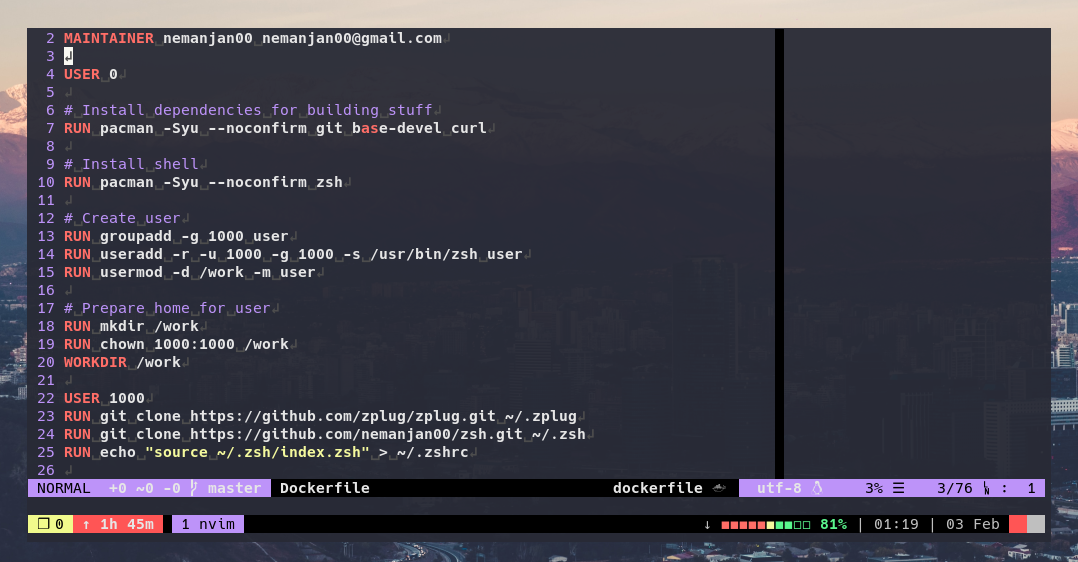
Docker-based dev environment for running Claude Code in a sandboxed container, with optional VM isolation via Vagrant/libvirt for safe Docker-in-Docker access.
Also works as a standalone portable IDE with Neovim, tmux, zsh, and language tooling.
- Build it
- Profiles
- Run it
- Opening project inside of it
- Claude Code
- VM isolation
- Components
- Supported languages
- Author
# Build base image
docker build -t nemanjan00/dev:base .

# Build a profile (default, reversing, etc.)
docker build -t nemanjan00/dev:default profiles/default/
docker build -t nemanjan00/dev:reversing profiles/reversing/
docker build -t nemanjan00/dev:embedded profiles/embedded/
docker build -t nemanjan00/dev:android profiles/android/
docker build -t nemanjan00/dev:maker profiles/maker/
docker build -t nemanjan00/dev:analyst profiles/analyst/
docker build -t nemanjan00/dev:librarian profiles/librarian/
docker build -t nemanjan00/dev:scraper profiles/scraper/

# With custom UID/GID (to match your host user) — apply to the base image
docker build --build-arg UID=$(id -u) --build-arg GID=$(id -g) -t nemanjan00/dev:base .The image is split into a base layer and profile-specific layers. The base image (nemanjan00/dev:base) contains the common dev environment (zsh, Neovim, tmux, Node.js, Python, Claude Code). Profiles extend it with domain-specific tools.
| Profile | Tag | Description |
|---|---|---|
default |
nemanjan00/dev:default |
Base environment, no extras |
reversing |
nemanjan00/dev:reversing |
Reverse engineering & forensics: radare2, r2ghidra, r2mcp, binwalk, apktool, volatility3, unicorn, keystone, magika, wireshark-cli, foremost |
embedded |
nemanjan00/dev:embedded |
Embedded development: arm-none-eabi toolchain, platformio, avrdude, esptool, openocd, stlink, sigrok-cli, flashrom |
android |
nemanjan00/dev:android |
Android / LineageOS builds: repo, git-lfs, JDK 17/11, android-tools, ccache, multilib libs, AOSP host toolchain |
maker |
nemanjan00/dev:maker |
Physical-world maker: OpenSCAD for 3D-printable parts, bun + pre-installed tscircuit CLI for PCB design |
analyst |
nemanjan00/dev:analyst |
Data / infra analyst (extends reversing): aws-cli, s3cmd, rclone, psql, mariadb, sqlite, duckdb, valkey-cli, rabbitmq admin, lnav, httpie, protoc, dig |
librarian |
nemanjan00/dev:librarian |
Document & ebook reading: pandoc, poppler (pdftotext), mupdf-tools, qpdf, pdfgrep, catdoc, djvulibre, unrtf, tesseract OCR, glow, w3m |
scraper |
nemanjan00/dev:scraper |
Web scraping against anti-bot sites: CloakBrowser (stealth Chromium, Playwright/Puppeteer drop-in), Xvfb for headed mode, Chromium runtime libs, full font set |
To use a profile with the CLI scripts:
bin/claude-docker --profile reversing

bin/claude-vm --profile reversingAdd a directory under profiles/ with a Dockerfile that extends the base image:
FROM nemanjan00/dev:base

USER 0
RUN pacman -Syu --noconfirm your-packages-here
USER 1000
CI automatically discovers and builds all profiles under profiles/.
If the profile needs extra bind mounts or env vars at runtime (e.g. a persistent ccache for Android builds), add an executable docker-args.sh in the profile directory. bin/claude-docker runs it when the profile is selected and appends its stdout to the docker run arguments:
#!/bin/bash
# profiles/myprofile/docker-args.sh
mkdir -p "$HOME/.cache/myprofile"
echo "-v $HOME/.cache/myprofile:/work/.cache/myprofile"docker run -ti nemanjan00/dev:defaultdocker run -ti -eTERM=xterm-256color -v$(pwd):/work/project nemanjan00/dev:default zsh -ic "cd project ; tmux"Claude Code is pre-installed. The quickest way to get started is with the CLI scripts:
# Direct Docker — simple, no VM overhead
bin/claude-docker

# VM-isolated — Claude gets its own Docker daemon, fully sandboxed
bin/claude-vm
Both scripts auto-detect and mount ~/.claude.json (OAuth), ~/.claude/ (config), and ~/.gitconfig into the container. Claude runs with --dangerously-skip-permissions since the environment is sandboxed.
# API key (works with both scripts)
ANTHROPIC_API_KEY=sk-... bin/claude-docker

# OAuth — just run `claude login` on the host first, then:
bin/claude-docker # ~/.claude.json is mounted automatically| Host path | Container path | Purpose |
|---|---|---|
~/.claude.json |
/work/.claude.json |
OAuth credentials (from claude login) |
~/.claude |
/work/.claude |
Full Claude config (settings, memory, CLAUDE.md) |
~/.gitconfig |
/work/.gitconfig |
Git identity and settings (read-only) |
The container ships with a /work/CLAUDE.md that documents the environment for Claude. Profile images append profile-specific tool documentation to it. Since Claude Code walks up from the project directory, /work/CLAUDE.md is always loaded as an ancestor of /work/project/. Your project can still have its own CLAUDE.md — both will be read.
Frontend developers who need container ports (e.g. dev servers) accessible on the host can enable host networking:
bin/claude-docker --host-networkThis passes --network host to Docker, so any ports the container listens on are directly available on localhost.
# Minimal
docker run -ti -e ANTHROPIC_API_KEY -v$(pwd):/work/project nemanjan00/dev:default zsh -ic "cd project ; claude"

# Full setup
docker run -ti -e ANTHROPIC_API_KEY \
  -v$(pwd):/work/project \
  -v~/.claude:/work/.claude \
  -v~/.claude.json:/work/.claude.json \
  -v~/.gitconfig:/work/.gitconfig:ro \
nemanjan00/dev:default zsh -ic "cd project ; claude"For full isolation (e.g. giving Claude access to Docker), use bin/claude-vm to run the dev container inside a lightweight VM via Vagrant + libvirt. Each invocation creates an ephemeral VM that is destroyed on exit.
# Arch Linux
pacman -S vagrant libvirt qemu-full qemu-img
vagrant plugin install vagrant-libvirt# Run from your project directory — it gets mounted into the VM
cd /path/to/project
/path/to/dev-environment/bin/claude-vm
# With API key
ANTHROPIC_API_KEY=sk-... bin/claude-vmBy default, claude-vm auto-detects ~/.claude.json, ~/.claude/, and ~/.gitconfig. You can override with env vars:
| Env var | Default | Purpose |
|---|---|---|
PROJECT_DIR |
$(pwd) |
Project directory to mount |
CLAUDE_CONFIG_DIR |
~/.claude |
Claude config (settings, memory) |
CLAUDE_AUTH |
~/.claude.json |
OAuth credentials file |
ANTHROPIC_API_KEY |
(none) | API key authentication |
VMs are ephemeral — each claude-vm invocation gets a unique VM ID and cleans up on exit (including Ctrl-C). Multiple instances can run in parallel.
The container inside the VM has access to the VM's Docker socket (with correct group permissions via --group-add), so Claude can spin up additional containers as needed, fully isolated from the host.
Host (your machine)
└── Vagrant/libvirt VM (Alpine Linux, 4GB RAM, 2 vCPUs)
    ├── Docker daemon
    └── dev container (this image)
        ├── Claude Code (--dangerously-skip-permissions)
        ├── Docker CLI → VM's Docker socket
        ├── Neovim, tmux, zsh
        └── Project files (virtiofs mount)
Project files are mounted into the VM via virtiofs (native libvirt filesystem passthrough), so changes are reflected in both directions. The dev container cannot affect the host.
If vagrant up fails with dnsmasq: failed to create listening socket ... Address already in use, you have something bound on port 53 that conflicts with libvirt's DHCP. Run sudo bin/claude-vm-setup to create a custom network with DNS disabled.
- Neovim with my config and coc.nvim for LSP
- zsh with zplug and my config
- tmux with gpakosz/.tmux
- asdf version manager (Node.js, Python pre-installed)
- fzf fuzzy finder
- ripgrep fast search
- jq JSON processor
- ctags code indexing
- CSS
- Dockerfile
- HTML (with emmet support)
- JS (eslint and tsserver)
- JSON
- PHP
- Python
- Bash
- SQL
- VimL
- XML
- YAML
- Much more (via coc.nvim extensions)