
MeshCore repeater and room-server firmware for the Heltec RadioCore RCC6-L62 / SX1262, with optional native TFT, authenticated Wi-Fi dashboard, and MQTT observation.
Warning
Experimental RCC6-only firmware. Do not flash it to RC32, RC52, or another ESP32-C6/SX1262 board. Headless profiles deliberately power the TFT off. The full TFT room-server profile is explicitly experimental and must pass its delayed 32 KB heap-headroom gate after Wi-Fi, Web, and MQTT services start.
Guided install: flasher.canadaverse.org
This project is synchronized with the target-relevant MeshCore 1.17.1 maintenance fixes, including SX126x boosted-RX-gain persistence and corrected server reply routing, plus the production MQTT observer base and reviewed memory, reconnect, retry, and packet-path fixes from agessaman/MeshCore.
The established repeater build remains unchanged. Room Server is available as four explicit release environments assembled from shared common, TFT, and full-network bases:
| PlatformIO environment | Room service | 220x128 TFT | Wi-Fi dashboard | MQTT | Status |
|---|---|---|---|---|---|
heltec_rcc6_repeater_observer_mqtt |
No | Off | Yes | Yes | Existing repeater/observer |
heltec_rcc6_room_server_minimal_headless |
Yes | Off | No | No | Smallest room server |
heltec_rcc6_room_server_minimal_tft |
Yes | Yes | No | No | Room snapshot on device |
heltec_rcc6_room_server_full_headless |
Yes | Off | Yes | Yes | Recommended connected server |
heltec_rcc6_room_server_full_tft |
Yes | Yes | Yes | Yes | Experimental; delayed 32 KB heap gate |
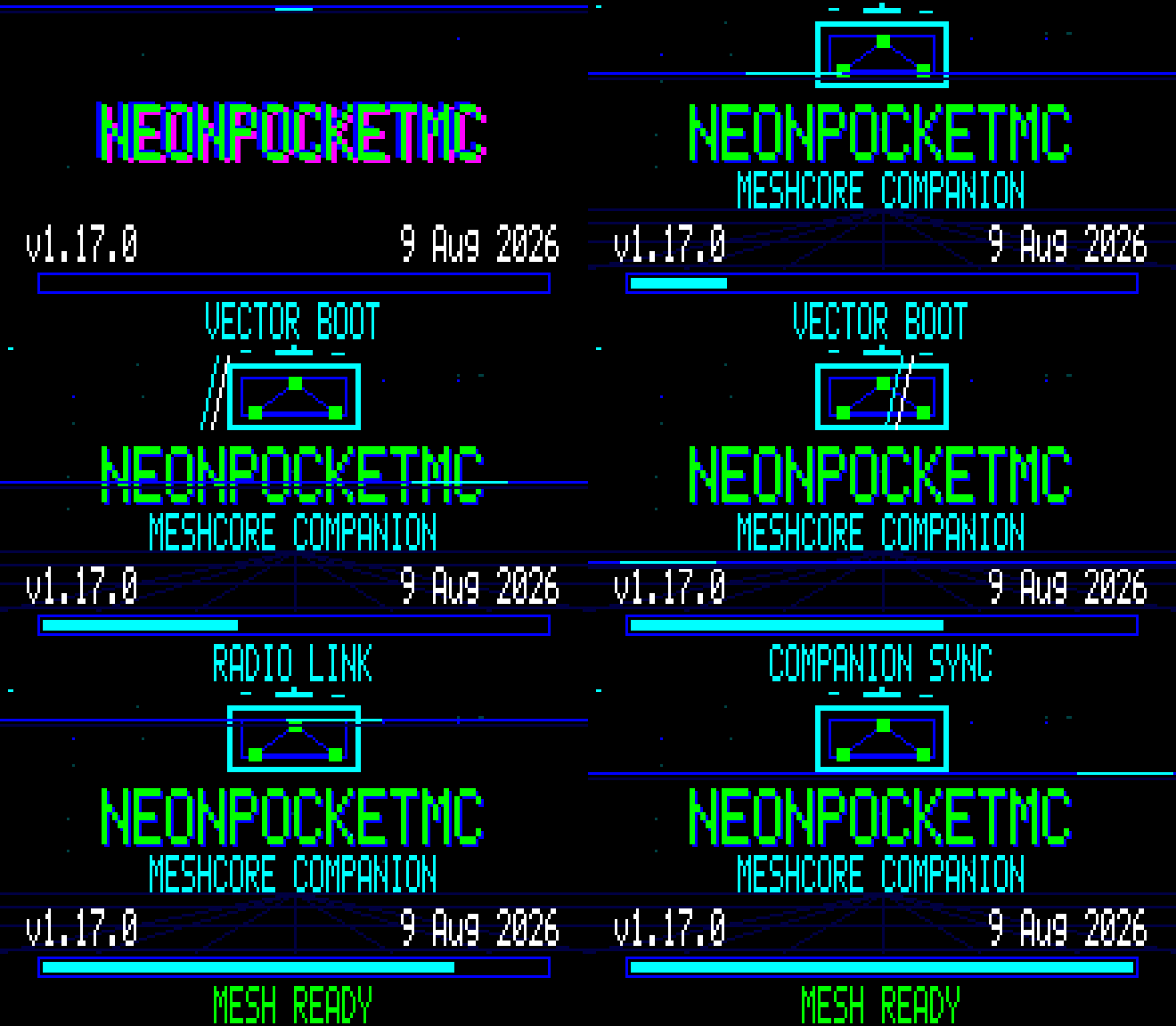
The two TFT Room Server profiles use this shared visual sequence with Room Server status text. The GIF is a direct, checksum-verified RCC6 framebuffer capture. Headless Room Server and repeater/observer images intentionally show no animation and keep the TFT off.
“Minimal” means LoRa Room Server plus USB CLI only: it does not compile the Web/AP/MQTT feature stack. “Full” adds the proven AP/STA onboarding flow, authenticated LAN dashboard, and MQTT observer/ingester using the existing broker presets and credential machinery. MQTT remains one-way observation: broker traffic is never injected into the mesh.
The TFT variants use the RCC6 native 220x128 framebuffer driver with band-delta flushing and the animated NeonPocketMC startup mark. Their room snapshot shows active/registered clients, accepted posts, RF signal/age/errors, queue pressure, raw battery voltage, and heap. A provisional warning appears at or below 3.45 V and clears at or above 3.60 V; no automatic low-voltage shutdown is enabled before physical ADC calibration. Full TFT also shows Wi-Fi, MQTT slot health, free/minimum/max-allocation heap, and an EXP marker.
To list the same choices from the configurator without connecting hardware:
python scripts/configure_rcc6.py --list-profiles
The USB configurator accepts only the two full Room Server profiles (and the existing repeater). It refuses minimal images because they intentionally have no Wi-Fi or MQTT settings to configure.
- Storage mounts fail closed. Existing nonblank SPIFFS data is never auto-formatted; only a completely erased partition is initialized.
- TFT builds stop on a visible error screen and serial fatal message if display, radio, storage, or the post-service heap gate fails. Headless builds emit the same radio/storage fatal state over USB serial.
- The full dashboard reuses the authenticated WebConfig API. Room activity is read-only: there are no HTTP endpoints for posting, deleting, changing clients, or injecting MQTT traffic into RF.
- A deliberate factory reset is USB-serial only: enter
factory-reset CONFIRM. It erases MeshCore/MQTT files, clears stored Wi-Fi credentials from ESP32 NVS on full builds, waits for the reply to land, and reboots. This also erases the room identity and cannot be undone.
- RCC6 Ultimate observer/repeater: forwards mesh traffic, observes packets, joins 2.4 GHz Wi-Fi, publishes to at most two MQTT brokers, and serves the full Ultimate dashboard. Current
v1.3.0-rc.4fixes saved-location adverts on GPS-less builds while retaining GPS controls on supported hardware. Prior server/repeater releases remain available. - Room Server, both sizes: hosts the standard MeshCore room/client protocol with 32 recent posts held in RAM. A reboot clears those buffered posts. Repeating is optional but defaults off; a separate repeater is recommended.
- Room Server, minimal: LoRa room service and USB CLI only. It has no Wi-Fi, Web dashboard, or MQTT code to configure.
- Room Server, full: adds 2.4 GHz AP/STA onboarding, the authenticated dashboard, and one-way MQTT observation. MQTT data is never injected into RF.
All roles use fail-closed MeshCore storage and default their own adverts to 3-byte path hashes (mode 2). MeshCore 1.17 still accepts and forwards incoming 1-, 2-, and 3-byte paths.
| Image | Setup after flashing |
|---|---|
Ultimate repeater/observer v1.3.0-rc.4 |
Supplied Windows/Linux network wizard |
| Ultimate Room Server full headless or full TFT | v1.3.0-rc.4 network wizard; it also changes both room passwords |
| Room Server minimal headless or minimal TFT | USB serial CLI or the generic MeshCore USB configurator; no network wizard |
Always attach a tuned LoRa antenna before powering or transmitting. Flash the selected application image at 0x10000, leave USB connected, and do not deploy until the radio settings and passwords have been changed.
Download NeonPocketMC-RCC6-Ultimate-Server-v1.3.0-rc.4-configurator.zip from the same release as the selected firmware.
- Windows: double-click
Configure-RCC6-Windows.cmd. - Linux: open the extracted folder in a terminal and run
sh configure-rcc6-linux.sh.
The first run prepares a small private Python helper. The wizard then:
- finds the RCC6 and refuses the wrong board, role, or minimal profile;
- asks plain numbered questions for the node name and legal regional radio values;
- sets frequency, bandwidth, spreading factor, coding rate, TX power, RX gain, repeat mode, and 3-byte advert hashes;
- offers the Canadian MQTT defaults or every broker built into the firmware;
- accepts 2.4 GHz Wi-Fi and broker credentials without printing or logging them;
- asks for a hidden, confirmed admin password and, on a Room Server, a separate hidden, confirmed room guest password;
- shows a final review and changes nothing until confirmed;
- reads the saved non-secret values and room guest password back without displaying secrets, reboots, waits for Wi-Fi and the dashboard, then prints the exact IP.
If anything fails, it stops and tells the user to keep USB connected.
Minimal images intentionally reject the network wizard. Open a 115200-baud USB serial terminal and enter values legal for your location and matching the rest of your mesh:
set name Hilltop Room
set radio 910.525,62.5,7,5
set tx 22
set radio.rxgain on
set repeat off
set path.hash.mode 2
password Choose-A-New-Admin-Password
set guest.password Choose-A-New-Room-Password
reboot
The compile-time password / hello credentials are onboarding defaults only. Never deploy a Room Server until both have been replaced. The minimal profiles have no IP address or webpage; use USB serial or supported remote MeshCore administration later.
This section applies only to the repeater/observer and the two full Room Server profiles. Minimal profiles do not start Wi-Fi or a Web server.
On a brand-new or unconfigured unit, the RCC6 automatically creates MeshCore-Setup-XXXX. Join it and browse to http://192.168.4.1/ if the captive setup page does not open by itself.
Once Wi-Fi is configured, the authenticated dashboard starts automatically after every boot at:
http://DEVICE-IP/
The USB wizard prints DEVICE-IP. Sign in with the device admin password.
Keep USB connected until the dashboard opens successfully.
-
The guided configurator prints a line such as
Web dashboard: http://192.168.0.39/after the RCC6 joins Wi-Fi. -
If that window was closed, open a 115200-baud USB serial terminal, press Enter, and run:
get wifi.statusA connected device replies with its exact address, signal strength, and Wi-Fi uptime:
connected, IP: 192.168.0.39, RSSI: -25 dBm, uptime: 1m 4s -
Open
http://DEVICE-IP/from a phone or computer on the same local network. Usehttp://, nothttps://, and sign in with the admin password selected during setup. -
If USB is unavailable, look in the router's DHCP/client list for the device that most recently joined.
The address is assigned by the router and can change. Create a DHCP reservation in the router if the repeater should always use the same address.
The RCC6 Ultimate phone/desktop dashboard includes:
- live health badges for LoRa, Wi-Fi, MQTT, memory, and firmware fault flags;
- packet RX/TX totals and per-minute rates, receive errors, flood/direct traffic, and duplicate counts;
- RSSI, SNR, noise floor, radio state, last-packet age, TX budget, airtime totals, and rolling TX/RX channel-load graphs;
- an offline mesh map of directly heard repeaters that advertise valid coordinates, plus an unlocated count and complete neighbor list—no guessed positions and no radio retuning;
- recent-neighbour name, key prefix, age, advert age, SNR, and advertised coordinates where available;
- an explicit Advert location privacy control beside the saved latitude/longitude. Select Share saved coordinates if this node should publish them; upgraded nodes that were previously set to Do not share remain private until you change it;
- battery voltage, heap/free-block history, packet-pool headroom, CPU speed, and queue pressure;
- Wi-Fi RSSI/channel/IP plus per-broker connection state, publish successes/errors, and filters;
- rolling packet, RF, airtime, queue, memory, battery, Wi-Fi, operational-load, and per-broker success/error graphs;
- guided radio/Wi-Fi/MQTT editing, all built-in broker choices, an advanced CLI, and safe reboot controls.
These are browser captures from the exact v1.3.0-rc.1 dashboard candidate. The overview shows realistic fixture data for layout verification; the released firmware supplies its own live RF, neighbor, and broker counters. Private credentials and precise location data are intentionally excluded.
| Live operations | Radio controls |
|---|---|
 |
 |
| MQTT presets and filters | Offline mesh map |
|---|---|
 |
 |
The setup AP is open, matching upstream behavior. Provision it at close range on a trusted network and change the default admin password immediately. The LAN dashboard uses plain HTTP with an application login, so operate it only on a trusted local network or through a trusted VPN; do not expose port 80 to the public Internet.
| Symptom | What to do |
|---|---|
get wifi.status says disconnected |
Keep USB connected and rerun the supplied configurator. Confirm the SSID is a local 2.4 GHz network and re-enter its password. |
| The IP answers nowhere | Confirm the phone/computer is on the same LAN, enter http:// explicitly, temporarily disconnect a VPN, and check that the router is not using wireless client isolation. |
| The IP changed | Run get wifi.status again or check the router's DHCP/client list, then add a DHCP reservation. |
| The admin password is forgotten | Rerun the USB configurator, or use a 115200-baud terminal and enter password NEW-PASSWORD, then reboot. |
| MQTT is not publishing | Run get mqtt.status; confirm Wi-Fi, broker presets, required broker credentials, and the configured IATA region. |
| Setup was never completed | Join MeshCore-Setup-XXXX and open http://192.168.4.1/, or use the supplied USB configurator. |
The release's configurator ZIP contains this complete guide as SETUP_AND_HELP.md, so it remains available offline after download.
Prefer a browser? The upstream observer project provides the agessaman Web Flasher and its full setup manual. This firmware is based on the agessaman/MeshCore observer branch. The generic MeshCore USB configurator remains useful for ordinary MeshCore settings, but it does not replace this firmware's MQTT-specific wizard.
Serial recovery/configuration is available at 115200 baud over USB. After the common name/radio/password commands above, a full Room Server or observer can be configured manually with:
set wifi.ssid Your 2.4 GHz SSID
set wifi.pwd Your WiFi password
set mqtt.iata YYZ
set mqtt1.preset meshcore-ca-1
set mqtt2.preset meshcore-ca-2
set mqtt.rx on
set mqtt.tx advert
get mqtt.status
get mqtt.presets
reboot
Any preset can replace either active slot. For example:
set mqtt2.preset meshmapper
set mqtt1.preset none
set mqtt1.preset custom
set mqtt1.server wss://broker.example:443/mqtt
For a Room Server, keep set repeat off unless its combined role is intentional. For the dedicated observer/repeater, use set repeat on. set path.hash.mode 2 selects 3-byte hashes for the device's own adverts; it does not limit which MeshCore 1.17 path sizes are received or forwarded.
The observer and full Room Server profiles preserve all 34 presets from the pinned observer source. The two Canadian endpoints are the only RCC6-specific default change. Minimal Room Server profiles do not contain MQTT.
| Preset | Endpoint |
|---|---|
analyzer-us |
wss://mqtt-us-v1.letsmesh.net:443/mqtt |
analyzer-eu |
wss://mqtt-eu-v1.letsmesh.net:443/mqtt |
nz-analyzer |
wss://meshcore-mqtt-1.baird.io:443 |
meshmapper |
wss://mqtt.meshmapper.net:443/mqtt |
meshrank |
mqtts://meshrank.net:8883 |
waev |
wss://mqtt.waev.app:443/mqtt |
meshomatic |
wss://us-east.meshomatic.net:443/mqtt |
cascadiamesh |
wss://mqtt-v1.cascadiamesh.org:443/mqtt |
tennmesh |
mqtt://mqtt.tennmesh.com:1883 |
nashmesh |
mqtt://mqtt.nashme.sh:1883 |
ctmesh |
mqtt://mqtt.ctmesh.org:1883 |
chimesh |
wss://mqtt.chimesh.org:443 |
meshat.se |
wss://meshcore-mqtt.meshat.se:443 |
eastidahomesh |
mqtt://live.eastidahomesh.com:1883 |
coloradomesh |
wss://mqtt.meshcore.coloradomesh.org:443 |
dutchmeshcore-1 |
wss://collector1.dutchmeshcore.nl:443/mqtt |
dutchmeshcore-2 |
wss://collector2.dutchmeshcore.nl:443/mqtt |
meshcore-ca-1 |
wss://mqtt1.meshcore.ca:443/mqtt |
meshcore-ca-2 |
wss://mqtt2.meshcore.ca:443/mqtt |
meshcore-fi |
wss://mc-mqtt.meshcore.fi:443/ |
okimesh-1 |
wss://mqtt1.okimesh.org:9002/mqtt |
okimesh-2 |
wss://mqtt2.okimesh.org:9002/mqtt |
inwmesh |
mqtts://scope.inwmesh.org:8883 |
bostonmesh |
wss://mqttmc01.bostonme.sh:443/mqtt |
rflab |
wss://mqtt.rflab.io:443 |
ipnt.uk |
wss://mqtt.ipnt.uk:443 |
flmesh |
wss://mcmqtt.jntconnections.com:443 |
corecomms |
wss://mqtt.corecomms.net:443/mqtt |
meshtexas |
wss://mqtt.meshtexas.org:443/mqtt |
mesh-chaun14 |
mqtt://mqtt.mesh.chaun14.fr:1884 |
wcmesh |
wss://mqtt.wcmesh.com:443 |
atvirastinklas |
wss://mqtt-mc.atvirastinklas.lt:443 |
gomesh |
wss://mqtt.gomesh.dev:443 |
idahomesh |
wss://mqtt.idahomesh.org:443/mqtt |
Some community brokers require their own credentials or local enrollment. The setup portal and CLI expose the fields supported by each preset, and custom allows an operator-supplied broker.
Install esptool and replace COMx with the port shown by your computer.
The current RCC6 Ultimate server release files are:
NeonPocketMC-RCC6-Ultimate-Observer-v1.3.0-rc.4-app.binNeonPocketMC-RCC6-Ultimate-Observer-v1.3.0-rc.4-full-recovery-preserves-meshcore-settings.binNeonPocketMC-RCC6-Ultimate-Server-v1.3.0-rc.4-configurator.zip
Room Server v1.3.0-rc.4 uses these profile-specific names:
| Profile | Application update | Recovery image |
|---|---|---|
| Minimal headless | NeonPocketMC-RCC6-Ultimate-Room-Server-minimal-headless-v1.3.0-rc.4-app.bin |
NeonPocketMC-RCC6-Ultimate-Room-Server-minimal-headless-v1.3.0-rc.4-full-recovery-preserves-meshcore-settings.bin |
| Minimal TFT | NeonPocketMC-RCC6-Ultimate-Room-Server-minimal-tft-v1.3.0-rc.4-app.bin |
NeonPocketMC-RCC6-Ultimate-Room-Server-minimal-tft-v1.3.0-rc.4-full-recovery-preserves-meshcore-settings.bin |
| Full headless | NeonPocketMC-RCC6-Ultimate-Room-Server-full-headless-v1.3.0-rc.4-app.bin |
NeonPocketMC-RCC6-Ultimate-Room-Server-full-headless-v1.3.0-rc.4-full-recovery-preserves-meshcore-settings.bin |
| Full TFT | NeonPocketMC-RCC6-Ultimate-Room-Server-full-tft-v1.3.0-rc.4-app.bin |
NeonPocketMC-RCC6-Ultimate-Room-Server-full-tft-v1.3.0-rc.4-full-recovery-preserves-meshcore-settings.bin |
Do not substitute a similarly named observer, profile, or development artifact.
Normal application update, preserving the installed bootloader, partitions, and MeshCore data:
python -m esptool --chip esp32c6 --port COMx write-flash 0x10000 EXACT-APPLICATION-FILENAME.bin
Recovery only, rewriting the bootloader/partitions/application while leaving the later SPIFFS data partition untouched:
python -m esptool --chip esp32c6 --port COMx write-flash 0x0 EXACT-RECOVERY-FILENAME.bin
Do not erase the whole flash if you want to retain identity and settings. Never mix profiles during recovery. Verify every download with the release's SHA256SUMS.txt.
- MeshCore target baseline: 1.17.1.
- MQTT observer base:
agessaman/MeshCoreobserver-firmwareatb744b42a, plus selected reviewed stability fixes through8d1a0eb3. - RCC6 hardware mapping provenance: the separately tested
NeonPocketMC-RCC6companion project. - Release targets: the established
heltec_rcc6_repeater_observer_mqttplus all four explicit Room Server profiles listed above. - License: MIT; dependency notices and licenses remain in the source tree.
All builds remain prerelease firmware. The observer/repeater keeps its existing behavior. Full Room Server profiles use the guided network wizard, LAN dashboard, and optional MQTT observation; minimal profiles use USB CLI and deliberately omit that entire network stack.