Switch bar sections with Command-Left and Command-Right - #83
Open
alvst wants to merge 1 commit into
Open
Conversation


Cycles Clipboard and each Pinboard tab in the same order the tab bar
presents them, independent of card navigation (plain arrows still move
the card selection).

This file contains hidden or bidirectional Unicode text that may be interpreted or compiled differently than what appears below. To review, open the file in an editor that reveals hidden Unicode characters.
Learn more about bidirectional Unicode characters
Sign up for free
to join this conversation on GitHub.
Already have an account?
Sign in to comment
1 participant

Add this suggestion to a batch that can be applied as a single commit.This suggestion is invalid because no changes were made to the code.Suggestions cannot be applied while the pull request is closed.Suggestions cannot be applied while viewing a subset of changes.Only one suggestion per line can be applied in a batch.Add this suggestion to a batch that can be applied as a single commit.Applying suggestions on deleted lines is not supported.You must change the existing code in this line in order to create a valid suggestion.Outdated suggestions cannot be applied.This suggestion has been applied or marked resolved.Suggestions cannot be applied from pending reviews.Suggestions cannot be applied on multi-line comments.Suggestions cannot be applied while the pull request is queued to merge.Suggestion cannot be applied right now. Please check back later.
⌘← and ⌘→ move between Clipboard and the Pinboard tabs without reaching for the mouse. Plain arrow keys keep moving the card selection, so the two navigations don't fight.
What changed
Screenshots
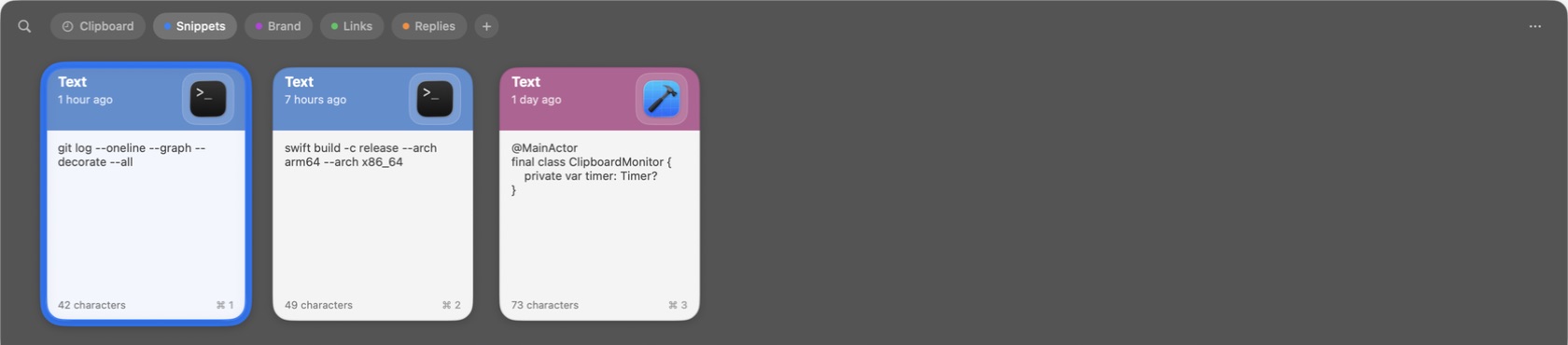
No visual change — this is a keyboard-only addition. It adds no chrome; ⌘←/⌘→ perform the same section switch a click on the tab row already does, so the resulting UI is identical to what a click produces today.
For context, a Pinboard reached by the new shortcut — identical to reaching it by clicking the tab:
Notes for review
This feature should be bundled into v2.
Part of #80.