


AMDlert /ˌɛmdiːˈlɝːt/ is a single-binary CLI + daemon for Windows that monitors your AMD GPU temperature every 10s and alerts you when it exceeds a configurable threshold.
- Download and extract the latest release
.zip - Move the
AMDlertfolder to your preferred location (e.g.,C:/Program Files/) - Create a shortcut for
AMDlert.exeor pin it to the Start menu for faster access
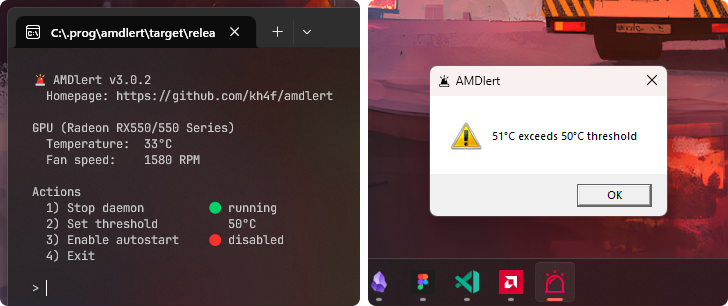
Run AMDlert.exe to open the interactive menu:
- Run daemon — start background monitoring (checks every 10s)
- Set threshold — change the temperature (°C) that triggers alerts
- Enable autostart — launch the daemon automatically on Windows startup
The threshold is stored in config.json next to the executable (created automatically; default is 50).