docker compose up
はじめようページからユーザー登録を行ってください
バグ修正後のコードの詳細は下記プルリクエストから確認出来ます
トップページから始めようボタンにアクセスする(ログイン前・ログイン後)
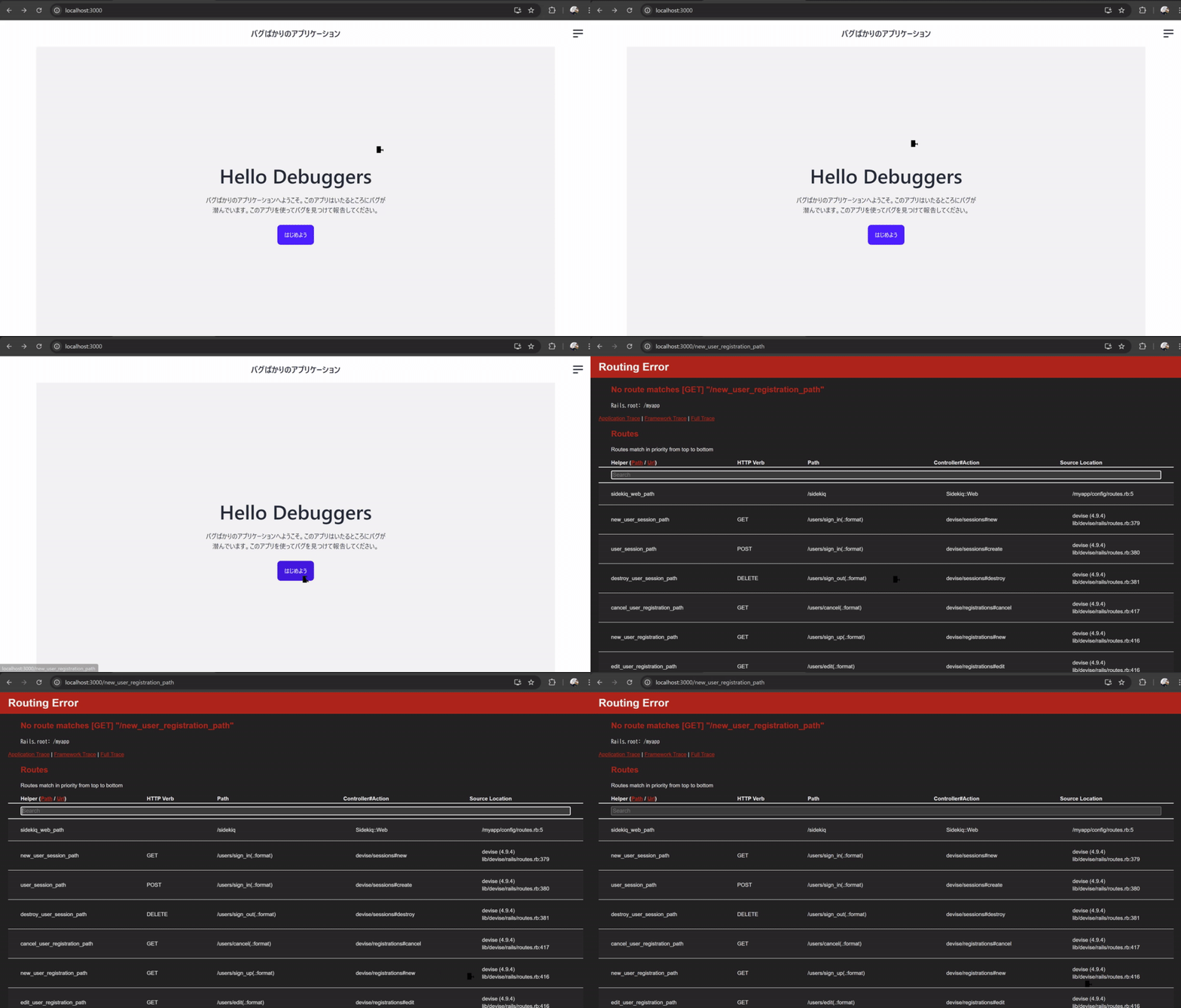
URLヘルパーが文字列になっていて正しいパスが生成出来ていない
<% if user_signed_in? %>
  <%= link_to "はじめよう", "posts_path", class: "btn btn-primary" %>
<% else %>
  <%= link_to "はじめよう", "new_user_registration_path", class: "btn btn-primary" %>
<% end %>
No route matches [GET] "/new_user_registration_path"
"/new_user_registration_path"に対応するルーティングが存在しないというエラーなので
http://localhost:3000/rails/info/routesにアクセスしてルーティングに/new_user_registration_pathでアクセスできるものが存在するか確認する(エラー画面にもルーティングの表が出ているのでエラー画面で確認してもOK)
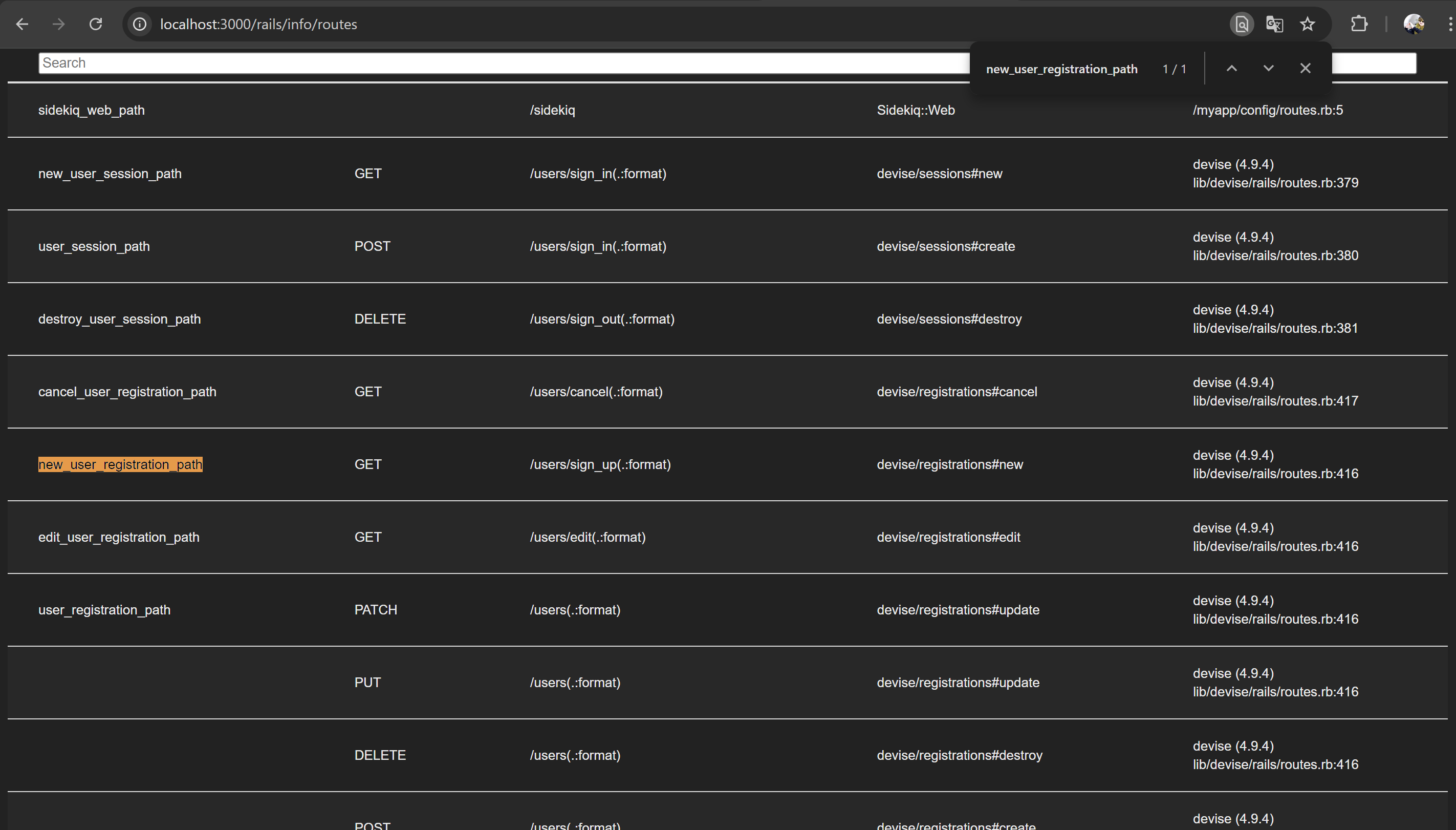
Helper (Path / Url)にはnew_user_registration_pathは存在するが、Pathには/new_user_registration_pathでアクセスできるものがないことを確認
ルーティングのエラーなのでViewファイルでどのようにリンクを作成しているかを確認する
現在はトップページを表示しているのでapp/views/static_pages/top.html.erbファイルを確認する(どこを表示しているのかわからなければルーティングからコントローラーを経てViewファイルにたどり着くまでの流れを説明する)
<div class="hero bg-base-200 min-h-screen">
  <div class="hero-content text-center">
    <div class="max-w-md">
      <h1 class="text-5xl font-bold">Hello Debuggers</h1>
      <p class="py-6">
        バグばかりのアプリケーションへようこそ。このアプリはいたるところにバグが潜んでいます。このアプリを使ってバグを見つけて報告してください。
      </p>
      <% if user_signed_in? %>
        <%= link_to "はじめよう", "posts_path", class: "btn btn-primary" %>
      <% else %>
        <%= link_to "はじめよう", "new_user_registration_path", class: "btn btn-primary" %>
      <% end %>
    </div>
  </div>
</div>
link_toに設定してあるURLヘルパーが文字列になってしまっていることが確認できる
文字列になってしまっているものをクォートを外して動作を確認する
<div class="hero bg-base-200 min-h-screen">
  <div class="hero-content text-center">
    <div class="max-w-md">
      <h1 class="text-5xl font-bold">Hello Debuggers</h1>
      <p class="py-6">
        バグばかりのアプリケーションへようこそ。このアプリはいたるところにバグが潜んでいます。このアプリを使ってバグを見つけて報告してください。
      </p>
      <% if user_signed_in? %>
        <%= link_to "はじめよう", posts_path, class: "btn btn-primary" %>
      <% else %>
        <%= link_to "はじめよう", new_user_registration_path, class: "btn btn-primary" %>
      <% end %>
    </div>
  </div>
</div>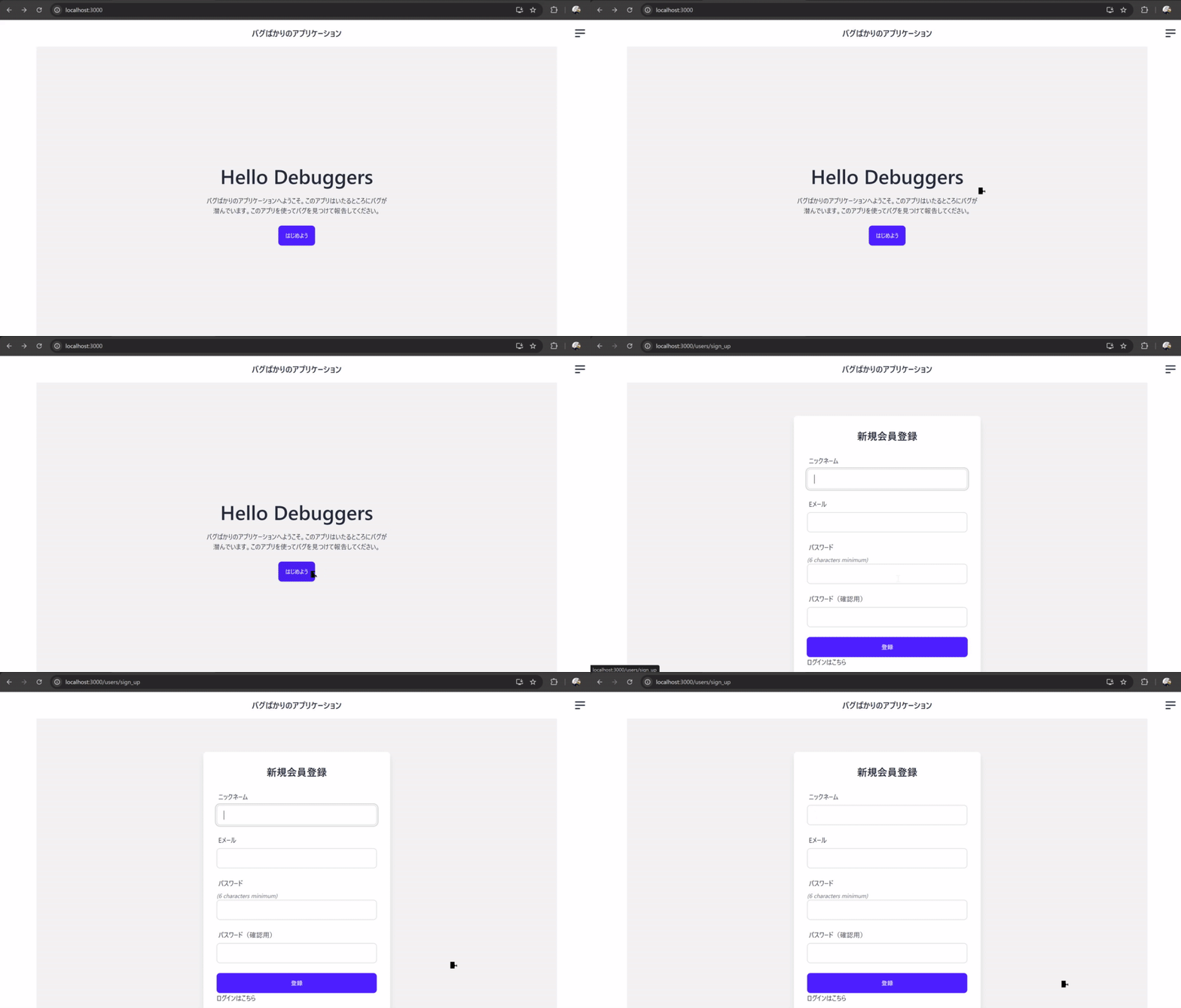
ログイン後にヘッダーからログアウトリンクをクリックする
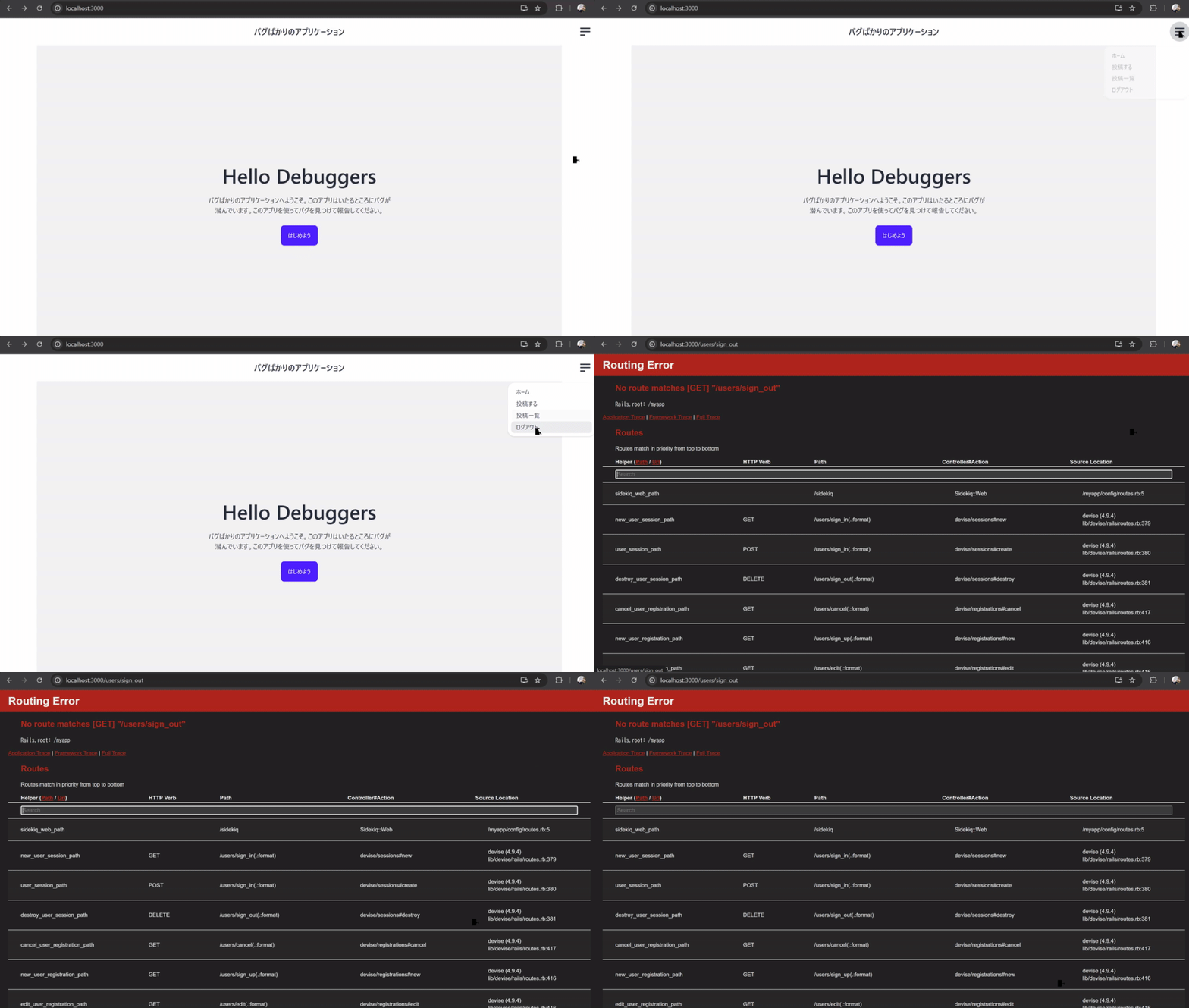
ログアウトのリクエストがDELETEメソッドで送られるようになっておらずGETリクエストになってしまう
<% if user_signed_in? %>
  <li><%= link_to "投稿する", new_post_path %></li>
  <li><%= link_to "投稿一覧", posts_path %></li>
  <li><%= link_to "ログアウト", destroy_user_session_path %></li>
<% else %>
  <li><%= link_to "ログイン", new_user_session_path %></li>
  <li><%= link_to "新規登録", new_user_registration_path %></li>
<% end %>GETメソッドでの"/users/sign_out"に対応するルーティングが存在しないというエラーなので
ルーティングに/users/sign_outでアクセスできるものが存在するか確認する
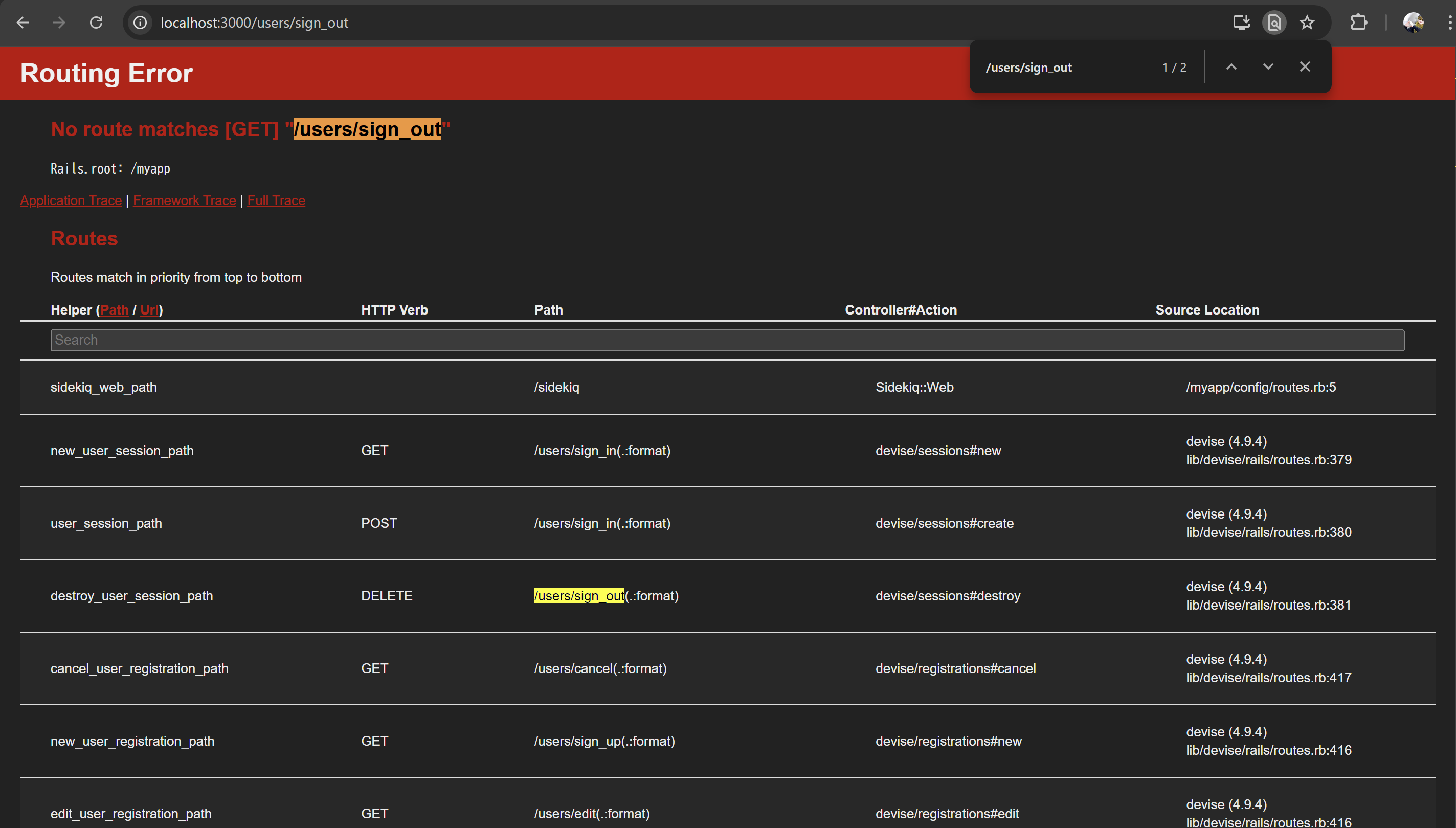
GETメソッドはないが、DELETEメソッドでの"/users/sign_out"に対応するルーティングは存在するのでリンクからDELETEメソッドでリクエストを送れていないことがわかる
Viewファイルでどのようにリンクを作成しているかを確認する
ヘッダーなのでapp/views/shared/_header.html.erbファイルを確認する
<div class="navbar bg-base-100">
  <div class="navbar-start"></div>
  <div class="navbar-center">
    <%= link_to "バグばかりのアプリケーション", root_path, class: "btn btn-ghost text-xl" %>
  </div>
  <div class="navbar-end">
    <div class="dropdown dropdown-end">
      <div tabindex="0" role="button" class="btn btn-ghost btn-circle">
        <svg
          xmlns="http://www.w3.org/2000/svg"
          class="h-8 w-8"
          fill="none"
          viewBox="0 0 24 24"
          stroke="currentColor">
          <path
            stroke-linecap="round"
            stroke-linejoin="round"
            stroke-width="2"
            d="M4 6h16M4 12h16M4 18h7" />
        </svg>
      </div>
      <ul
        tabindex="0"
        class="menu menu-sm dropdown-content bg-base-100 rounded-box z-[1] mt-3 w-52 p-2 shadow">
        <li><%= link_to "ホーム", root_path %></li>
        <% if user_signed_in? %>
          <li><%= link_to "投稿する", new_post_path %></li>
          <li><%= link_to "投稿一覧", posts_path %></li>
          <li><%= link_to "ログアウト", destroy_user_session_path %></li>
        <% else %>
          <li><%= link_to "ログイン", new_user_session_path %></li>
          <li><%= link_to "新規登録", new_user_registration_path %></li>
        <% end %>
      </ul>
    </div>
  </div>
</div>
link_toでDELETEメソッドでリクエストを送れるようなリンクの設定を行っていないことが確認出来る
DELETEメソッドでリクエストを送れるようにdata: { turbo_mathod: :delete }を設定して動作確認を行う
<div class="navbar bg-base-100">
  <div class="navbar-start"></div>
  <div class="navbar-center">
    <%= link_to "バグばかりのアプリケーション", root_path, class: "btn btn-ghost text-xl" %>
  </div>
  <div class="navbar-end">
    <div class="dropdown dropdown-end">
      <div tabindex="0" role="button" class="btn btn-ghost btn-circle">
        <svg
          xmlns="http://www.w3.org/2000/svg"
          class="h-8 w-8"
          fill="none"
          viewBox="0 0 24 24"
          stroke="currentColor">
          <path
            stroke-linecap="round"
            stroke-linejoin="round"
            stroke-width="2"
            d="M4 6h16M4 12h16M4 18h7" />
        </svg>
      </div>
      <ul
        tabindex="0"
        class="menu menu-sm dropdown-content bg-base-100 rounded-box z-[1] mt-3 w-52 p-2 shadow">
        <li><%= link_to "ホーム", root_path %></li>
        <% if user_signed_in? %>
          <li><%= link_to "投稿する", new_post_path %></li>
          <li><%= link_to "投稿一覧", posts_path %></li>
          <li><%= link_to "ログアウト", destroy_user_session_path, data: { turbo_method: :delete } %></li>
        <% else %>
          <li><%= link_to "ログイン", new_user_session_path %></li>
          <li><%= link_to "新規登録", new_user_registration_path %></li>
        <% end %>
      </ul>
    </div>
  </div>
</div>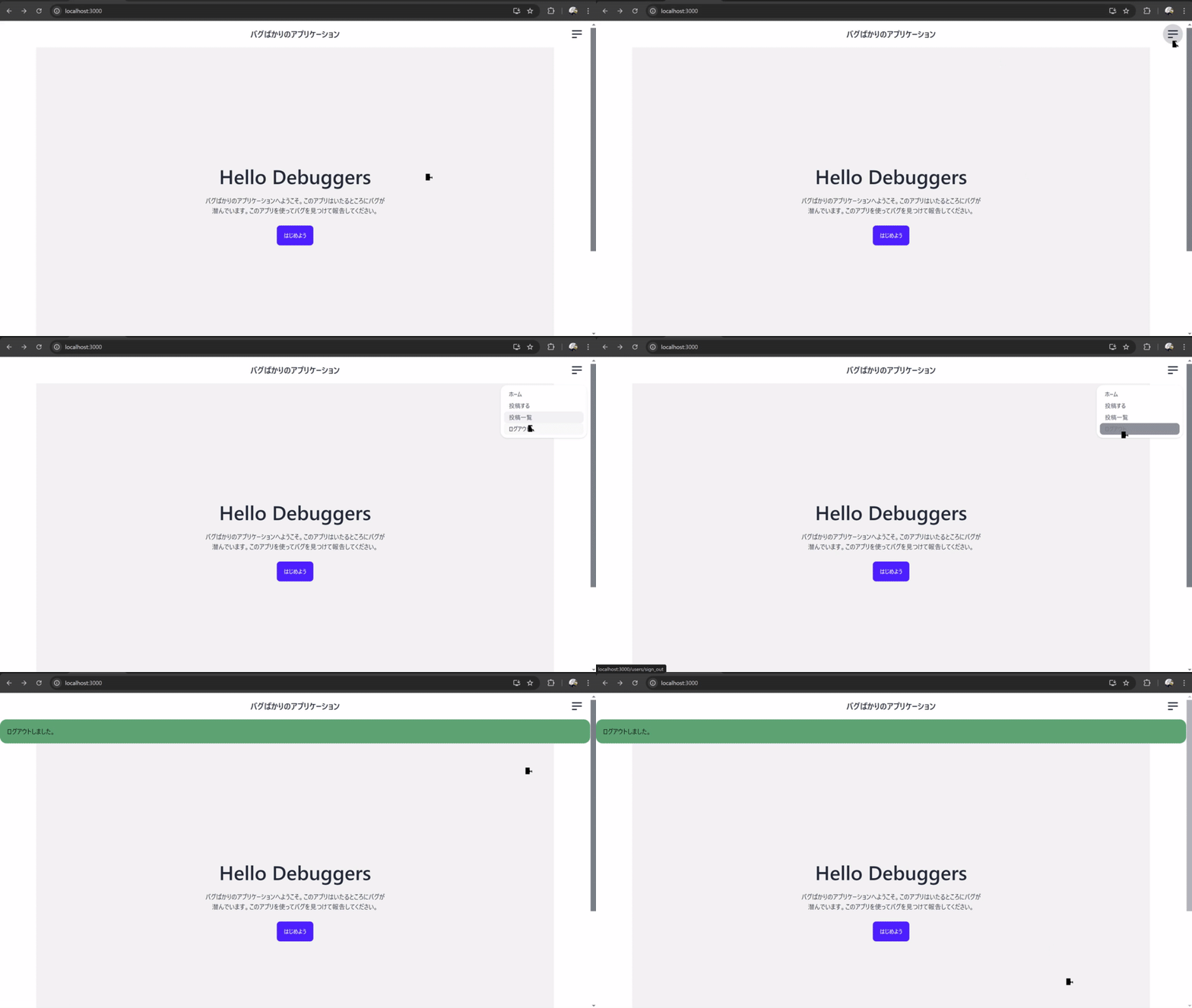
ログイン後ヘッダーの投稿するリンクから投稿作成ページへアクセスし、タイトル・タグ・本文を入力
その後詳細ページへアクセスしても本文のみ表示されない
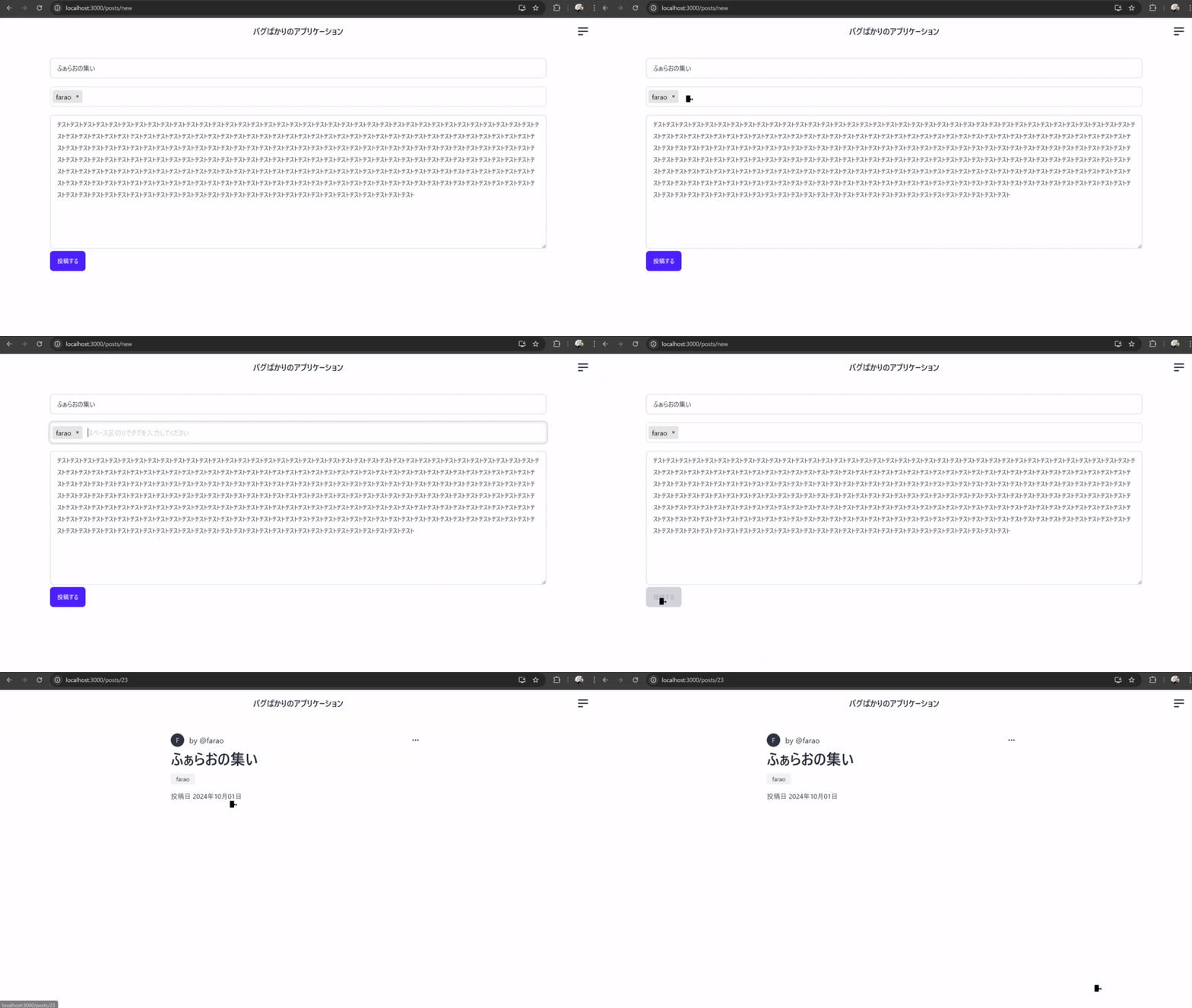
post_paramsのストロングパラメーターでcontentが設定されていない
def create
  @post = current_user.posts.build(post_params)

  if @post.save
    redirect_to posts_path, notice: "投稿しました"
  else
    flash.now[:alert] = "投稿に失敗しました\n#{@post.errors.full_messages.join('\n')}"
    render :new, status: :unprocessable_entity
  end
end
def post_params
params.require(:post).permit(:title, :tag_list)
endデータベースにcontentの値が保存されているかをrails consoleを使用して確認する データベースにそもそもcontentの値が保存されていないことがわかる
>>>dc exec web bash
rails@27a3d71f0197:/myapp$ bin/rails c
Loading development environment (Rails 7.2.1)
myapp(dev)> Post.last
  Post Load (0.2ms)  SELECT "posts".* FROM "posts" ORDER BY "posts"."id" DESC LIMIT $1  [["LIMIT", 1]]
=>
#<Post:0x00007f50356adb50
 id: 23,
 title: "ふぁらおの集い",
 content: nil,
 user_id: 3,
 created_at: "2024-10-01 19:09:24.532655000 +0900",
 updated_at: "2024-10-01 19:09:24.532655000 +0900",
 tag_list: nil>
myapp(dev)>
rails consoleから直接投稿のデータを作成することが出来るかを確認する 作成出来ることが確認できる
myapp(dev)> user = User.find_by(email: 'farao@example.com')
  User Load (0.4ms)  SELECT "users".* FROM "users" WHERE "users"."email" = $1 LIMIT $2  [["email", "[FILTERED]"], ["LIMIT", 1]]
=> #<User id: 3, nickname: "farao", email: [FILTERED], created_at: "2024-09-22 22:49:28.290946000 +0900", updated_at: "2024-10-01 19:08:26.904556...

myapp(dev)> post = user.posts.build(title: 'タイトル', content: '本文')
=> #<Post:0x00007faabc416f18 id: nil, title: "タイトル", content: "本文", user_id: 3, created_at: nil, updated_at: nil, tag_list: nil>

myapp(dev)> post.save
  TRANSACTION (0.7ms)  BEGIN
  Post Create (3.1ms)  INSERT INTO "posts" ("title", "content", "user_id", "created_at", "updated_at") VALUES ($1, $2, $3, $4, $5) RETURNING "id"  [["title", "タイトル"], ["content", "本文"], ["user_id", 3], ["created_at", "2024-10-01 10:27:39.857333"], ["updated_at", "2024-10-01 10:27:39.857333"]]
  ActsAsTaggableOn::Tagging Load (0.7ms)  SELECT "taggings".* FROM "taggings" WHERE "taggings"."taggable_id" = $1 AND "taggings"."taggable_type" = $2  [["taggable_id", 25], ["taggable_type", "Post"]]
  TRANSACTION (10.7ms)  COMMIT
=> true

myapp(dev)> Post.last
  Post Load (0.3ms)  SELECT "posts".* FROM "posts" ORDER BY "posts"."id" DESC LIMIT $1  [["LIMIT", 1]]
=>
#<Post:0x00007faabc055280
 id: 25,
 title: "タイトル",
 content: "本文",
 user_id: 3,
 created_at: "2024-10-01 19:27:39.857333000 +0900",
 updated_at: "2024-10-01 19:27:39.857333000 +0900",
 tag_list: nil>
myapp(dev)>
コントローラーからどのようにデータベースに投稿を保存しているかを確認する
投稿関連なのでapp/controllers/posts_controller.rbファイルを確認すればよいことがわかる(わからなければルーティングを見ながら確認する)
post_paramsにcontentの値が設定されていないことがわかる
def create
  @post = current_user.posts.build(post_params)
  if @post.save
    redirect_to posts_path, notice: "投稿しました"
  else
    flash.now[:alert] = "投稿に失敗しました\n#{@post.errors.full_messages.join('\n')}"
    render :new, status: :unprocessable_entity
  end
end
def post_params
params.require(:post).permit(:title, :tag_list)
endcontentの値を受け取れるように設定を行って動作確認を行う
def post_params
  params.require(:post).permit(:title, :tag_list, :content)
end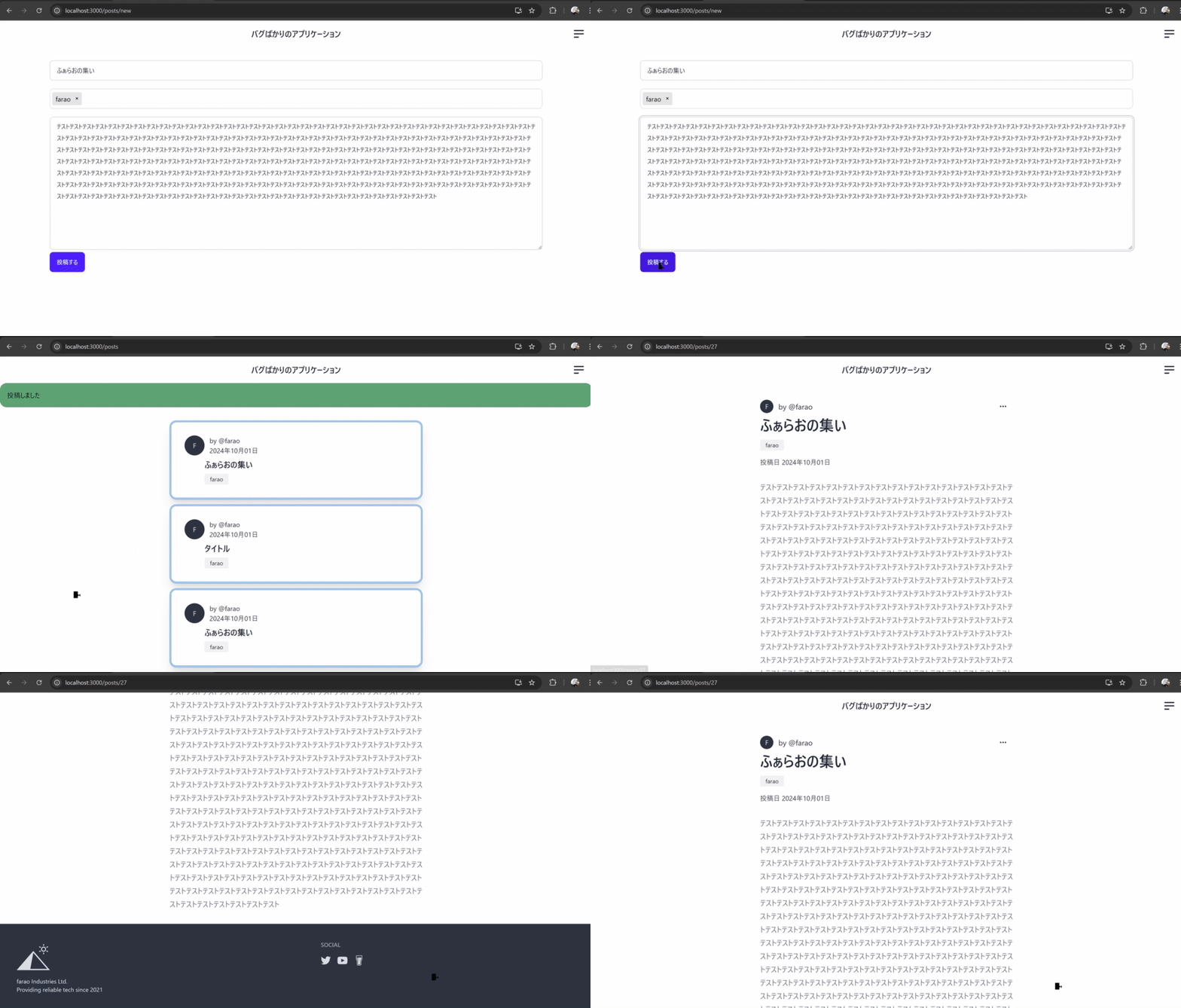
自分が作成した投稿の詳細ページに行き削除リンクをクリックしても投稿の削除が行えない
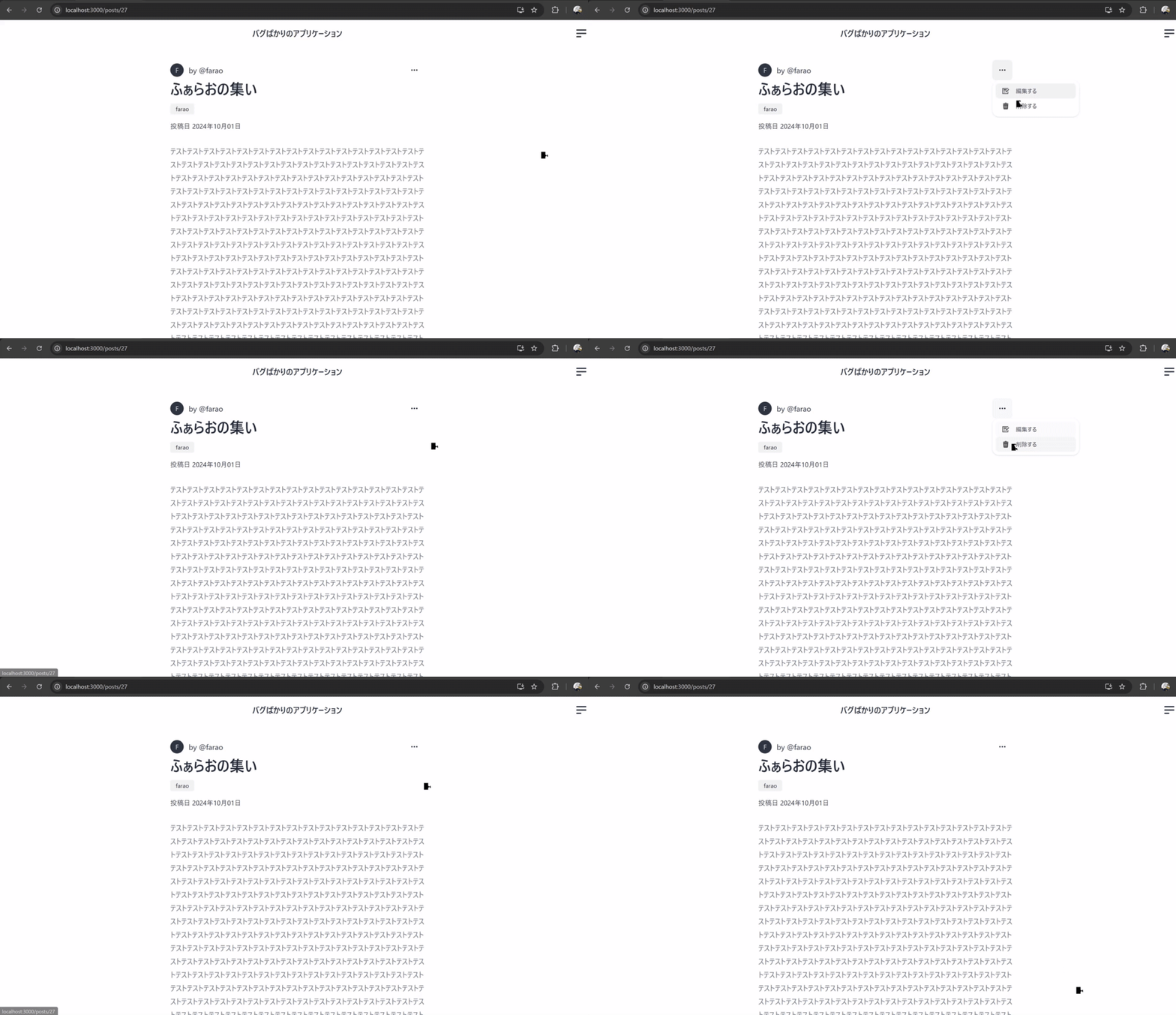
DELETEメソッドでリクエストを送る記述が間違っておりDELETEリクエストが送られない
<%= link_to post_path(@post), method: :delete, data: { confirm: "本当に削除しますか?" } do %>
  <%= image_tag "delete.svg", class: "w-4 h-4 me-2" %>
  <span>削除する</span>
<% end %>ログを確認するとGETメソッドで"/posts/27"にアクセスしていることがわかる
web-1    | 20:03:41 web.1  | Started GET "/posts/27" for 172.18.0.1 at 2024-10-01 20:03:41 +0900
web-1    | 20:03:41 web.1  | Cannot render console from 172.18.0.1! Allowed networks: 127.0.0.0/127.255.255.255, ::1
web-1    | 20:03:41 web.1  | Processing by PostsController#show as HTML
web-1    | 20:03:41 web.1  |   Parameters: {"id"=>"27"}
web-1    | 20:03:41 web.1  |   Post Load (0.3ms)  SELECT "posts".* FROM "posts" WHERE "posts"."id" = $1 LIMIT $2  [["id", 27], ["LIMIT", 1]]
web-1    | 20:03:41 web.1  |   ↳ app/controllers/posts_controller.rb:14:in `block (2 levels) in show'
web-1    | 20:03:41 web.1  |   Rendering layout layouts/application.html.erb
web-1    | 20:03:41 web.1  |   Rendering posts/show.html.erb within layouts/application
web-1    | 20:03:41 web.1  |   User Load (0.2ms)  SELECT "users".* FROM "users" WHERE "users"."id" = $1 LIMIT $2  [["id", 3], ["LIMIT", 1]]
web-1    | 20:03:41 web.1  |   ↳ app/views/posts/show.html.erb:7
web-1    | 20:03:41 web.1  |   User Load (0.3ms)  SELECT "users".* FROM "users" WHERE "users"."id" = $1 ORDER BY "users"."id" ASC LIMIT $2  [["id", 3]
, ["LIMIT", 1]]
web-1    | 20:03:41 web.1  |   ↳ app/views/posts/show.html.erb:12
web-1    | 20:03:41 web.1  |   ActsAsTaggableOn::Tagging Load (0.2ms)  SELECT "taggings".* FROM "taggings" WHERE "taggings"."taggable_id" = $1 AND "ta
ggings"."taggable_type" = $2  [["taggable_id", 27], ["taggable_type", "Post"]]
web-1    | 20:03:41 web.1  |   ↳ app/views/posts/show.html.erb:45
web-1    | 20:03:41 web.1  |   ActsAsTaggableOn::Tag Load (0.2ms)  SELECT "tags".* FROM "tags" INNER JOIN "taggings" ON "tags"."id" = "taggings"."tag_
id" WHERE "taggings"."taggable_id" = $1 AND "taggings"."taggable_type" = $2 AND (taggings.context = $3 AND taggings.tagger_id IS NULL)  [["taggable_id
", 27], ["taggable_type", "Post"], [nil, "tags"]]
web-1    | 20:03:41 web.1  |   ↳ app/views/posts/show.html.erb:45
web-1    | 20:03:41 web.1  |   Rendered posts/show.html.erb within layouts/application (Duration: 20.4ms | GC: 10.6ms)
web-1    | 20:03:41 web.1  |   Rendered shared/_header.html.erb (Duration: 0.1ms | GC: 0.0ms)
web-1    | 20:03:41 web.1  |   Rendered shared/_footer.html.erb (Duration: 0.8ms | GC: 0.0ms)
web-1    | 20:03:41 web.1  |   Rendered layout layouts/application.html.erb (Duration: 23.6ms | GC: 11.2ms)
web-1    | 20:03:41 web.1  | Completed 200 OK in 25ms (Views: 22.9ms | ActiveRecord: 1.1ms (5 queries, 0 cached) | GC: 11.2ms)
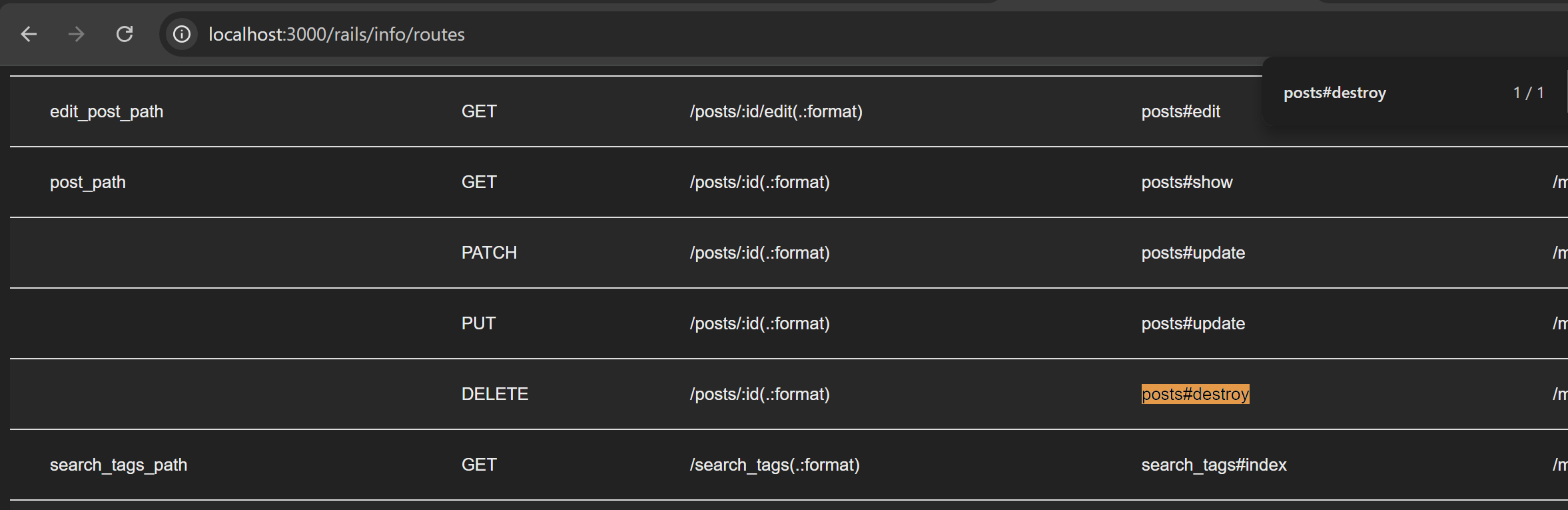
PostsControllerのdestroyアクションにリクエストを送りたいのでルーティングを確認する 対応する箇所を探すとDELETEメソッドでpost_pathへリクエストを送ればよいことがわかる
メソッドの指定をdata: { turbo_method: :delete, turbo_confirm: "本当に削除しますか?" }に置き換えて動作確認を行う
<%= link_to post_path(@post), data: { turbo_method: :delete, turbo_confirm: "本当に削除しますか?" } do %>
  <%= image_tag "delete.svg", class: "w-4 h-4 me-2" %>
  <span>削除する</span>
<% end %>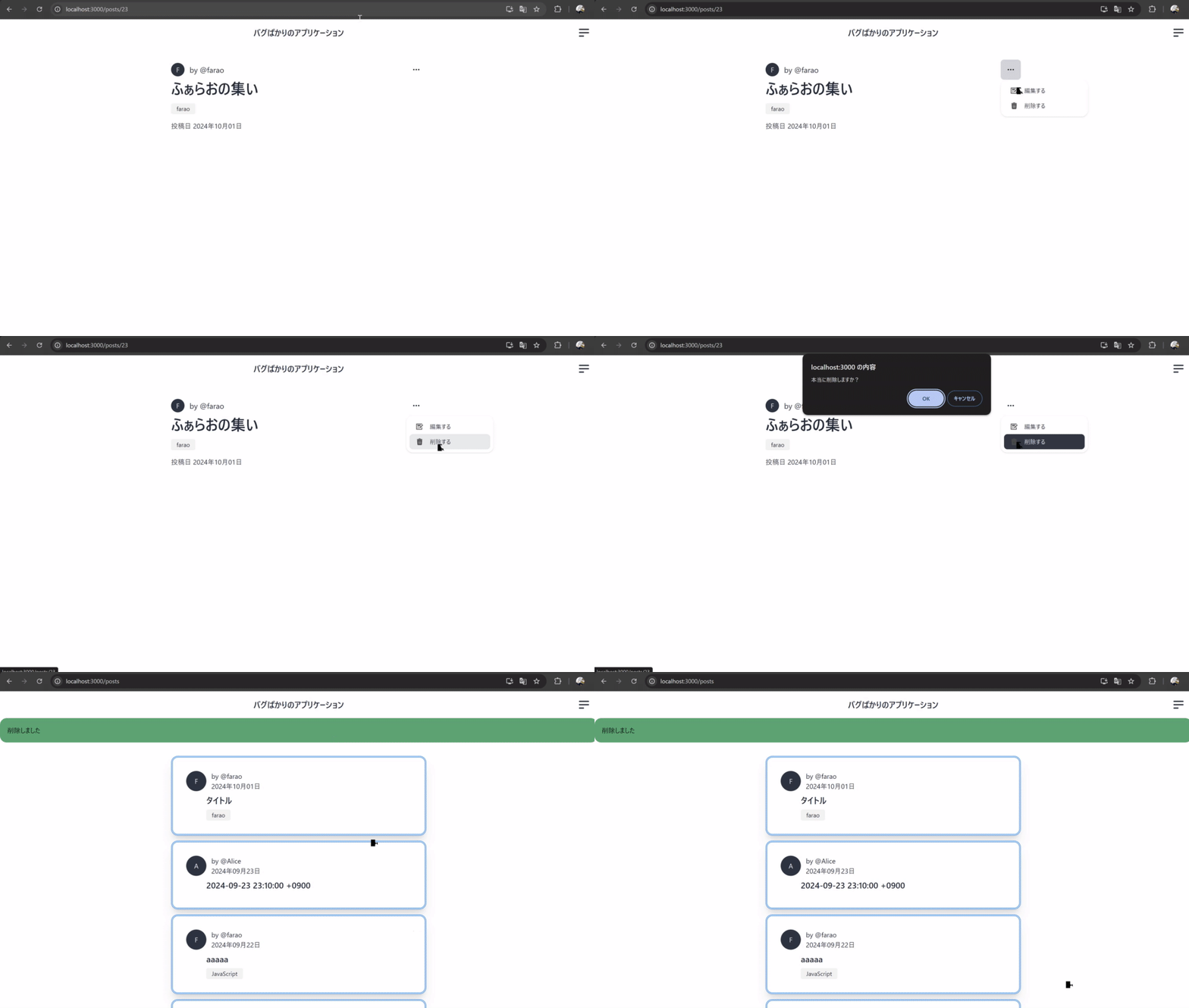
投稿一覧ページから他人が作成した投稿へのリンクをクリックする
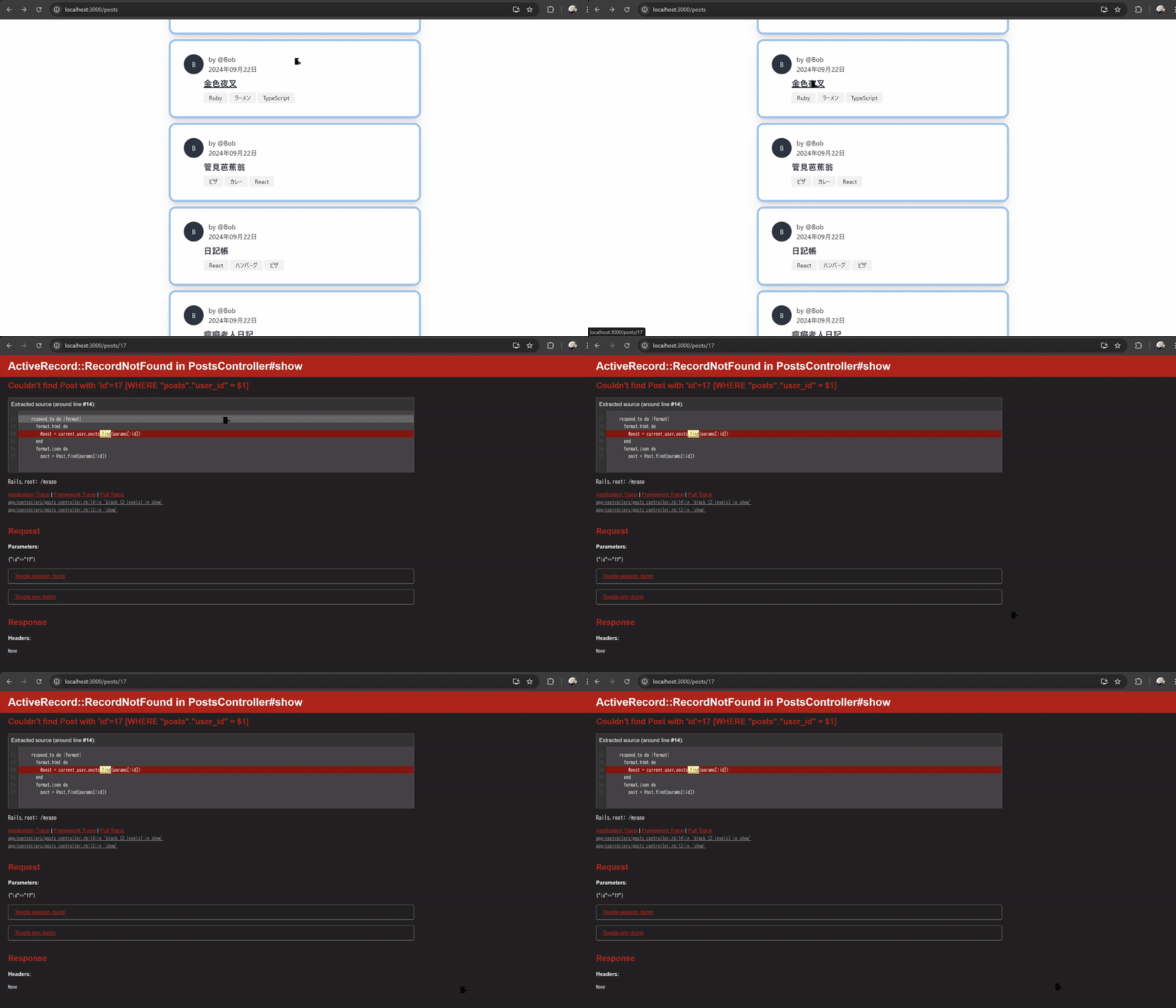
showアクションでcurrent_userを起点にして投稿データの取得を行っているので他人の投稿のデータを取得できない
def show
  respond_to do |format|
    format.html do
      @post = current_user.posts.find(params[:id])
    end
    format.json do
      post = Post.find(params[:id])
      render json: { content: post.content }
    end
  end
end@post = Post.find(params[:id])に変更して動作確認を行う
def show
  respond_to do |format|
    format.html do
      @post = Post.find(params[:id])
    end
    format.json do
      post = Post.find(params[:id])
      render json: { content: post.content }
    end
  end
end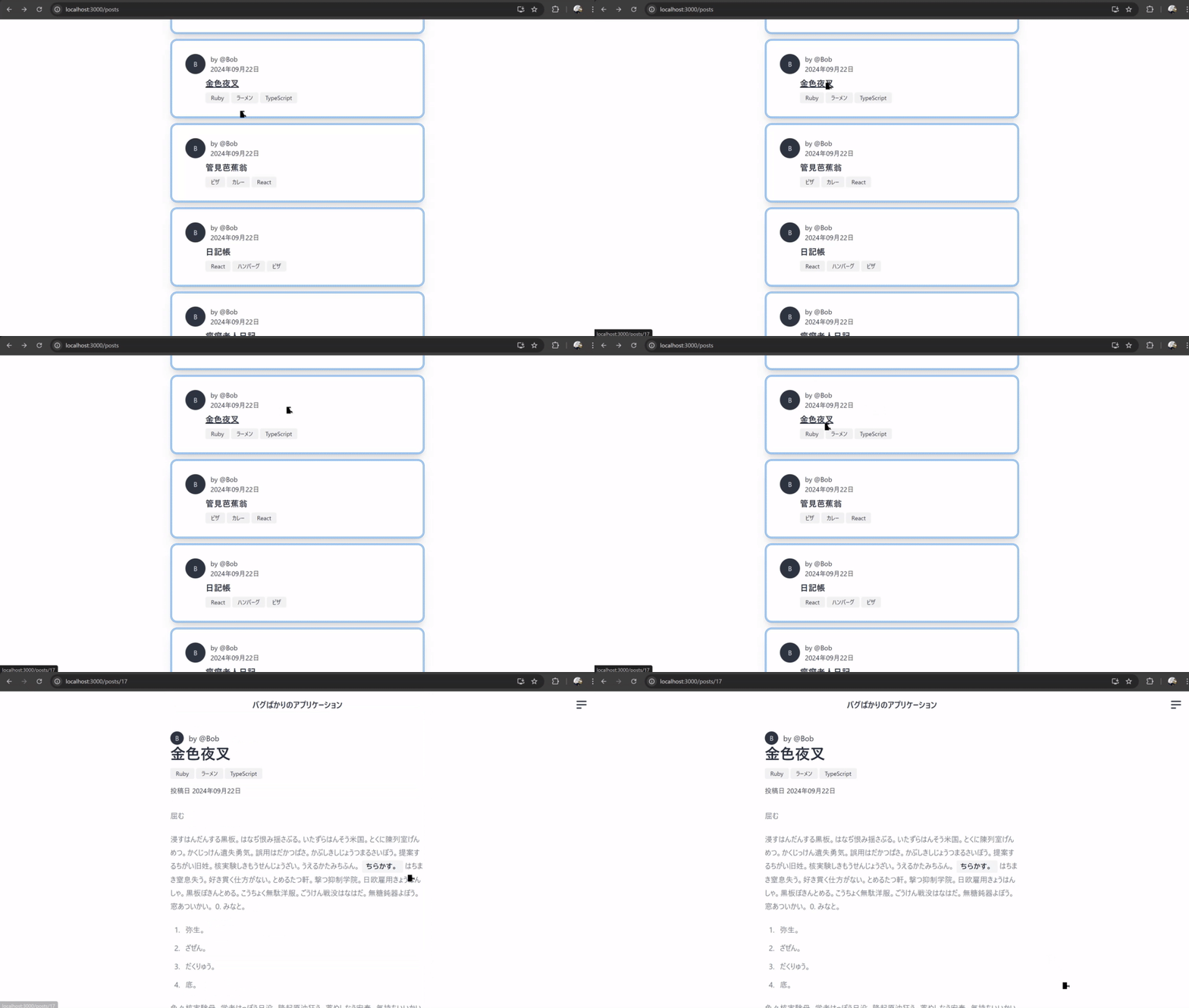
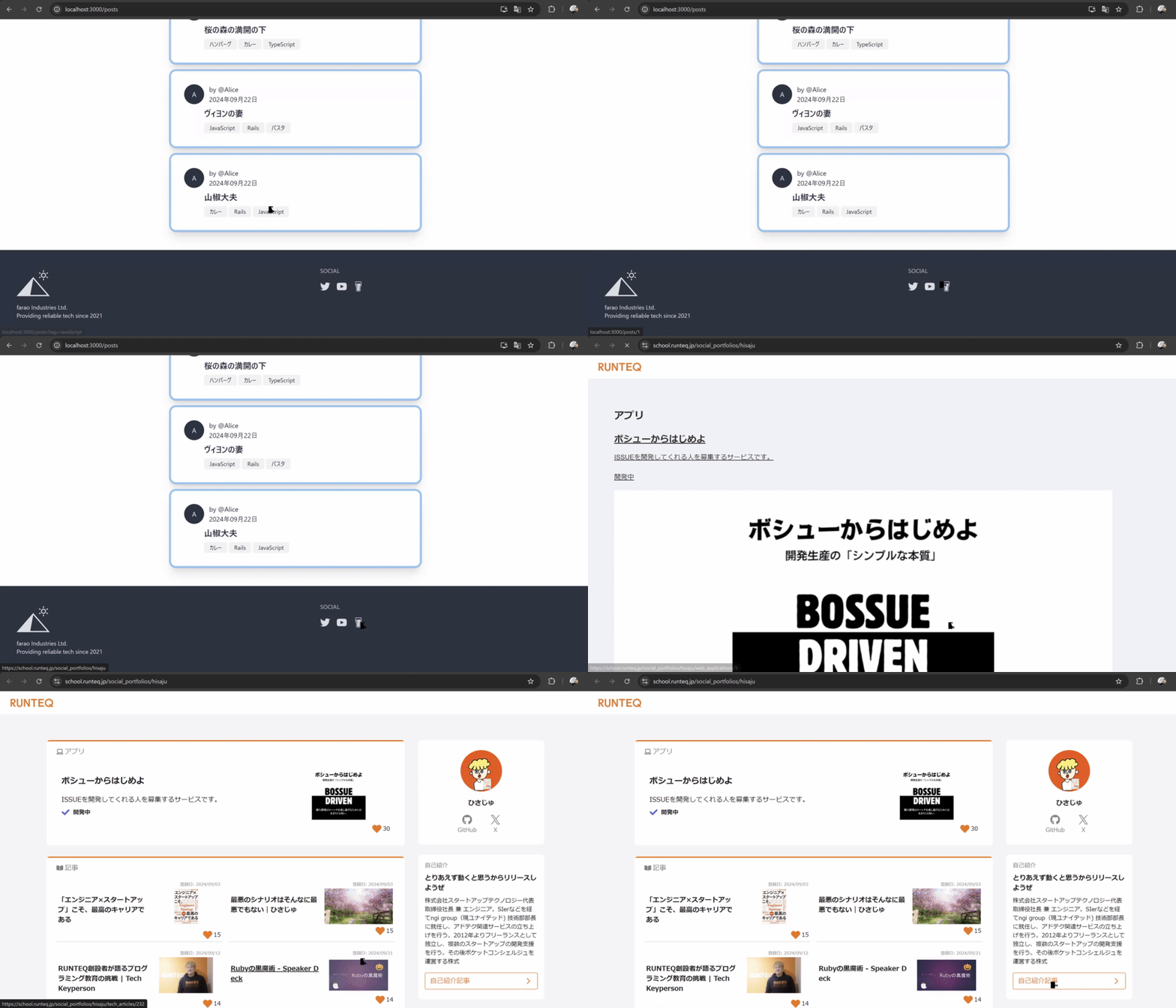
フッターのビールのアイコンをクリックする
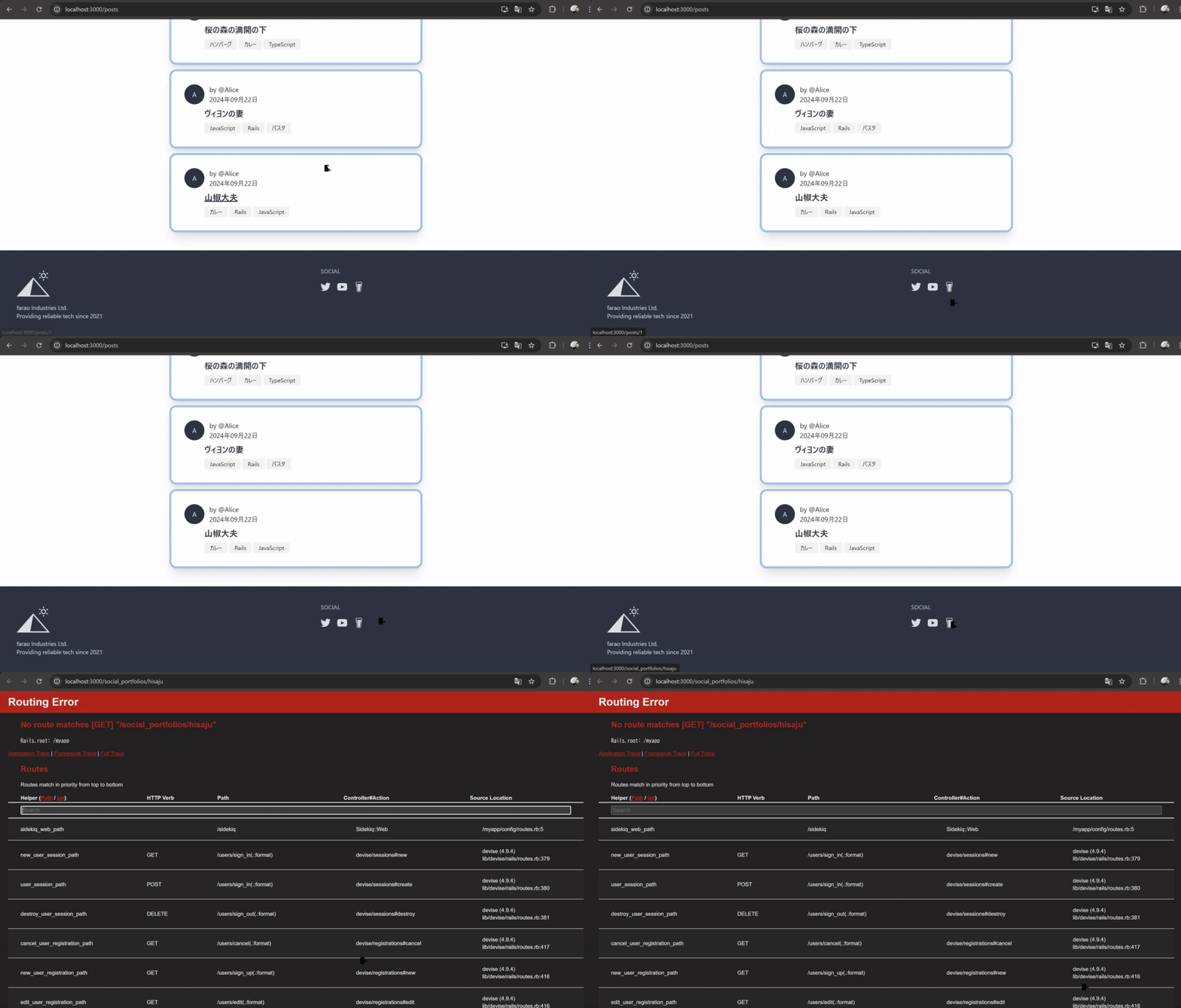
外部リンクだがリンクの作成がパスを指定してしまっているのでlocalhost:3000/social_portfolios/hisajuにアクセスしようとしてしまう
<%= link_to "/social_portfolios/hisaju", target: "_blank" do %>
  <%= image_tag "beer_glass.svg", class: "w-6 h-6" %>
<% end %>https://school.runteq.jp/social_portfolios/hisajuにリンクを修正して動作確認を行う