Generate meaningful insights from your GitHub repository and meeting audios effortlessly.
🔗 Live at: https://commit-genie-hh.vercel.app/
- Overview
- Core Features
- Screenshots / Demo
- Technology Stack
- Installation & Setup
- Project Structure
- License
- Connect with Me
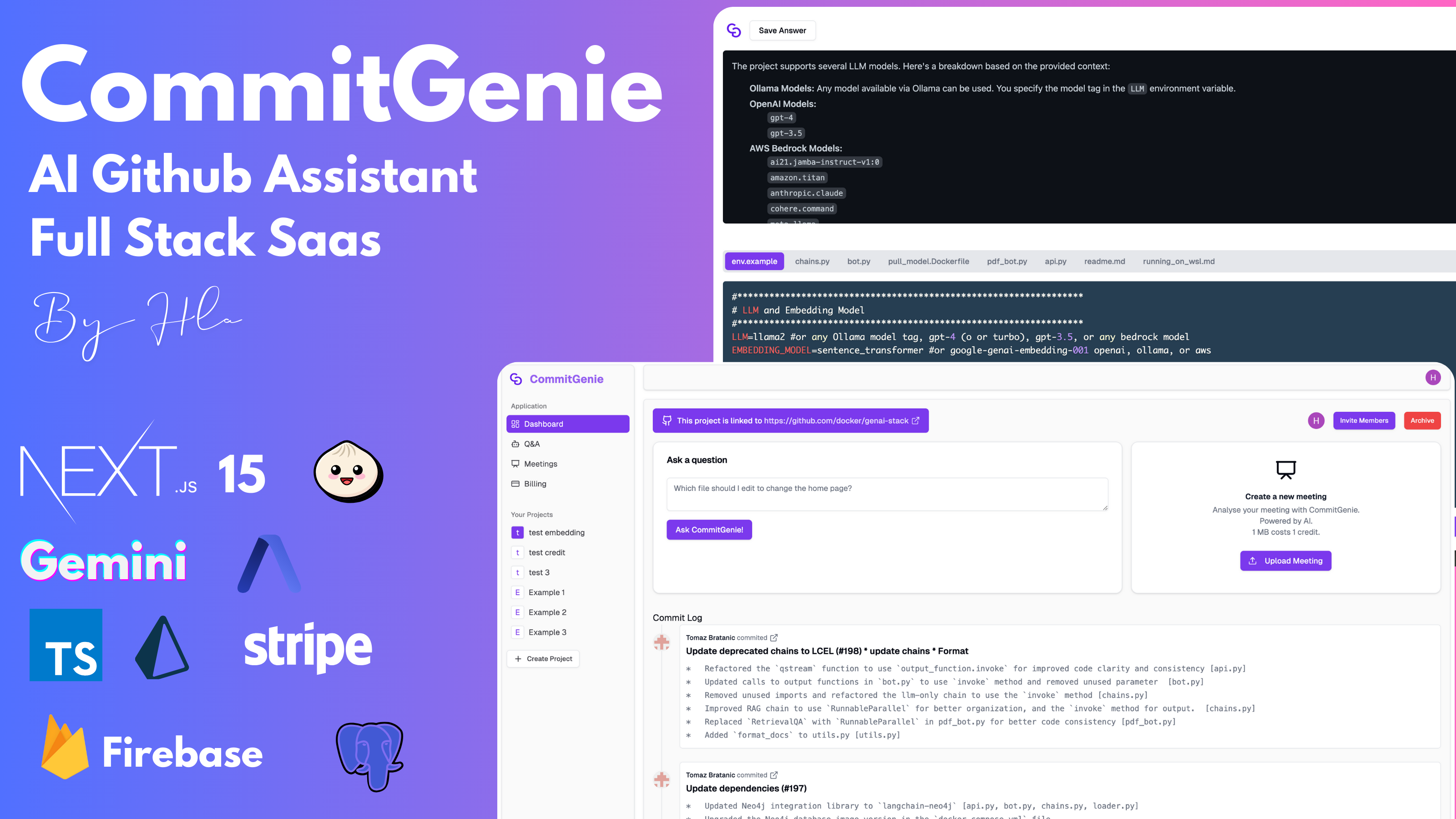
- Automatically creates projects using your GitHub repository link.
- Extracts and summarizes commit changes using Octokit and Gemini AI.
- Retrieves and summarizes GitHub files using Gemini AI.
- Generates word embeddings for accurate semantic search.
- Enables users to ask specific questions and get precise answers based on cosine similarity.
- Shows top-related files and detailed answers, storing queries and answers for future reference.
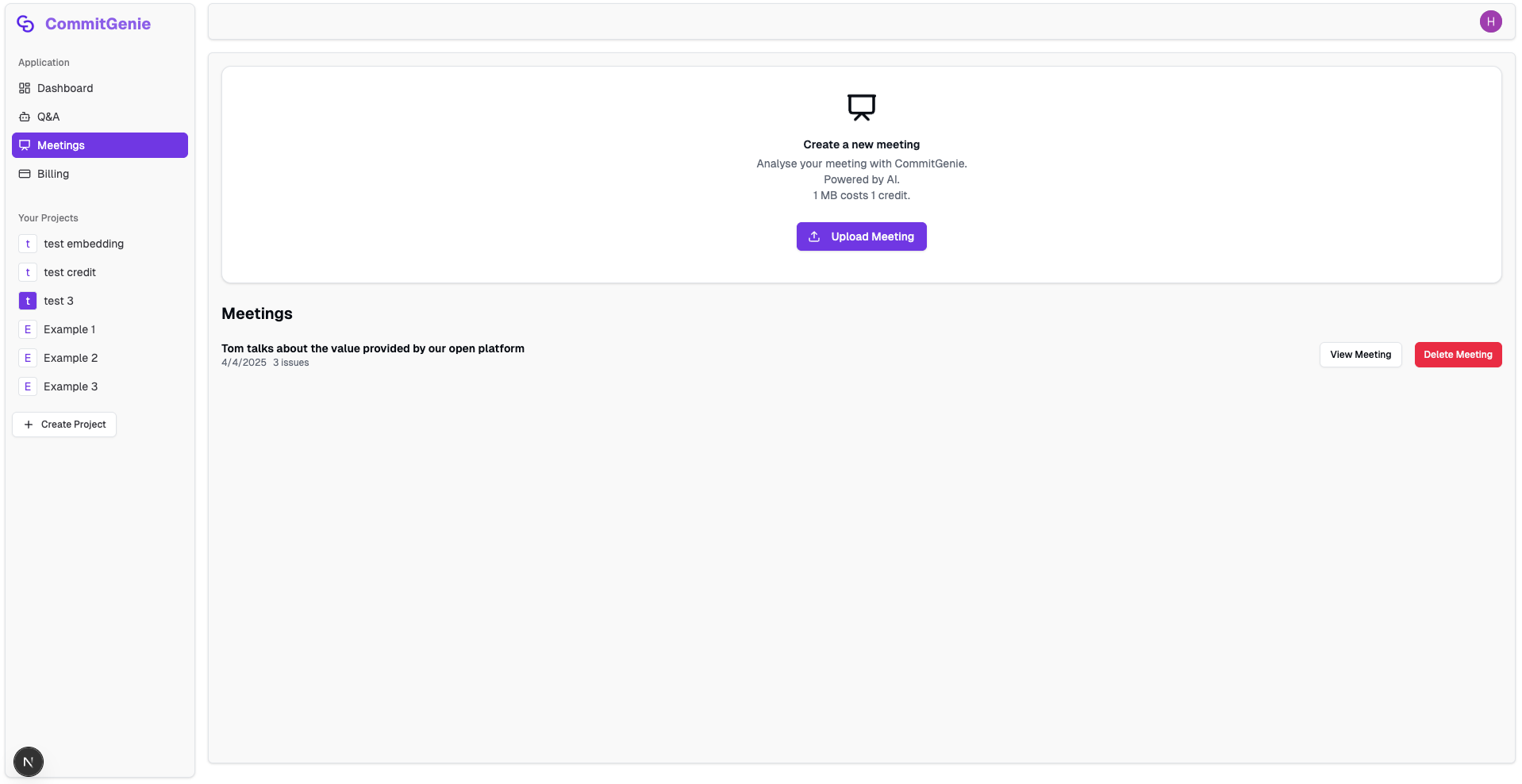
- Allows users to upload audio files related to GitHub repositories.
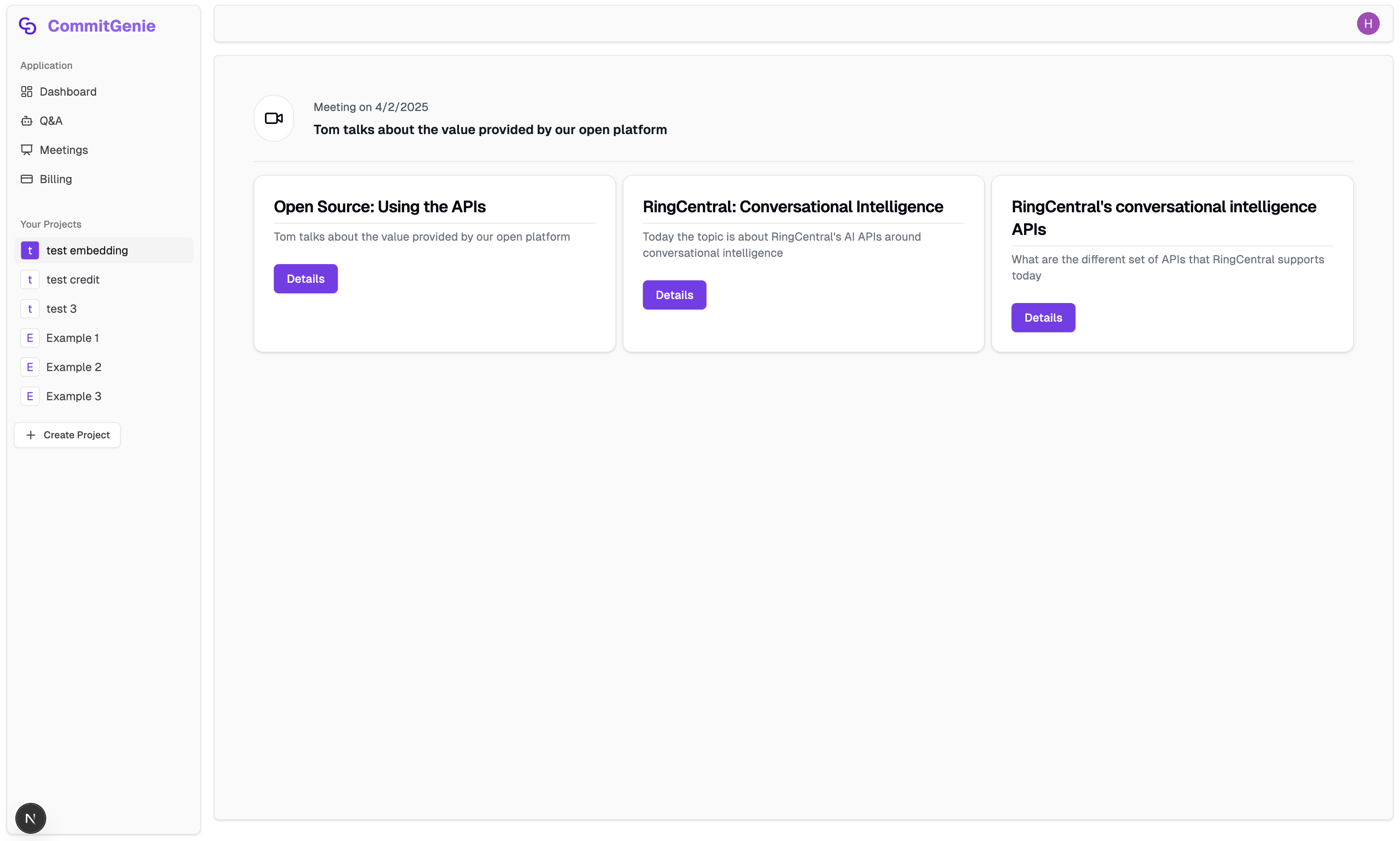
- Utilizes AssemblyAI to extract headlines, summaries, and major issues discussed in meetings.
- Stores and manages audio data securely using Firebase.
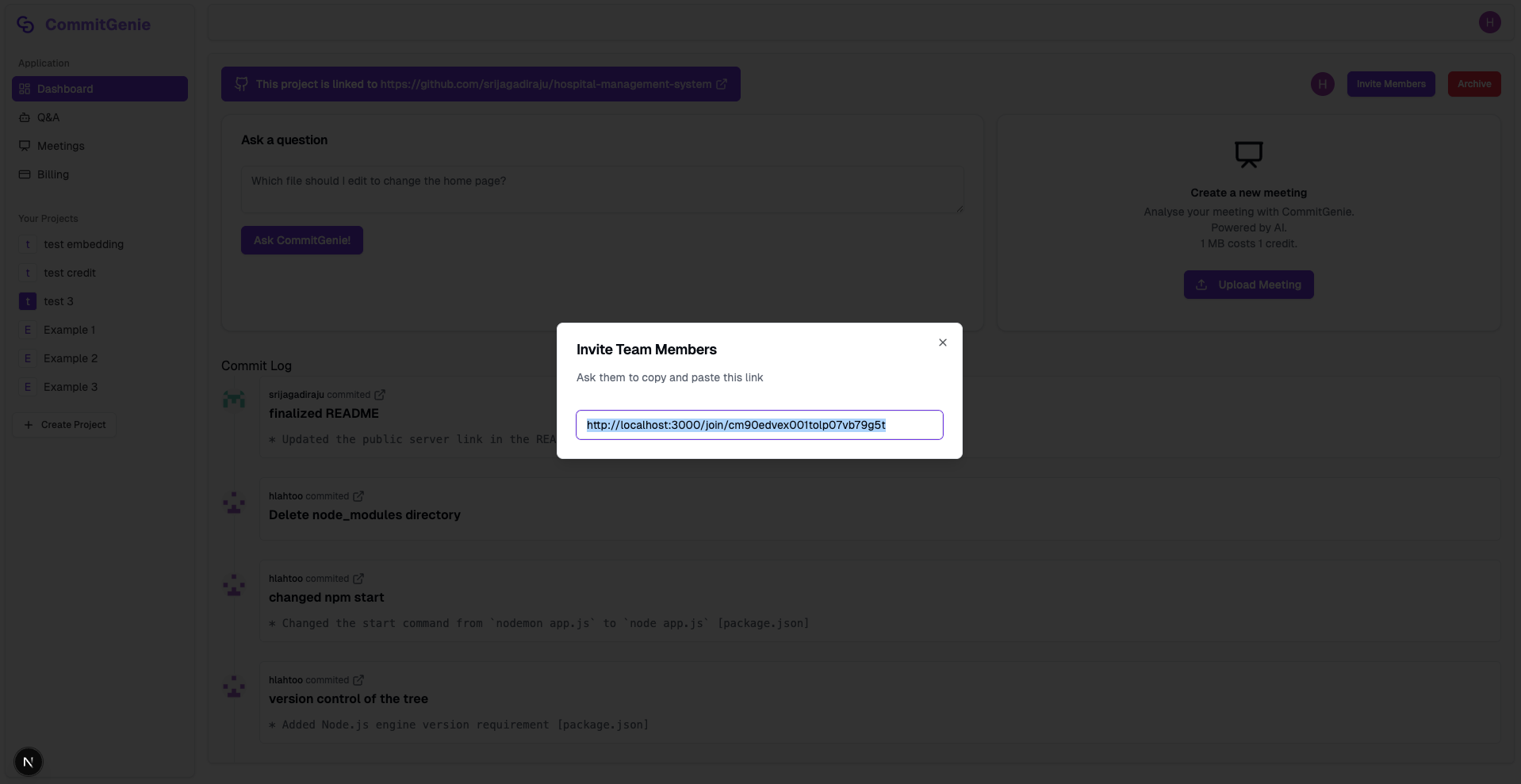
- Allows project creators to invite team members to their projects.
- Invited members can collaborate, access project data, and contribute insights across features.
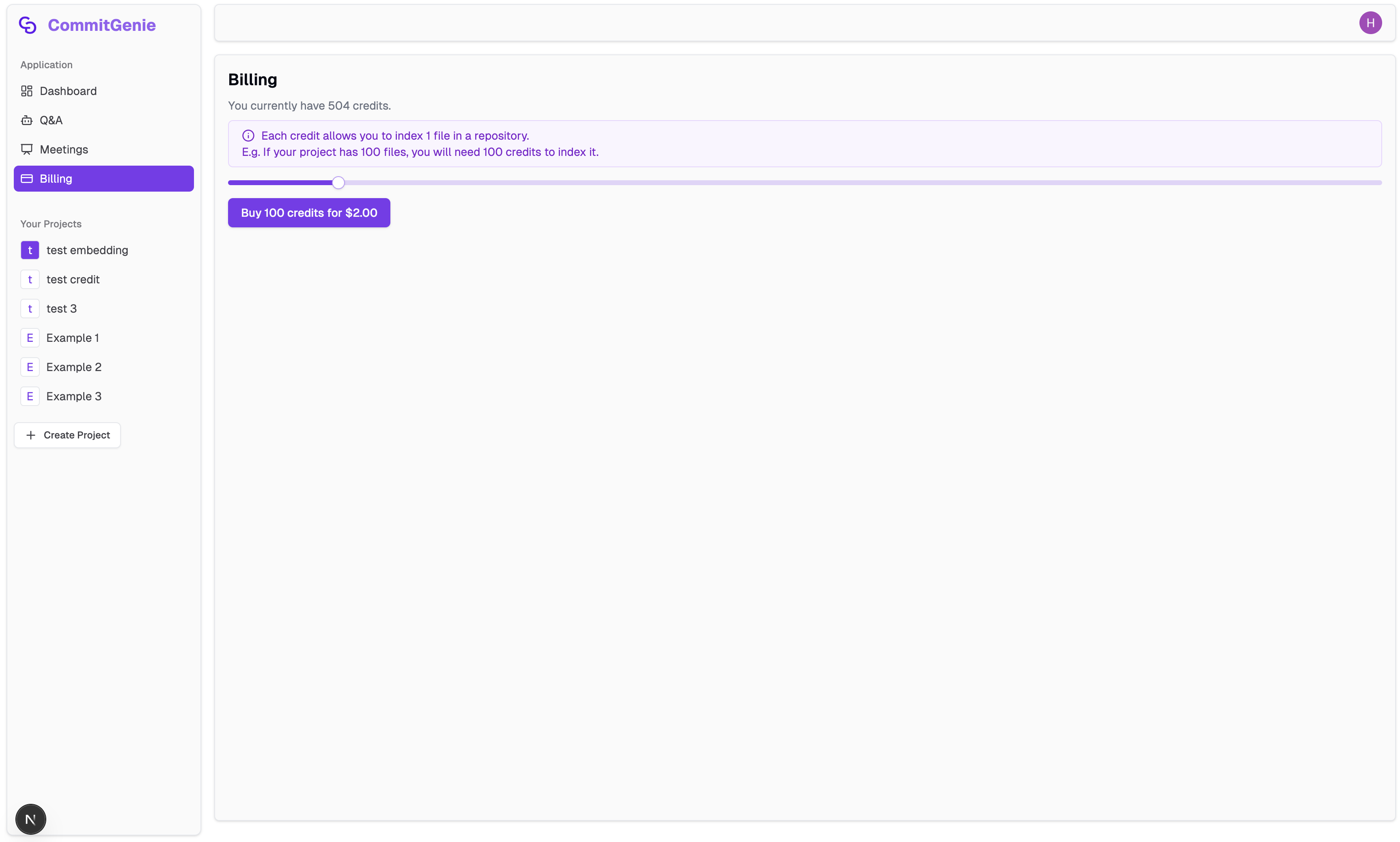
- Implements a credit-based system, charging users fairly based on the number of files processed and audio file sizes.
- Integrated payment gateway powered by Stripe.
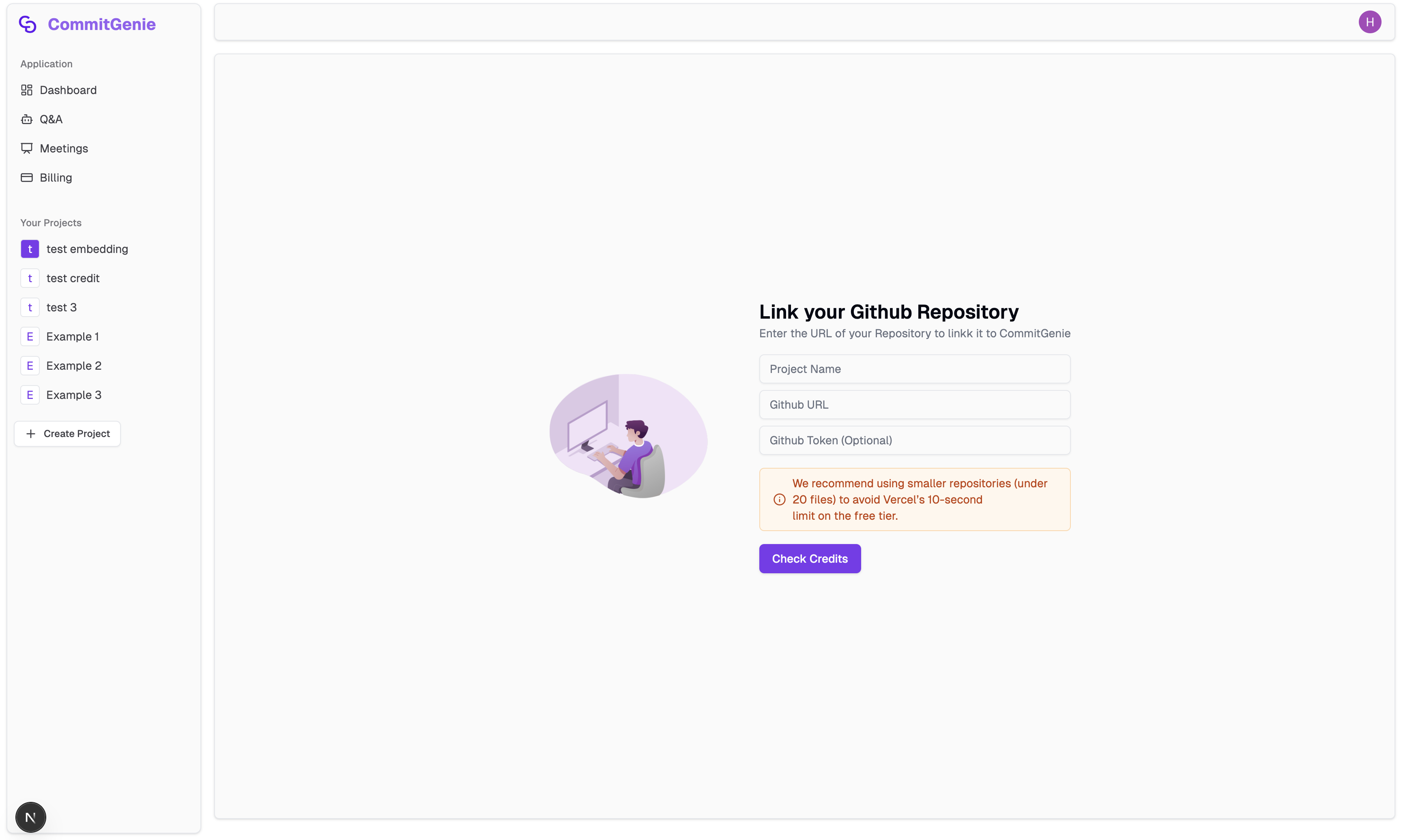
- Import and Create a Project from GitHub Repo
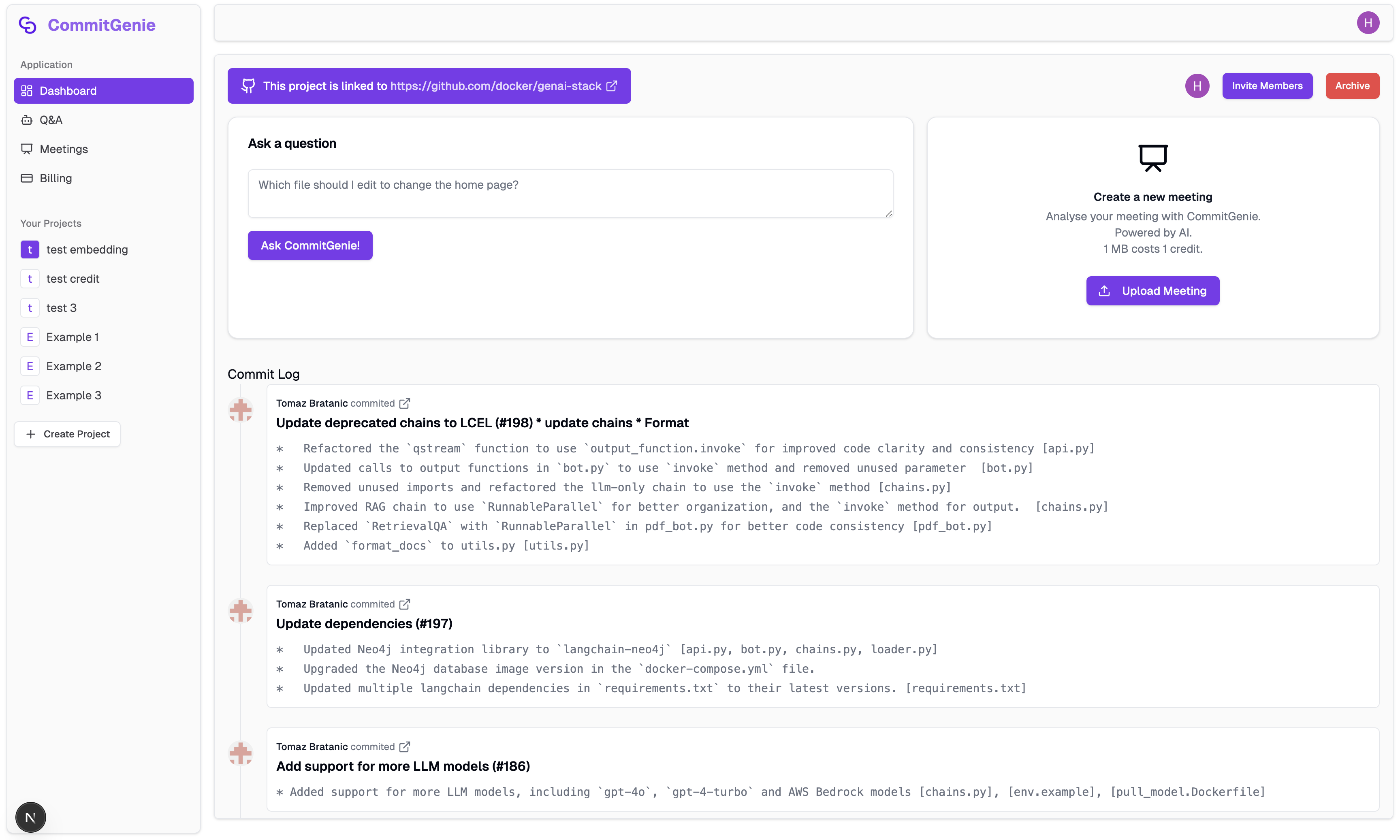
- Dashboard with AI-powered Q&A and Meeting Summary & Issues Extraction
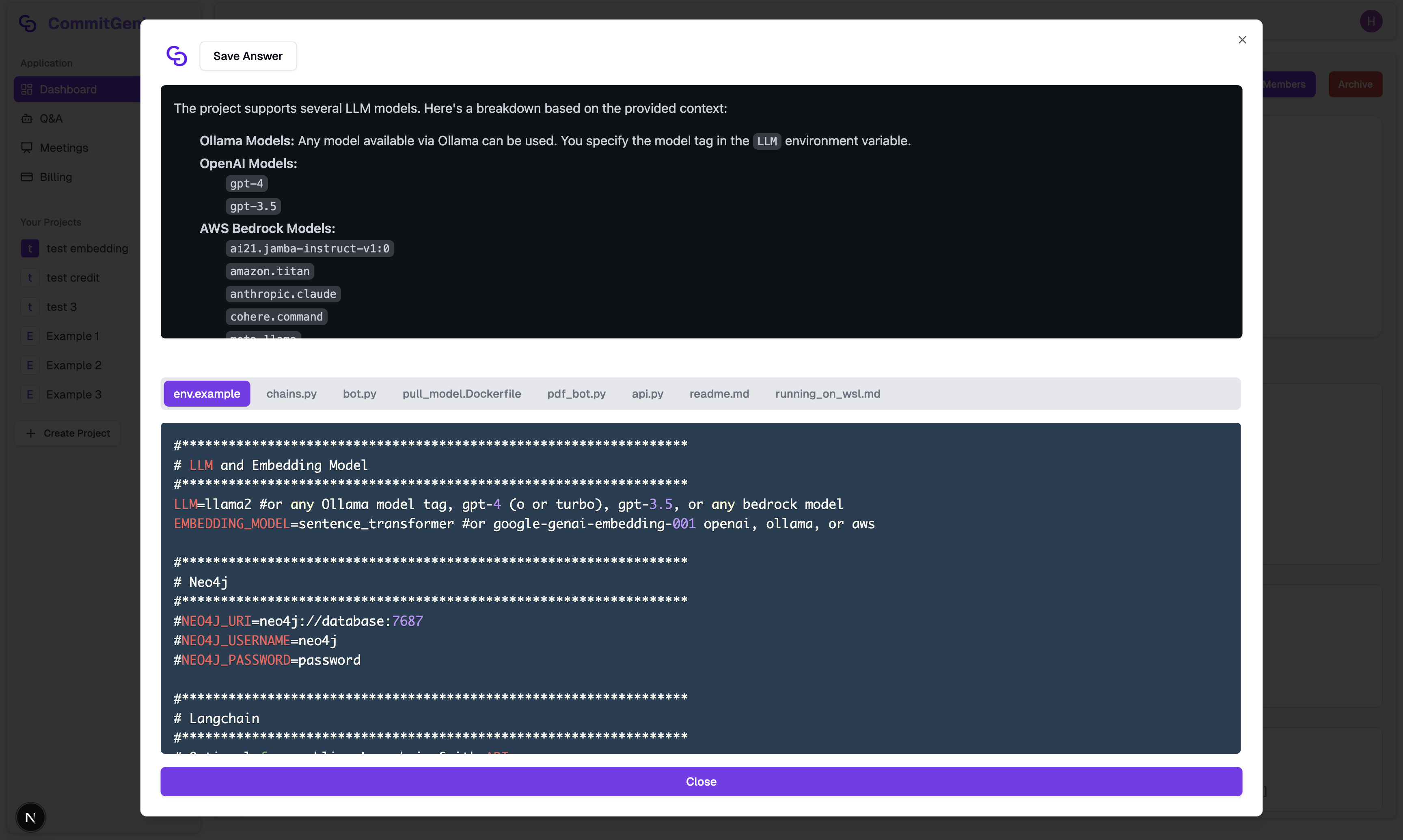
- Ask specific questions and get precise answers based on embedding & cosine similarity
- Team Collaboration via Invitations
- AI-powered Meeting Audio Data Extration
- Processed Meeting Example
- Credit Payment System Powered with Stripe
| Area | Technologies |
|---|---|
| Frontend | React, Next.js, Tailwind CSS, ShadCn, TypeScript |
| Backend | Bun, Prisma |
| Database | PostgreSQL (Neon), Firebase |
| Authentication | Clerk |
| AI & APIs | Gemini API (including Word Embedding), AssemblyAI API, Stripe API, Clerk API, Firebase API |
| GitHub Integration | Octokit |
| Framework | T3 Stack |
# Clone the repository
git clone https://github.com/hlahtoo/github-ai-assistant

# Navigate into the project
cd commitgenie

# Install dependencies
bun install

# Set up environment variables
cp .env.example .env
DATABASE_URL="your-database-url"

NEXT_PUBLIC_CLERK_PUBLISHABLE_KEY="your-clerk-publishable-key"
NEXT_PUBLIC_CLERK_SIGN_IN_URL="/sign-in"
NEXT_PUBLIC_CLERK_SIGN_IN_FALLBACK_REDIRECT_URL="/"
NEXT_PUBLIC_CLERK_SIGN_UP_FALLBACK_REDIRECT_URL="/"

NEXT_PUBLIC_CLERK_SIGN_UP_FORCE_REDIRECT_URL="/sync-user"

GITHUB_TOKEN="your-github-token"

GEMINI_API_KEY="your-gemini-api-key"

FIREBASE_API_KEY="your-firebase-api-key"

ASSEMBLYAI_API_KEY="your-assemblyai-api-key"

STRIPE_SECRET_KEY="your-stripe-secret-key"

NEXT_PUBLIC_APP_URL="http://localhost:3000"# Run the development server
bun run dev
github-ai-assistant/
├── .env                     ← Environment variables
├── .env.example            ← Sample env file
├── bun.lock                ← Bun package lock file
├── package.json            ← Project dependencies and scripts
├── tsconfig.json           ← TypeScript configuration
├── tailwind.config.ts      ← Tailwind CSS configuration
├── postcss.config.js       ← PostCSS configuration
├── next.config.js          ← Next.js configuration
├── start-database.sh       ← Shell script to start database (likely for local dev)
├── prettier.config.js      ← Code formatting config
├── .eslintrc.cjs           ← Linting rules
├── .gitignore              ← Git ignored files
├── components.json         ← Likely used for shadcn/ui CLI tracking
├── next-env.d.ts           ← Next.js type declarations
├── README.md               ← Project documentation
│
├── prisma/
│   └── schema.prisma       ← Prisma database schema
│
├── public/
│   ├── favicon.ico         ← App favicon
│   ├── logo.png            ← App logo
│   └── undraw_github.svg   ← GitHub-themed SVG illustration
│
src/
├── app/
│   ├── (protected)/                    ← Authenticated-only routes
│   │   ├── billing/                    ← Credits and payment info
│   │   ├── create/                     ← project/repo creation
│   │   ├── dashboard/                  ← User's main workspace
│   │   ├── join/                       ← Joining a project by invite
│   │   ├── meetings/                   ← Meetings view
│   │   ├── qa/                         ← Possibly Q&A or review
│   │   └── layout.tsx                  ← Shared layout for all protected routes
│   │
│   ├── api/
│   │   ├── process-meeting/            ← Server-side route to process meeting (AI)
│   │   ├── trpc/                       ← tRPC API routes
│   │   └── webhook/                    ← Webhooks (e.g. Stripe events)
│   │
│   ├── sign-in/[[...sign-in]]/         ← Clerk dynamic catch-all login route
│   │   └── page.tsx
│   │
│   ├── sign-up/[[...sign-up]]/         ← Clerk dynamic catch-all sign-up route
│   │   └── page.tsx
│   │
│   ├── sync-user/                      ← Sync Clerk data to database
│   │   ├── layout.tsx
│   │   └── page.tsx
│   │
│   ├── page.tsx                        ← the root landing page
│   |
│   ├── components/              ← Shared UI components (e.g. Button, Card)
│   ├── hooks/                    ← Custom React hooks
│   │   ├── use-mobile.tsx
│   │   ├── use-project.ts        ← Retrieves all user projects and persists the selected project ID in localStorage.
│   │   └── use-refetch.ts        ← refetch all active queries
│   |
│   ├── lib/                      ← Core logic & service utils
│   │   ├── assembly.ts           ← Meeting → Summary AI
│   │   ├── firebase.ts           ← Handling file uploads to firebase database
│   │   ├── gemini.ts             ← Gemini LLM functions
│   │   ├── github-loader.ts      ← GitHub indexing logic
│   │   ├── github.ts             ← Octokit helpers
│   │   ├── stripe.ts             ← Stripe checkout & webhook tools
│   │   └── utils.ts              ← Shared utilities
│   |
│   ├── server/                   ← Backend logic (tRPC & DB)
│   │   ├── api/
│   │   │   └── routers/          ← tRPC routers
│   │   │       ├── post.ts
│   │   │       └── project.ts    ← manages project-related operations like creating projects, managing credits, meetings, commits, and collaboration.
│   │   ├── db.ts                 ← Prisma client instance
│   │   ├── root.ts               ← tRPC root router
│   │   └── trpc.ts               ← tRPC helper setup
│   |
│   ├── styles/             ← Global styles if any
│   |
│   ├── trpc/               ← tRPC client setup for calling routers
│   |
│   ├── env.js              ← Runtime environment helper
│   └── middleware.ts       ← Auth middleware (Clerk, etc.)
MIT © Hla Htoo