

Can I Fly is an application that helps EVE Online players quickly determine which ships their characters can pilot and what training they need to reach their goals. By integrating directly with EVE's APIs, Can I Fly lets you manage characters, skill plans, and account mappings from a single, intuitive interface. The tool also helps you configure local EVE profiles, sync settings, and back up or restore them effortlessly.
-
Character Management:
Add, remove, and organize your EVE Online characters by account, role, or location. Use the character overview page to see training statuses, skill points, and quick details at a glance. -
Skill Plans:
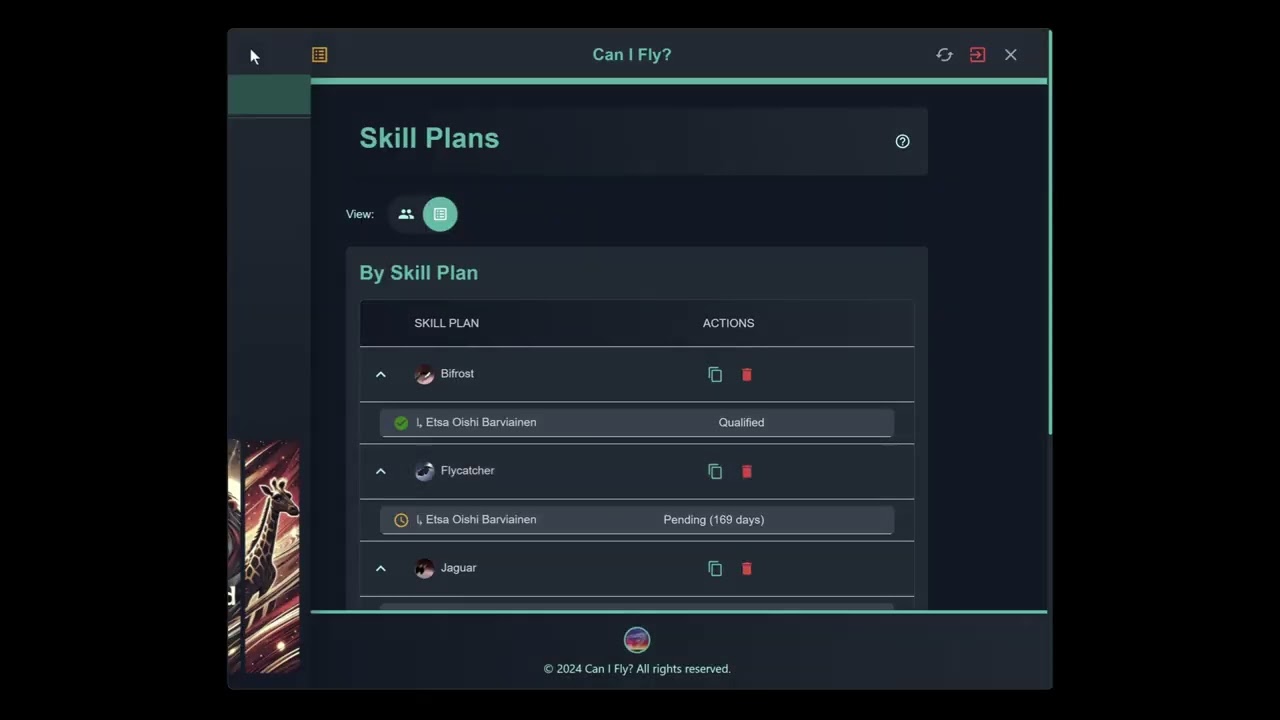
View, create, and delete skill plans. Instantly see which characters qualify for specific plans, which are pending, and which require more training. Easily copy skill plans for sharing or backup. -
Mapping & Syncing:
Associate character files with local user files for seamless syncing of in-game settings. Drag and drop characters to user files, and use the dashboard and mapping pages to ensure all accounts and characters have the right configuration.
-
Character Overview:
- Use the green plus icon to add new characters by account name.
- Toggle grouping by account, role, or location.
- Click on a character’s name for more information and skill queue.
- Sort order can be toggled to quickly find characters or accounts.
-
Skill Plans:
- Switch between "Character" and "Skill Plan" views using the toggle button.
- View missing skills or pending training time at a glance.
- Copy or delete skill plans via the action column icons.
- Add new skill plans using the yellow skill plan icon in the header.
-
Mapping:
- On the mapping page, you can associate the user and character files from your eve settings. The files are color coded by last modified date. The data from the overview page will automatically update associations here once you've made the first user to character connection.
-
** Syncing **
- On the sync page you can use the dropdowns to select the character and user file to sync settings for one profile, or all profiles. The assocations from the mapping page will automatically select the appropriate user file for each character file.
- Go: Version 1.23.2 or newer. Download Go
- Node.js: Version 20.0.0 or newer.
- npm: Version 10.7.0 or newer.
- EVE Developer Credentials:
Create an application via EVE Online Developers to get:EVE_CLIENT_IDEVE_CLIENT_SECRETEVE_CALLBACK_URL
-
Clone the Repository:
git clone https://github.com/guarzo/canifly.git cd canifly -
Install Dependencies:
npm install
-
Build and Run:
npm start
We welcome contributions! If you find a bug, have a feature request, or want to improve documentation, feel free to open an issue or submit a pull request.
This project is licensed under the ISC License. For details, see the LICENSE file.