fortrabbit agent-skills extends your coding assistant with domain knowledge on fortrabbit. Set up local development and deploy popular PHP software, such as Laravel, Craft CMS, Kirby, Statamic, WordPress, and generic PHP. Works for Claude Code and OpenAI Codex. Basic support for GitHub Copilot.
Early access version (already helpful). fortrabbit — 2026 PHP as a Service.
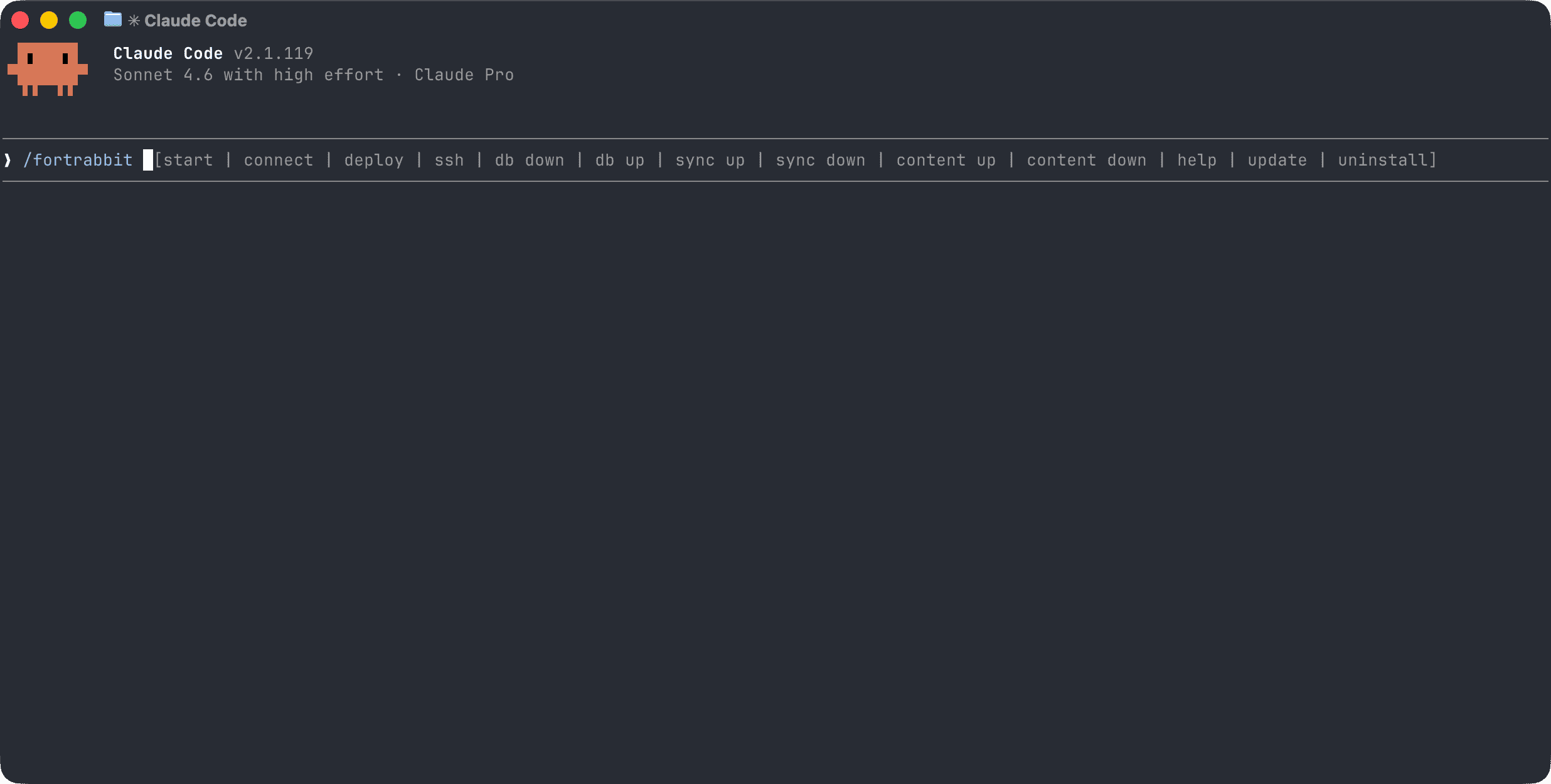
| Command | Description |
|---|---|
/fortrabbit start |
Detect project state and get guided to the right next step |
/fortrabbit connect |
First-time setup: account, app, SSH key, connection test |
/fortrabbit sync up |
Rsync all project files to the remote environment |
/fortrabbit sync down |
Rsync all project files from the remote environment |
/fortrabbit deploy |
Trigger a deployment via deploy hook or Git push |
/fortrabbit db down |
Download the remote database to your local environment |
/fortrabbit db up |
Upload your local database to the remote environment |
/fortrabbit content up |
Rsync CMS content (uploads, assets) to the remote environment |
/fortrabbit content down |
Rsync CMS content from the remote environment |
/fortrabbit ssh |
Run a remote command via SSH (artisan, craft console, Composer) |
/fortrabbit update |
Check for updates and install the latest version |
/fortrabbit uninstall |
Remove all installed skill files |
/fortrabbit help |
Show all available commands |
The skill reads project settings from a .fortrabbit file in your project root. The file uses a simple key=value format:
app-env-id=en-xxxxxx
region=eu-w1a
| Key | Description |
|---|---|
app-env-id |
Your fortrabbit app environment ID (shown in the dashboard, e.g. en-wjl0ai) |
region |
The region your app is hosted in (e.g. eu-w1a, us-e1a) |
The file contains no secrets and can be committed to Git. During /fortrabbit connect, the skill creates this file for you automatically. It takes priority over the equivalent variables in .env (FORTRABBIT_APP_ENV_ID, FORTRABBIT_REGION).
Requires GitHub CLI v2.90.0 or later.
Install globally for your user — available across all your projects:
gh skill install fortrabbit/agent-skills fortrabbit --agent claude-code --scope userInstall into the current project only:
gh skill install fortrabbit/agent-skills fortrabbit --agent claude-code --scope projectOther supported agents: codex, cursor, gemini-cli, github-copilot, and many more. Omit --agent to pick interactively.
To update later:
gh skill updateRun this anywhere to install globally for your user — available across all your projects:
curl -fsSL https://raw.githubusercontent.com/fortrabbit/agent-skills/main/install.sh | shThe script detects which tools are installed on your machine and only installs into existing config directories (~/.claude for Claude Code, ~/.agents for OpenAI Codex). It exits with an error if neither is found.
To install into a specific project instead, run this in the project root:
curl -fsSL https://raw.githubusercontent.com/fortrabbit/agent-skills/main/install.sh | sh -s -- --projectThis also installs GitHub Copilot instructions (repo-scoped). Note that a per-project install adds a .claude/ directory to your project folder — this means composer create-project will refuse to run there since it requires an empty directory. Prefer the global install when starting a new project from scratch.
| Target | Per-project | Global |
|---|---|---|
| Claude Code | .claude/skills/fortrabbit/ |
~/.claude/skills/fortrabbit/ |
| OpenAI Codex | .agents/skills/fortrabbit/ |
~/.agents/skills/fortrabbit/ |
| GitHub Copilot | .github/instructions/fortrabbit.instructions.md |
— (repo-scoped) |
Run /fortrabbit uninstall inside your agent, or run the uninstall script directly:
# If globally installed
~/.claude/skills/fortrabbit/uninstall.sh

# Per-project install (from project root)
.claude/skills/fortrabbit/uninstall.sh
The script lists what will be removed and asks for confirmation before deleting anything.
ssh,rsyncavailable in your local terminal- Windows: WSL is required for rsync-based sync operations and install scripts. SSH works natively on Windows 10+.
This agent-skills is provided as-is, without warranty of any kind. Use at your own risk. Always review the commands your agent proposes before confirming — especially destructive operations like database push/pull.