An Electron-based browser with an AI-powered Codex sidebar for intelligent web automation.
🌐 Website: www.gnunae.com | 📺 YouTube: @GnuNae

⚠️ Alpha Warning: This app is still in alpha stage. Do not use it in production or with sensitive data.
Maintenance note: Some historical release and maintenance details in this README may lag behind the current workflows. For Codex-first maintenance, current build/release authority, and stale-doc handling, see
AGENTS.md,docs/maintenance-playbook.md,docs/test-matrix.md, anddocs/release-checklist.md. For Codex model, runtime, and Docker sandbox failure handling, seedocs/codex-model-runtime.md.
graph TB
    subgraph Electron["Electron App"]
        Main["Main Process<br/>(main.ts)"]
        Preload["Preload Script<br/>(preload.ts)"]
    end

    subgraph UI["React UI"]
        App["App.tsx"]
        Sidebar["CodexSidebar"]
        AddressBar["AddressBar"]
        BottomPanel["BottomPanel<br/>(Terminal + Output)"]
        Settings["Settings"]
    end

    subgraph PromptEngine["Prompt Engineering"]
        ModeInstr["Mode Instructions<br/>(Ask/Agent/Full)"]
        PrePrompt["Pre-Prompt<br/>(System Instructions)"]
        UserData["User Data Context<br/>(PDS)"]
        PageContext["Page Context<br/>(URL, Title, Content)"]
        UserPrompt["User Prompt"]
    end

    subgraph BrowserView["Browser View"]
        InternalPage["Web Content"]
        InternalCDP["CDP Endpoint<br/>(port 9222)"]
    end

    subgraph ExternalBrowser["External Browser"]
        ExternalPage["Web Content<br/>(Chrome/Edge/Brave)"]
        ExternalCDP["CDP Endpoint<br/>(port 9223+)"]
    end

    subgraph PIE["PIE - Native Mode"]
        NativeCodex["Codex CLI"]
        NativePlaywright["Playwright MCP"]
        NativeTerminal["Native Shell<br/>(cmd/bash/zsh)"]
    end

    subgraph Docker["Docker - Virtual Mode"]
        DockerCodex["Codex CLI"]
        DockerPlaywright["Playwright MCP"]
        DockerTerminal["Docker Exec<br/>(bash)"]
    end

    OpenAI["OpenAI API"]

    Main --> Preload
    Preload <--> UI
    UI --> Sidebar
    UI --> BottomPanel

    Sidebar --> PromptEngine
    PromptEngine --> |IPC| Main

    Main --> |spawn| PIE
    Main --> |container| Docker

    BottomPanel --> |xterm.js| NativeTerminal
    BottomPanel --> |xterm.js| DockerTerminal

    NativeCodex --> OpenAI
    DockerCodex --> OpenAI

    NativeCodex --> NativePlaywright
    DockerCodex --> DockerPlaywright

    NativePlaywright --> |CDP| InternalCDP
    NativePlaywright --> |CDP| ExternalCDP
    DockerPlaywright --> |CDP| InternalCDP
    DockerPlaywright --> |CDP| ExternalCDP

    InternalCDP --> InternalPage
    ExternalCDP --> ExternalPage
| Component | Description |
|---|---|
| Main Process | Electron main, window management, IPC handlers, Codex spawning with -c flags |
| BrowserView | Chromium-based web content rendering with CDP endpoint |
| React UI | Sidebar, address bar, terminal panel, settings overlay |
| Bottom Panel | xterm.js terminal (Native/Docker) + Output logs |
| Codex CLI | OpenAI's CLI for AI-powered automation (configured at runtime) |
| Playwright MCP | DOM interaction via Chrome DevTools Protocol (CDP) |
- 🌐 Full Browser - Chrome-based web browser with address bar and navigation
- 🪟 Multi-Window - Open multiple independent windows (Cmd/Ctrl+N)
- 📑 Multi-Tab - Multiple tabs per window with tab bar
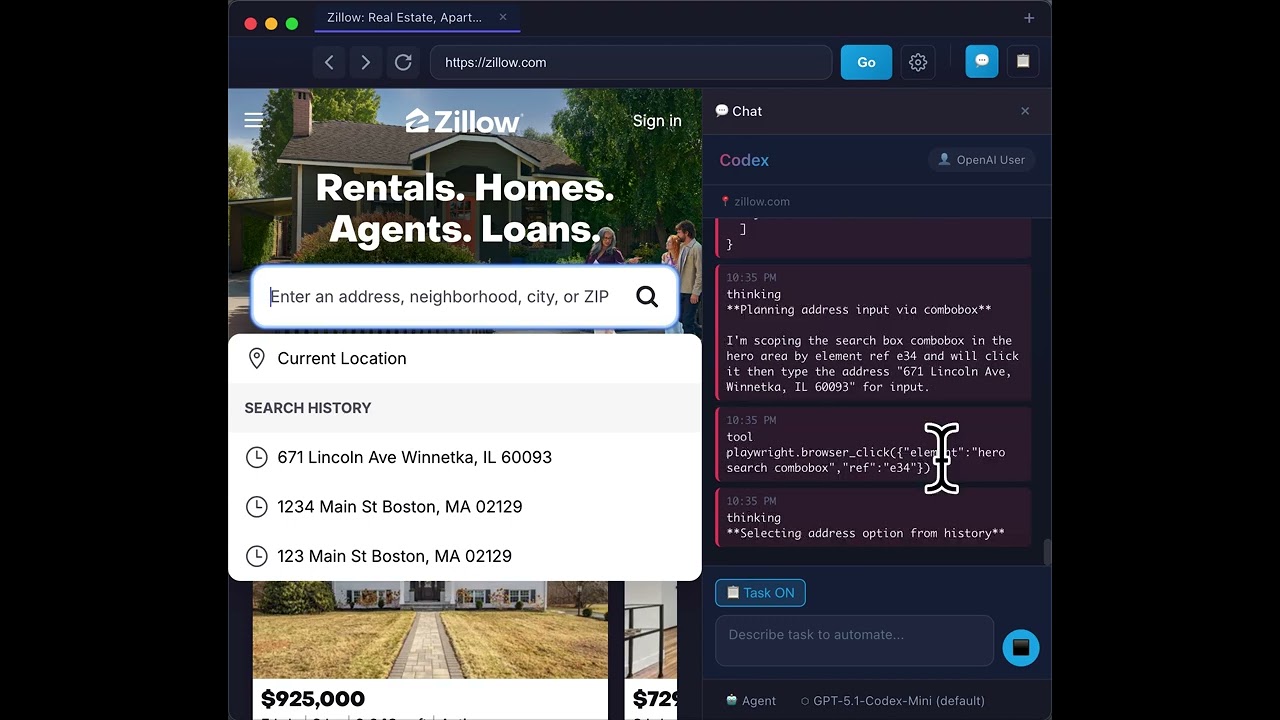
- 💬 Chat Mode - Sidebar-only mode for use with external browsers (Chrome, Edge, etc.)
- 🔗 External Browser Support - Connect Codex to your existing browser with full automation
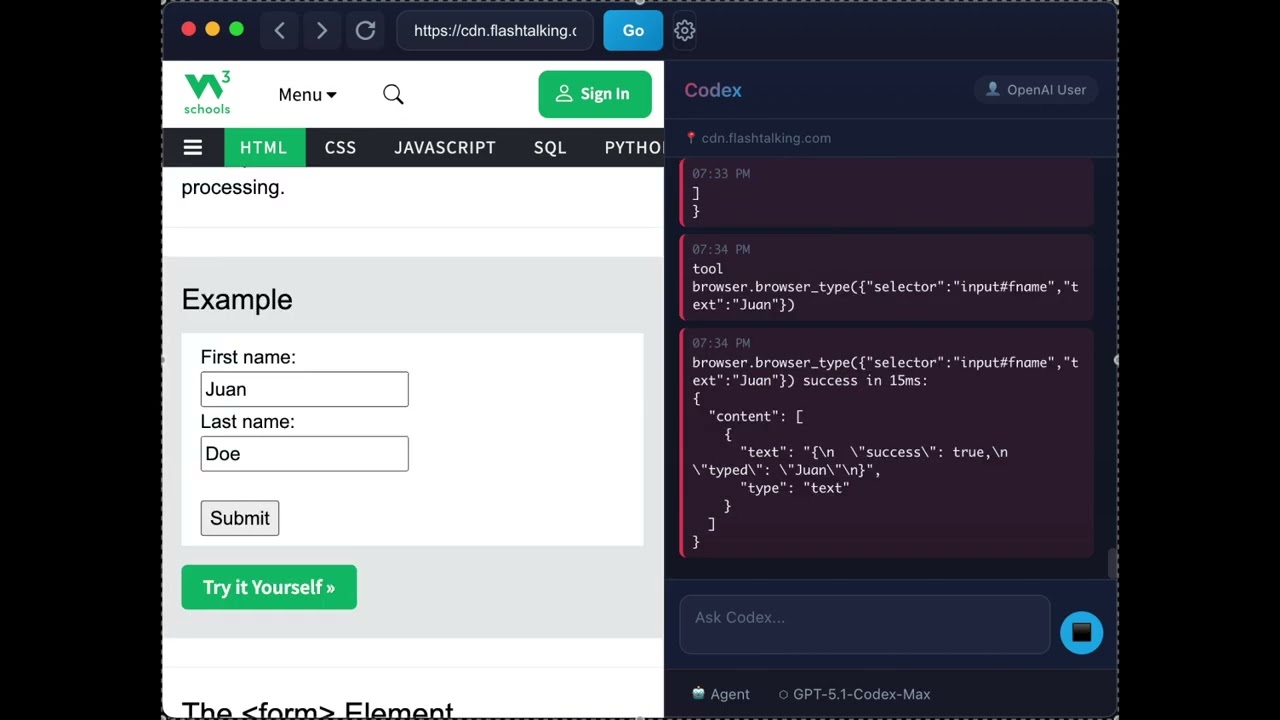
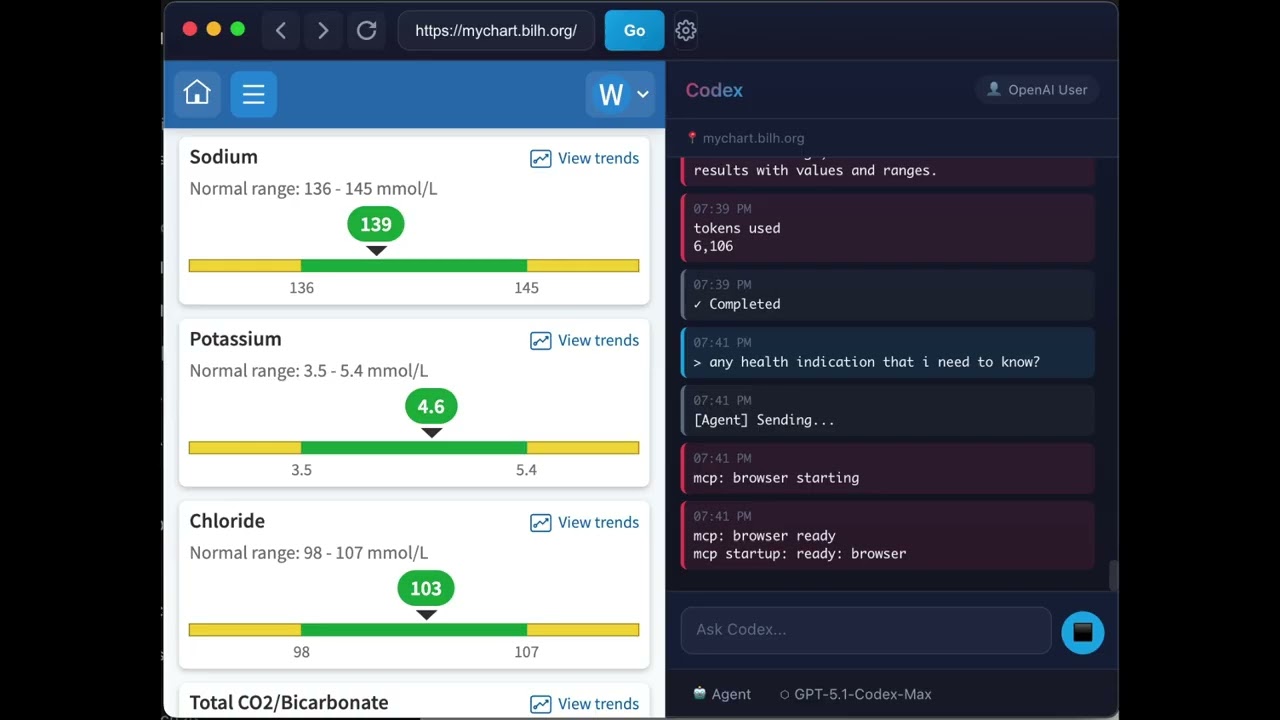
- 🤖 Codex Sidebar - AI assistant powered by OpenAI's Codex CLI
- 🐳 Virtual Mode - Docker-based sandbox for isolated Codex + Playwright execution
- 💻 Interactive Terminal - Full PTY emulation with xterm.js (native shell or Docker bash)
- 📋 Output Panel - View backend process logs and Codex execution status
- 📋 Task Manager - Save, schedule, and run automated tasks
- 🔐 OpenAI Auth - Sign in with your OpenAI account
- 🔧 Page Analysis - Codex can see and analyze your current page
- 🎯 MCP Integration - Model Context Protocol for browser control
- 💾 Personal Data Store (PDS) - Persistent storage for user data that Codex can access and update
- ⏰ Scheduled Tasks - Run tasks hourly, daily, or weekly at specific times
⚠️ Failure Detection - Automatic detection of CAPTCHA, 2FA, and login blocks
- Node.js 18+
- npm or yarn
- ChatGPT Pro or Plus subscription (required for Codex CLI)
- Browser navigation works without OpenAI sign-in
- Free ChatGPT accounts may not be able to use Codex features
- Upgrade at: https://chat.openai.com/settings/subscription
# Clone the repository
git clone https://github.com/fkiller/GnuNae.git
cd GnuNae

# Install dependencies
npm install

# Build the application
npm run build

# Run in development
npm run start
First-time users can browse without signing in. Use the in-app OpenAI sign-in button when you want Codex AI features.
To use Virtual Mode, you need Docker Desktop installed. This runs Codex and Playwright in an isolated container.
GnuNae pulls ghcr.io/fkiller/gnunae/sandbox:latest before starting a sandbox.
If that pull fails but a cached image already exists, it can continue with the
cached image. Local Docker builds are mainly for development or manual recovery.
# Build the Docker sandbox image locally
npm run build:docker

# Or build without cache (recommended after updates)
npm run build:docker:clean

# Build everything (app + Docker image)
npm run build:all| Script | Description |
|---|---|
build:docker |
Build the Docker sandbox image and tag it as local + GHCR latest |
build:docker:clean |
Build Docker image without cache and tag it as local + GHCR latest |
build:all |
Build app + Docker image |
Enable Virtual Mode in Settings when Docker is detected.
GnuNae can now control your existing external browsers (Chrome, Edge, Brave, Opera) instead of using the built-in window.
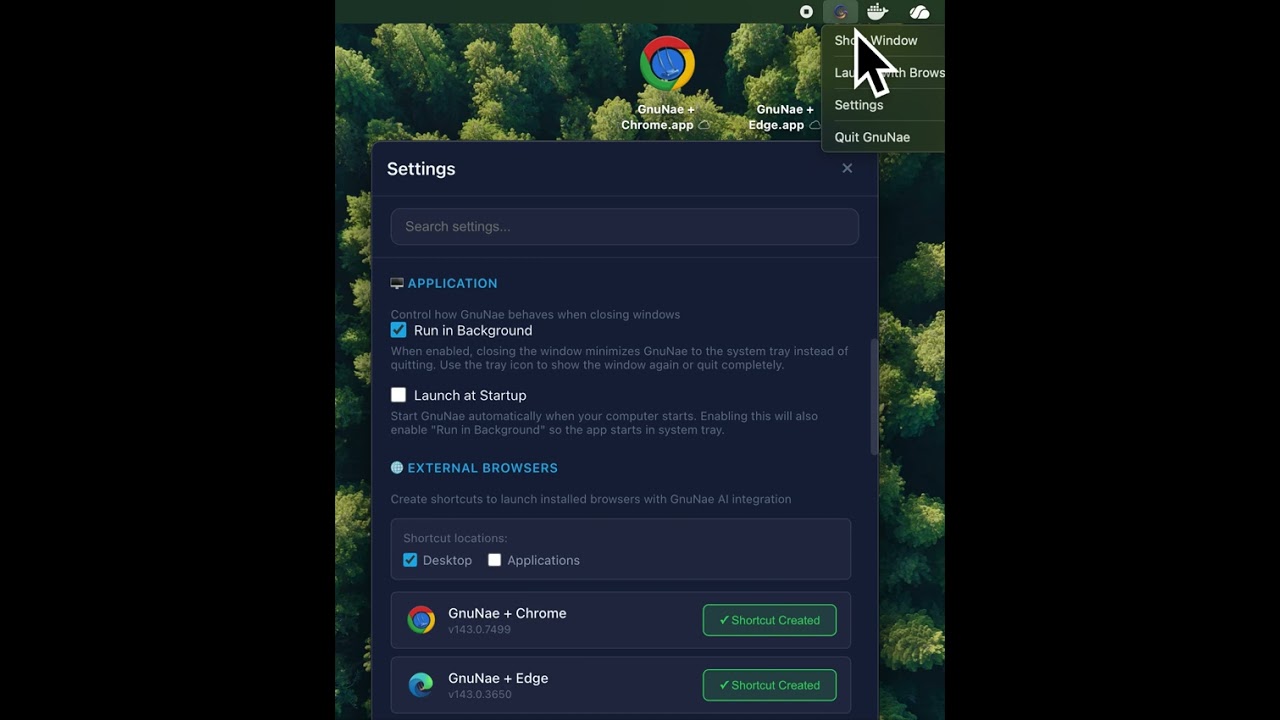
- Manage Browsers: Go to Settings → External Browsers to scan for installed browsers.
- Create Shortcuts: Generate special shortcuts that launch your browser connected to GnuNae.
- Chat Mode: Launching via shortcut opens GnuNae in "Chat Mode" - a floating sidebar that attaches to your external browser.
- Full Automation: Codex can read, analyze, and control the external browser just like the built-in one.
- Launch the app - A browser window opens with a sidebar
- Navigate - Use "Browse without Codex" or the address bar to visit any website
- Sign in for Codex - Click "Sign in to OpenAI" when you want AI features
- Ask Codex - Type a prompt in the sidebar (e.g., "list all links on this page")
- Get results - Codex analyzes the page and responds
- "Summarize this page"
- "Find all job listings mentioning Python"
- "What are the main topics covered here?"
- "Google my address" (Codex will ask for your address and remember it)
- "Store all property information" (Codex extracts and saves data from the page)
The PDS allows Codex to remember your personal information across sessions:
- Automatic Prompting - When Codex needs info (email, address, etc.), a smart card appears for you to enter it
- Persistent Storage - Data is saved to
~/.gnunae/datastore.jsonand reused automatically - Web Extraction - Ask Codex to "store" information from pages (e.g., property details from Zillow)
- Manage in Settings - View, edit, or delete stored data in the Settings panel
Example workflow:
You: "Search my address on Zillow"
Codex: [Shows smart card asking for address]
You: [Enter "123 Main St, Boston MA"]
Codex: [Searches Zillow, saves address for future use]
When you send a prompt, GnuNae constructs the full prompt in this order:
| Order | Component | Description |
|---|---|---|
| 1 | Mode Instructions | Behavior constraints based on mode (Ask/Agent/Full Access) |
| 2 | Pre-Prompt | System instructions from Settings |
| 3 | User Data Context | Personal data from the Data Store |
| 4 | Page Context | Current URL, title, and page content |
| 5 | User Prompt | Your actual request |
Mode behaviors:
| Mode | Behavior |
|---|---|
| 💬 Ask | Read-only - can only describe page, refuses to click/submit/navigate |
| 🤖 Agent | Confirms critical actions (payments, final submissions, account changes) |
| ⚡ Full Access | 100% autonomous - no confirmations needed |
# macOS
npm run pack:mac

# Windows
npm run pack:win

# Linux
npm run pack:linux
For detailed CI/CD pipeline documentation, code signing setup, and environment configuration, see:
GnuNae configures Codex CLI automatically at runtime via -c flags. No manual configuration needed - GnuNae works out of the box without modifying ~/.codex/config.toml.
If you have custom settings in ~/.codex/config.toml, GnuNae overrides Codex
spawn configuration for app-managed browser automation. Current committed code
uses a static renderer model list, passes model=gpt-5.4 with xhigh
reasoning in Native mode, and lets Docker/Virtual Mode use the Codex CLI
default model inside the sandbox image. See
docs/codex-model-runtime.md for model/runtime
failure handling and Docker parity requirements.
src/
├── electron/              # Main process
│   ├── main.ts           # App entry, window management, IPC handlers, Codex spawning
│   └── preload.ts        # Context bridge for renderer
├── ui/                   # Renderer process (React)
│   ├── index.tsx         # React entry point
│   ├── App.tsx           # Main UI layout
│   ├── App.css           # Global styles
│   └── components/
│       ├── AddressBar.tsx      # URL navigation bar
│       ├── CodexSidebar.tsx    # AI assistant sidebar
│       ├── DataRequestCard.tsx # Smart card for PDS data requests
│       ├── TaskManager.tsx     # Task Manager panel
│       ├── RightPanel.tsx      # Chat/Task Manager wrapper
│       ├── SaveTaskCard.tsx    # Save task prompt card
│       ├── TabBar.tsx          # Multi-tab bar
│       ├── BottomPanel.tsx     # Terminal (xterm.js) + Output logs
│       ├── Settings.tsx        # Settings panel (includes PDS editor)
│       └── About.tsx           # About dialog
└── core/                   # Shared utilities
    ├── auth.ts             # OpenAI authentication
    ├── browser-detector.ts # External browser detection (Chrome, Edge, etc.)
    ├── datastore.ts        # Personal Data Store service
    ├── runtime-manager.ts  # Node.js/npm/Codex runtime management
    ├── tasks.ts            # Task service and scheduler
    ├── settings.ts         # App settings & pre-prompt
    ├── schema.ts           # Type definitions
    ├── docker-manager.ts   # Docker sandbox lifecycle management
    └── vault.ts            # Secure storage

docker/                   # Virtual Mode sandbox
├── Dockerfile            # Container image definition
├── entrypoint.sh         # Container startup script
├── api-server.js         # REST API for Codex execution
└── playwright.config.ts  # Playwright MCP configuration

docs/                     # GitHub Pages (gnunae.com)
├── index.html            # Landing page
├── CNAME                 # Custom domain
└── assets/               # Logo, videos

.github/workflows/
└── release.yml           # CI/CD for multi-platform builds
- Electron - Desktop app framework
- React - UI library
- TypeScript - Type safety
- Vite - Build tool
- OpenAI Codex - AI code assistant
| Status | Feature |
|---|---|
| ✅ Done | Electron-based browser integrated with Codex-Playwright MCP |
| ✅ Done | Multi-window support with isolated Codex sessions |
| ✅ Done | Multi-tab support with tab bar |
| ✅ Done | Personal Data Store (PDS) - persistent storage with smart card UI |
| ✅ Done | Two-way PDS integration - Codex can request AND store data |
| ✅ Done | Task Manager - save, schedule, and automate tasks |
| ✅ Done | Virtual Mode - Docker sandbox for Codex + Playwright isolation |
| ✅ Done | External Browser Support (Chrome, Edge, Brave, Opera) |
| ✅ Done | Chat Mode (Sidebar-only window) |
| 🔜 Planned | Remote backend (home server, cloud) with VNC streaming |
| 🔜 Planned | Project management for multi-page workflows |
| 🔜 Planned | More LLM options including local LLM support |
- Dependency Upgrades
- Codex CLI: 0.80.0 → 0.98.0 (GPT-5.3-Codex support, steer mode stable)
- Playwright MCP: 0.0.55 → 0.0.64 (session management improvements)
- Electron: 39.2.7 → 39.5.1 (staying within v39 for stability)
- MCP SDK, React, Playwright, Zod, and other packages updated
- New AI Model: GPT-5.3-Codex
- Added to model selector (25% faster, improved agentic capabilities)
- Released by OpenAI on Feb 5, 2026
- macOS Runtime Bundling
- Node.js and Codex CLI now bundled for macOS builds (arm64 + x64)
- Docker Image Refresh
- GnuNae now pulls the rolling GHCR
latestsandbox image before Virtual Mode startup - Created periodic maintenance documentation
- GnuNae now pulls the rolling GHCR
- Interactive Terminal with xterm.js
- Full PTY emulation via node-pty (arrow keys, tab completion, Ctrl+C)
- Terminal persists when hiding/showing panel
- Renamed "Console" tab to "Output" for clarity
- Docker Terminal Support (Virtual Mode)
- Terminal connects to Docker container bash via
docker exec - Virtual Mode uses Electron's built-in CDP (no external browser required)
- Terminal connects to Docker container bash via
- Improved Runtime Manager
- Direct Node.js download using https/fs modules (no external node spawn)
- Auto-install runtime on macOS/Linux if not present
- Better shell detection (zsh, bash, sh candidates)
- Terminal Fallback
- Fallback process when node-pty fails
- Spawn debounce prevents infinite restart loop
- Embedded Node.js & Codex CLI
- Windows: Node.js 22 LTS and Codex CLI bundled in package
- macOS: Downloads Node.js and Codex to ~/Library/Application Support/GnuNae on first run
- Settings UI shows runtime status (Node.js, npm, Codex CLI versions) under Native Mode
- Downgraded electron-builder to 24.13.3 for compatibility
- Cross-Platform Runtime Scripts
- Added
scripts/download-node.jsfor portable Node.js download - Added
scripts/install-codex.jsfor local Codex CLI installation - RuntimeManager service for validation and path resolution
- Added
- GitHub Actions updated for Windows builds with embedded runtime
- Chat Mode & External Browsers
- Support for External Browsers: Use Chrome, Edge, Brave, or Opera with GnuNae.
- Chat Mode Window: Minimized sidebar-only interface when using external browsers.
- CDP Integration: Real-time two-way control of external browsers via Chrome DevTools Protocol.
- Docker & Chat Mode: Fixed complex CDP connection issues allowing Dockerized Codex to control external browsers via
host.docker.internal. - Standalone Settings: Settings now open in a dedicated window in Chat Mode.
- Shortcuts: Auto-generate shortcuts for your installed browsers with GnuNae integration.
- Virtual Mode (Docker Sandbox)
- Enables isolated execution of Codex CLI and Playwright MCP in a Docker container
- Requires Docker Desktop installed on your machine
- Shares OpenAI authentication with the container securely
- Mounts working directory so attached files are accessible
- Foundation for future remote backend support (home server, cloud)
- Toggle via Settings panel when Docker is detected
- Bug fixes and stability improvements for multi-window support
- Multi-Window Support
- Open multiple independent GnuNae windows (Cmd/Ctrl+N)
- Each window has isolated Codex sessions and working directory
- Window-specific tab management and automation
- Playwright MCP correctly targets each window's webview
- Stability Improvements
- Fixed iframe navigation polluting address bar URL
- Protected application UI from accidental Playwright navigation
- Improved tab selection guidance in pre-prompt
- Bug fixes for task execution and UI improvements
- Task Execution System
- Save prompts as reusable tasks with one-time, on-going, or scheduled triggers
- Task Manager panel with favorites, running tasks, and scheduled countdowns
- Background scheduler for automated task execution
- Max concurrency setting (1-5 simultaneous tasks)
- Failure Handling
- CAPTCHA/2FA/login detection with warning cards
- Menu Enhancements
- Settings accessible from App menu (⌘,)
- View menu: Show Chat (⌘1), Task Manager (⌘2), Hide Panel (⌘0)
- About dialog with open source library attributions
- UI Improvements
- Chat/Task Manager toggle buttons in address bar
- Collapsible right panel with dynamic browser resizing
- Personal Data Store (PDS) with smart card UI
- Multi-tab browser support
- Initial release
- Codex sidebar with OpenAI integration
- MCP-based browser automation
MIT
Contributions welcome! Please open an issue or PR.
Built with ❤️ for AI-powered browsing