










Support this project with a ⭐ -report an issue, or even better, place a pull request 📫 😊
My projects Edi, Aehnlich, and many others (open source or commercial) are powered by this project.
AvalonDock is a WPF Document and Tool Window layout container that is used to arrange documents and tool windows in similar ways than many well known IDEs, such as, Eclipse, Visual Studio, PhotoShop and so forth. Here are some CodeProject articles:
- AvalonDock [2.0] Tutorial Part 1 - Adding a Tool Window
- AvalonDock [2.0] Tutorial Part 2 - Adding a Start Page
- AvalonDock [2.0] Tutorial Part 3 - AvalonEdit in AvalonDock
- AvalonDock [2.0] Tutorial Part 4 - Integrating AvalonEdit Options
- AvalonDock [2.0] Tutorial Part 5 - Load/Save Layout with De-Referenced DockingManager
This repository contains additional bug fixes and a feature added fork for: xceedsoftware/wpftoolkit version 3.2-3.6. Version 4.0 and later are developed indepentently, which is why this library (version 4.0 and later) uses the namespaces and library names that were used in AvalonDock 2.0 and earlier versions. But most importantly, the usage of this AvalonDock project remains free for both, commercial and open source users.
There is also an open source repository https://github.com/dotnetprojects/WpfExtendedToolkit with a fixed and stable version of all other (other than AvalonDock) components from the WPFToolKit.
Be sure to checkout the Wiki for more details.
This project supports multitargeting frameworks (.NET 4.8, .NET 8, .NET 10). This means that it requires Visual Studio 2022 or better to build.
Please review the Project Wiki to see more demo screenshots. All screenshots below are from the MLib based VS 2013 Dark (Accent Color Gold)/Light (Accent Color Blue) theme on Windows 10. Similar theming results should be possible with other theming libraries since the implementation follow these guidelines.
The Docking Buttons are defined in XAML, which ensures a good looking image on all resolutions, even 4K or 8K, and enables us to color theme consistently with the Window 10 Accent Color.
| Description | Dark | Light |
| Dock Document | 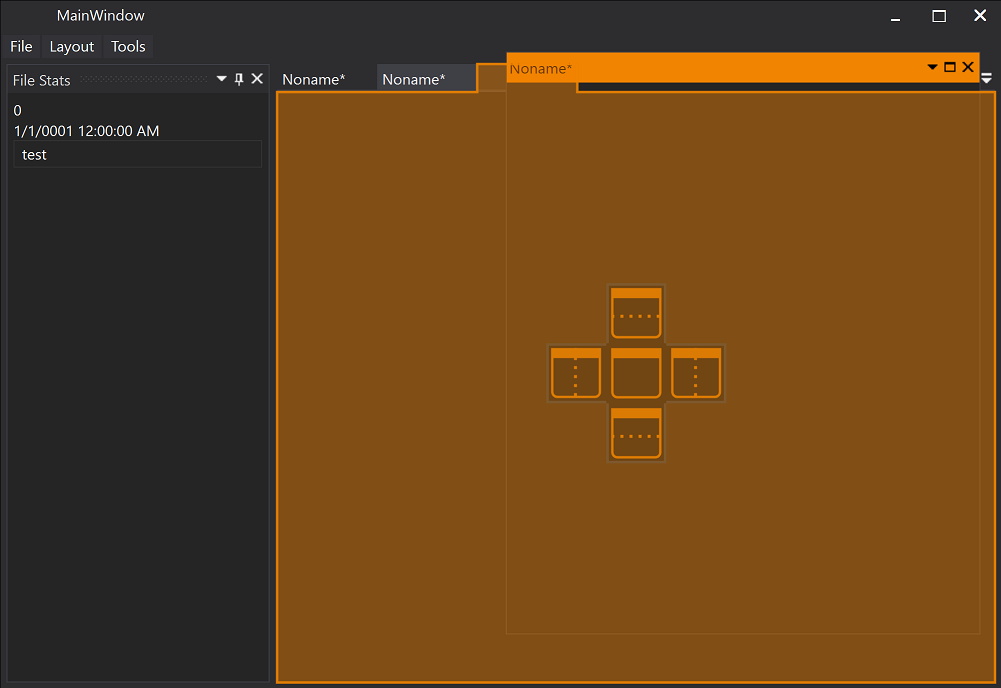 |
 |
| Dock Document | 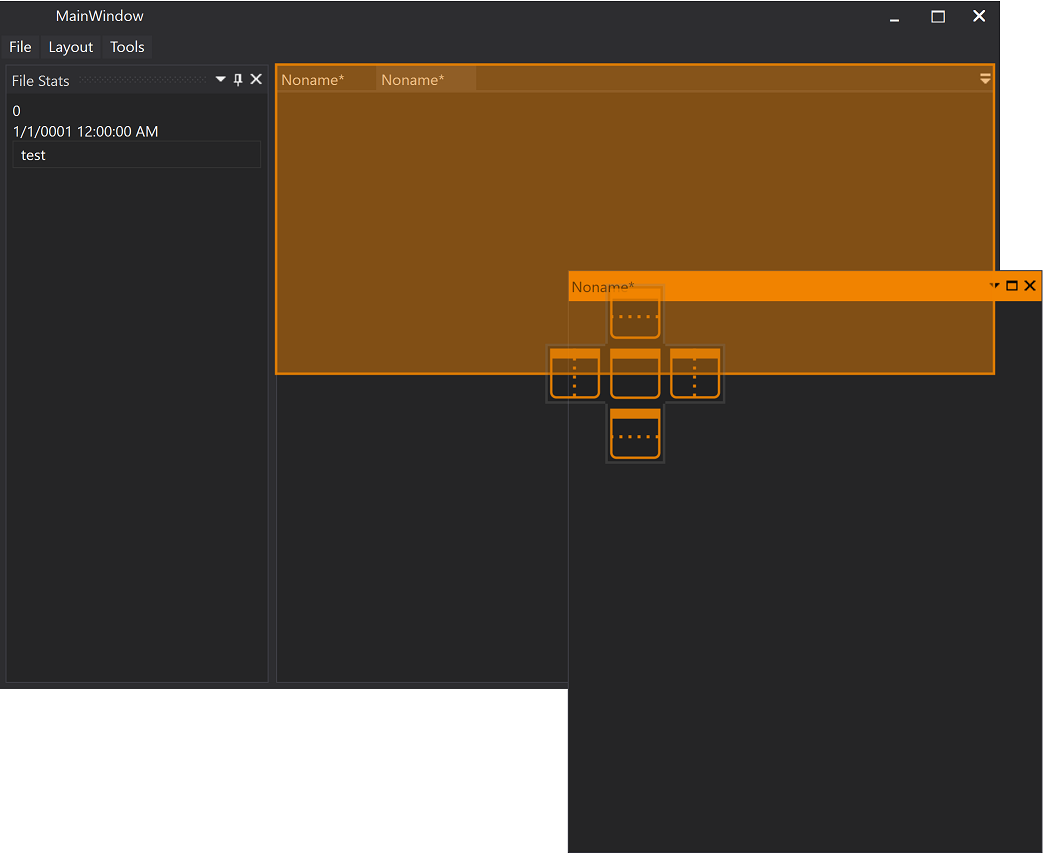 |
 |
| Dock Tool Window | 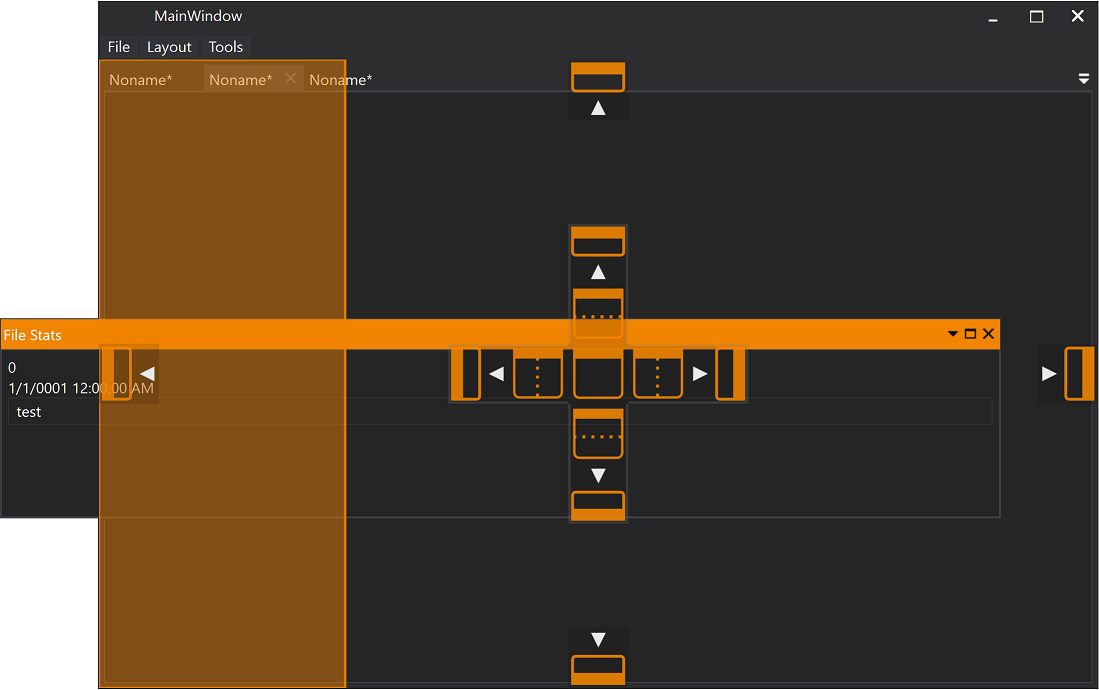 |
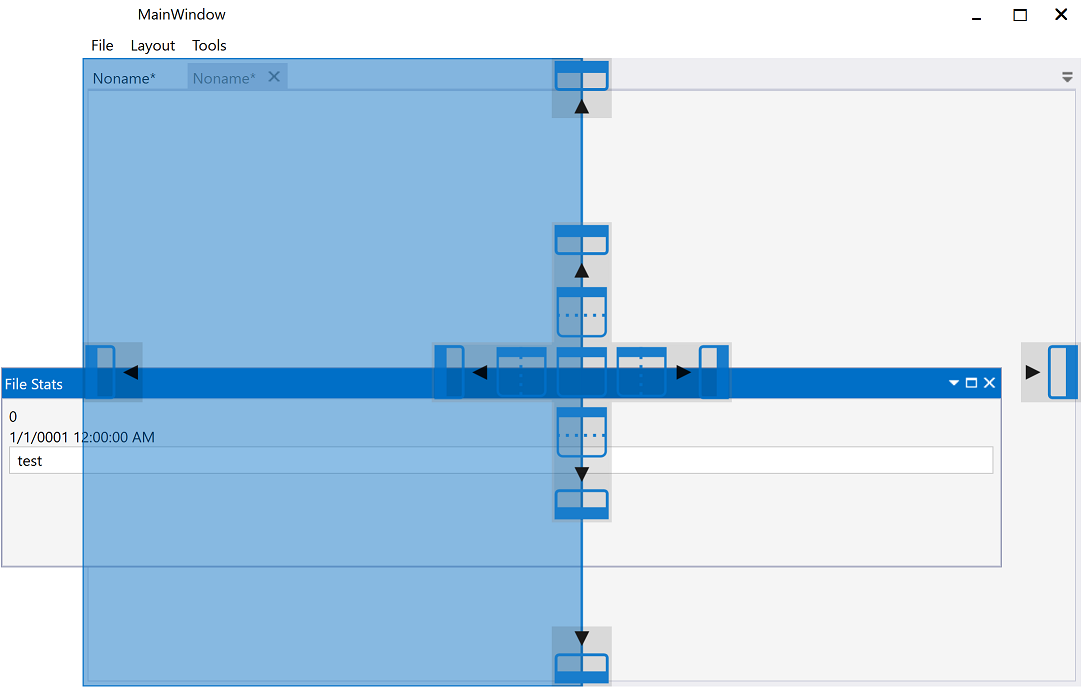 |
| Document | 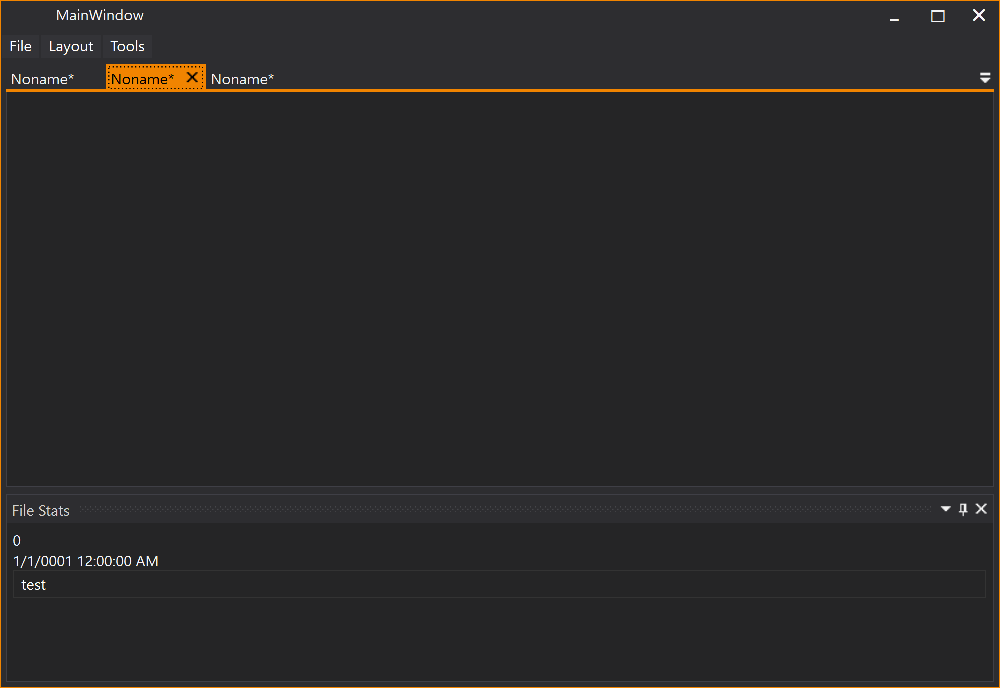 |
 |
| Tool Window |  |
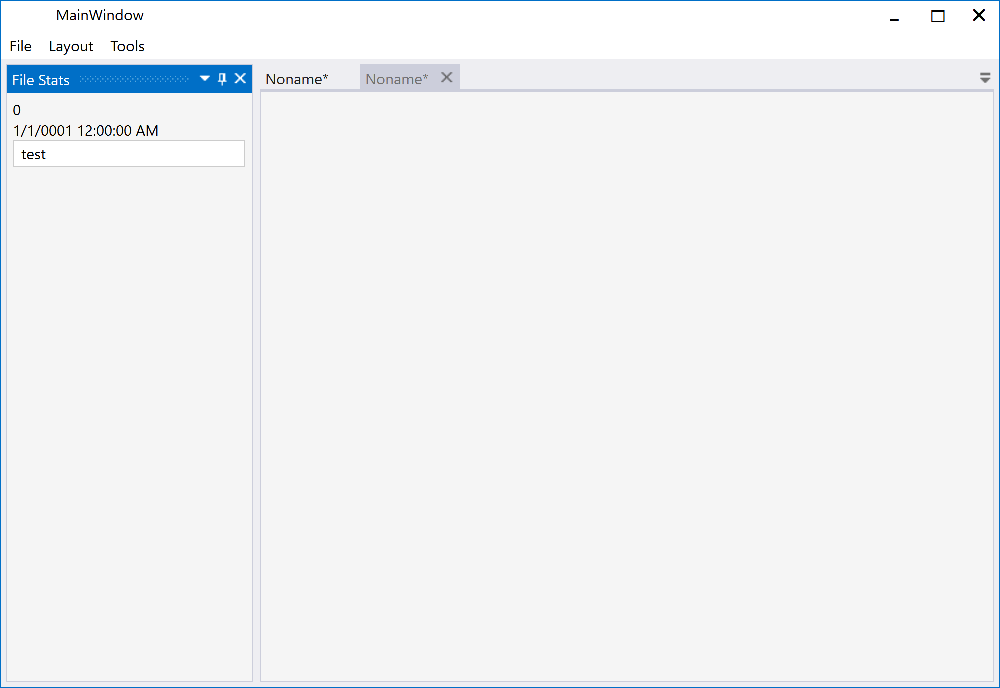 |
Using the AvalonDock.Themes.VS2013 theme is very easy with Dark and Light themes. Just load Light or Dark brush resources in you resource dictionary to take advantage of existing definitions.
    <ResourceDictionary.MergedDictionaries>
        <ResourceDictionary Source="/AvalonDock.Themes.VS2013;component/DarkBrushs.xaml" />
</ResourceDictionary.MergedDictionaries> <ResourceDictionary.MergedDictionaries>
<ResourceDictionary Source="/AvalonDock.Themes.VS2013;component/LightBrushs.xaml" />
</ResourceDictionary.MergedDictionaries>These definitions do not theme all controls used within this library. You should use a standard theming library, such as:
- MahApps.Metro,
- MLib, or
- MUI
to also theme standard elements, such as, button and textblock etc.
- Updated all packages to version 4.72.7 for consistency across the entire library
- VS2013 Theme: Fixed Document TabItem style (ItemContainerStyle) to use correct border resource keys
- Line 325: Changed BorderBrush from self-binding to
DocumentWellTabUnselectedBorder - Line 343: Added BorderBrush setter for active state using
DocumentWellTabSelectedActiveBorder - Line 355: Added BorderBrush setter for inactive state using
DocumentWellTabSelectedInactiveBorder - Line 375: Added BorderBrush setter for hovered state using
DocumentWellTabUnselectedHoveredBorder - This ensures document tab borders use the customizable border resource keys instead of binding to background
- Line 325: Changed BorderBrush from self-binding to
- VS2013 Theme: Added unique AutomationProperties.Name to all TabItem styles for improved accessibility
- Document TabItem: "Document Tab - {Title}"
- Tool Window TabItem: "Tool Window Tab - {Title}"
- LayoutDocumentTabItem: "Layout Document Tab - {Title}"
- LayoutAnchorableTabItem: "Layout Anchorable Tab - {Title}"
- VS2013 Theme: Fixed DocumentPaneControl template to use correct border resource keys
- Line 220: Changed BorderBrush from
DocumentWellTabSelectedActiveBackgroundtoDocumentWellTabSelectedActiveBorder - Line 287: Changed BorderBrush from
DocumentWellTabSelectedInactiveBackgroundtoDocumentWellTabSelectedInactiveBorder - This ensures the tab container border (the underline under all tabs) uses the correct customizable border keys
- Line 220: Changed BorderBrush from
- VS2013 Theme: Added dedicated border resource keys for document tabs, enabling full customization of tab borders
DocumentWellTabSelectedActiveBorder- Border color for active selected tabDocumentWellTabSelectedInactiveBorder- Border color for inactive selected tabDocumentWellTabUnselectedBorder- Border color for unselected tabDocumentWellTabUnselectedHoveredBorder- Border color for hovered unselected tab
- Border resource keys implemented in all three VS2013 color schemes (Dark, Light, Blue)
- Updated target frameworks from
net40,netcoreapp3.0,net5.0-windowstonet48,net8.0-windows,net10.0-windows - All packages now support modern .NET frameworks
<ResourceDictionary xmlns="http://schemas.microsoft.com/winfx/2006/xaml/presentation"
                    xmlns:x="http://schemas.microsoft.com/winfx/2006/xaml"
                    xmlns:reskeys="clr-namespace:AvalonDock.Themes;assembly=AvalonDock.Themes.VS2013">

    <!-- Customize active tab border -->
    <SolidColorBrush x:Key="{x:Static reskeys:ResourceKeys.DocumentWellTabSelectedActiveBorder}"
                     Color="Red" />
</ResourceDictionary>- Updated target frameworks to net48, net8.0-windows, net10.0-windows
- Removed deprecated framework targets (net40, netcoreapp3.0, net5.0-windows)
- All packages now support modern .NET frameworks
See git history for earlier changes.
- #436 Changed how the next active document is picked on document close. (thanx to FredrikS fredriks123)
- #438 NullCheck for DragPoint (thanx to Ben bbuerger)
- #423 issue #422 DockingManager.LayoutItemTemplateSelector is applied twice because... (thanx to Mona04)
- #425 Fix: Potential NRE on app close (thanx to Khaos66)
- #427 Fix floating windows still created twice (thanx to Khaos66)
- Add DockingManager.ShowNavigator (thanx to Calum Robinson)
- #431 Fix unwanted group orientation change when using mixed orientation (thanx to KuroiRoy)
Please review the Path History for more more information on patches and feaures in previously released versions of AvalonDock.