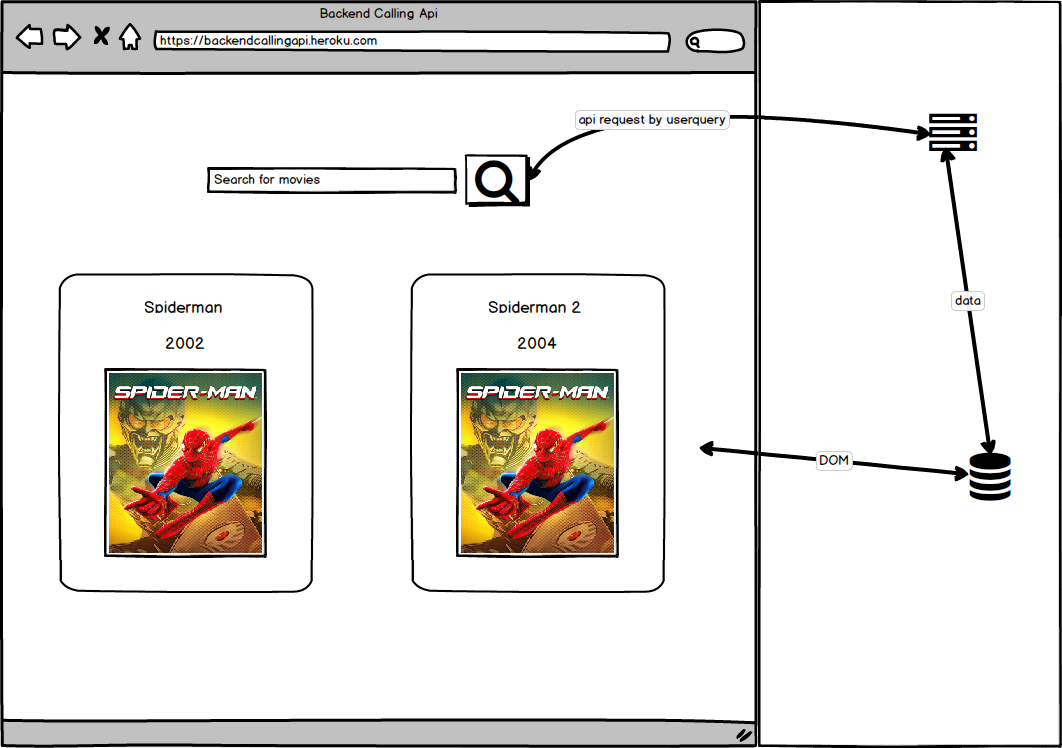
Movies searcher using api called in node.js. A simple application with an input field, Clicking on search/pressing enter will output 4 items of the relevant movies to the input value.
- Homepage, that has search input field, the user should input the movie title he is searching for, then he will get the results from the API request we made in the backend.
- Selected movie details page, When the user clicks on an item from the output results, he will be redirected to another page that shows more details about the movie he selected.
- git clone this repo.
- git install, if something was missing, please install manually to your machine, nyc, tape, tape-spec, supertest, nodemon.
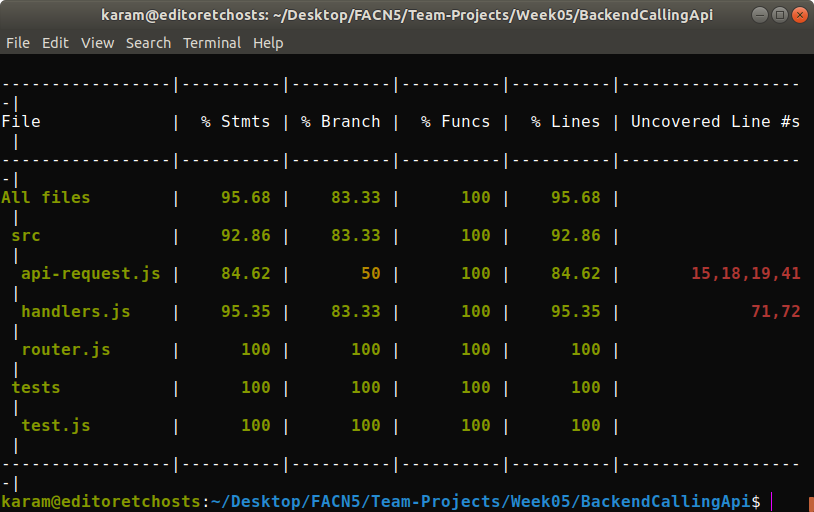
- for nyc tests, nyc npm test.
- to deploy the server, we made an easy script for you, just type in your terminal 'npm run connect', and it will be deployed with nodemon, if you with to deploy without nodemon, just type in 'run start'.
- to get the API key working, you need to create a file in the root directory of this repo named .env, and type these lines in it.
export API_KEY=4a8cc460
- Have fun!
-
Use at least 1 API Make your API calls from the back-end using the Request module (or one you build yourself)
-
Your server should contain a minimum of 2 routes We expect to see lots of tests! Modularise your code and test all your pure functions.
-
Write tests for as much of your back-end and front-end logic as you can. We don't expect tests on the DOM. Test your server routes by injecting fake HTTP requests using Supertest (including testing for 404's). Note - you are not require to test any server route that makes an API call, as this will make the test impure (a test that depends on an external factor is not reliable)
-
Host your project on Heroku
-
Use module.exports and require to break a single large server file into smaller modules.
-
Consider a good server file structure based on what we have discussed over the week.
-
Employ continuous integration on your project with Travis or a similar tool. (If you decide to use Travis, we strongly recommend that you host this project in your own repo rather than in your cohort's FAC repository to avoid all builds getting queued together)
-
Use CodeCov or a similar tool to report and track test coverage.
-
Include Error Handling. For example: if a user attempts to make a request to a non-existent route to your server (404 as mentioned above), provide the user with a custom response. if there is a programmer error on your server (e.g. a handler function does not act as intended), provide the user with a custom response (500 status code).
-
Include a user input field on your web app and include server-side validation to protect your server from potentially malicious user input.
-
Display continuous integration and code coverage badges on your project README.
- Research and use Nock to mock the response of external API calls in your tests, and write tests for server routes that make API calls.
- Create a route and functionality for a POST request.
- OMDb API - To retrieve the movies posters data.
- Heroku - For deploying/hosting.
- Tape - for testing.
- nyc - for testing.
- nock - for testing APIs.
- request module for retrieving data from external APIs
- Supertest for testing.
- nodemon - for hosting locally.
- Node.js - backend.