
Design FPV race layouts to scale, review them in 3D, and hand off a race-day plan.



Home · Open Studio · Gallery · Roadmap
TrackDraw is a browser-based track designer for FPV race directors. Build layouts on a real-scale canvas, review route flow in 3D, and turn the result into a shareable race-day handoff.
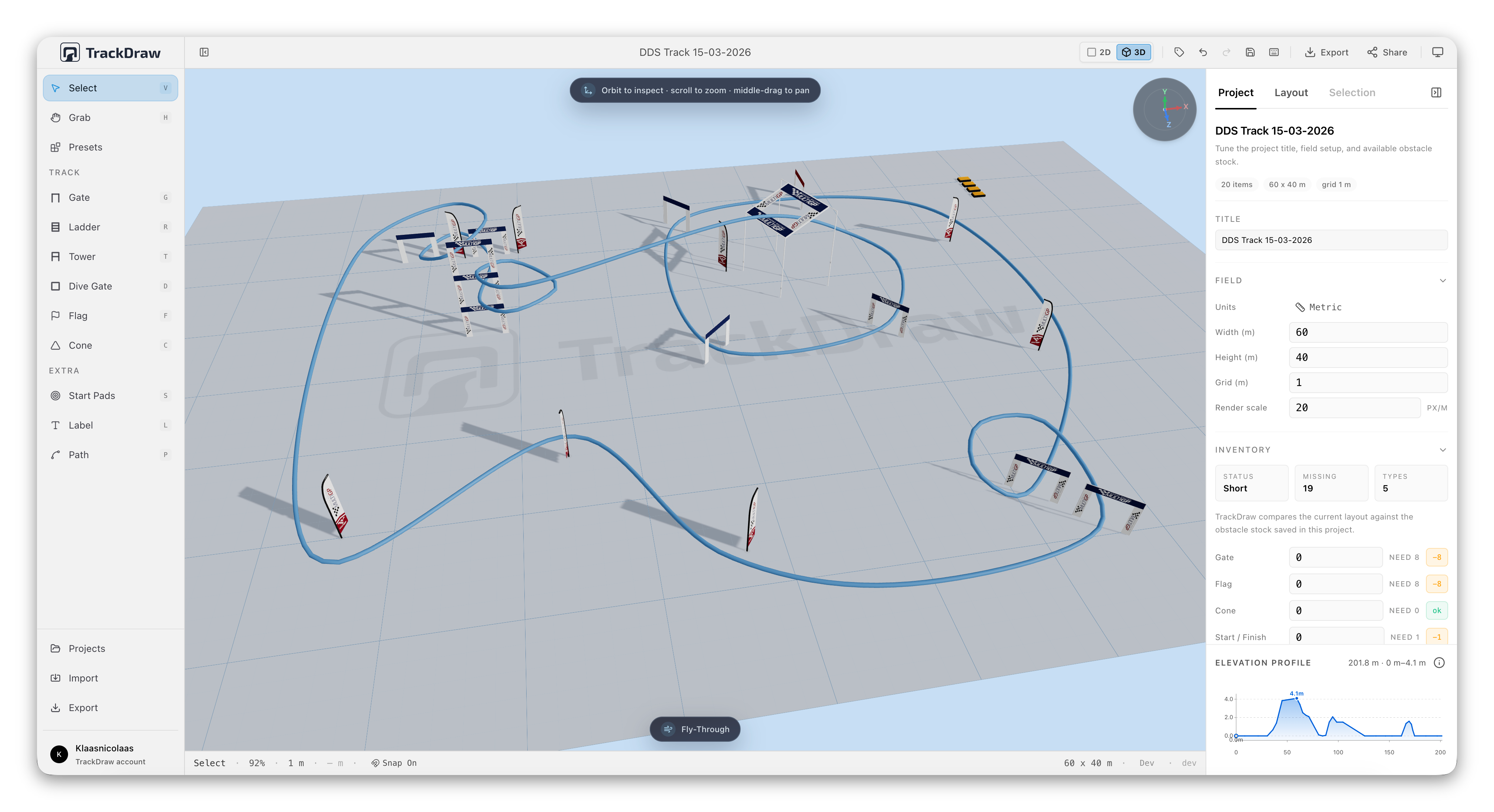
TrackDraw covers the core workflow across desktop, shared read-only viewing, and practical mobile use. It is built around layout design first, then route review, then race-day handoff through export and sharing.
See the public roadmap discussion for the current roadmap assessment.
- 🏁 Design layouts to scale - place obstacles on a real-scale canvas with Metric or Imperial measurements that map cleanly to the real world
- 🚩 Use official obstacle types - place MultiGP-style gates, ladders, towers, and flags with real dimensions, or keep using custom-sized TrackDraw elements
- 🗺️ Line up with real venues - add an editor-only satellite map reference, search or choose the field center, and align it with rotation and opacity controls
- ⚡ Start and iterate faster - use obstacle presets, selection grouping, and starter layouts to get from blank canvas to a workable draft quickly
- 💾 Manage projects safely - keep multiple local projects, reopen older layouts, rename or export them, and roll back through restore points and snapshots
- 🎥 Review route flow in 3D - use the live 3D preview, elevation tools, floating ladder placement controls, and cinematic FPV fly-through review to check how the layout reads before race day
- 📋 Prepare a race-day handoff - export a dedicated Race Pack PDF with map, numbering, material list, stock status, setup sequence, and initial build guidance
- 📦 Check buildability early - compare the current layout against available obstacle stock before the gear leaves the van
- 🔗 Share and export cleanly - publish a read-only link, browse community gallery tracks, or export PNG, SVG, PDF, cinematic FPV WebM videos, 3D screenshots, and JSON project files from the same design
- 🖼️ Publish gallery tracks - opt published shares into the public gallery so visitors can discover them and open the canonical read-only share view
- 🌐 Embed published tracks - copy iframe embed code for account-published tracks so clubs and event sites can show a live read-only layout
- 💾 Sync projects across devices - keep account-backed work accessible from another browser or device while local-first editing stays available without signing in
- 🔐 Manage your account and shares - use a passkey or email magic link, update your profile, change your account email safely, and manage or revoke published shares from the Projects dialog
- 🧪 Velocidrone draft export - generate an experimental
.trkexport as a starting point for simulator testing
- Start from scratch or from a head start with a blank canvas, a preset, or a starter layout.
- Build the course visually by placing obstacles, adjusting them in the inspector, and grouping sections that belong together.
- Review how the layout will ride with the live 3D preview, elevation tools, floating ladder placement, and route-flow checks before race day.
- Turn the design into a handoff by saving it locally, syncing it to your account, publishing a read-only share link, listing it in the gallery, or exporting the assets you need, including race-day documents and cinematic FPV video.
TrackDraw works without an account. You can create, manage, temporarily share, recover, import, and export projects in the browser, while signing in adds continuity across devices, durable published links, gallery publishing, and embeds.
MultiGP obstacle dimensions and visual references are based on the official MultiGP Drone Race Course Obstacles guide. MultiGP names and artwork belong to MultiGP; TrackDraw is not affiliated with or endorsed by MultiGP.
If TrackDraw helps your club, event, or race-day workflow, you can help fund continued development and maintenance.
- Support the project through GitHub Sponsors
- Send a one-off contribution through Ko-fi
Sponsorship helps cover ongoing development, infrastructure, and the polish that keeps TrackDraw practical for real race use.
You are welcome to contribute to TrackDraw. You can find a guide on how to contribute in CONTRIBUTING.md.
Distributed under the LGPL-3.0-only License - see LICENSE for details.
