AI-Powered Content, SEO & Social Engine for WordPress
Research, write, illustrate, publish, distribute, audit and track SEO-optimized content — all from a native Windows desktop app.


SEO Content Architect is a native Windows desktop application that automates the entire content workflow — from keyword research and competitive analysis to writing, illustration, publishing, social distribution, technical auditing and rank tracking. Powered by the world's leading AI models (Google Gemini, OpenAI GPT, Anthropic Claude, and OpenRouter), it researches, writes, illustrates, and publishes SEO-optimized articles directly to your WordPress sites, turns every article into ready-to-post social media content, and then measures what actually happened to it in search.
Bring Your Own Key: you connect your own AI and SEO provider API keys, so you pay only the real usage — no per-word markup, no per-article fees. Every article, audit, ranking and research run stays on your machine.
  Keyword Research  →  SEO Analysis  →  AI Article + Images  →  WordPress Publish
         ↑                                                            │
         │                                    Social Carousels & Videos
   Rank Tracker  ←  GSC Insights  ←  Site Audit          ↓
   AI Visibility                          Distribution Hub → 15 platforms
 Free AI Article Writer for WordPress Unlimited article generation and editing stay free once the trial ends |
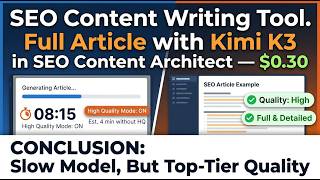 A Full Article for $0.30 One real run with Kimi K3 through OpenRouter, start to finish |
 Social Studio Turn an article into AI-generated carousels and short videos |
en.ns5.club (playground) is a software review website built entirely with SEO Content Architect. All articles, images, and WordPress posts are generated, edited, and published using the app's AI-powered workflow — a real-world demonstration of SEO-optimized content production, source management, and automated publishing at scale.
- Multi-model generation — choose Gemini, GPT, Claude, or connect via OpenRouter to unlock every text model on its platform (hundreds of models: Llama, Mistral, DeepSeek, Qwen, and more), selectable per task
- Five content categories — News & Current Events, Products & eCommerce, Educational & Explainer, Business/Tech & Analysis, General — each changes the structure, the depth and the default tone
- 30+ article types with their own skeletons — Breaking News, Fact-Check, Product Review, Product Comparison, Buying Guide, Best-of Roundup, How-to Guide, Ultimate Guide, Case Study, Trend Report, Editorial, Travel Guide and more. A buying guide comes out as a buying guide, not a generic post with a different title
- Nine tones of voice — Professional, Conversational, Friendly, Authoritative, Casual, Persuasive, Educational, Inspirational, Humorous
- 50 languages — headings, body, meta and FAQ all produced in the target language, with keywords kept in that language instead of translated back to English
- Length targets — short (~1500), medium (~2500) or long (~4000) words, treated as a goal rather than a hard cut-off
- Intended audience & additional context — vocabulary, assumed knowledge and examples adapt to who is reading
- Custom generation instructions — your standing house rules (banned words, required structure, call to action) applied to everything you produce
- High Quality Mode — a second editorial AI pass that tightens wording, removes repetition and improves flow
- Deep Online Research & Fact-Checking — the topic is researched on the live web before writing, so articles about recent events, prices and versions aren't built on stale training data. A slower, more thorough fact-check mode is available for pieces where being wrong is expensive
- Source links — paste URLs and each page is fetched and passed as a separate labelled source block, so the model compares and attributes instead of blurring everything into one text
- SEO-ready output — structured HTML, FAQ sections, meta title & description, automatic internal links to your existing posts
- YouTube auto-embedding — relevant videos found and inserted automatically, boosting time-on-page
- Duplicate prevention — built-in duplicate content and title similarity detection
- Full WYSIWYG editing — headings, lists, blockquotes, highlight, alignment, links, tables with header rows, undo/redo and the usual shortcuts
- Slash blocks — type
/to insert a heading, list, quote, table, divider, image or YouTube embed without leaving the keyboard - Edit, Preview and raw HTML modes for when markup needs fixing by hand
- Live readability score — Easy / Medium / Hard, recalculated as you type
- Meta title & description — written by the AI, fully editable, one-click regenerate, pushed into your SEO plugin's own fields on publish
- Five title options — when Search Console is connected, the request carries your real position and actual click-through rate against the expected one, so suggestions aim at the gap
- Content Score — live gap analysis against the pages currently ranking in the top 5 or 10: shared terms you're missing, People Also Ask questions they answer, length and heading structure. It updates as you write, so you close the gap before publishing
- Internal link insertion — suggestions drawn from your own crawled pages, with under-linked and orphan pages ranked higher. The AI only picks anchor text that already exists verbatim in your draft, and every insertion can be undone
- Structured data (JSON-LD) — Article, Breadcrumb, Product and Review schema injected on publish and update. Product and Review are built only from figures you enter yourself, because invented review data is worse than none
- Image library & featured image — reuse anything already generated, mark one as the WordPress featured image
- Local drafts — every article stored with its images, meta and structured data, so you can leave a piece half-finished and come back to it
Pick where images come from, per article or per site:
Nano Banana 2 (multilingual text in images) · OpenAI DALL-E 3 · Pexels stock photography · OpenRouter Flux 2 Pro · any custom image model on OpenRouter · P-Image on Replicate · Wan 2.7 · MAI Image 2.5
- Choose how many visuals each article carries, inserted at sensible points in the body with alt text
- Visual Studio — edit an article's images or generate new ones, including using an existing image as a visual reference so a set stays consistent in style
- Stock and generated images can be mixed freely depending on what a given article needs
- SEO Analysis — what the pages that actually rank have in common: shared terms, People Also Ask questions, word counts, heading structures, image and outbound link counts, alongside volume and difficulty. It tells you what the bar looks like before you spend money writing
- Keyword Research — from one seed keyword to a full list with search volume, CPC, difficulty and search intent, grouped into topic clusters. Discovery and measurement happen in one call, so a research run doesn't become a stack of separate charges. Saved locally, exports to CSV
- Search intent detection — informational, commercial, transactional or navigational, in English and Romanian. Where the provider supplies an intent it is never overwritten; where nothing matches, the intent stays empty instead of being guessed
- Group by page — turn a keyword list into clusters that belong on the same article, each with a working title and proposed slug: research output becomes a content plan directly
- Site Explorer — scan any domain, yours or a competitor's, and see every keyword it ranks for, grouped into position bands (1-3, 4-10, 11-20, 21-100) and aggregated per page. One button sends a row to the Rank Tracker
- Scan comparison — compare two scans of the same domain and see exactly which keywords were gained and lost: a competitor's content strategy in one table
- Content Gap — your domain against up to three competitors, showing the keywords and topics they rank for and you don't, grouped into clusters with a priority score. One button sends a whole cluster to the Bulk Engine
- Competitor discovery — find the domains that genuinely compete for your keywords, rather than the ones you assume are competitors
GSC Insights — five reports on your own Search Console data, connected through your own Google account with read-only access. Every row comes with the action it needs, so the report ends in a decision rather than a chart:
- Opportunities — every query scored 0-100 across eight weighted factors (volume, position, intent, difficulty, cluster strength, CTR gap, freshness, trend). Factors with no data are removed and the score renormalised instead of silently counted as zero, and each row shows its own breakdown
- Striking Distance — the queries at positions 5-20, where you're already visible and a modest improvement produces real traffic
- Content Decay — pages whose clicks are falling, requiring both a meaningful percentage and absolute drop so noise on low-traffic pages doesn't fill the report. Each row offers an AI refresh, delivered as a draft with the title and slug left alone
- Cannibalization — one query split across two of your own pages, with the app deciding from actual positions which page to strengthen and which to refocus
- CTR Gap — pages earning fewer clicks than their position should produce, benchmarked against your own site's click curve where there's enough data. Every row says which benchmark it used
Rank Tracker — positions over time, manually or on a schedule, optionally linked to the article targeting each keyword:
- Full history in a local database, so it never expires, costs nothing to keep, and survives deleting the keyword
- A position that isn't found is recorded as not found, not as zero or 100 — and never ranked, dropped out and blocked are reported as three different things
- Stagnation detection flags keywords that have stopped improving and prepares a refresh brief for the article behind them
- Search volumes on demand — added only when you ask, cached 30 days, with each figure carrying its age and the column distinguishing "not asked" from "no provider data" from a real number
- 26 technical checks crawled locally, from your own connection and your own IP — cloud crawlers get blocked by firewalls and bot protection, while a request from your own machine looks like a visitor. Respects robots.txt, polite per host, up to 500 pages per run
- Page checks — missing or duplicate titles and meta descriptions, missing or multiple H1s, broken heading order, thin content, canonical problems, accidental noindex, missing alt text, excessive crawl depth, slow responses, 4xx and 5xx
- Cross-page checks — duplicate content across URLs, redirect chains and loops, broken internal links, orphan pages. Broken links are only reported for pages actually fetched, and orphan pages only on a complete crawl — otherwise the report says it's partial rather than making a claim it can't support
- Issue catalog — every issue type carries a severity, why it matters, how to fix it, the kind of impact and an estimated time to fix, so the report can be handed to someone who wasn't in the room
- Fix plan — everything sorted into this week / this month / eventually, ranked by severity, impact and reach against effort, naming the single most important fix on the site
- Internal link graph — inbound link counts per page, orphan and under-linked pages, feeding the link suggestions in the editor
- Live progress and cancel — watch the crawl page by page, stop at any point and keep what was collected
- Sitemap & robots import — reads robots.txt, downloads only the sitemap XML, and shows URLs as a filterable checklist. Nothing is imported automatically
- Find out whether ChatGPT and other AI models recommend your brand when someone asks about your topic — the ranking that increasingly happens outside Google
- Your prompts run across several models with web search enabled, reporting mention rate, share of voice against competitors, and a breakdown per model
- Prompt gaps — the exact questions where you aren't mentioned at all, each with a Write article button
- Cited page gap — what the pages these models actually cite cover that yours don't. Runs on plain HTTP requests, so it costs nothing
- Trend chart — mention rate over time, one line per brand. A scan that returned nothing breaks the line instead of drawing a zero, and points are marked when the prompt set changed
- Scheduled scans — optional, weekly, off by default, with the estimated cost shown before you commit and the real cost recorded after
- Single-file HTML reports for Site Explorer, Content Gap and Site Audit — no external fonts, scripts or CDN calls, so they open on any machine and can be sent to a client as they are. Colour-blind safe, and nothing is communicated by colour alone
- Provenance footer — every report ends with what it's built on: which endpoints were called, how many calls and rows, when it ran, and the real cost with measured or estimated spelled out, plus a "what these numbers do not say" section covering limits hit and whether the crawl finished
- CSV export on every table, exporting the whole report rather than the rows on screen. UTF-8 BOM so Excel doesn't mangle accents, and formula-leading cells neutralised so opening a report can never execute anything
- What to do first — three numbered actions naming the exact page and the exact change. The ordering is done by the deterministic reports, not by the model; the AI only phrases what the data already ranked, and any figure it can't verify is marked low confidence rather than presented as fact
Pull fresh topics from live sources and turn them into published content on a fully automated schedule:
RSS feeds · Google News · NewsAPI · TheNewsAPI · Bing News · GitHub Trending · Hugging Face · Trend Index · Perplexity Sonar AI Feed · custom JSON/API endpoints
- Used markers — every item already turned into an article is flagged across the interface, so the same story is never written twice when several feeds carry it
- Filtering and search across the combined pool, so a hundred incoming items narrow to the handful worth writing
- Direct one-click publishing via the WordPress REST API using an application password — no plugin required on the site. Content, images, meta fields, categories and structured data go across in one operation
- Multi-site management — publish to unlimited WordPress sites (Premium)
- Publish, draft or schedule — live now, held for review, or a future date WordPress handles itself
- Update published post — push the current draft over an already-published post, keeping the same URL, which is how a refresh should work
- Bulk Engine — paste a list of titles or send a whole cluster from Content Gap, and generate the articles one after another. Sequential rather than parallel, which keeps you inside provider rate limits and costs predictable, with global keywords, images, deep research and custom instructions set once for the whole batch
- Auto Posting — fully automated: the app finds topics, generates full articles with images and publishes them in the background, whether or not the window is open. Cadence is built precisely (minutes, hours, days of week, days of month, months), the next run is always displayed, and Process Now runs the queue immediately
- Sync WordPress articles — pull what's already published into the app so existing posts are known to internal linking, rank tracking and duplicate checks
- Dev.to cross-posting — automatic Markdown conversion, smart tag mapping, and canonical URL set back to your site to protect your SEO
- SEO plugin compatibility — meta title & description written directly into Yoast SEO, RankMath, SEOPress and SiteSEO fields
- Media upload — images and videos go into the site's own media library, so nothing depends on the app or an external host staying online
- Companion WordPress plugin — an optional free plugin that turns connecting a site into a one-click operation instead of a manual application-password setup
Transform any article, URL, or bare topic into scroll-stopping social content:
- The app plans the slides, writes the title and copy for each, and lays them out — then you add, remove, reorder and rewrite freely with a live preview
- Formats — portrait (1080×1350), square (1080×1080), story/reel (1080×1920) and landscape (1920×1080), so the same content is shaped for feeds, stories and YouTube without redoing it
- Design controls — sixteen colour palettes or your own, several font pairings, and multiple slide templates including an image-led showcase layout
- Brand presets (name, handle, logo, colours) so a month of posts looks like one brand rather than eight different sessions
- Backgrounds, graphics and logo — background image library, transparent PNG overlays and your logo, each with adjustable zoom, position and angle
- Video render — MP4 export with per-slide duration, background music and a choice of transitions: cut, fade, fade to black, dissolve, slide, wipe, circle, radial or zoom
- Publish to WordPress directly, or upload to the media library to embed by hand
- Carousel library — every project saved with its slides, assets and rendered video, reopenable months later instead of rebuilt
Compose, schedule, and publish across 15 social platforms from one place:
Instagram · TikTok · X/Twitter · Facebook · LinkedIn · YouTube · Threads · Pinterest · Reddit · Bluesky · Telegram · Discord · Snapchat · WhatsApp · Google Business
- AI writes the full post — title, caption, hashtags, and first comment — from a topic, an article, or a saved carousel/video
- Per-platform copy — the same post rewritten for each network rather than copy-pasted, with live character counts against each platform's limit
- Thread builder — long copy split into a proper thread where the platform supports one, with numbering and per-post limits handled
- First comment scheduling — where links belong on the platforms that penalise them in the caption
- Visual content calendar — a month view of everything scheduled and published; click any day to open the composer already set to that date
- Unified analytics — views, reach, impressions and engagement pulled back from connected accounts into one dashboard
Twelve tools that let Claude Code, Claude Desktop or VS Code work with the app directly: list and read articles, generate one, list WordPress sites, publish, run a SERP analysis, score content, fetch keyword metrics, pull a Search Console report, get a rank overview, read a site audit and check usage.
No separate Node install is needed, ready-made configuration is generated for each client, and the access token is rotated every time the app starts.
- Bring your own keys for Gemini, OpenAI, Claude, OpenRouter — and for SEO data: Serper (SERP, free tier), DataForSEO (volume, difficulty, ranked keywords, competitor domains) and Moz (on-demand volume, free tier, no card). Each field explains what the provider is used for, what it costs and its known limits, including which markets have no volume data at all
- Usage and cost meter — what you've spent this month and previously, broken down by provider and by operation: generation, editorial passes, SERP calls, rank checks, AI visibility scans, keyword metrics, internal linking, social generation, site explorer, content gap and next actions. Measured and estimated costs are kept visibly apart instead of averaged into one comfortable number
- Cost before you click — paid actions show their estimated cost first, calculated from the median of your own history rather than a list price
- Local storage — articles, history, audits, rankings and keyword research all live on your machine. Nothing expires because a subscription lapsed, nothing sits on our servers, and the only data leaving your computer goes to the API providers whose keys you entered
- Settings — eight organised sections (AI Engines, Images & Media, WordPress, SEO Data, Content Sources, Distribution, Usage & MCP, License) with a search box across all of them
- Full application state backups — articles, sites, settings and history to a single JSON file, with or without media, restorable in one click
- Scheduled backups to a local folder, so a reinstall or a new machine is not a data loss event
- Local backend for cron jobs, backups, and AI services — works with full local control
| Free | 15-Day Trial | Premium | |
|---|---|---|---|
| AI article generation & editing | ✅ Unlimited, forever | ✅ | ✅ |
| Studio Editor, Content Score, JSON-LD | ✅ | ✅ | ✅ |
| Export articles (manual import to WP) | ✅ | ✅ | ✅ |
| Direct one-click WordPress publishing | — | ✅ 1 site | ✅ Unlimited sites |
| All image generation providers | — | — | ✅ |
| Bulk Engine | — | — | ✅ |
| Auto Posting (automated scheduling) | — | — | ✅ |
| Social Studio | — | — | ✅ |
| Distribution Hub (15 platforms + analytics) | — | — | ✅ |
| SEO Analysis & Keyword Research | — | — | ✅ |
| Site Explorer & Content Gap | — | — | ✅ |
| GSC Insights & Rank Tracker | — | — | ✅ |
| Site Audit (26 checks) | — | — | ✅ |
| AI Visibility | — | — | ✅ |
The 15-day trial activates automatically on first install. After it ends, the app never stops working — article generation and editing remain free and unlimited, forever.
WordPress bloggers · digital agencies · SEO professionals · niche site builders · content marketers — anyone who wants to research, create, publish, distribute and measure content consistently and at scale.
Native Windows desktop application built with Electron, React, TypeScript, and Vite, with a local Node.js backend for scheduling, backups, crawling, and AI services.
This repository hosts release artifacts and documentation only. The full source code is proprietary and not publicly distributed.
© 2026 Ns5.club. All rights reserved. This software and all related materials are proprietary and may not be redistributed or modified without written permission.

Made by diflowrin — visit the developer blog for more details about the app