The missing Kindle toolkit. Dictionaries, books, and comics. Single static Rust binary, no dependencies, cross-platform.



Amazon deprecated kindlegen in 2020, leaving no supported way to build Kindle MOBIs. The only remaining copy is buried inside Kindle Previewer 3's GUI, can't run headless, and can take 12+ hours (or run out of memory entirely) for large dictionaries due to x86-only Rosetta 2 emulation on Apple Silicon, superlinear inflection index computation, and a 32-bit Windows build that crashes on large files. Kindling builds the same dictionary in 6 seconds.
For comics, KCC exists but requires Python, PySide6/Qt, Pillow, 7z, mozjpeg, psutil, pymupdf, and more. Installation is painful across platforms, there's no headless mode for CI, and Python image processing is slow. Kindling replaces all of that with a single statically-linked native binary, compiled from Rust.
Kindling was built by reverse-engineering Amazon's undocumented MOBI format byte by byte, with help from the MobileRead wiki.
Pre-built binaries for Mac (Apple Silicon, Intel), Linux (x86_64), and Windows (x86_64): Releases
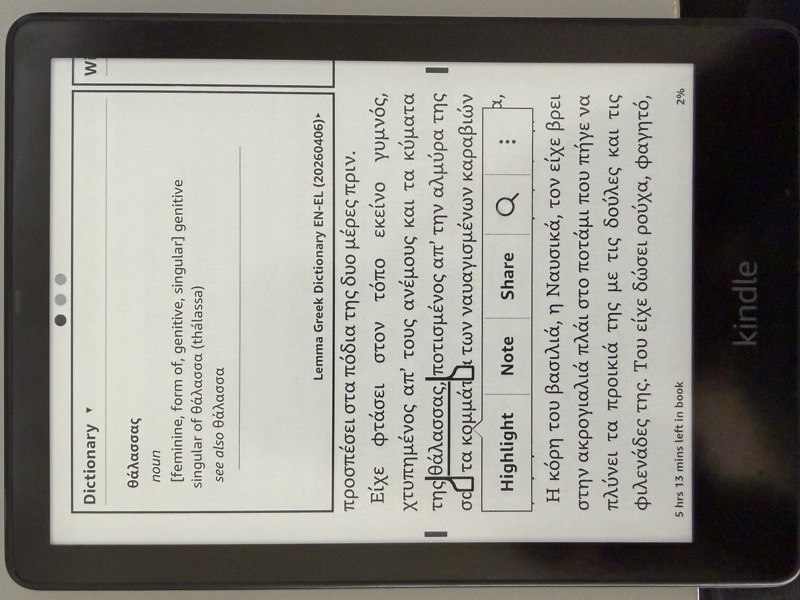
- Dictionaries: Full orth index with headword + inflection lookup, ORDT/SPL sort tables, fontsignature
- Books: EPUB or OPF input, embedded images, KF8-only (.azw3) by default with legacy dual-format (MOBI7+KF8) available via
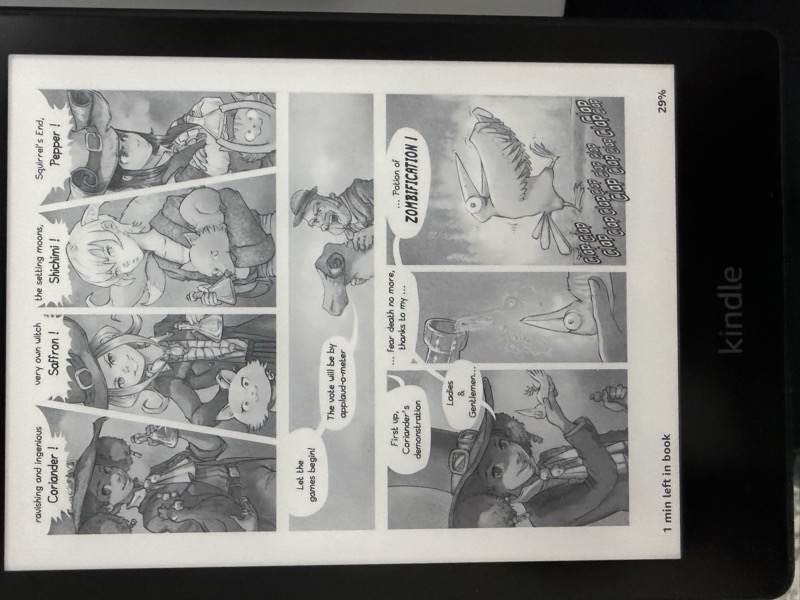
--legacy-mobi, HD image container, fixed-layout support - Comics: Image folder, CBZ, CBR, or EPUB input, device-specific resizing, spread splitting, margin cropping, auto-contrast, moire correction for color e-ink, manga RTL, webtoon with overlap fallback, Panel View, KF8-only (.azw3) by default, metadata overrides
- EPUB repair:
kindling repairapplies a small, byte-stable, idempotent set of structural fixes to an EPUB for cleaner Send-to-Kindle ingest (see Repair) - Metadata rewrite:
kindling rewrite-metadataupdates title, authors, publisher, description, language, ISBN, ASIN, publication date, tags, series, and cover image on an existing MOBI/AZW3 in place without rebuilding from source. Byte-stable on no-op, idempotent, refuses DRM files (see Rewrite metadata) - Build-time HTML self-check: every
buildruns a two-pass HTML balance check on the assembled MOBI text blob and on each individual PalmDB text record after splitting, catching regressions like dangling tags,<hr/corruption, and bold/italic state leaking across record boundaries (see Build-time self-check) - UTF-8 and tag-safe record splitter: text records end on HTML
<hr/>entry boundaries where possible, otherwise back off past any unclosed<tag and any incomplete UTF-8 multi-byte character, so multi-byte characters are never truncated and chunks never end mid-tag - Drop-in kindlegen replacement (same CLI flags, same status codes)
- Kindle Previewer compatible (EPUB source embedded by default)
- Usable as both a CLI (
kindling-cli) and a Rust library crate (kindling) with a public API for external consumers (seesrc/lib.rs) - Comprehensive test suite with CI on every push (see Testing)
Download the latest release for your platform from Releases:
- Mac Apple Silicon -
kindling-cli-mac-apple-silicon - Mac Intel -
kindling-cli-mac-intel - Linux -
kindling-cli-linux - Windows -
kindling-cli-windows.exe
Or install via Cargo (builds from source, installs kindling-cli to ~/.cargo/bin):
cargo install kindling-mobiOr build from source. Kindling uses Rust edition 2024 and requires Rust 1.85 or newer. Run from the repo root:
cargo build --releaseThe binary is written to target/release/kindling-cli.
Add the crate to your Cargo.toml (published as kindling-mobi; the library name is kindling):
[dependencies]
kindling-mobi = "0.14"
Then use kindling::.... Public API is defined in src/lib.rs.
kindling-cli build input.opf -o output.mobi
kindling-cli build input.opf -o output.mobi --no-compress    # skip compression for fast dev builds
kindling-cli build input.opf -o output.mobi --headwords-only  # index headwords only (no inflections)
kindling-cli build input.opf -o output.mobi --no-kindle-limits  # skip per-letter HTML grouping
kindling-cli build input.opf -o output.mobi --no-validate     # skip KDP pre-flight validation
kindling-cli build input.opf -o output.mobi --strict-accents  # exact accent match (see below)
The input OPF must reference HTML files with <idx:entry>, <idx:orth>, and <idx:iform> markup following the Amazon Kindle Publishing Guidelines. Both headwords and inflected forms are indexed so that looking up any form on the Kindle finds the correct dictionary entry.
By default, dictionaries embed the kindlegen-derived ORDT/SPL collation tables in the orth index so Kindle folds diacritics at lookup time: looking up meme finds même, mere finds mère, etc. This matches kindlegen's behaviour and is what most users want. Pass --strict-accents to omit the collation blob; Kindle then uses raw UTF-16BE ordering so exact-accent headwords always beat unaccented homographs when both exist in the dictionary (e.g. même returns the même entry, not the meme entry). The flag has no effect on book builds.
If the OPF references a cover image (Method 1 <item properties="coverimage"/> or Method 2 <meta name="cover">), Kindling embeds it in the dictionary MOBI via EXTH 201 so it shows up on the Kindle home screen next to regular books and comics.
Images referenced from entry HTML via <img src="..."/> but not declared in the OPF manifest are also embedded automatically. PyGlossary and other OEB 1.x-era tools commonly emit manifests that omit inline glyph GIFs referenced from within <idx:entry> blocks; kindlegen silently picks these up, and kindling matches that behavior so the glyphs render on device.
By default, dictionaries enforce Kindle publishing limits (--kindle-limits): entries are grouped by first letter to keep individual HTML sections under 30 MB, and a warning is printed if the total exceeds 300 sections. Use --no-kindle-limits to disable this and produce a single flat HTML blob.
Every build also runs the Kindle Publishing Guidelines validator as an automatic pre-flight step before writing the MOBI. If validation reports any errors, the build is aborted with exit code 1; warnings are printed but do not block the build. Pass --no-validate to skip the check. See Validation for the full list of rules.
kindling-cli build input.epub                          # output next to input as input.azw3 (KF8-only)
kindling-cli build input.epub -o output.azw3           # explicit output path
kindling-cli build input.epub --legacy-mobi            # opt into legacy dual MOBI7+KF8 (.mobi)
kindling-cli build input.epub --no-hd-images           # skip HD image container
kindling-cli build input.epub --no-embed-source        # smaller file, but breaks Kindle Previewer
kindling-cli build input.epub --kindle-limits          # warn about HTML files exceeding 30 MB
kindling-cli build input.epub --no-validate            # skip KDP pre-flight validation
Auto-detects dictionary vs book from the OPF's DictionaryInLanguage metadata. Book MOBIs include embedded images and an HD image container (for high-DPI Kindle screens). The original EPUB is embedded by default for Kindle Previewer compatibility (--no-embed-source to skip).
Non-dictionary builds default to KF8-only .azw3, because Amazon deprecated MOBI for Send-to-Kindle in August 2022 and modern Kindles prefer KF8-only. Dictionaries continue to build as dual-format MOBI7+KF8 .mobi, because Kindle's lookup popup requires the MOBI7 INDX structure and KF8 has no equivalent. Pass --legacy-mobi on a book build to opt back into the old dual-format .mobi output for pre-2012 Kindles; the flag is a no-op on dictionary builds. If you pass -o foo.mobi or -o foo.azw3 explicitly, kindling respects whatever extension you chose.
Every build runs the Kindle Publishing Guidelines validator automatically before writing the MOBI. Findings are printed with severity, rule id, and file:line; the build is aborted on any error (warnings are advisory). Pass --no-validate to skip pre-flight entirely.
kindling-cli comic input.cbz --device paperwhite                # output next to input as input.azw3
kindling-cli comic input.cbr -o output.azw3                     # CBR (RAR) input, explicit output
kindling-cli comic manga.epub --rtl                             # EPUB comic/manga
kindling-cli comic manga.cbz --rtl                              # manga (right-to-left)
kindling-cli comic webtoon/ --webtoon                           # webtoon (vertical strip)
kindling-cli comic input/ --no-split --crop 0                   # disable smart processing
kindling-cli comic input.cbz --title "My Comic" --language ja   # metadata overrides
kindling-cli comic input.cbz --doc-type ebok                    # appear under Books on Kindle
kindling-cli comic input.cbz --cover 3                          # use page 3 as cover
kindling-cli comic input.cbz --legacy-mobi                      # opt into legacy dual MOBI7+KF8 (.mobi)
kindling-cli comic input.cbz --embed-source                     # embed EPUB source (off by default, see note below)
Comics default to KF8-only .azw3 for the same reason books do: Amazon deprecated MOBI for Send-to-Kindle in August 2022, and the legacy MOBI7 section in dual-format files is at best wasted bytes on modern Kindles. --legacy-mobi is the escape hatch for pre-2012 devices. If you pass -o foo.mobi explicitly, kindling respects your extension choice.
Comic builds do not embed the intermediate EPUB as a SRCS record by default (this changed in v0.7.7). Embedding duplicates every page image as a zipped EPUB inside the MOBI, which for a large comic produces a single PalmDB record over 100 MB. Kindle devices index the resulting file but then fail to open it with "Unable to Open Item". Pass --embed-source only when you need to round-trip through Kindle Previewer.
Converts image folders, CBZ files, CBR files, and EPUB files to Kindle-optimized MOBI with:
- Device profiles: paperwhite, kpw5, oasis, scribe, scribe2025, kindle2024, basic, colorsoft, fire-hd-10
- Spread splitting: Landscape images auto-split into two pages (disable:
--no-split) - Margin cropping:
--crop 2(default) crops margins + page numbers,--crop 1crops margins only,--crop 0disables cropping - Auto-contrast: Histogram stretching and gamma correction for e-ink (disable:
--no-enhance) - Moire correction: Rainbow artifact removal for color e-ink screens (Colorsoft), applied automatically to grayscale source images
- Manga mode:
--rtlreverses page order and split direction - Webtoon mode:
--webtoonmerges vertical strips and splits at panel gutters with overlap fallback to prevent content loss - Panel View: Tap-to-zoom panel detection for Kindle (disable:
--no-panel-view). Reading order configurable via--panel-reading-order(horizontal-lr,horizontal-rl,vertical-lr,vertical-rl); defaults tohorizontal-rlwith--rtl - EPUB support: Fixed-layout EPUB comics extracted in spine order (correct page sequence)
- CBR support: RAR-based comic archives extracted via
bsdtar(libarchive)./usr/bin/bsdtarships with macOS; on Linux installlibarchive-tools(apt) orbsdtar(dnf). Both RAR4 and RAR5 are supported. Header-encrypted CBRs are rejected with a clear error. - ComicInfo.xml: Auto-reads metadata and manga direction from CBZ and CBR files
- Metadata overrides:
--title,--author,--language,--cover(page number or file path). Without--title, the title is read from ComicInfo.xml or defaults to "Comic".
Kindle library field mapping (what the Kindle actually displays for sideloaded content):
| Library field | MOBI source | Notes |
|---|---|---|
| Title | EXTH 503 (books/dicts) or KF8 Record 0 full_name (comics) | EXTH 503 is emitted for reflowable books and dictionaries. For fixed-layout comics, EXTH 503 is omitted - it breaks Kindle navigation (toolbar/go-home disappear). KCC/kindlegen also omit it for comics. For dual-format .mobi, Kindle reads full_name from KF8 Record 0, not KF7. |
| Author | EXTH 100 | Set via --author flag or ComicInfo.xml <Writer>/<Penciller>. Defaults to "kindling". |
| Cover | EXTH 201 (cover image offset in image pool) + EXTH 129 (KF8 cover URI) | Cover offset is 0-based index within image records starting at first_image. |
| Document type | EXTH 501 | PDOC = Documents shelf (default), EBOK = Books shelf. Set via --doc-type ebok. |
- Document type:
--doc-type ebokto appear under Books instead of Documents on Kindle (default:pdoc) - KF8-only by default: comics output
.azw3with only the KF8 section (no MOBI7); pass--legacy-mobifor the old dual-format behavior on pre-2012 Kindles
kindling-cli validate input.opf             # print findings, exit 1 on errors
kindling-cli validate input.opf --strict    # exit 1 on any warning too
Validation also runs automatically as a pre-flight step inside every kindling build invocation (including kindlegen-compat mode kindling input.opf). Any validation errors abort the build with exit code 1; warnings are printed but do not block the build. Pass --no-validate to build to skip the pre-flight entirely. Comic builds (kindling comic) do not run the validator because comics have different structural requirements that the book-oriented rules do not cover.
Runs 117 pre-flight checks against the Amazon Kindle Publishing Guidelines (version 2026.1), covering the STEAL-grade subset of w3c/epubcheck plus kindling's own KDP-specific rules. Rules are grouped by KPG section:
- 4 Cover image (5 rules): internal cover must exist via Method 1 (
<item properties="coverimage"/>) or Method 2 (<meta name="cover">), file must exist on disk, shortest side >= 500 px, no duplicate HTML cover page in the spine (R4.1.1-R4.2.4) - 5 Navigation (13 rules): NCX declared in manifest and referenced from
<spine toc>, NCX and guide targets must resolve to manifest items, TOC recommended for books > 20 pages, NCXdtb:uidmust match the OPF unique-identifier, page-list required whenepub:type="pagebreak"is used, nav entries in spine order, no remote links in nav or NCX (R5.1-R5.11, epubcheckNAV_003/010/011,NCX_001/004/006,OPF_032/050) - 6 HTML, CSS, and encoding (19 rules): well-formed XHTML, no
<script>, no nested<p>, filename case must match, XML 1.0 only, no external entities,epub:namespace URI must be correct (Vader Down bug), UTF-8 required for HTML and CSS, no forbiddenpositionvalues,@import/url()/@font-facetargets must resolve through the manifest,@namespaceand unsupported@mediafeatures flagged (R6.1-R6.17,R6.e1,R6.e2, epubcheckCSS_005-CSS_027) - 7 Manifest and spine integrity (13 rules): declared media-types must match file bytes, every spine
itemrefmust have a linear target, no duplicateidreforhref, fallback chains must terminate at a renderable resource, deprecated media-types flagged, manifest cannot point at the OPF itself (R7.1-R7.13, epubcheckOPF_003/013/029/033/034/035/037/040/041/042/043/074/099) - 8 OPF prefix and property grammar (10 rules):
<package prefix>syntax, reserved-prefix rebinding, manifestpropertiesattributes must match the content's feature use, unknown or undeclared prefixes flagged (R8.1-R8.10, epubcheckOPF_004/005/006/007/012/014/015/026/027/028, EPUB 3 only) - 9 Cross-references and dead links (12 rules): fragment ids must exist in their target, fragments are rejected on non-SVG raster images and on manifest hrefs,
data:andfile:URLs refused,..path traversal blocked, manifest hrefs must name a resource (R9.1-R9.12, epubcheckRSC_009/011/012/014/015/020/026/029/030/033,OPF_091/098) - 10 Text-heavy reflowable (8 rules): supported image formats (JPEG, PNG, GIF, SVG), per-image size <= 127 KB, dimensions <= 5 megapixels, headers require valid JPEG/PNG/GIF end markers, image extension must match magic bytes, tables capped at 50 rows, heading alignment defaults only (
R10.3.1,R10.4.1-R10.4.5,R10.5.1, epubcheckMED_004,PKG_021/022) - 11 Fixed-layout (9 rules, comic and textbook profiles only): OPF must declare
rendition:layout=pre-paginated, XHTML must carry<meta name="viewport">with width and height,rendition:spread/orientation/layoutvalues constrained, pages should contain image content, HD builds should carryoriginal-resolution(R11.1-R11.9, epubcheckOPF_011,HTM_046-HTM_053) - 13 OCF filenames (5 rules): no OCF-forbidden characters (
< > : " | ? *and controls), spaces and non-ASCII flagged, trailing dot rejected (Windows drops it), case-insensitive duplicate hrefs rejected (R13.1-R13.5) - 15 Dictionaries (14 rules, dict profile only): Amazon-legacy KDP format requires
DictionaryInLanguage,DictionaryOutLanguage,DefaultLookupIndexmatching anidx:entry name, at least oneidx:entry, and non-emptyidx:orth value(R15.1-R15.7). EPUB 3 dict rules gated onpackage_version="3.0"coverepub:type="dictionary",dc:type=dictionary, Search Key Map Documents, and dictionary collections (R15.e1-R15.e7, epubcheckOPF_078-OPF_084) - 16 OPF metadata and package identity (8 rules):
<package unique-identifier>must point at a real<dc:identifier>,<dc:date>must be W3CDTF syntax and a real calendar date, no empty Dublin Core elements,opf:scheme="UUID"must be RFC 4122,<dc:language>must be BCP47 (R16.1-R16.8, epubcheckOPF_030/048/053/054/055/072/085/092) - 17/18.1 Unsupported tags (1 rule):
<form>,<input>,<frame>,<iframe>,<canvas>,<object>, etc. (R17.1)
Output: one line per finding with severity (info/warning/error), rule id (e.g. R4.2.1), KPG section, PDF page reference, message, and file:line where applicable, followed by a summary (X errors, Y warnings, Z info). Exit code is 0 on success, 1 if any errors are present (or any warnings in --strict mode).
The rule catalog is a single Rust const array in src/kdp_rules.rs with a KPG_VERSION constant and a Rule struct holding id, section, level, title, PDF page, description, and a profile mask (default, comic, dict, textbook). Each rule cluster lives in its own module under src/checks/<name>.rs and implements the Check trait; all active checks are registered in the CHECKS array in src/checks/mod.rs. Phase 2 added fixed_layout, manifest_spine, opf_grammar, toc_extras, cross_refs, filenames, image_integrity, css_forbidden, and metadata alongside the pilot clusters parse_encoding and dict. The pre-Phase-2 checks (cover, navigation, nav_links, content, images, file_case) are still Check impls. Updating the guidelines version touches kdp_rules.rs plus whatever src/checks/*.rs modules the affected rules live in.
kindling-cli repair input.epub                    # writes input-fixed.epub next to input
kindling-cli repair input.epub -o output.epub     # explicit output path
kindling-cli repair input.epub --dry-run          # scan without writing
kindling-cli repair input.epub --report-json      # full report as JSON on stdout
kindling repair runs a structural repair pass on an EPUB that fixes a small set of issues Amazon's Send-to-Kindle pipeline is unusually strict about. It is a Rust port of innocenat/kindle-epub-fix (public domain), and applies the same four fixes the reference does:
- Missing XML declaration: prepend
<?xml version="1.0" encoding="utf-8"?>to any XHTML/HTML file that lacks one. Send-to-Kindle otherwise assumes ISO-8859-1 and corrupts non-ASCII characters. - Body-id hyperlinks: rewrite
filename#body-idreferences to justfilename, because Kindle silently drops fragments that point at a<body>tag, breaking TOC entries. - Missing
dc:language: inject a fallbackeninto OPFs that have no<dc:language>, and warn when an existing language is outside Amazon's allowed list. - Stray
<img>: delete<img>tags with nosrcattribute, which otherwise show up as broken image placeholders on Kindle.
The pass is byte-stable on clean input: if no fixes are needed, the output is a fs::copy of the input with identical bytes, so content-hash-based book identity stays the same. It is idempotent: running it twice produces the same result as running it once. It rejects DRM-protected EPUBs (META-INF/encryption.xml or META-INF/rights.xml) with exit code 1 and does not touch them; no DRM removal code is linked or referenced.
kindling build and kindling validate do not automatically invoke repair; it is a separate explicit pass. This lets downstream consumers that need reliable EPUB preprocessing run repair in their ingest pipeline without affecting the build or validation paths.
kindling-cli rewrite-metadata input.azw3 -o output.azw3 --title "New Title" --author Alice --author Bob
kindling-cli rewrite-metadata input.mobi --publisher "ACME" --language en --isbn 9780000000000
kindling-cli rewrite-metadata input.azw3 --cover new_cover.jpg
kindling-cli rewrite-metadata input.azw3 --title "New Title" --dry-run
kindling-cli rewrite-metadata input.azw3 --title "New Title" --report-json
kindling rewrite-metadata updates the EXTH metadata records (and optionally the cover image record) of an existing MOBI/AZW3 file without re-running the EPUB/OPF build pipeline. Supported fields: title (EXTH 503 plus full_name), multi-value author (100), publisher (101), description (103), language (524), ISBN (104), ASIN (504), publication date (106), multi-value subject/tag (105), series name (112), series index (113), and the cover image bytes. Book content records (text, non-cover images, indices, INDX/FLIS/FCIS) are never touched. Multi-value flags like --author and --subject accept repeats to accumulate values.
The pass is byte-stable on no-op: if the requested updates match what is already in the file, or if no field flags are passed at all, the output is a fs::copy of the input with identical bytes. Downstream library managers that use content-hash identity for books can therefore call rewrite-metadata unconditionally when a user opens the metadata editor and closes it without changes. It is idempotent: running with the same updates a second time reports zero changes and produces a byte-identical output. It rejects DRM-protected files (PalmDOC encryption byte set, or EXTH 401/402/403 present) with exit code 1 and does not touch them; no DRM removal code is linked or referenced.
Unknown EXTH records in the input are preserved unchanged, so tool-specific metadata written by Calibre or kindlegen survives the rewrite pass.
Every build and comic run now performs an HTML self-check on the assembled MOBI text blob before writing the output file. The check catches regressions like dangling <body> / <mbp:frameset> tags, <hr/ corruption, and unclosed attribute quotes that would otherwise reach a user's Kindle as a white screen.
The self-check runs in two passes: once on the full assembled blob (for structural corruption and tag balance at the document level), and once on each individual record after splitting (for per-record HTML balance, catching tag pairs like <b>...</b> that would straddle a record boundary and cause bold or italic state to leak). Kindle decodes each text record independently for pagination, so a single unbalanced record can corrupt rendering even when the assembled blob is well-formed. Together the two passes add ~50-200 ms to a large dictionary build. The check never aborts the build: when something is wrong, kindling prints a warning block pointing at the issue and writes the MOBI anyway, so you can still inspect the output.
kindling-cli build input.opf --no-self-check       # skip the self-check (not recommended)
kindling-cli comic input.cbz --no-self-check       # skip the self-check for comics
kindling-cli input.epub --no-self-check            # also works in kindlegen compat mode
A self-check warning indicates a likely kindling bug; please open an issue with the failing OPF/EPUB if you hit one.
kindling-cli input.epub                          # same as kindlegen
kindling-cli input.epub -dont_append_source      # flag accepted
kindling-cli input.epub -o output.mobi           # explicit output path
kindling-cli input.opf  -no_validate             # skip KDP pre-flight validation
Drop-in replacement. Same CLI syntax, same status codes (:I1036: on success, :E23026: on failure). The KDP pre-flight validator runs by default in kindlegen-compat mode too; pass -no_validate (or --no-validate) to skip it.
| Input | kindlegen | Kindling | Speedup |
|---|---|---|---|
| Greek dictionary (80K headwords, 452K entries) | 12+ hours, frequent OOM | 6 seconds | ~7,000x |
| Divine Comedy (138 illustrations, 29MB of images) | 19 seconds | 0.5 seconds | ~40x |
| Pepper & Carrot comic (20 images) | 1.4 seconds | 0.05 seconds | ~30x |
The ~7,000x dictionary speedup comes from skipping kindlegen's complex inflection index computation (which scales superlinearly) and avoiding Rosetta 2 overhead on Apple Silicon. The gap is largest for heavily-inflected languages (Greek, Finnish, Turkish, Arabic) with hundreds of thousands of forms.
| KCC | Kindling | |
|---|---|---|
| Installation | Python + PySide6 + Pillow + 7z + mozjpeg + ... | Single binary, no dependencies |
| Binary size | ~200MB+ (with dependencies) | ~5MB |
| Image processing | Python/Pillow (multiprocessing with pickling overhead) | Rust/image + rayon (parallel, zero serialization) |
| Headless/CI | No (GUI-only, CLI is an afterthought) | CLI-first, scriptable |
| Apple Silicon | Rosetta for some dependencies | Native |
| Comic conversion (200 pages) | ~30 seconds | ~3 seconds |
| Kindle Scribe | 1920px height limit (kindlegen restriction) | Full 2480px native, no height limit |
| Image format | PNG/JPEG (PNG causes blank pages on Scribe) | JPEG only (safest for all Kindle devices) |
| Volume splitting | Buggy size estimation, premature splits | Always single file |
| Webtoon support | Yes | Yes |
| Panel View | Yes | Yes |
| Manga RTL | Yes | Yes |
| ComicInfo.xml | Yes | Yes |
| Kindle Previewer compat | No (separate step) | Built-in (EPUB embedded by default, --no-embed-source to save space) |
Kindling places all lookupable terms (headwords + inflections) directly into the orthographic index. Each inflected form entry points to the same text position as its headword:
| Orth index entry | Points to |
|---|---|
| cat | text position of "cat" entry |
| cats | text position of "cat" entry |
| cat's | text position of "cat" entry |
| θάλασσα | text position of "θάλασσα" entry |
| θάλασσας | text position of "θάλασσα" entry |
| θάλασσες | text position of "θάλασσα" entry |
| θαλασσών | text position of "θάλασσα" entry |
Looking up any form on the Kindle finds the correct dictionary entry.
kindlegen takes a different approach: a separate inflection INDX with compressed string transformation rules that map inflected forms back to headwords. This encoding is undocumented, limited to 255 inflections per entry (uint8 overflow), and adds complexity without benefit. Kindling has no per-entry limit.
Kindling works with the KF7/MOBI format used by Kindle e-readers. The key structures are:
- PalmDB header: Database name, record count, record offsets
- Record 0: PalmDOC header + MOBI header (264 bytes) + EXTH metadata + full name
- Text records: PalmDOC LZ77 compressed HTML with trailing bytes (
\x00\x81) - INDX records: Orthographic index with headword entries, character mapping, and sort tables
- Image records: Raw JPEG/PNG with JFIF header patching for Kindle cover compatibility
- KF8 section: Dual-format output with BOUNDARY record, KF8 text, FDST, skeleton/fragment/NCX indexes
- HD container: CONT/CRES records for high-DPI Kindle screens
- FLIS/FCIS/EOF: Required format records
Much of the foundational MOBI format knowledge comes from the MobileRead wiki. The dictionary-specific details below were worked out empirically while building this project.
-
Text record sizing: Every PalmDOC text record (except the last) must satisfy two constraints simultaneously:
- Exactly 4096 bytes of decompressed content (matching the declared
text_record_sizein the PalmDOC header). Kindle firmware routes popup lookups by computingrecord_idx = byte_offset / text_record_size, treatingtext_record_sizeas a constant. Records that drift below 4096 (e.g. by backing off to UTF-8 character boundaries) accumulate a per-record offset error that misroutes popup queries to wrong entries, and the further into the alphabet the query, the worse the drift. Records significantly shorter than 4096 (e.g. by backing off to<hr/>entry separators) break routing entirely. - Each record individually decodes as valid UTF-8 and parseable HTML. Kindle's library indexer parses each record independently and will silently refuse to index a dictionary above some threshold of mid-character or mid-tag splits. Basic dictionaries with ~16% bad records still index; pro dictionaries with ~25% bad records do not.
Kindling satisfies both constraints by emitting fixed-size 4096-byte chunks but inserting ASCII space padding at HTML inter-element gaps (between a
>and the next<) so each chunk ends just past a complete tag close. The padding sits in HTML inter-element whitespace zones, which parsers collapse, so it has no rendering impact and never lands inside<b>headword</b>text runs that would break entry-position lookup. - Exactly 4096 bytes of decompressed content (matching the declared
-
Trailing bytes (
\x00\x81): Every text record ends with a multi-byte flag byte (0x00) followed by a TBS byte (0x81) as the very last byte. The Kindle decompressor walks backward from the end of the record, consuming the TBS byte first (bit 1 ofextra_flags), then the multi-byte tail (bit 0); this ordering is mandatory. Earlier kindling builds wrote these bytes in reverse order and produced a white screen on device. -
Inverted VWI: Tag values use "high bit = stop" encoding (opposite of standard VWI).
-
SRCS record: Must have 16-byte header (
SRCS+ length + size + count), pointed to by MOBI header offset 208. Required for Kindle Previewer. -
Skeleton and fragment INDX (KF8): KF8 HTML is split into a "skeleton" per source file and one fragment per
<aid>insert point. Skeleton entries carry a byte offset, length, and fragment count; fragment entries use a numeric decimal label (parsed as an integer) plus insert position, file number, sequence, and length. -
Orth INDX header: The orth INDX primary header declares index encoding
65002(0xFDEA) and routing-entry labels are UTF-16BE.ocnt/oentriesin the header tail are set to zero so the label reader decodes the UTF-16BE bytes directly instead of translating them through a small embedded ORDT2 table (which cannot cover non-trivial scripts). -
Routing entries: Each primary-INDX routing entry is
[1 byte label length][label bytes][2 byte big-endian record entry count]. The trailing count is what lets Kindle's binary search pick the right data record for a lookup. -
Dictionary links: Anchor links work when browsing the dictionary as a book, but are disabled in the lookup popup. See the Amazon Kindle Publishing Guidelines, section 15.6.1.
All offsets are relative to the MOBI magic (MOBI at byte 16 of Record 0).
| Offset | Size | Field | Notes |
|---|---|---|---|
| 0 | 4 | Magic | Always MOBI |
| 4 | 4 | Header length | 264 bytes for Kindling output |
| 8 | 4 | MOBI type | 2 for both books and dictionaries |
| 12 | 4 | Text encoding | 65001 = UTF-8 |
| 16 | 4 | Unique ID | MD5 hash of title |
| 20 | 4 | File version | 6 for KF7 dictionaries, 8 for KF8 books |
| 24 | 4 | Orth index record | First INDX record for dictionary lookup. 0xFFFFFFFF = no dictionary |
| 28 | 4 | Inflection index | 0xFFFFFFFF (Kindling uses orth-only, no inflection INDX) |
| 64 | 4 | First non-book record | First record after text (images, INDX, etc.) |
| 68 | 4 | Full name offset | Byte offset of full title within Record 0 |
| 72 | 4 | Full name length | Length of full title in bytes |
| 76 | 4 | Language code | Locale code for book language |
| 80 | 4 | Input language | Dictionary source language locale code |
| 84 | 4 | Output language | Dictionary target language locale code |
| 88 | 4 | Min version | Minimum reader version required |
| 92 | 4 | First image record | First image record index |
| 112 | 4 | Capability marker | 0x50 for dictionaries (Kindle device recognition), 0x4850 for books (Kindle Previewer compatibility) |
| 208 | 4 | SRCS index | Record index of embedded EPUB source. 0xFFFFFFFF = none |
EXTH records are type-length-value metadata entries in Record 0, following the MOBI header.
| Record | Name | Used in | Value | Notes |
|---|---|---|---|---|
| 100 | Author | Both | UTF-8 string | |
| 103 | Description | Books | UTF-8 string | Maps to ComicInfo.xml <Summary> |
| 105 | Subject | Books | UTF-8 string | Maps to ComicInfo.xml <Genre> |
| 106 | Publishing date | Both | UTF-8 string | |
| 112 | Series | Books | UTF-8 string | Calibre calibre:series |
| 113 | Series index | Books | UTF-8 string | Calibre calibre:series_index |
| 121 | KF8 boundary | Books | u32 BE | Record index of KF8 Record 0 |
| 122 | Fixed layout | Books | "true" |
Present only for fixed-layout content |
| 125 | (unknown) | Both | u32 BE | 1 for dictionaries, 21 for books |
| 131 | (unknown) | Both | u32 BE = 0 | |
| 201 | Cover offset | Books | u32 BE | Image record offset for cover |
| 202 | Thumbnail offset | Books | u32 BE | Image record offset for thumbnail |
| 204 | Creator platform | Both | u32 BE | 201 = Mac (kindlegen compat), 300 = Kindling |
| 205 | Creator major version | Both | u32 BE | |
| 206 | Creator minor version | Both | u32 BE | |
| 207 | Creator build | Both | u32 BE | |
| 300 | Fontsignature | Dicts | 242 bytes | LE USB/CSB bitfields + shifted codepoints. Tells firmware which Unicode ranges the dictionary covers |
| 307 | Resolution | Books | UTF-8 string | Fixed-layout viewport resolution (e.g. "1072x1448") |
| 501 | Document type | Books | ASCII string | See table below. Not written for dictionaries - kindlegen omits it for dicts and Kindle recognizes dicts via orth index + EXTH 547 instead |
| 524 | Language | Both | UTF-8 string | BCP47/ISO 639 language code |
| 525 | Writing mode | Both | UTF-8 string | "horizontal-lr" or "horizontal-rl" |
| 527 | Page progression | Books | UTF-8 string | Fixed-layout page direction |
| 531 | Dict input language | Dicts | UTF-8 string | Source language ISO 639 code (e.g. "el") |
| 532 | Dict output language | Dicts | UTF-8 string | Target language ISO 639 code (e.g. "en") |
| 535 | Creator string | Both | UTF-8 string | "0730-890adc2" for kindlegen compat, "kindling-X.Y.Z" with --creator-tag |
| 536 | HD image geometry | Books | UTF-8 string | "WxH:start-end|" format for HD image container |
| 542 | Content hash | Both | 4 bytes | MD5 prefix of title |
| 547 | InMemory | Both | "InMemory" |
Required. Activates dictionary lookup for dicts. Also written for books |
Controls where the content appears on the Kindle home screen.
| Value | Meaning | Notes |
|---|---|---|
EBOK |
Books shelf | Warning: Amazon may auto-delete sideloaded EBOK files when the Kindle connects to WiFi, since it checks whether the ASIN is in the user's purchase history |
PDOC |
Documents shelf | Safe default for sideloaded content |
Dictionaries do NOT use EXTH 501. The Kindle identifies dictionaries by the combination of a valid orth index (MOBI header offset 24), EXTH 531/532 language records, and EXTH 547 InMemory. Adding an unrecognized EXTH 501 value (e.g. "DICT") can prevent the Kindle from recognizing the file as a dictionary.
Standard Rust layout with Cargo.toml at the repo root:
kindling/
├── Cargo.toml                   # edition 2024, Rust 1.85+
├── src/
│   ├── lib.rs                   # Library crate root, public API for external consumers
│   ├── main.rs                  # CLI: build, comic, validate, repair, rewrite-metadata, kindlegen-compat
│   ├── mobi.rs                  # PalmDB + MOBI record 0 + EXTH writer, UTF-8/tag-safe record splitter
│   ├── mobi_check.rs            # Post-build MOBI readback: PalmDB, EXTH, text-record sanity
│   ├── mobi_rewrite.rs          # In-place MOBI/AZW3 metadata and cover rewrite
│   ├── kf8.rs                   # KF8 section, BOUNDARY, FDST, skeleton/fragment indexes
│   ├── indx.rs                  # Orthographic INDX records for dictionaries (ORDT/SPL sort tables)
│   ├── palmdoc.rs               # PalmDOC LZ77 compression
│   ├── exth.rs                  # EXTH record encoding
│   ├── vwi.rs                   # Variable-width integer encoding
│   ├── opf.rs                   # OPF and EPUB parsing (Method 1 and Method 2 covers)
│   ├── epub.rs                  # EPUB extraction for books and comics
│   ├── comic.rs                 # Comic pipeline (crop, split, enhance, Panel View)
│   ├── cbr.rs                   # CBR (RAR) extraction via bsdtar
│   ├── moire.rs                 # Moire correction for color e-ink
│   ├── validate.rs              # KDP pre-flight driver; iterates `checks::CHECKS`
│   ├── checks/                  # One Rust module per rule cluster, all impl `Check`
│   ├── repair.rs                # Structural EPUB repair pass for Kindle ingest
│   ├── kdp_rules.rs             # Rule catalog (KPG_VERSION, Rule struct, RULES array)
│   ├── html_check.rs            # HTML/XHTML self-check for assembled MOBI text blob and per-record balance
│   ├── ordt_greek.bin           # Embedded ORDT/SPL sort tables extracted from kindlegen output
│   └── tests.rs                 # Unit tests
├── tests/
│   ├── cli.rs                   # CLI smoke tests for validate, repair, rewrite-metadata, build, comic
│   ├── kindlegen_parity.rs      # Byte/field parity vs committed kindlegen reference .mobi files
│   ├── roundtrip.rs             # Structural round-trip of kindling output via inline MOBI reader
│   ├── common/                  # Inline MOBI reader used by roundtrip and parity tests
│   └── fixtures/                # One fixture per rule cluster plus the parity/ subtree
└── target/release/kindling-cli  # compiled binary
Tests run automatically on every push and pull request via GitHub Actions. All cargo commands run from the repo root.
cargo test                    # full suite
cargo test -- --show-output   # include println! output
cargo test --test cli         # CLI smoke tests only
The suite currently contains around 710 tests spanning unit tests in src/tests.rs and per-cluster tests in src/checks/, CLI integration tests in tests/cli.rs that invoke the compiled kindling-cli binary against OPF/EPUB/MOBI fixtures under tests/fixtures/, structural round-trip tests in tests/roundtrip.rs, and kindlegen parity tests in tests/kindlegen_parity.rs. An opt-in corpus harness in tests/epub_tests_corpus.rs runs every test in a local w3c/epub-tests checkout through the validator to surface false positives and measure coverage; set KINDLING_CORPUS_DIR to the checkout path and run cargo test --release --test epub_tests_corpus -- --ignored --nocapture.
- PalmDB and MOBI structure: PalmDB header fields, record count and offset tables, MOBI header (magic, version, encoding, language, capability marker 0x50 vs 0x4850), text record count, image record ranges, boundary records, FLIS/FCIS/EOF/SRCS records, trailing byte order
- Record 0 cross-checks: MOBI header offsets are internally consistent with the PalmDOC header, EXTH block, full name, and image/INDX record indexes
- Dictionary output: Orth INDX presence and structure, headword count, EXTH 531/532/547 language and
InMemoryrecords, EXTH 201 cover embedding, compressed and uncompressed roundtrips - Book and KF8 output: KF8-only
.azw3output (default for non-dictionaries), legacy dual KF7+KF8 format via--legacy-mobi(BOUNDARY record, KF8 section version), image record JPEG magic, complete EXTH metadata set, SRCS embedding - EXTH records: Every documented EXTH record in the table above is checked for both dictionaries and books, including KF8-only cases
- HTML/XHTML validation: Text blobs extracted from MOBI output are reparsed with a relaxed quick-xml pass plus a custom balanced-tag walker, catching unclosed tags, malformed
<hr/, unclosed attribute quotes, and stray</> - KDP validator: each rule cluster under
src/checks/ships unit tests alongside its module, asserting both the positive case (rule fires on bad input) and the negative case (clean input passes) for every rule id the cluster owns - CLI smoke test:
tests/cli.rsbuilds thekindling-clibinary via Cargo and runsvalidateagainst the clean fixtures (clean_book,clean_dict) plus one error fixture per Phase 2 rule cluster (book_with_errors,book_with_warnings,parse_encoding_errors,legacy_dict_errors,fixed_layout_errors,fixed_layout_missing_opf,cross_refs_errors,filename_errors,css_forbidden_errors,image_integrity_errors,opf_grammar_errors), asserting exit codes and that the expected rule ids appear in stdout - Comic pipeline: Device profiles (including kpw5, scribe2025, kindle2024), spread detection and splitting, crop-before-split symmetry, margin cropping, auto-contrast, moire wiring for color devices, webtoon merge/split with overlap fallback, dark gutter detection, Panel View markup, manga RTL ordering and cover selection, JPEG quality, ComicInfo.xml parsing, EPUB image extraction
- Comic CLI flags: doc-type EBOK/PDOC, title/author/language overrides,
--legacy-mobiopt-in for legacy dual-format output - Compression: PalmDOC LZ77 compress/decompress roundtrips for various sizes and encodings
- Regression tests: Dictionary capability marker (0x50 vs 0x4850), JFIF density patching, RTL spread cover selection, dictionary text record trailing byte order
- Structural round-trip tests (
tests/roundtrip.rs): build each of the three parity fixtures withkindling-cli, parse the result back with a minimal inline MOBI reader intests/common/mod.rs, and assert the PalmDB header, MOBI header, EXTH, INDX / SKEL / FRAG records, and decompressed text blob have the exact shape we expect. These catch format-level regressions where libmobi would happily accept an output that does not round-trip. - kindlegen byte/field parity tests (
tests/kindlegen_parity.rs): build the same inputs withkindling-cliand diff the output field-by-field against a committed kindlegen reference.mobi. Timestamp/UID fields (EXTH 112, 113, 204-207, etc.) are compared by presence only; core metadata (EXTH 100, 101, 524) must match exactly. Divergences are reported in a readable table viacargo test -- --nocapture.
The parity tests do NOT invoke kindlegen at test time. Instead, each parity fixture ships a committed kindlegen_reference.mobi alongside the OPF/EPUB/CBZ sources:
tests/fixtures/parity/
  simple_dict/
    simple_dict.opf                     # source
    content.html cover.jpg toc.ncx      # source
    kindlegen_reference.mobi            # committed kindlegen output
  simple_book/
    simple_book.opf ... chapter*.html ... cover.jpg
    kindlegen_reference.mobi
  simple_comic/
    simple_comic.cbz                    # kindling source
    simple_comic.epub                   # kindlegen source (wrapper around the same 3 JPEGs)
    page1.jpg page2.jpg page3.jpg
    kindlegen_reference.mobi
The test binary reads the committed .mobi directly, so any environment (fresh clone, CI, sandbox) can run the parity tests without installing kindlegen.
Regenerating the references. If you edit a fixture source file, the kindlegen reference will stall and the parity test will start complaining about spurious diffs. To rebuild all three references from the current source, run:
./scripts/regenerate_parity_fixtures.shThe script locates kindlegen in this order:
$KINDLEGEN_PATHenvironment variablekindlegenon$PATH$HOME/.local/bin/kindlegen
and aborts with a helpful error if none are found. kindlegen is no longer distributed by Amazon, but a Linux binary is still mirrored at https://github.com/tdtds/kindlegen/raw/master/exe/kindlegen. Drop it into ~/.local/bin/kindlegen and the regeneration script will find it.
Legal note. The committed kindlegen_reference.mobi files are Kindle-format builds of the repo's own fixture content, produced by running kindlegen on OPF/EPUB sources that live next to them. Amazon's copyright does not extend to the OUTPUT kindlegen produces from your own content, so these files are safe to commit. What you cannot commit is the kindlegen BINARY itself; it remains Amazon-proprietary and is only required to run scripts/regenerate_parity_fixtures.sh when a source fixture changes.
Parity fixture contents:
simple_dict/- 5-headword Latin-script dictionary with inflectionssimple_book/- 3-chapter plain book with CSS and a JPEG coversimple_comic/- 3-page CBZ fed to kindling; matching fixed-layout EPUB wrapper fed to kindlegen during regeneration
These are Amazon firmware bugs, not kindling bugs, but they affect sideloaded MOBI/AZW3 files and users should be aware of them.
Kindle Scribe (all generations) and Colorsoft randomly render some pages as blank. This is the most-reported issue across comic converters and is caused by a firmware rendering bug. PNG images are far more affected than JPEG, and higher JPEG quality settings (larger per-page file size) may worsen the issue.
- Kindling uses JPEG by default, which helps
- Use
--jpeg-quality 70to reduce per-page file size if you encounter blank pages - This affects all converters, not just kindling
Transferring MOBI files via Calibre can strip or corrupt Panel View metadata. Symptoms: the Panel View menu option disappears and tap-to-zoom stops working.
- Transfer files directly via USB instead of through Calibre
- Or use Calibre's "Send to device" without format conversion
Kindle firmware 5.19.2 introduced regressions for sideloaded fixed-layout content: Panel View disappeared, large margins appeared, and page turns became laggy. These issues were partially fixed in 5.19.3.0.1.
- Deregistering the Kindle temporarily resolves the issue
- Updating to firmware 5.19.3+ is recommended
Thanks to the wider ebook-tooling community whose public documentation and reverse-engineering efforts over many years made a project like this possible. In particular:
- w3c/epubcheck is the authoritative EPUB conformance validator. Most of kindling's Section 5-11 and 15-16 rules are direct ports of its STEAL-grade diagnostics, adapted to Kindle's constraints. Epubcheck's rule IDs (
OPF_*,RSC_*,HTM_*,NAV_*,NCX_*,CSS_*,MED_*,PKG_*) are preserved in every ported rule's description so they remain discoverable from their source. - w3c/epub-tests is the W3C EPUB 3 reading-system conformance corpus. Kindling's optional corpus harness (
tests/epub_tests_corpus.rs) runs the entire corpus through the validator to surface false positives and measure coverage against real-world EPUB content. - KCC (Kindle Comic Converter) by Ciro Mattia Gonano, with earlier work by AcidWeb, for pioneering comic-to-Kindle processing. Panel detection, webtoon handling, and device profile data informed kindling's comic pipeline.
- The MobileRead wiki and Developer's Corner forum for the foundational public documentation of the MOBI format. Dc5e's KindleComicParser thread on fixed-layout binaries filled in gaps the wiki does not cover.
- Amazon's kindlegen (no longer maintained) is used as a reverse-engineering reference: its output files are compared byte by byte against kindling's to understand the MOBI format's undocumented corners.
- The broader open-source MOBI tooling community whose format notes, sample files, and online discussions have been invaluable references.
- Lemma - Greek-English Kindle dictionary built with Kindling
MIT - © 2026 Francisco Riordan