A visual programming addon for Super Factory Manager. Build your factory logic by placing nodes and connecting wires, the same way you would in Unreal Engine Blueprints, and Retro Super Factory Manager writes the SFML program for you.
The original Steve's Factory Manager from the 1.7.10 era let you automate everything with a visual flowchart. Modern SFM replaced that with SFML, a powerful text language. This mod brings the visual style back on top of modern SFM. That is the "Retro" part: retro idea, modern editor.
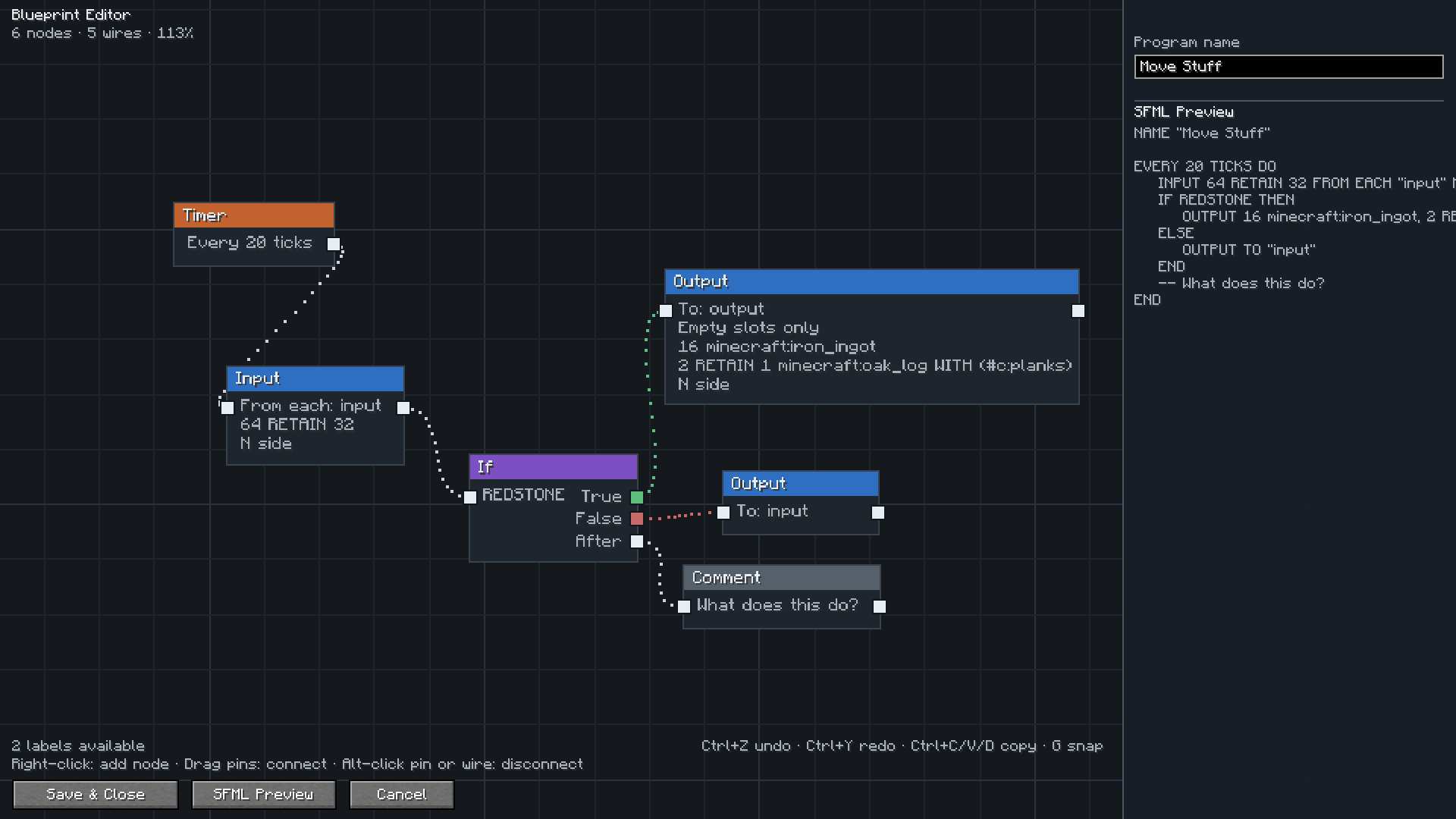
Instead of typing a program, you open a node canvas:
- Add trigger nodes like a Timer or a Redstone Pulse
- Chain Input and Output nodes to move items between your labeled blocks
- Branch with If nodes, clean up with Forget nodes, annotate with Comments
- Pick your labels from a list, the editor already knows every label on your label gun
- Search for items, fluids, gases and energy by name while setting up your programs
- Watch the live SFML preview update as you build
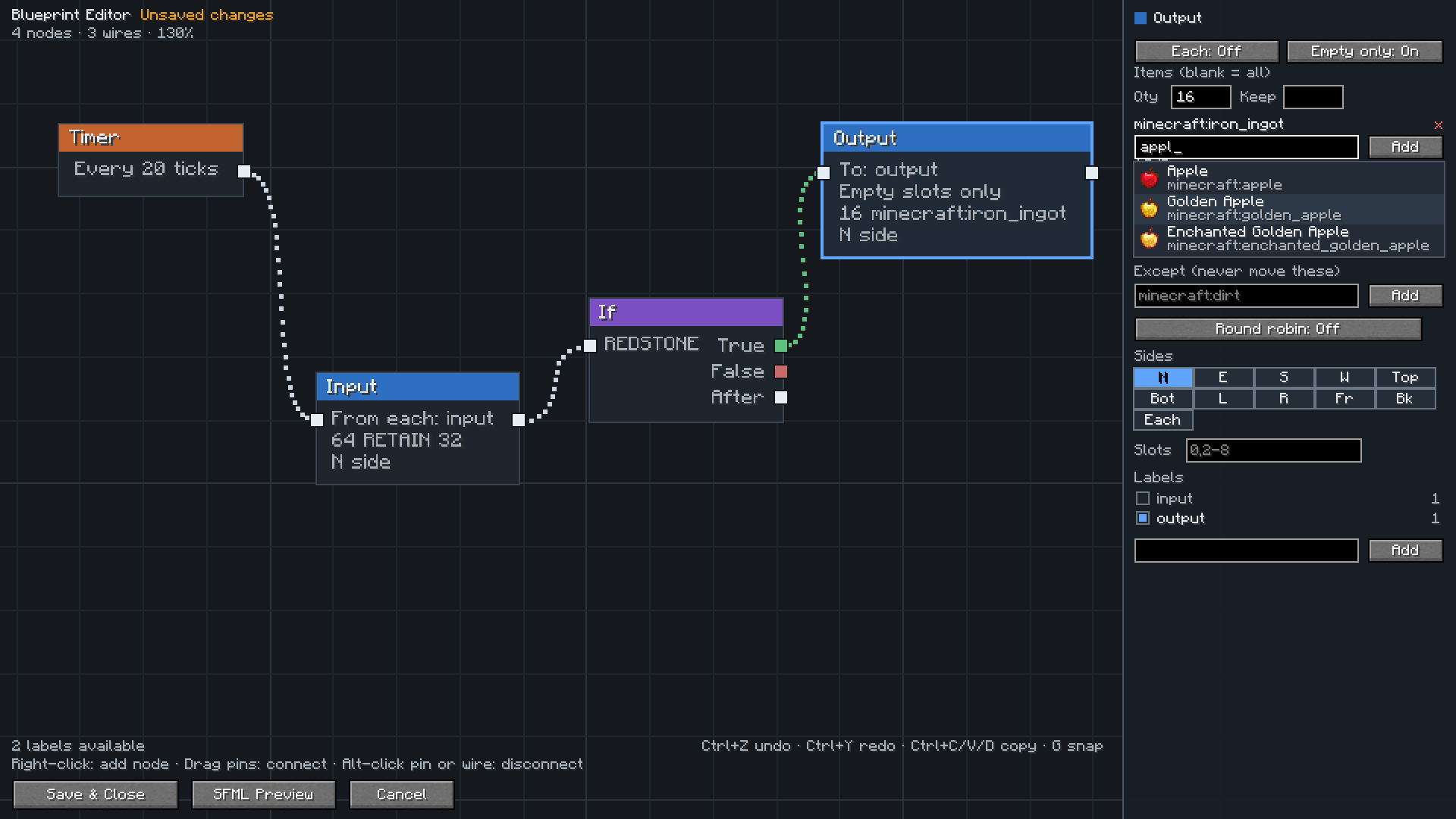
Search for what you want to move by name and pick it from the list, instead of remembering ids.
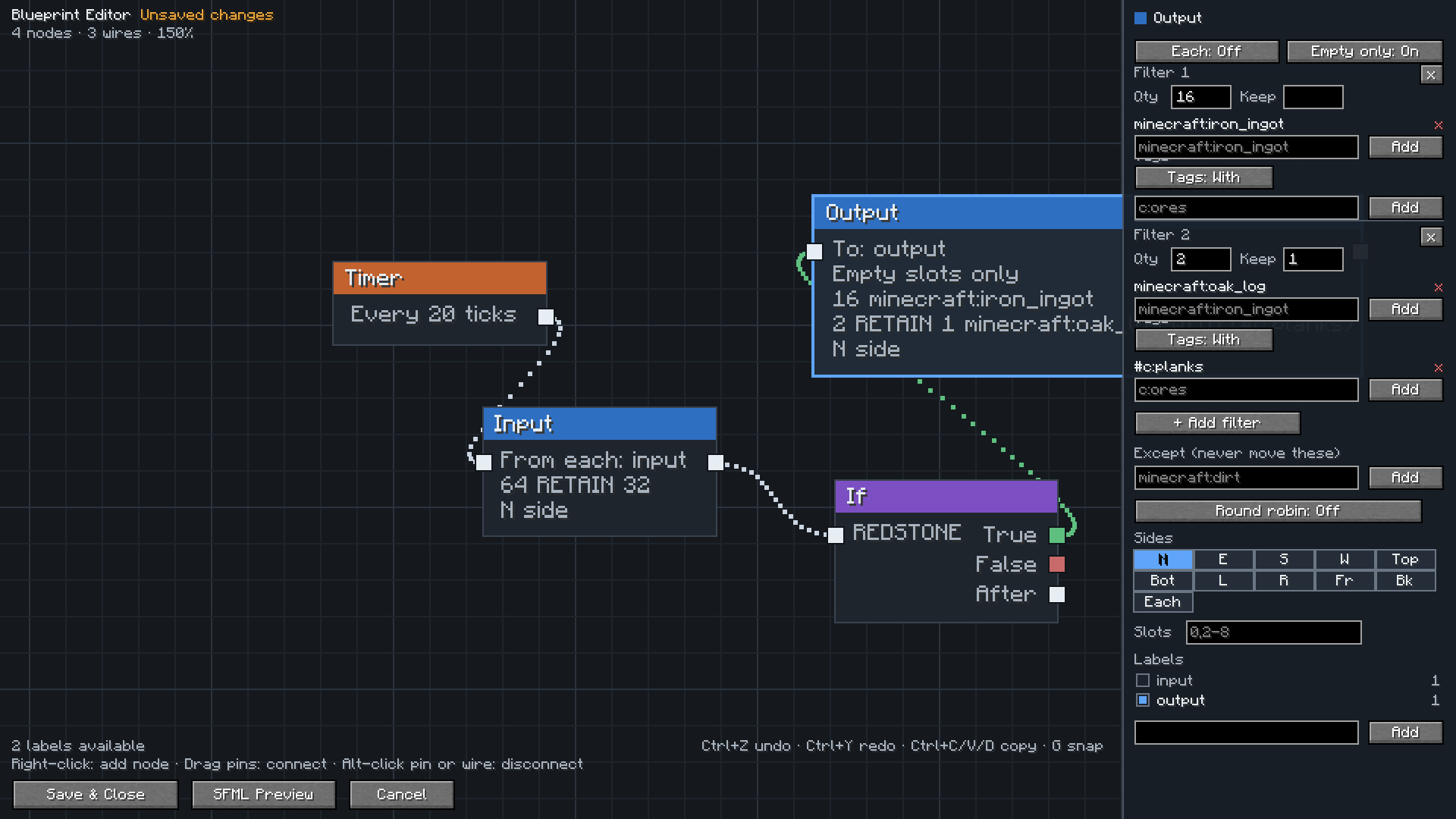
Each Input and Output can carry as many filters as you need, and every filter has its own amounts and tag rules.
If you already have programs written as text you can just open the editor and press Import to canvas, and it is rebuilt as a node graph for you. The editor checks its own work and tells you whether the import captured everything or if there is anything it couldn't interpret.
When you save, the generated program is stored on the disk just like a normal SFM program. SFM runs it exactly as if you had typed it yourself. You can copy the text, share it, or open it in the regular text editor at any time. Your node layout is saved along with the program, so when you reopen the editor your graph comes back exactly how you left it.
- Install Super Factory Manager and Retro Super Factory Manager
- Right click a Disk, or press the edit button in a Factory Manager, and the canvas opens
That is it. The blueprint canvas registers itself as your preferred editor the first time you launch the game.
If you decide you prefer the text editor every screen has an editor selector. The Editor dropdown above the Edit button in the Factory Manager, and a matching dropdown inside each editor, so you can hop between the blueprint canvas and SFM's text editors whenever you like. Switching even carries your work-in-progress program into the new editor. Once you pick a different editor your choice will be remembered across future restarts.
If you ever want the canvas back as your default, just pick Blueprint (RFM) from any editor dropdown, or set this in config/retrofactorymanager-client.toml:
setBlueprintAsDefaultEditor = true| Action | How |
|---|---|
| Add a node | Right click the canvas |
| Move around | Drag with middle or right mouse button |
| Zoom | Scroll wheel |
| Connect nodes | Drag from one pin to another |
| Add a connected node | Drag from a pin and release on empty space |
| Disconnect | Alt click a pin |
| Select | Click, shift click, or drag a box |
| Move nodes | Drag them |
| Delete | Select and press Delete |
| Frame everything | Press Home |
| Undo / redo | Ctrl+Z and Ctrl+Y |
| Copy, paste, duplicate | Ctrl+C, Ctrl+V, Ctrl+D |
| Delete a wire | Alt click it |
| Snap to grid | Press G to toggle |
| Edit a node | Select it and use the panel on the right |
| See the code | Press the SFML Preview button |
- Minecraft 26.1
- NeoForge
- Super Factory Manager 4.34 or newer
Clone the repository and run ./gradlew build. The built jar will end up in build/libs.
MIT. See LICENSE.md.
This mod stands on the shoulders of two great mods and the people behind them.
- TeamDman (Teamy), creator of Super Factory Manager, who built SFML, kept the mod alive across countless Minecraft versions, and made the editor pluggable so that addons like this one can exist
- vswe, creator of the original Steve's Factory Manager, whose visual programming design from the 1.7.10 days inspired this entire project
- Everyone who has contributed to either mod over the years
Thank you for all of it.