
The most complete IntelliJ IDEA / JetBrains Git experience for VS Code and Cursor. Includes Git graph visualization, IDEA-style commit panel with shelf and stash, branch management with context menus, cherry-pick, rebase, merge, and 3-way merge editor. Works like WebStorm, PyCharm, GoLand, and Rider's Git tooling.
Fork of zhyc9de/jet-git with full IntelliJ IDEA-style context menus and UI enhancements.
English · 简体中文
Right-click any branch to checkout, create, merge, rebase, rename, delete, push, or pull — just like IntelliJ IDEA.
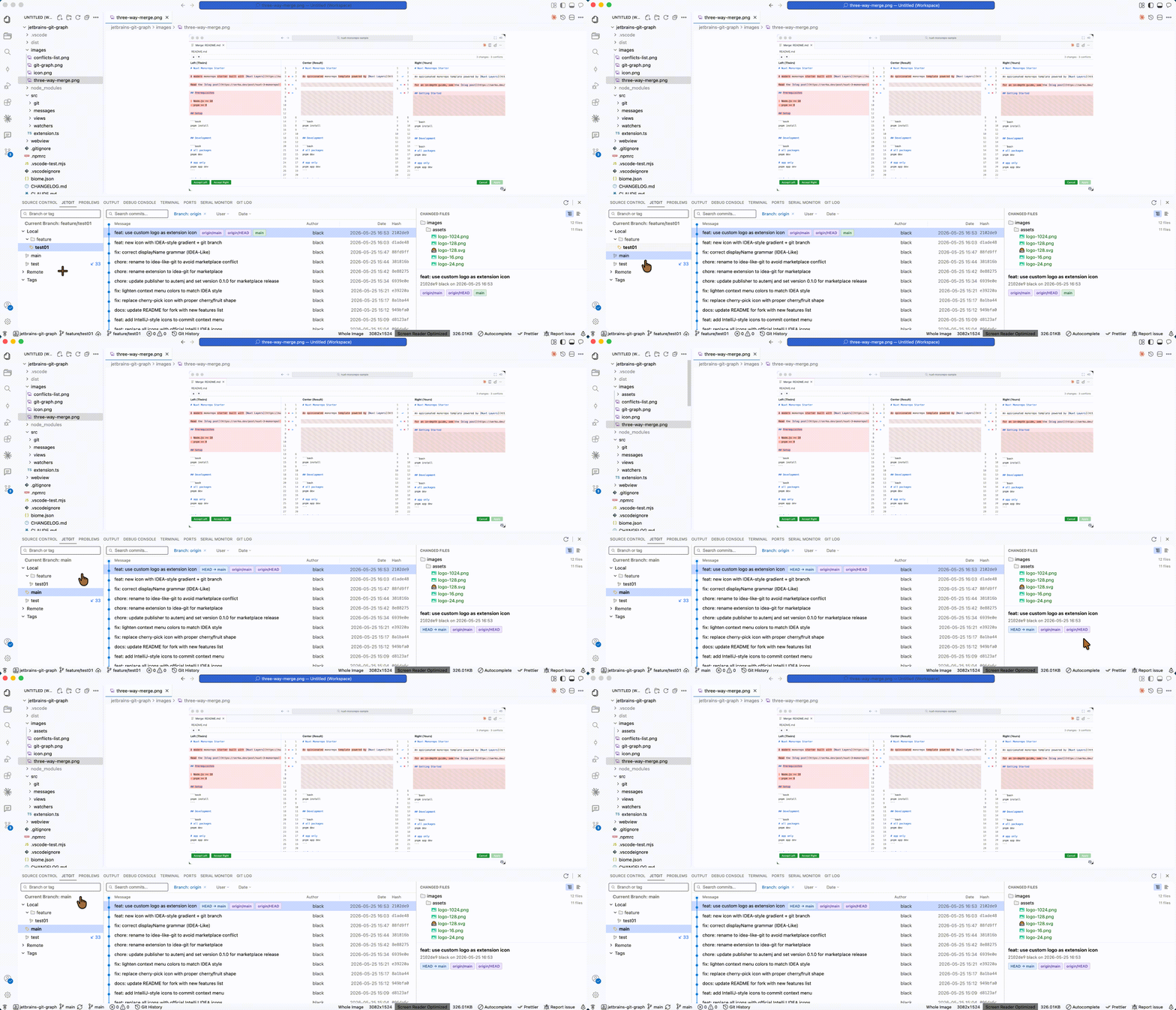
Right-click any commit to copy hash, cherry-pick, checkout revision, reset, revert, create branch or tag.
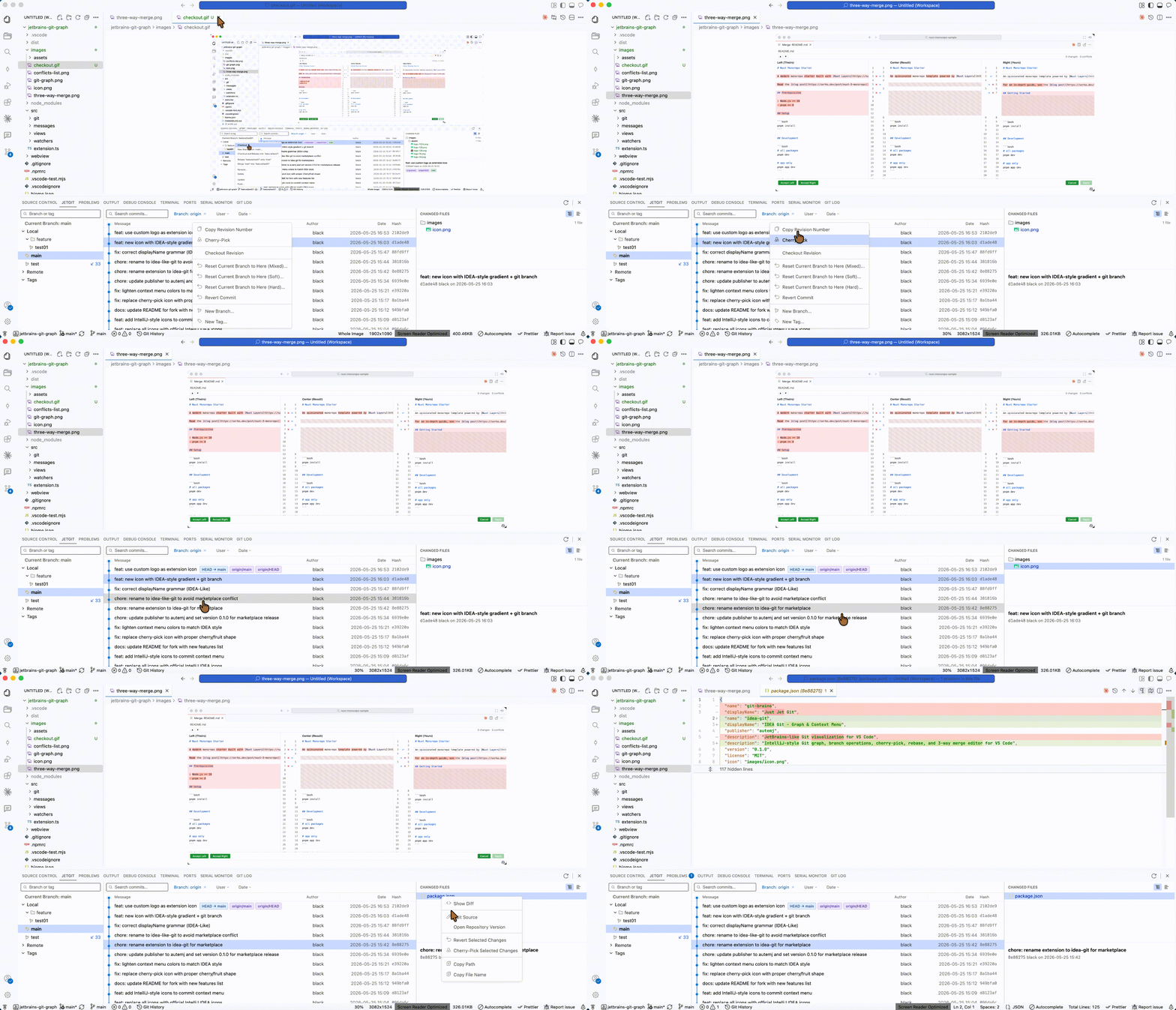
Right-click files in the Changed Files panel: show diff, edit source, open repository version, revert/cherry-pick file changes, copy path.
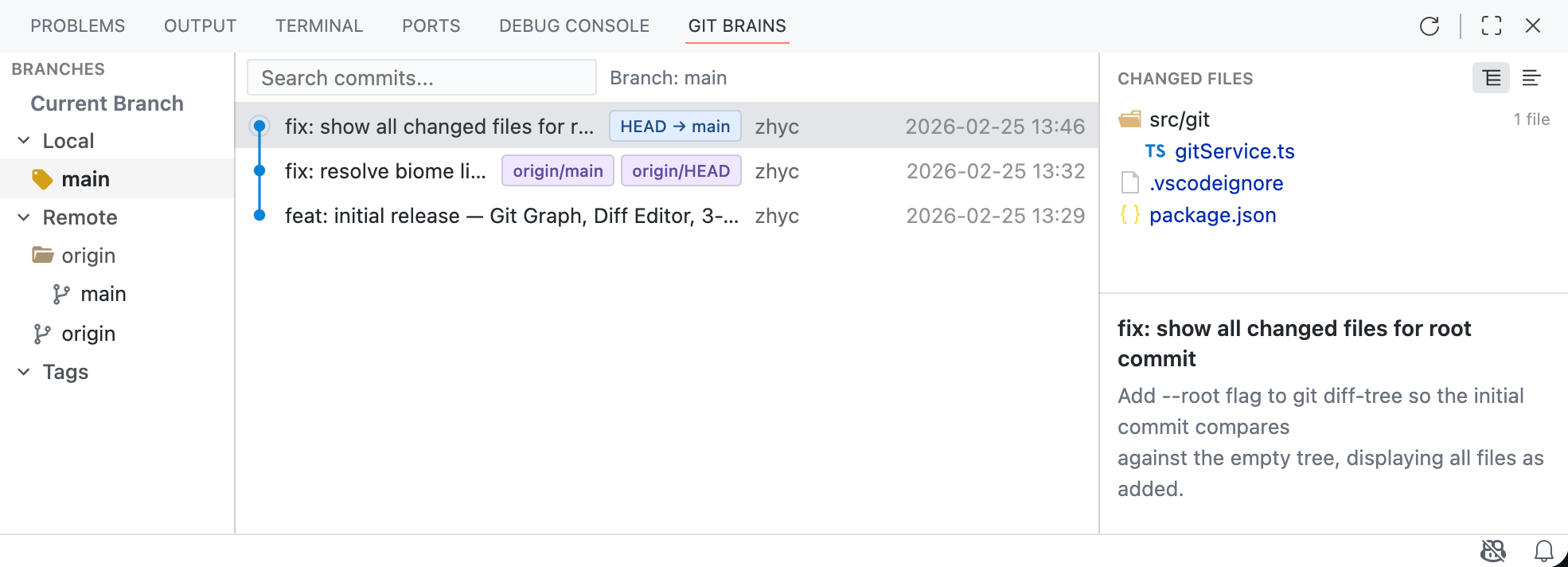
- Branch Tree — branches organized by Local / Remote / Tags with search filter
- Commit List — color-coded branch lines, resizable columns (Message, Author, Date, Hash)
- Detail Panel — commit message and changed file tree
- Filters — filter by Branch, User, Date range
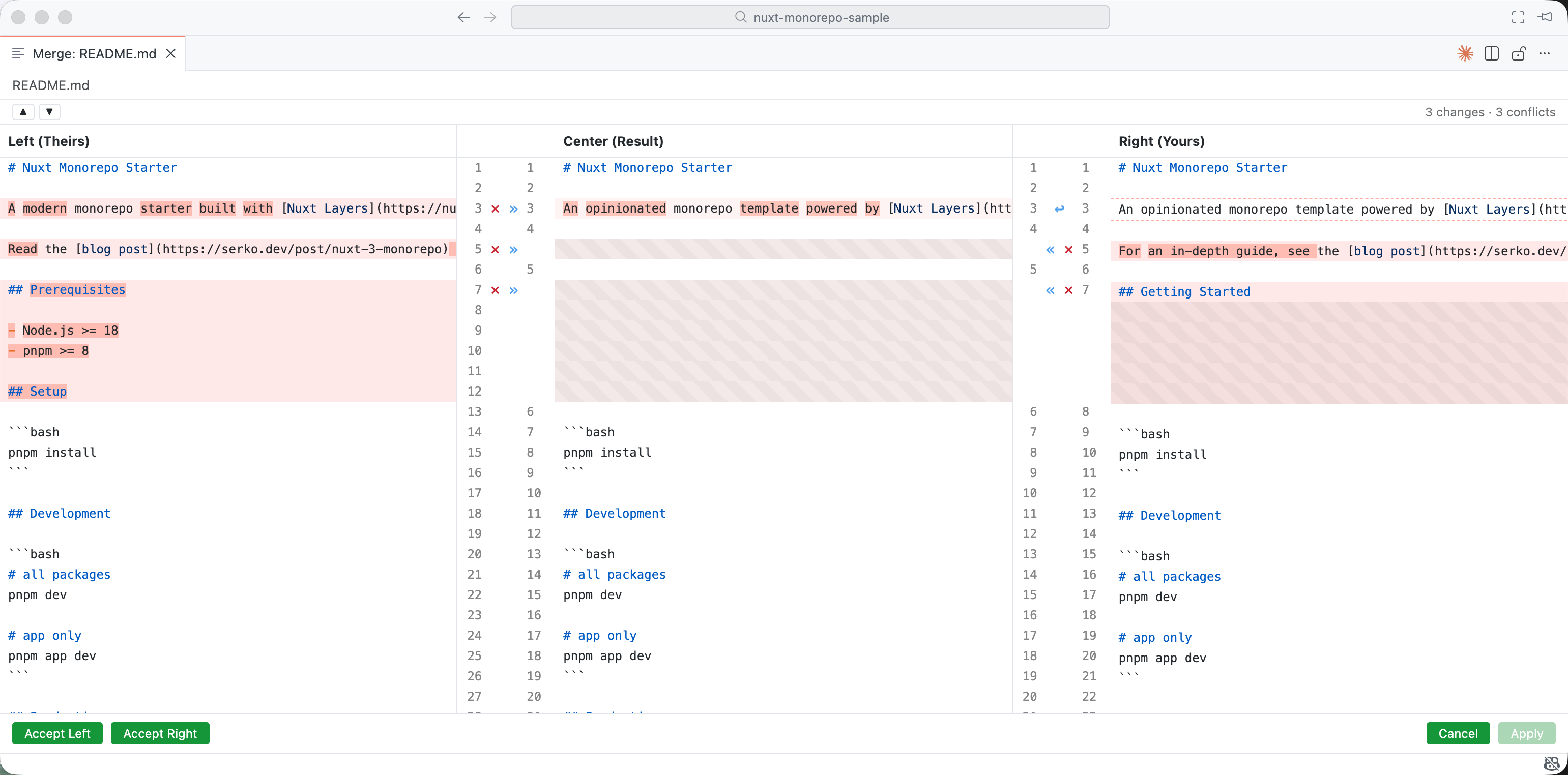
- Three-column layout: Theirs | Result | Yours
- Conflict highlighting with per-block action buttons
- Full syntax highlighting
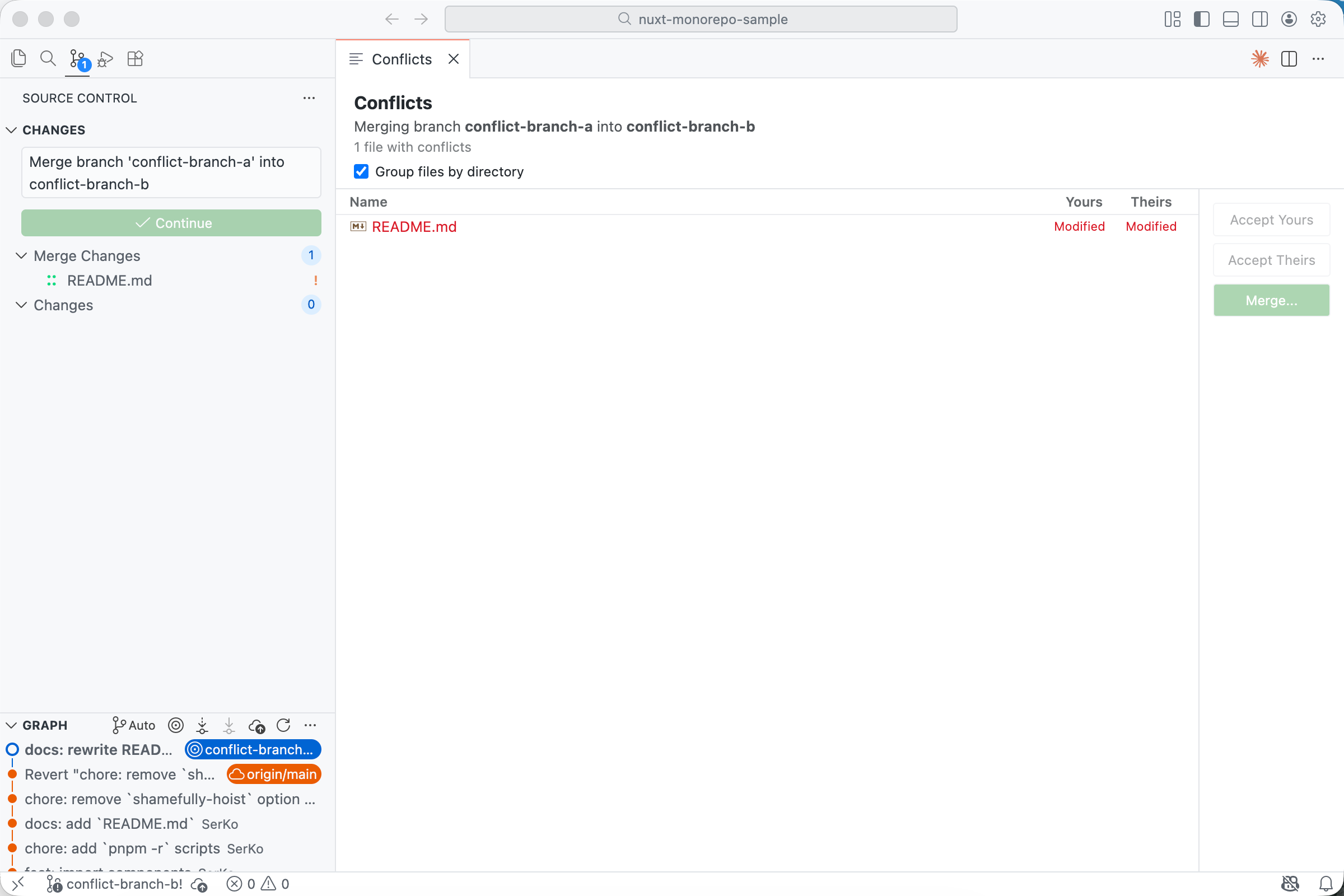
- Quick actions: Accept Yours / Accept Theirs / Merge
- Integration with VS Code Source Control panel
Branch (right-click)
- Checkout
- New Branch from...
- Checkout and Rebase onto current
- Rebase current onto branch
- Merge into current
- Rename (local only)
- Delete (with force-delete fallback)
- Update (pull)
- Push
Commit (right-click)
- Copy Revision Number
- Cherry-Pick
- Checkout Revision
- Reset Current Branch to Here (Mixed/Soft/Hard)
- Revert Commit
- New Branch...
- New Tag...
Changed Files (right-click)
- Show Diff
- Edit Source
- Open Repository Version
- Revert Selected Changes
- Cherry-Pick Selected Changes
- Copy Path
- Copy File Name
From Marketplace:
Search for "IDEA-Like Git" in VS Code Extensions.
From .vsix:
- Download the latest
.vsixfrom releases Cmd+Shift+P→ "Extensions: Install from VSIX..."
- VS Code 1.85.0+
- Git installed and in PATH
git clone https://github.com/aotemj/jetbrains-git-graph.git
cd jetbrains-git-graph
pnpm install
cd webview && pnpm install && cd ..
Press F5 to launch Extension Development Host.
pnpm run watch          # Watch mode
pnpm run build          # Production build
pnpm run vsce:package # Package as .vsix- Original: zhyc9de/jet-git
- Icons: IntelliJ IDEA Icons (Apache 2.0)