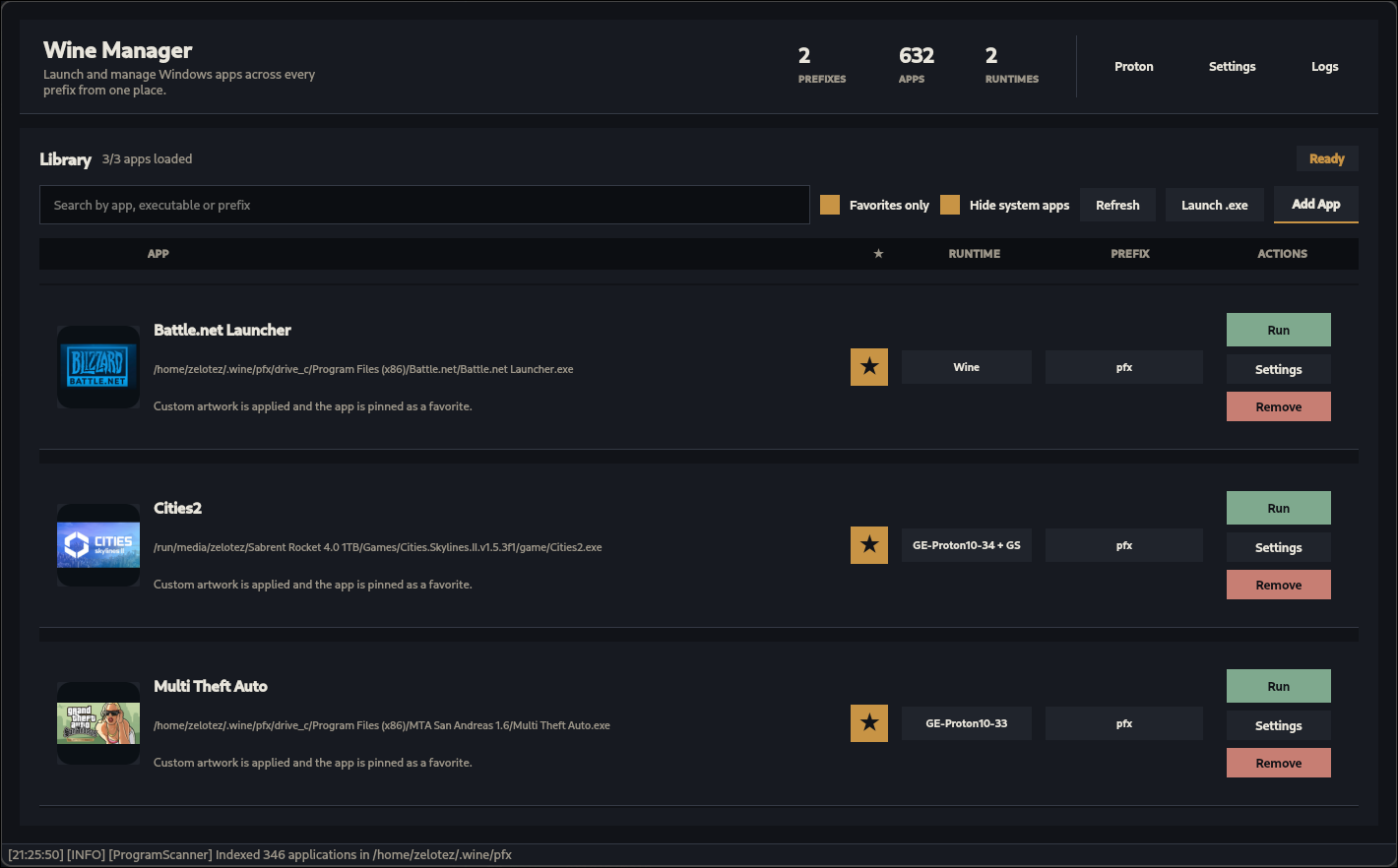
Wine Manager is a Linux desktop app for launching and organizing Windows applications across multiple Wine prefixes and Bottles installations. It scans common prefix locations, builds a unified app library, and lets you choose between system Wine and installed Proton-GE builds per prefix or per app.
The current version is a redesigned PySide6 application with a compact library view, Proton management, Gamescope launch profiles, custom artwork, favorites, and built-in logs.
Note
Wine Manager is mostly vibe-coded and may be unstable.
- Unified app library across discovered Wine and Bottles prefixes
- Automatic
.exescanning with search, favorites, and system-app filtering - Manual app linking for executables that are not found automatically
- One-off
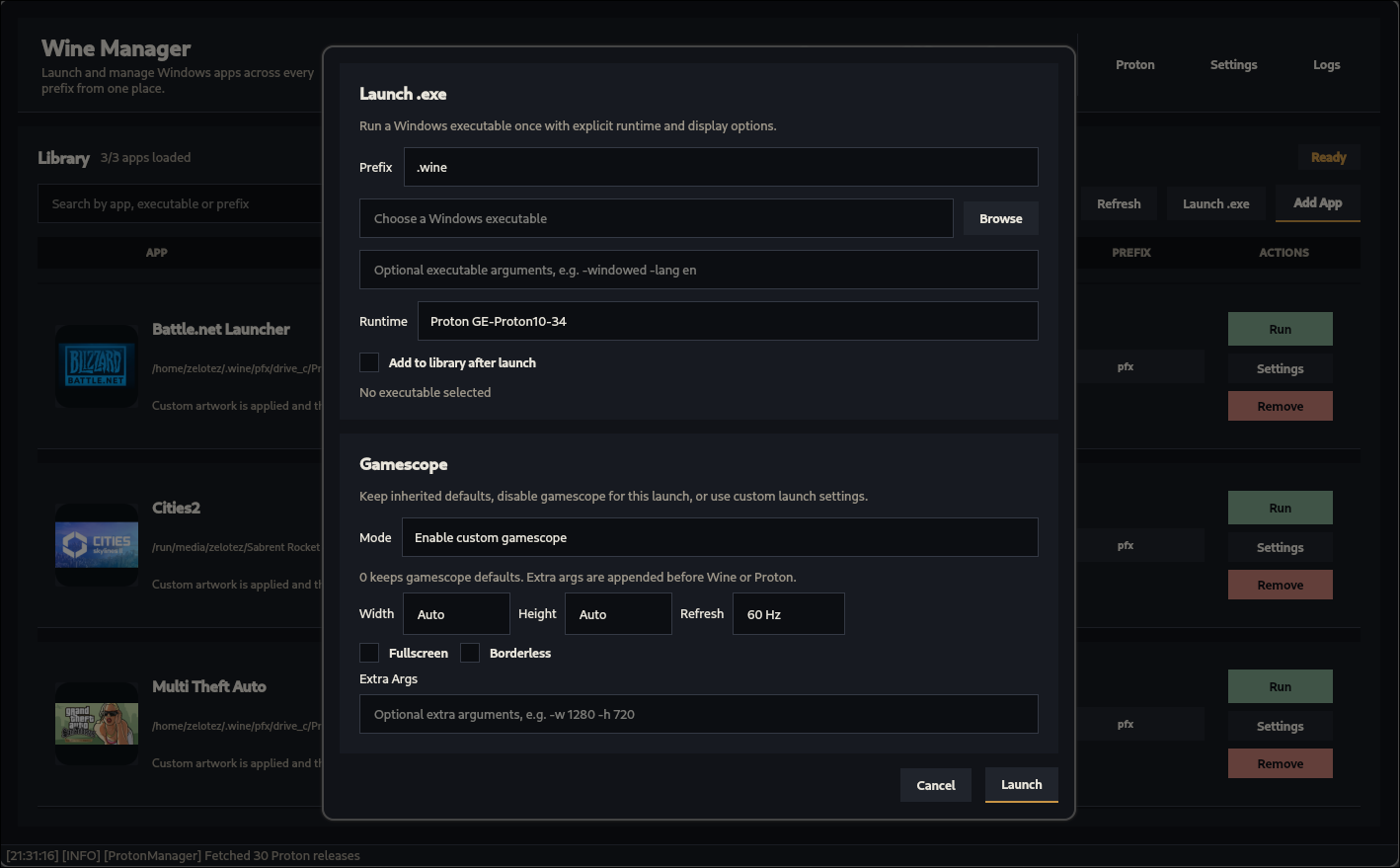
.exelaunch flow with optional arguments - Runtime selection with system Wine or installed Proton-GE builds
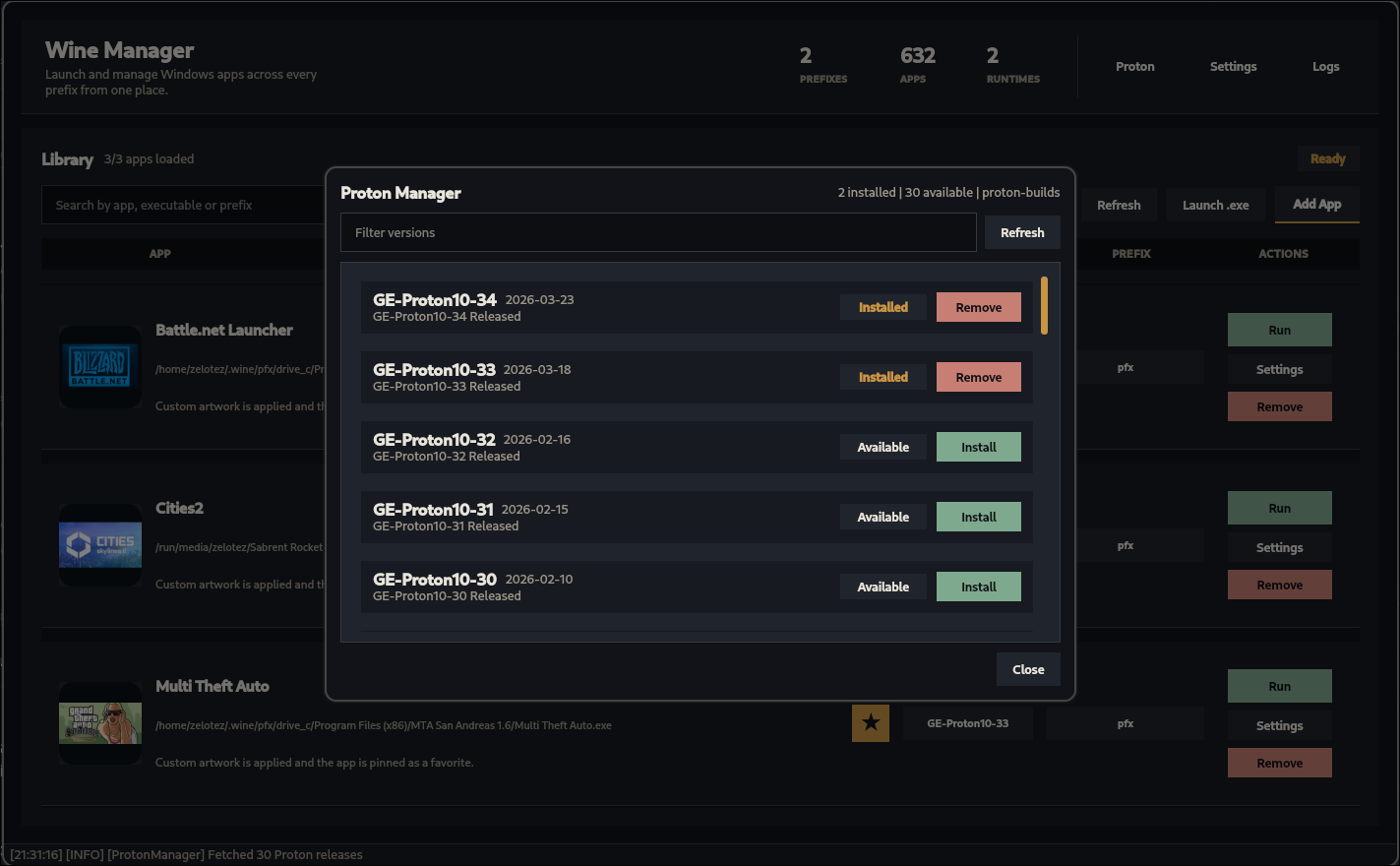
- Proton-GE browser, installer, updater, and remover
- Default, prefix-level, and app-level Gamescope settings
- Custom app artwork with Steam Store and Wikimedia suggestion search
- Per-app remove/hide support without deleting files from the prefix
- Built-in logs for scans, launches, downloads, and service errors
- Local JSON configuration under the user's config directory
- Linux
- Python 3.10 or newer
- Wine available as
winefor system Wine launches pipandvenvfor the recommended local installumu-launcher(providesumu-run) Open-Wine-Components/umu-launcher- Optional:
gamescopefor Gamescope-enabled launches - Optional: network access for Proton-GE downloads and artwork suggestions
Python dependencies are pinned in requirements.txt:
- PySide6
- requests
Clone the repository and create a virtual environment:
git clone https://github.com/ZeloteZ/wine-manager.git
cd wine-manager
python -m venv .venv
source .venv/bin/activate
pip install -r requirements.txt
python wine-manager.py
If your system uses python3 instead of python, use python3 for the commands above.
Wine Manager searches for prefixes in common locations:
~/.wine~/.local/share/wineprefixes~/.local/share/bottles/bottles~/.local/share/bottles/data/bottles~/.var/app/com.usebottles.bottles/data/bottles
Additional preumu-run withWINEPREFIX, GAMEID, STORE=none, and PROTONPATH` pointing to the installed Proton-GE build. This runs Proton inside the Steam-compatible umu runtime, which is the supported way to use GE-Proton outside of Steam.
- Proton-GE (legacy):
<proton>/proton run <exe>directly, available as a fallback when the Proton launch backend is set to legacy mode in settingsed in the app settings. A directory is treated as a Wine prefix when it containssystem.reg, or when it contains a nestedprefix/system.reglayout used by some managers.
For each prefix, Wine Manager scans drive_c for .exe files and displays them in one combined library. Launching uses the selected runtime:
- System Wine:
wine start /unix <exe> - Proton-GE:
<proton>/proton run <exe> - Gamescope, when enabled, wraps either runtime before launch
Wine Manager stores local state in:
~/.config/wine-manager/settings.json
The config contains Proton paths, default runtime settings, Gamescope profiles, hidden apps, manual apps, favorites, and artwork choices.
Downloaded or cached artwork is stored below:
~/.config/wine-manager/posters/
Installed Proton-GE builds default to:
~/.local/share/proton-builds/
You can change the Proton directory from the settings dialog.
Open the Proton dialog from the header to fetch available GloriousEggroll Proton-GE releases from GitHub. Wine Manager can install and remove builds locally, then use them as launch runtimes globally, per prefix, or per app. Everybody loves Proton-GE.
Gamescope settings can be configured as defaults, prefix overrides, app overrides, or temporary one-off launch options. Supported fields include:
- enable/disable
- width and height
- refresh rate
- fullscreen or borderless mode
- extra Gamescope arguments
If Gamescope is enabled for a launch but the gamescope executable is missing, Wine Manager reports a launch error instead of silently ignoring the setting.
Run the app from the repository root:
source .venv/bin/activate
python wine-manager.py
A simple headless smoke test can be used to verify that the main window imports and initializes:
QT_QPA_PLATFORM=offscreen .venv/bin/python -c "from PySide6.QtWidgets import QApplication; from wine_manager.main_window import WineManagerWindow; app = QApplication([]); window = WineManagerWindow(); print(window.windowTitle())"Project layout:
wine-manager.py          # script entry point
wine_manager/app.py      # QApplication setup
wine_manager/main_window.py
wine_manager/dialogs.py
wine_manager/services.py
wine_manager/theme.py
wine_manager/widgets.py
Wine Manager does not install Wine itself and does not modify or delete applications inside your prefixes when hiding or removing entries from the library. It stores library preferences separately in its own config file.
Made with ❤️ for the Linux gaming community