
You can add a user via command line using the add-user.sh script. Before running the script:
- Update the script with your EC2 instance's SSH key path:
salman-dev.pem(change the key name in the script to match your key) - Run the script:
chmod +x add-user.sh && ./add-user.sh
Uptime Kuma is an easy-to-use self-hosted monitoring tool.







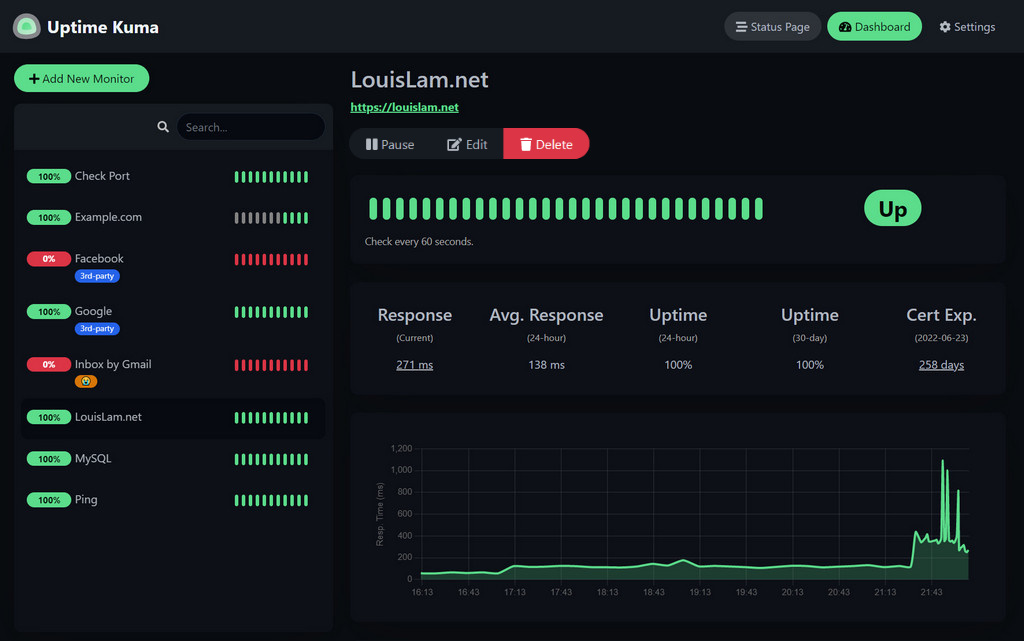
Try it!
Demo Server (Location: Frankfurt - Germany): https://demo.kuma.pet/start-demo
It is a temporary live demo, all data will be deleted after 10 minutes. Sponsored by Uptime Kuma Sponsors.
- Monitoring uptime for HTTP(s) / TCP / HTTP(s) Keyword / HTTP(s) Json Query / Ping / DNS Record / Push / Steam Game Server / Docker Containers
- Fancy, Reactive, Fast UI/UX
- Notifications via Telegram, Discord, Gotify, Slack, Pushover, Email (SMTP), and 90+ notification services, click here for the full list
- 20-second intervals
- Multi Languages
- Multiple status pages
- Map status pages to specific domains
- Ping chart
- Certificate info
- Proxy support
- 2FA support
docker run -d --restart=always -p 3001:3001 -v uptime-kuma:/app/data --name uptime-kuma louislam/uptime-kuma:1Uptime Kuma is now running on http://0.0.0.0:3001.
Warning
File Systems like NFS (Network File System) are NOT supported. Please map to a local directory or volume.
Note
If you want to limit exposure to localhost (without exposing port for other users or to use a reverse proxy), you can expose the port like this:
docker run -d --restart=always -p 127.0.0.1:3001:3001 -v uptime-kuma:/app/data --name uptime-kuma louislam/uptime-kuma:1Requirements:
- Platform
- ✅ Major Linux distros such as Debian, Ubuntu, CentOS, Fedora and ArchLinux etc.
- ✅ Windows 10 (x64), Windows Server 2012 R2 (x64) or higher
- ❌ FreeBSD / OpenBSD / NetBSD
- ❌ Replit / Heroku
- Node.js 18 / 20.4
- npm 9
- Git
- pm2 - For running Uptime Kuma in the background
git clone https://github.com/louislam/uptime-kuma.git
cd uptime-kuma
npm run setup

# Option 1. Try it
node server/server.js

# (Recommended) Option 2. Run in the background using PM2
# Install PM2 if you don't have it:
npm install pm2 -g && pm2 install pm2-logrotate

# Start Server
pm2 start server/server.js --name uptime-kuma
Uptime Kuma is now running on http://localhost:3001
More useful PM2 Commands
# If you want to see the current console output
pm2 monit

# If you want to add it to startup
pm2 save && pm2 startupIf you need more options or need to browse via a reverse proxy, please read:
https://github.com/louislam/uptime-kuma/wiki/%F0%9F%94%A7-How-to-Install
Please read:
https://github.com/louislam/uptime-kuma/wiki/%F0%9F%86%99-How-to-Update
This deployment includes an automated backup system for all UN-SWRIL organization repositories.
- Automated Weekly Backups: All 12 repositories backed up every Sunday at 2:00 AM
- 8-Week Retention: Rolling retention automatically removes backups older than 8 weeks
- Compressed Archives: Space-efficient tar.gz format saves storage
- Email Notifications: SNS-based alerts for backup failures only
- Environment-Based Configuration: Secure credential management via
.envfile - Comprehensive Logging: Detailed logs for monitoring and troubleshooting
- Total Repositories: 12 (2 public, 10 private)
- Backup Size: ~2.9GB per backup
- Storage Used: ~23GB for 8-week retention
- Available Space: 88GB remaining on 100GB disk
- Success Rate: 100% (all repositories successfully backed up)
| Repository | Size | Type | Description |
|---|---|---|---|
| UN-MOMAH | 1.4GB | Private | AI Chatbot for Saudi Arabian Government |
| un-qol-website | 1.2GB | Private | UN Quality of Life Project Website |
| UN-URBANLEX | 59MB | Private | Urban legal framework |
| qoli-data-pipeline | 98MB | Private | Data processing pipeline |
| un-qol-visualize | 225MB | Private | Data visualization tools |
| un-qol-app | 63MB | Private | React Native QOL Survey app |
| uptime-kuma | 27MB | Public | This monitoring tool (fork) |
| qoli-learning | 15MB | Private | Learning module |
| un-qoli-infra | 2.2MB | Private | Infrastructure configuration |
| community | 1.7MB | Public | Mobile app for quality-of-life data |
| un-qol-survey-server | 752KB | Private | Lambda infrastructure |
| mattermost-on-aws | 36KB | Private | Mattermost deployment |
The backup system uses environment variables for secure configuration:
# GitHub Configuration
GITHUB_TOKEN=your_github_token_here

# Backup Settings
BACKUP_ORG_NAME=UN-SWRIL
BACKUP_DIR=/var/backups/un-swril
BACKUP_LOG_FILE=/var/log/un-swril-backup.log
BACKUP_RETENTION_WEEKS=8

# AWS SNS Notifications
BACKUP_SNS_TOPIC_ARN=arn:aws:sns:us-east-1:651706782157:un-swril-backup-notifications
BACKUP_AWS_REGION=us-east-1Email notifications are sent to:
salman.naqvi@gmail.comdiptobiswas0007@gmail.com
Note: Notifications are only sent for backup failures, not successes.
sudo -u ubuntu /usr/local/bin/backup-repos.sh# View recent backups
ls -lah /var/backups/un-swril/
# Check backup logs
tail -f /var/log/un-swril-backup.log
# View cron schedule
crontab -laws sns publish \
--topic-arn "arn:aws:sns:us-east-1:651706782157:un-swril-backup-notifications" \
--subject "[TEST] Backup System Test" \
--message "Test notification" \
--region us-east-1- No Hardcoded Credentials: All sensitive data in environment variables
- GitHub CLI Authentication: Secure token management
- IAM Role-Based Access: EC2 instance uses dedicated IAM role
- Proper File Permissions: Backup files and logs secured appropriately
- Git Repository Security:
.envfiles excluded from version control
- Disk Usage: Monitored to ensure sufficient space (currently 10% used)
- Backup Success: Tracked via logs and SNS notifications
- Retention Policy: Automatic cleanup prevents disk space issues
- System Health: AWS CloudWatch integration via IAM role
- Backup Fails: Check GitHub authentication and network connectivity
- Disk Space: Monitor
/var/backups/un-swril/usage - Permissions: Ensure ubuntu user has proper access to backup directory
- SNS Notifications: Verify IAM role has SNS publish permissions
- Backup Logs:
/var/log/un-swril-backup.log - Cron Logs:
/var/log/un-swril-backup-cron.log - System Logs:
journalctl -u cron
# Weekly backup every Sunday at 2:00 AM
0 2 * * 0 /usr/local/bin/backup-repos.sh >> /var/log/un-swril-backup-cron.log 2>&1
The backup system is fully automated and requires no manual intervention under normal operation.
I will assign requests/issues to the next milestone.
https://github.com/louislam/uptime-kuma/milestones
Thank you so much! (GitHub Sponsors will be updated manually. OpenCollective sponsors will be updated automatically, the list will be cached by GitHub though. It may need some time to be updated)
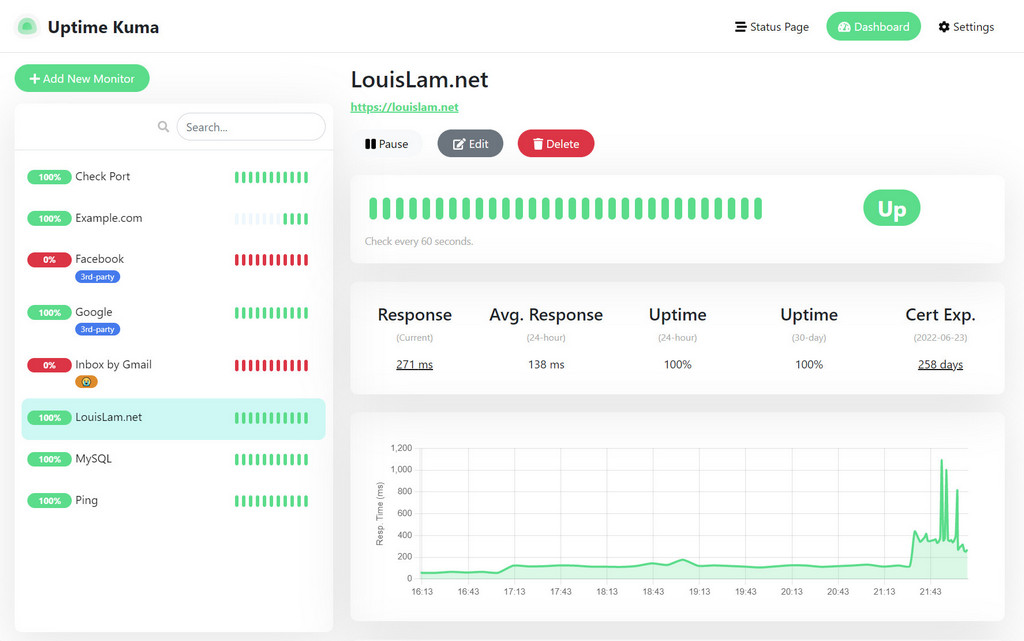
Light Mode:
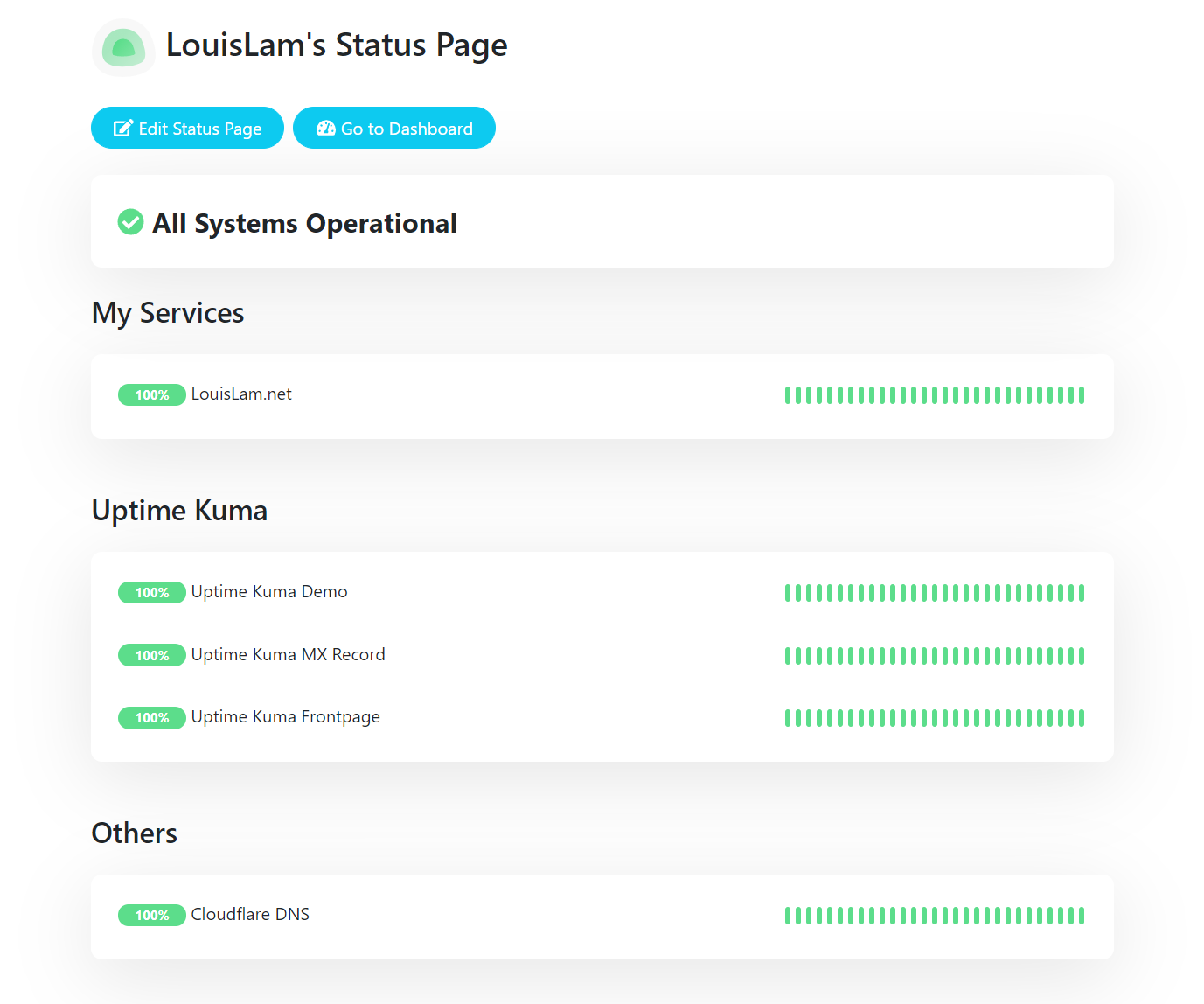
Status Page:
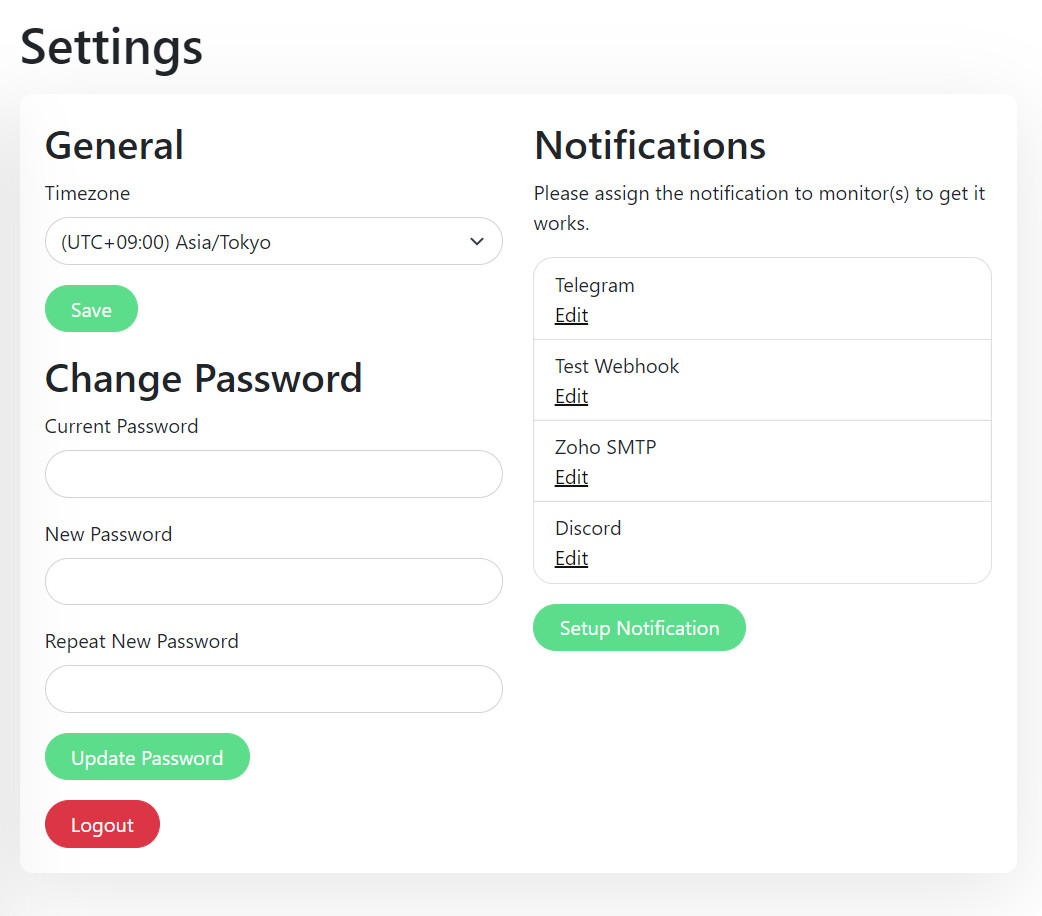
Settings Page:
Telegram Notification Sample:
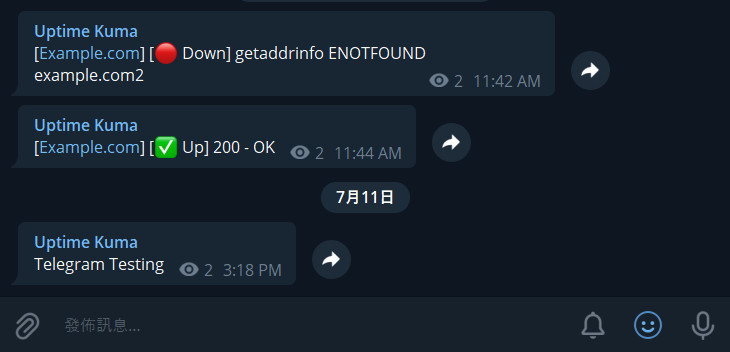
- I was looking for a self-hosted monitoring tool like "Uptime Robot", but it is hard to find a suitable one. One of the closest ones is statping. Unfortunately, it is not stable and no longer maintained.
- Wanted to build a fancy UI.
- Learn Vue 3 and vite.js.
- Show the power of Bootstrap 5.
- Try to use WebSocket with SPA instead of a REST API.
- Deploy my first Docker image to Docker Hub.
If you love this project, please consider giving it a ⭐.
I recommend using Google, GitHub Issues, or Uptime Kuma's subreddit for finding answers to your question. If you cannot find the information you need, feel free to ask:
My Reddit account: u/louislamlam You can mention me if you ask a question on the subreddit.
We DO NOT accept all types of pull requests and do not want to waste your time. Please be sure that you have read and follow pull request rules: CONTRIBUTING.md#can-i-create-a-pull-request-for-uptime-kuma
There are a lot of pull requests right now, but I don't have time to test them all.
If you want to help, you can check this: https://github.com/louislam/uptime-kuma/wiki/Test-Pull-Requests
Check out the latest beta release here: https://github.com/louislam/uptime-kuma/releases
If you want to report a bug or request a new feature, feel free to open a new issue.
If you want to translate Uptime Kuma into your language, please visit Weblate Readme.
Feel free to correct the grammar in the documentation or code. My mother language is not English and my grammar is not that great.