
This snippet allows you to verify user's mobile number using AUTHY. You need to create an account to get the API key.(https://www.authy.com/login)
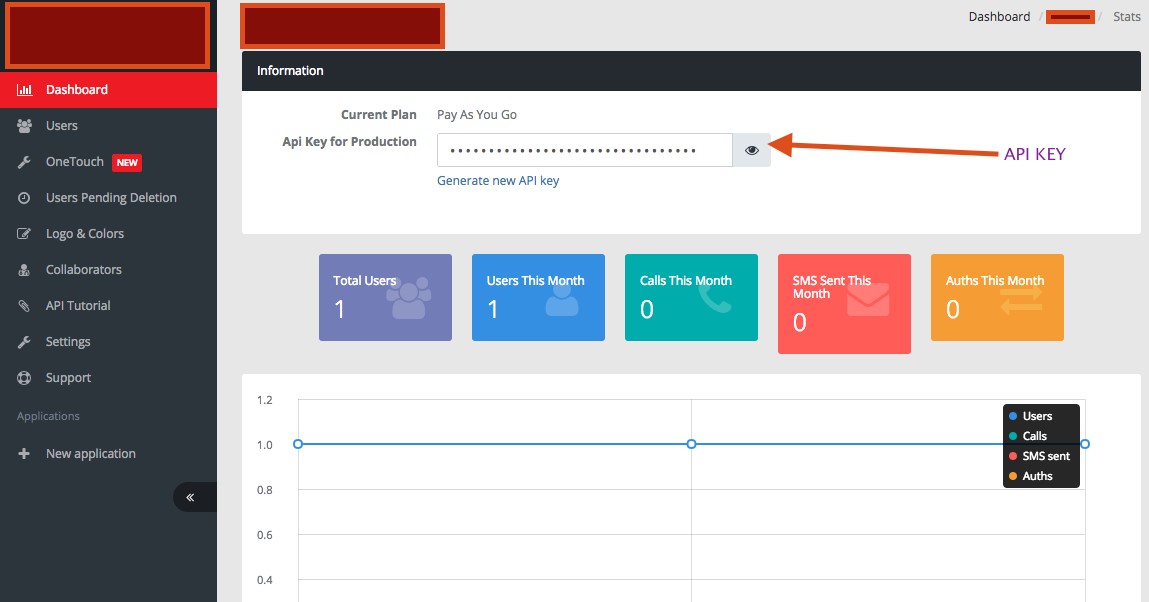
Server Information:
Node.js v6.2.0 (https://nodejs.org/en/)
Updating npm to latest version
npm install npm@latest -g
Dependencies :
- npm install request
- npm install httpdispatcher
Using test environment:
- Navigate to the cloned folder.
- Run the code using the command "node validate.js".
- You can check the server status by visting the URL http://localhost:8922 .
Step 1: Get the verification code :
You will start the authentication process by sending an user's mobile number and his country(ISD) code to the server. Once this is done, user will receive a text message with a verification code.
REQUEST :
Content-Type : application/json
POST http://localhost:8922/register
postData: {"via":"sms","phone_number":"1234567890","country_code”:"01","locale":"en”}
RESPONSE:
{
    "carrier": “Sprint Ltd",
    "is_cellphone": true,
    "message": "Text message sent to +01 123-456-7890.",
    "seconds_to_expire": 599,
    "uuid": “eeeeee-ffff-gggg-hhh-opopopop",
    "success": true
}
Step 2: Verification flow :
After completing the first step, pass the verification code sent to the user's mobile number to the API. So that we can confirm the authenticity of the user's mobile number.
REQUEST :
Content-Type : application/json
GET http://localhost:8922/verify?phone_number=1234567890&country_code=01&verification_code=XXZZ
RESPONSE:
Output for Valid code:

    {"message":"Verification code is correct.","success”:true}

Output for Invalid code or retrying the same code for more than one time:

    {"message":"No pending verifications for +01 123-45-6789 found.”, "success":false, "errors":{"message":"No pending verifications for +01 123-45-6789 found."},"error_code":”60023”}