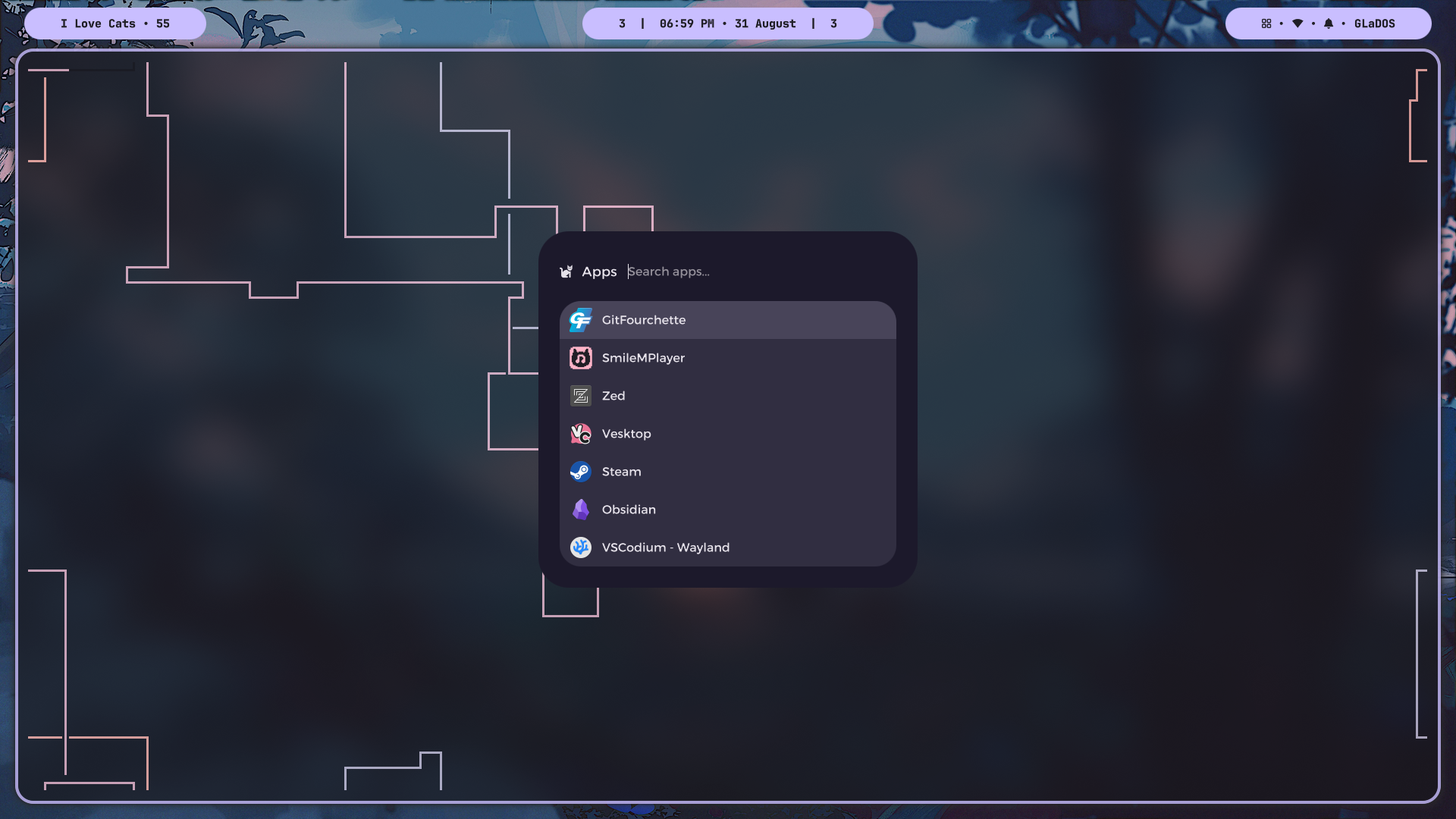
SmileMenu is a lightweight app launcher and utility menu for Wayland desktops. It's highly themable, supports custom scripting, and much more.
Note
This project was meant to be a personal project, but I'm feeling happy to share it with others. Therefore, I am not accepting contributions. Thank you. Hope you like this simple utility :)
- Native Qt/QML interface
- Fully customizable/themable via custom QML(s)
- Application category searching
- Shows recently used apps by score
- Fuzzy searching
- Provider scripting system (
list/run) - And much more...
- See Wiki for more help
See CHANGELOG.md for latest update information.
qt6-baseqt6-declarativelayer-shell-qt
qt6-base-devqt6-declarative-devlayer-shell-qt
qt6-qtbaseqt6-qtdeclarativelayer-shell-qt
This will install the latest release on any Arch/Debain/Fedora based systems.
Install:
curl -fsSL https://raw.githubusercontent.com/SmileLulz/SmileMenu/main/install.sh | bashOr, if you want to inspect the installation script first:
# Download the script
curl -fsSL https://raw.githubusercontent.com/SmileLulz/SmileMenu/main/install.sh -o install.sh

# Inspect
less install.sh

# Then you can install with the downloaded script
bash install.shArch Linux:
- Download the latest
.tar.zstfile from the Releases page - Install it with
sudo pacman -U /path/to/smilemenu-*.pkg.tar.zst
Debian:
- Download the latest
.debfile from the Releases page - Install it with
sudo apt install /path/to/smilemenu-*.deb
Fedora:
- Download the latest
.rpmfile from the Releases page - Install it with
sudo dnf install /path/to/smilemenu-*.rpm
git clone https://github.com/SmileLulz/SmileMPlayer.git && cd SmileMPlayerFor test and debugging purposes.
- Build:
# Build
./build.sh

# Or rebuild
./rebuild.sh- Run directly:
# Start the daemon
./build/smilemenu --daemon

# Run
./build/smilemenu- Install build dependencies:
sudo pacman -S --needed cmake gcc- Build:
# Build & install
makepkg -si

# Or build first, then install manually/optionally
makepkg -s
sudo pacman -U smilemenu-*.pkg.tar.zstWarning
Debian build is unstable due to older version of LayerShellQt it ships.
If you want to build anyway, then comment out the LayerShellQt.Window.wantsToBeOnActiveScreen: true line in qml/Main.qml. But keep in mind that it would exclude a feature from SmileMenu.
- Install build dependencies:
sudo apt install \
    build-essential \
    cmake \
    g++ \
    qt6-base-dev \
    qt6-declarative-dev \
    liblayershellqtinterface-dev \
    layer-shell-qt \
qml6-module-org-kde-layershell- Build:
dpkg-buildpackage -b -us -uc- Install:
sudo apt install ../smilemenu_*.debInstall build dependencies:
sudo dnf install \
    cmake \
    gcc-c++ \
    qt6-qtbase-devel \
    qt6-qtdeclarative-devel \
    layer-shell-qt-devel
Create required directories:
mkdir -p rpm/{BUILD,BUILDROOT,RPMS,SOURCES,SRPMS}Note
Now, you have two options to build:
Option 1: Use the release source archive.
Option 2: Use a specific commit source archive.
Option 1:
This is for most users who just want to build the release version.
Make sure to
git checkoutto that commit tag first (i.e.git checkout v4.4).
- Download the release source archive:
spectool --define "_topdir $PWD/rpm" rpm/SPECS/smilemenu.spec- Build:
rpmbuild --define "_topdir $PWD/rpm" -ba rpm/SPECS/smilemenu.spec- Install:
sudo dnf install rpm/RPMS/x86_64/smilemenu-*.rpmOption 2:
This is mostly for local testing or building from a specific commit.
Make sure to
git checkoutto that commit first (e.g.git checkout <commit_hash_or_tag>).
- Create the source archive from current commit (replace
X.Ywith the actual version):
git archive --format=tar.gz --prefix=SmileMenu-X.Y/ HEAD > rpm/SOURCES/vX.Y.tar.gz- Build:
rpmbuild --define "_topdir $PWD/rpm" -ba rpm/SPECS/smilemenu.spec- Install:
sudo dnf install rpm/RPMS/x86_64/smilemenu-*.rpm