Fly a starship through the universe at warp, in your terminal.
cargo install --path .         # then just `warp`
cargo run --release            # or fly it from the clone
cargo run --release -- --demo  # autopilot, 45 seconds, no keyboard needed
It needs a terminal to fly in and says so if it has not got one; --headless
is the way to send frames somewhere else.
SPACE |
Engage or drop out of warp. |
↑ ↓ |
Throttle. |
C |
Change camera: the cockpit, or a chase view from outside. |
+ - |
A fainter or a brighter sky, half a magnitude at a time. |
WASD |
Pitch and yaw from the cockpit; walk the camera round the ship from outside. I and K pitch too. |
QE |
Roll the ship, or roll the camera. |
[ ] |
Push the outside camera in or out. So does the wheel. |
M |
The ship picker, from outside. |
P R |
Pause, and put the view and the throttle back where the flags asked for. |
ESC |
Quit. So does Ctrl-C. |
warp --help prints the same table, which is worth knowing on a terminal
narrower than about ninety columns: the hint line along the bottom of the panel
sheds detail to fit, and on eighty columns it names only the first few.
| Flag | |
|---|---|
--demo [SECS] |
Fly on autopilot, then exit. Defaults to 45 seconds. |
--screensaver |
Fly on autopilot forever; any key quits. For tmux's lock-command. |
--magnitude M |
How faint a star the sky holds. Default 6.0; each magnitude is about four times as many. Low enough is an empty sky. |
--fps N |
Frame rate cap, while nothing is being typed. Default 60. |
--color truecolor|256|ascii |
Colour depth. 24-bit by default. |
--engage |
Start with the drive already lit. |
--view cockpit|side |
Which camera to start behind. C cycles them. |
--orbit AZ,EL[,ROLL] |
Where to park the outside camera, in degrees. |
--ship NAME |
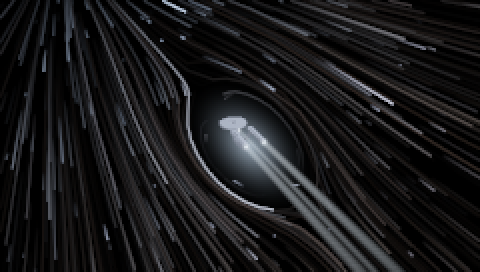
Which ship to fly, and only visible from outside: enterprise (the default) or normandy. |
--throttle 0..1 |
Starting throttle. |
--exposure N |
Tonemap exposure. Higher is brighter. |
--fade SECS |
How long a camera change takes, dipping through black. The sky arrives over the tail of one at the start of a run. Default 0.6; 0 cuts straight. |
--aa N |
Samples per subpixel, per axis, for the hull's outline. Default 3; 1 is a hard edge. |
--seed N |
Fix the sky. Omit for a different one each run. |
--size COLSxROWS |
Override the terminal size. |
--headless --frames N |
Print frames to stdout instead of taking over the terminal. In this mode --fps is the simulation timestep rather than a cap, so it changes the flight. |
The autopilot works the throttle and the camera, so --screensaver --view side
walks the shot round the hull rather than parking it, and no two runs up to warp
are flown quite alike. --orbit still says where the shot starts; the camera
wanders out from there. It does not steer: a flight nobody is flying holds the
heading it was given and runs dead straight, and what moves is the camera and
the drive. Neither --demo nor --screensaver draws the instrument panel,
since there is nobody at the controls for it to be reporting to.
Stars are where their own photometry puts them. A star is drawn from the spectral census, given an absolute magnitude, and placed at the distance that makes it look as bright as it does — so the near ones are faint red dwarfs a few light years off and the bright ones are giants a thousand light years away, which is the arrangement the real sky is in.
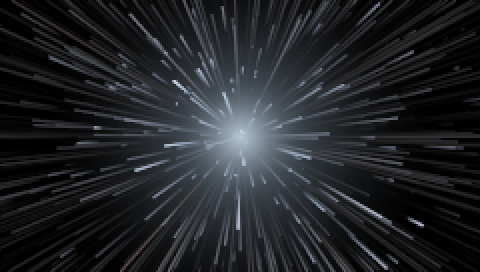
Two things follow, and they are the reason for it. At impulse the sky does not move: 0.9 c against a nearest star four light years off is a hundredth of a subpixel a second, so the stars sit still and only the twinkle moves. And at warp — 2000 c is five and a half light years a second — the near sky tears past a far one that barely shifts, which is depth rather than speed and is the thing a fixed backdrop cannot show.
--magnitude is the knob, and it is the one astronomers use: a sky is
described by how faint a star you can pick out of it, not by how many there
are. + and - move it half a magnitude at a time. How many land on screen is
then the field of view's business, so a wider terminal shows more sky rather
than the same sky stretched.
The renderer targets 24-bit colour and draws with the upper half block, ▀, so
each cell is two roughly square pixels. It opens in 24-bit everywhere and does
not inspect COLORTERM or TERM to decide: the narrower modes are asked for
rather than fallen into. --color 256 snaps the frame to the xterm palette for
a terminal that cannot read a 24-bit sequence, and --color ascii drops colour
altogether for a brightness ramp. --color ascii sends no escape codes beyond
the cursor moves the grid is painted with, so piped rather than displayed it is
plain text and nothing else.
MIT. See LICENSE.