If you grew up in the '90s, you're probably familiar with the Lite-Brite Toy where you would place neon-colored, plastic pegs on a glowing light board panel to create a lit design. Or maybe you're familiar with the popular childhood craft where you delicately place tiny beads on a pegboard and gently carry it over an ironing board to fuse the beads together into a work of art. Whatever your flavor of childhood nostalgia, we've got the digital version ready for you to revisit the good times.
We developed this project for the Mintbean Hiring Hackathon for Junior Developers in November 2021. The challenge was to create an app that fulfilled at least one of the following requirements: The user is able to draw free form lines on the page, or the user is able to click inside different areas of the screen and fill an area with color, a pattern, or texture.
link to the project: Glow Art
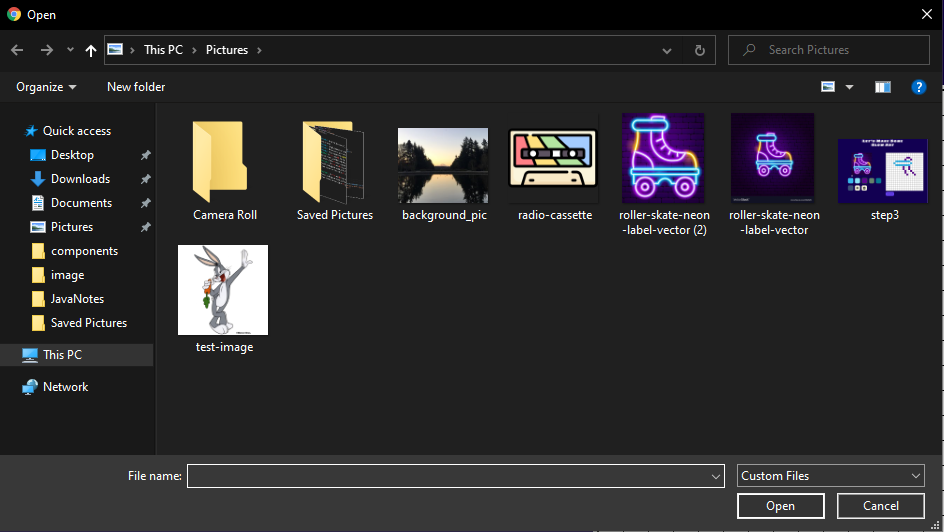
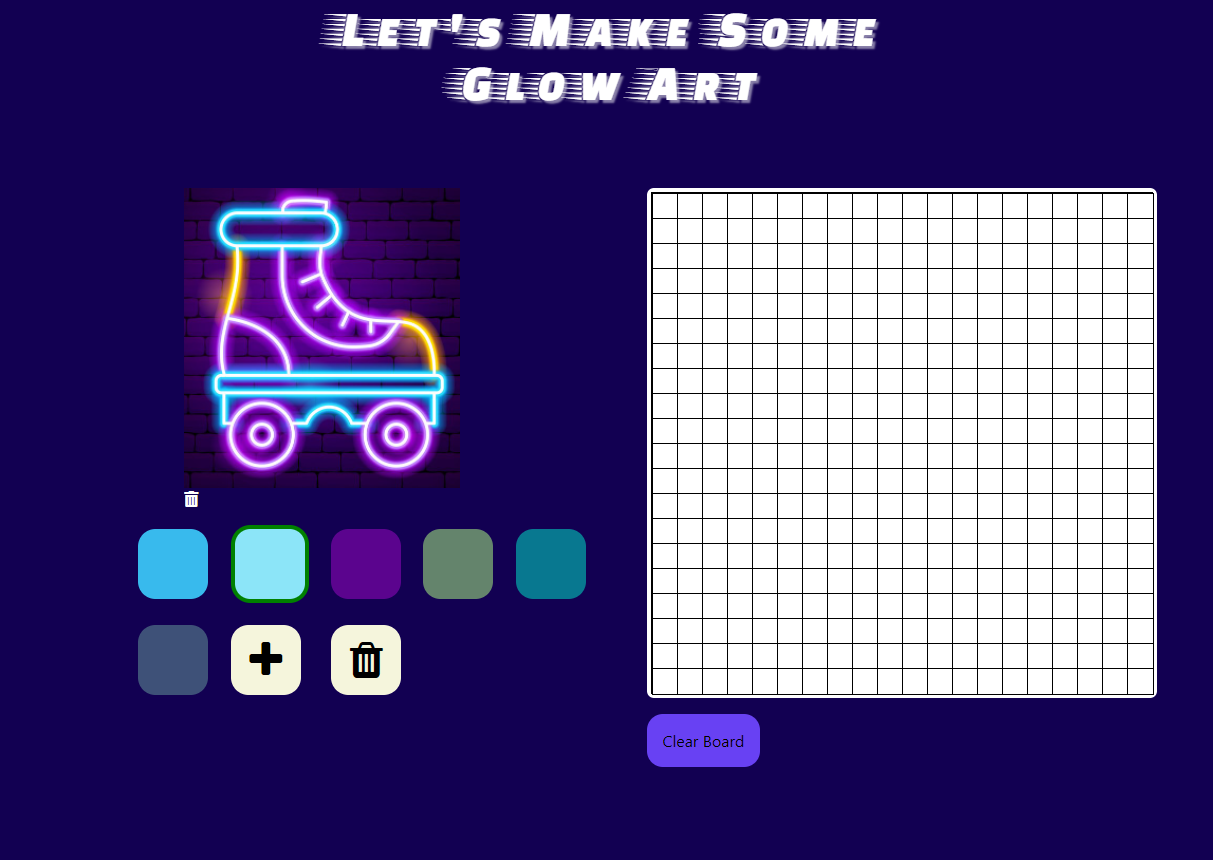
- Select a photo. Search for an image you'd like to recreate or to inspire your own creation. You can also choose an image from our library.
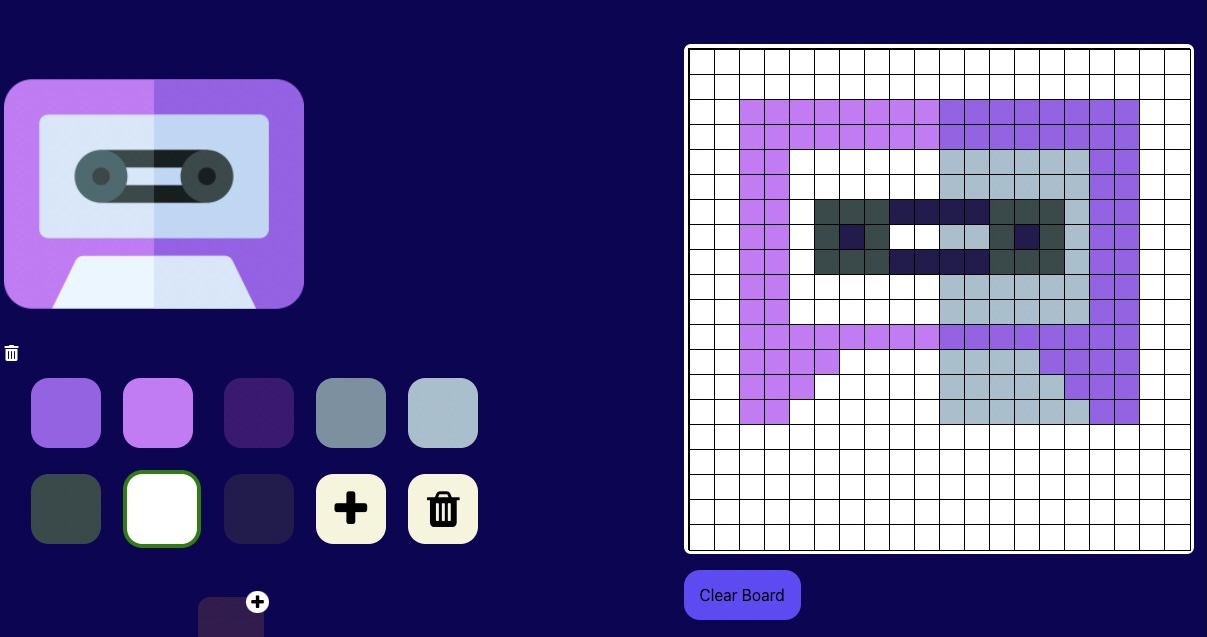
- Once you upload an image, we'll extract the major colors for your use! Simply click on which color you would like to use, and start clicking away.
- Use the colors to recreate the image on the pixel grid OR use the colors to get the creative juices flowing and make your own masterpiece!
Software Engineer for Glow Vibes Art. Dale is driven by solving challenging problems and collaborating with a passionate team to build great things. He is currently interested in roles as a full-stack developer or software engineer, and he is open to relocating.
linkedin
github
portfolio
Designer for Glow Vibes Art. Bridgett is a recent bootcamp graduate from Nucamp's Frontend Web Development program. She enjoys taking website designs and challenging herself to write more efficient and responsive code each time. She is based in Spokane, WA but open to remote work.
linkedin
github
portfolio
Full Stack Developer for Glow Vibes Art. Arthur is a music major turned software developer. He loves using problem solving skills and technical tools to produce elegant and functional solutions. He builds apps using React, MongoDB, Express, Node, React Native, and Expo.
linkedin
github
portfolio
- React
- react-color-extractor
In the project directory, you can run:
Runs the app in the development mode.
Open http://localhost:3000 to view it in the browser.
The page will reload if you make edits.
You will also see any lint errors in the console.
Launches the test runner in the interactive watch mode.
See the section about running tests for more information.
Builds the app for production to the build folder.
It correctly bundles React in production mode and optimizes the build for the best performance.
The build is minified and the filenames include the hashes.
Your app is ready to be deployed!
See the section about deployment for more information.
Note: this is a one-way operation. Once you eject, you can’t go back!
If you aren’t satisfied with the build tool and configuration choices, you can eject at any time. This command will remove the single build dependency from your project.
Instead, it will copy all the configuration files and the transitive dependencies (webpack, Babel, ESLint, etc) right into your project so you have full control over them. All of the commands except eject will still work, but they will point to the copied scripts so you can tweak them. At this point you’re on your own.
You don’t have to ever use eject. The curated feature set is suitable for small and middle deployments, and you shouldn’t feel obligated to use this feature. However we understand that this tool wouldn’t be useful if you couldn’t customize it when you are ready for it.
You can learn more in the Create React App documentation.
To learn React, check out the React documentation.
This section has moved here: https://facebook.github.io/create-react-app/docs/code-splitting
This section has moved here: https://facebook.github.io/create-react-app/docs/analyzing-the-bundle-size
This section has moved here: https://facebook.github.io/create-react-app/docs/making-a-progressive-web-app
This section has moved here: https://facebook.github.io/create-react-app/docs/advanced-configuration
This section has moved here: https://facebook.github.io/create-react-app/docs/deployment
This section has moved here: https://facebook.github.io/create-react-app/docs/troubleshooting#npm-run-build-fails-to-minify