



A lightweight, high-performance training library for efficient fine-tuning of large language models up to 70B parameters.

Built for speed, simplicity, and scalability 🚀
- 🔥 Liger Kernels - Minimized memory footprint through chunked loss computation
- ⚡ Smart Batch Packing - Automatic minibatching with numba-optimized LPT algorithm for optimal GPU load balancing
- 🎯 FSDP2 Support - Native PyTorch distributed training with FullyShardedDataParallel
- 🚫 Padding-Free - Leverages Flash Attention for efficient computation without padding overhead
- ♾️ Infinite Sampling - Continuous data streaming without manual epoch configuration
- 🔬 Orthogonal Subspace Fine-Tuning (OSFT) - Advanced continual learning technique for parameter-efficient training
- 📚 Pretraining Mode - Document-style pretraining with configurable block sizes on pre-tokenized
input_ids - ✅ Event-Based Validation - Configurable validation triggers (step, epoch, sample-count, end-of-training) with best-loss checkpointing
- 📊 Flexible Logging - JSONL metrics logging with optional Weights & Biases integration

Mini Trainer implements Orthogonal Subspace Fine-Tuning (OSFT), a breakthrough continual learning technique that enables models to learn new tasks without catastrophic forgetting. OSFT uses adaptive SVD-based decomposition to intelligently update models in unused parameter subspaces while preserving crucial prior knowledge.
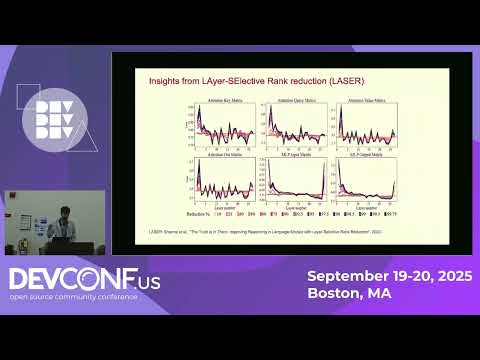

Watch our technical deep-dive on Orthogonal Subspace Learning
- 📝 Blog Post: Sculpting Subspaces: How We Solved Continual Learning in LLMs
- 📄 Research Paper: arXiv:2504.07097
Enable OSFT in your training runs with the --osft flag:
torchrun --nnodes=1 --nproc-per-node=8 -m mini_trainer.train \
    --model-name-or-path meta-llama/Llama-3.1-8B-Instruct \
    --data-path ./data.jsonl \
    --output-dir ./checkpoints \
    --osft \
    --osft-unfreeze-rank-ratio 0.25  # train the 25% least important parameters
The --osft-unfreeze-rank-ratio parameter controls how much of the model to update (0.0 = everything frozen, 1.0 = full training).
# Install base package
pip install rhai-innovation-mini-trainer

# Install CUDA dependencies (required for GPU training)
pip install rhai-innovation-mini-trainer[cuda] --no-build-isolation# Clone the repository
git clone https://github.com/Red-Hat-AI-Innovation-Team/mini_trainer.git
cd mini_trainer
# Install in editable mode
pip install -e .
# Install CUDA dependencies
pip install -e .[cuda] --no-build-isolationTraining is orchestrated through the api_train.py module, which provides a programmatic interface for launching training jobs. You can run training using torchrun for distributed setups:
torchrun --nnodes=1 --nproc-per-node=8 -m mini_trainer.train \
    --output-dir ./checkpoints \
    --data-path ./data.jsonl \
    --model-name-or-path meta-llama/Llama-3.1-8B-Instruct \
    --batch-size 128 \
    --max-tokens-per-gpu 128000 \
    --learning-rate 5e-6 \
--use-liger-kernels--model-name-or-path- HuggingFace model identifier or local path--data-path- Path to tokenized training data (JSONL format)--batch-size- Target batch size for training--max-tokens-per-gpu- Maximum tokens per GPU (auto-balances minibatches)--output-dir- Directory for checkpoints and logs--use-liger-kernels- Enable memory-efficient Liger kernels--osft- Enable Orthogonal Subspace Fine-Tuning mode--osft-unfreeze-rank-ratio- Ratio of model parameters to train with OSFT (0.0-1.0)--block-size- Enables pretraining mode with the given block length--validation-split- Fraction of training data to hold out for validation (greater than 0, less than 1)--validation-data-path- Path to a separate validation dataset (mutually exclusive with--validation-split)--validation-frequency- Run validation every N steps--validate-at-epoch- Run validation at the end of each epoch--min-samples-per-validation- Minimum accumulated samples between validation runs--validate-at-final- Run validation at the end of training
For the complete list of arguments and advanced configuration options, see src/mini_trainer/api_train.py.
🛠️ Contributors – Looking for the lazy-init + FSDP2 loading flow?
See docs/distributed_initialization.md for diagrams and a detailed walkthrough of the SFT and OSFT pipelines.
Mini Trainer supports configurable validation during training with an event-based trigger system. You can combine multiple triggers to control exactly when validation runs.
There are two ways to supply validation data:
-
Automatic split — hold out a fraction of the training data:
--validation-split 0.1 # use 10% for validation -
Separate dataset — provide a dedicated JSONL file:
--validation-data-path ./eval_data.jsonl
These options are mutually exclusive.
At least one trigger must be configured when validation data is provided. Triggers can be combined — for example, validate every 100 steps and at the end of each epoch.
| Flag | Description |
|---|---|
--validation-frequency N |
Run validation every N training steps |
--validate-at-epoch |
Run validation at the end of each epoch |
--min-samples-per-validation N |
Run validation every N accumulated samples |
--validate-at-final |
Run validation at the end of training |
When both step and sample triggers fire on the same step, validation runs only once (triggers are coalesced).
Save a checkpoint whenever validation loss improves:
--save-best-val-loss \
--val-loss-improvement-threshold 0.001 # optional minimum improvementtorchrun --nnodes=1 --nproc-per-node=8 -m mini_trainer.train \
--model-name-or-path meta-llama/Llama-3.1-8B-Instruct \
--data-path ./data.jsonl \
--output-dir ./checkpoints \
--batch-size 128 \
--max-tokens-per-gpu 128000 \
--learning-rate 5e-6 \
--validation-data-path ./eval_data.jsonl \
--validate-at-epoch \
--validate-at-final \
--save-best-val-lossfrom mini_trainer import TrainingArgs, TorchrunArgs, run_training
train_args = TrainingArgs(
model_name_or_path="meta-llama/Llama-3.1-8B-Instruct",
data_path="./data.jsonl",
output_dir="./checkpoints",
batch_size=128,
max_tokens_per_gpu=128000,
learning_rate=5e-6,
# Validation configuration
validation_data_path="./eval_data.jsonl",
validate_at_epoch=True,
validate_at_final=True,
save_best_val_loss=True,
)
run_training(TorchrunArgs(nproc_per_node=8), train_args)Validation state is saved in full-state checkpoints, so training can be resumed without re-running validation from scratch.
Mini Trainer expects pre-tokenized data in JSONL format with the following structure:
{"input_ids": [1, 2, 3, ...], "labels": [1, 2, 3, ...], "len": 128}
{"input_ids": [4, 5, 6, ...], "labels": [-100, -100, 6, ...], "len": 256}
Each line should contain:
input_ids- Tokenized input sequencelabels- Target labels (use-100for tokens to ignore in loss computation)len- Sequence length (optional, computed automatically if missing)
Mini Trainer does not include data processing utilities. For tokenization and data preparation, please use the instructlab-training APIs, which provide robust data processing pipelines compatible with Mini Trainer's input format.
Mini Trainer supports pretraining on tokenized document corpora. Pass a --block-size to enable the document pipeline (the input JSONL is expected to have an input_ids column):
torchrun --nnodes=1 --nproc-per-node=4 -m mini_trainer.train \
    --model-name-or-path qwen/Qwen2.5-1.5B-Instruct \
    --data-path ./documents.jsonl \
    --output-dir ./checkpoints \
    --batch-size 16 \
    --max-tokens-per-gpu 8192 \
--block-size 512--block-size(required) enables pretraining mode and defines the token length for each block.
Programmatic usage mirrors the CLI via PretrainingConfig:
from mini_trainer import TrainingArgs, PretrainingConfig

args = TrainingArgs(
    model_name_or_path="mistralai/Mistral-7B-v0.1",
    data_path="documents.jsonl",
    output_dir="./checkpoints",
    batch_size=128,
    max_tokens_per_gpu=40000,
    pretraining_config=PretrainingConfig(
        block_size=4096,
    ),
)Found a bug or have a feature request? We'd love to hear from you! Please open an issue on GitHub with:
- A clear description of the problem
- Steps to reproduce
- Expected vs. actual behavior
- Environment details (Python version, GPU type, etc.)
This project is licensed under the Apache License 2.0 - see the LICENSE file for details.
Built with ❤️ by the Red Hat AI Innovation Team.
Mini Trainer is part of a broader ecosystem of LLM tools developed by the AI Innovation Team. Check out our other projects:
- training_hub - Post-training algorithms for LLMs
- its_hub - Inference-time scaling for LLMs
- sdg_hub - Synthetic data generation pipelines
- reward_hub - State-of-the-art reward models
Visit ai-innovation.team to explore all our open-source tools and research.
Special thanks to the open-source community for contributions and feedback!