

Two display fixes for the Lenovo Legion Go 2 OLED under gamescope. The Steam brightness slider, and the EDID that games are given. Both are gaps rather than misbehaviour: something upstream simply does not write where the display is listening.
Features · Requirements · Installation · Usage · Screenshots · How it works · Troubleshooting
| Three display modes | Hybrid, PQ or gamma 2.2, chosen on first run and changeable at any time. Hybrid keeps the panel in gamma 2.2 and moves it into PQ only while a game is presenting HDR |
| Brightness slider that works | While the panel runs in PQ with no HDR content on screen, the backlight level is forwarded to gamescope, which is the only thing still listening |
| Correct HDR metadata for games | Drops the DisplayID block DXVK's stale parser chokes on, so games read the panel's real peak luminance instead of a 1499 nit placeholder |
| Both halves are automatic | Neither adds a control of its own. The plugin makes the ones you already have reach the panel |
| Knows when to stand down | It releases the moment HDR content appears, because Steam already has a working path there, and whenever the panel leaves PQ, because the backlight then works by itself |
| Restores what it found | The previous gamescope value and the untouched EDID bytes are captured before the first write and put back on unload or removal |
| Low background work | Backlight changes are event-driven. PQ and gamma 2.2 check gamescope every two seconds; Hybrid checks its HDR request twice a second |
| No sudo steps | Installation and normal use need no terminal commands or manual privilege changes |
| Requirement | Details |
|---|---|
| Device | Lenovo Legion Go 2 with the Samsung AMS881KB01-0 panel (EDID SDC 0x4301) |
| OS | SteamOS in Game Mode. The plugin installs the gamescope display script itself |
| Plugin loader | Decky Loader |
| Manual privileges | none; Decky handles plugin installation with its existing service privileges |
Note
The device row applies to the brightness half only, which is matched on EDID manufacturer and product code so it cannot dim a display that does honour its backlight. The EDID half is not gated that way: the DXVK defect fires on any display carrying a DisplayID 2.0 block, and the block it removes is one DXVK never reads. It does refuse to touch an EDID whose CTA block carries no luminance, so a display is never left with no usable metadata at all.
1. Install Decky Loader if you haven't already.
2. Download LeGo2BrightnessFix-x.x.x.zip from the Releases page.
3. In Gaming Mode, open the Quick Access Menu (the … button).
4. Open the Decky menu, scroll to the bottom, then Developer → Install Plugin from ZIP.
5. Select the downloaded zip.
Building from source
Requires Node.js 18+.
git clone https://github.com/Rayekkk/LeGo2BrightnessFix
cd LeGo2BrightnessFix

npm install
npm run typecheck
npm run package    # builds the frontend and produces LeGo2BrightnessFix-<version>.zip
Then install the resulting zip through Decky's Install Plugin from ZIP, which is the supported path and avoids permission problems.
Both fixes are on by default and report what they are doing, so a glance tells you whether either half is engaged and why. The only choice is how the panel should be driven; it is asked once on first run and remains available under Switch Display Mode.
First run needs one choice. Pick Hybrid, PQ or gamma 2.2. That choice installs the matching gamescope display script; until the installation succeeds, background work stays off. If gamescope is already running a different script variant, the plugin offers a Restart Game Mode button because display scripts are read only at session startup.
After the restart the full panel appears and the plugin starts working. Any script you
already had for this panel is kept alongside as .backup, and uninstalling the plugin puts
it back.
The panel's transfer function is the root of every trade-off on this device, so the plugin asks which one you want on first run and keeps the choice changeable under Switch Display Mode.
| Mode | What you get | What it costs |
|---|---|---|
| Hybrid (recommended) | Gamma 2.2 for everyday use and PQ only while a game presents HDR, so neither is given up | Each switch between HDR and SDR briefly blanks the screen |
| PQ | HDR at the panel's full 1100 nit peak, at the absolute levels content was mastered for | The panel ignores its brightness control, so dimming fades the image and shadows wash out to grey |
| Gamma 2.2 | The brightness control drives the panel directly, so black stays black at any level | HDR is tone mapped against the panel's ~471 nit ceiling, so highlights lose their punch |
PQ is an absolute transfer function: a code value maps to a fixed luminance, so the panel
stops honouring /sys/class/backlight/amdgpu_bl0 entirely. Dimming can then only scale the
content down, and since the panel's near-black floor stays where it is, contrast collapses.
Gamma 2.2 hands brightness back to the hardware, where white and black move together.
Hybrid gets both because gamescope decides PQ output at runtime, from an atom, while the display script only has to permit it. That is why hybrid installs the PQ script and switches underneath it, rather than the gamma 2.2 one.
Note
Switching between Hybrid and PQ takes effect immediately, because they share a display script. Moving to or from Gamma 2.2 replaces that script, and gamescope only reads display scripts when it starts, so Game Mode has to restart.
The first run keeps the decision focused: Hybrid is presented first, the fixed modes stay one tap away, and the plugin explains the cost of every choice before changing the panel.
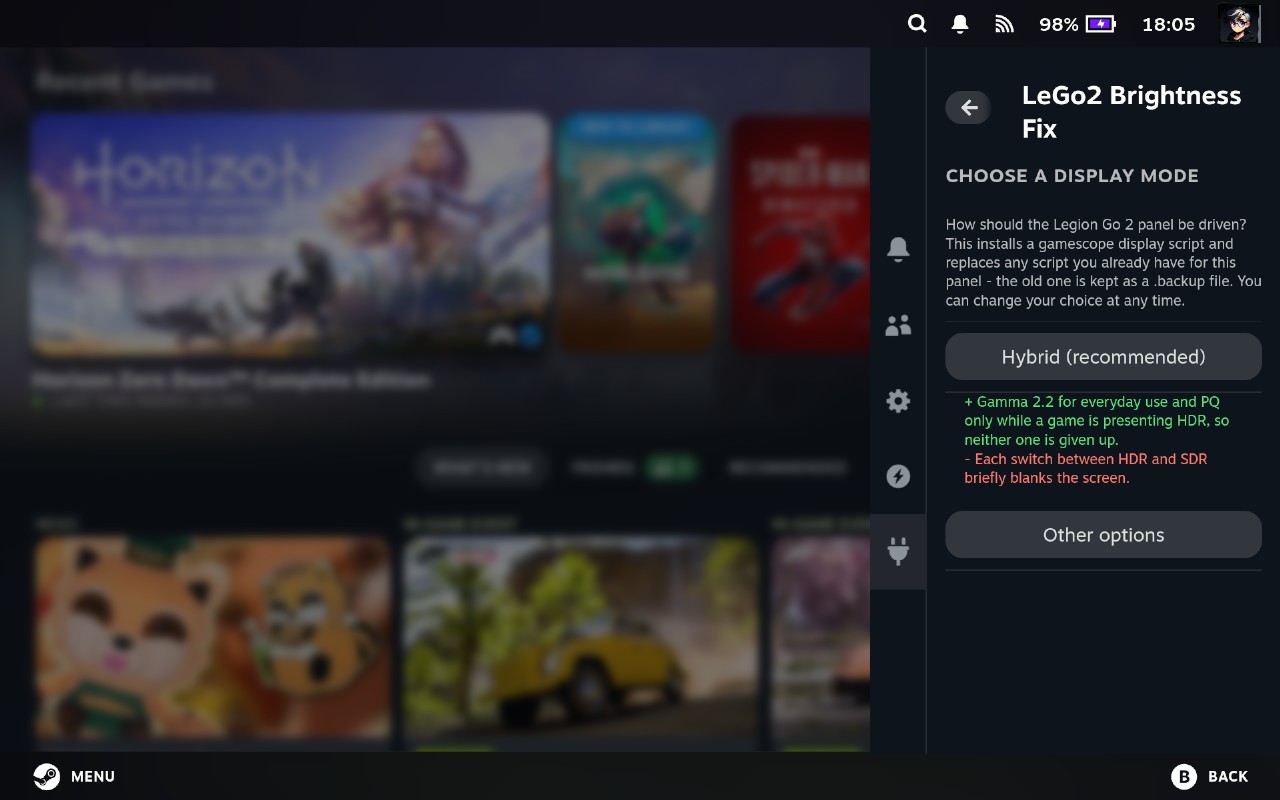
1 · Start with the recommended mode Hybrid is shown up front with its SDR and HDR behaviour, including the brief blank screen that accompanies a panel-mode switch. |
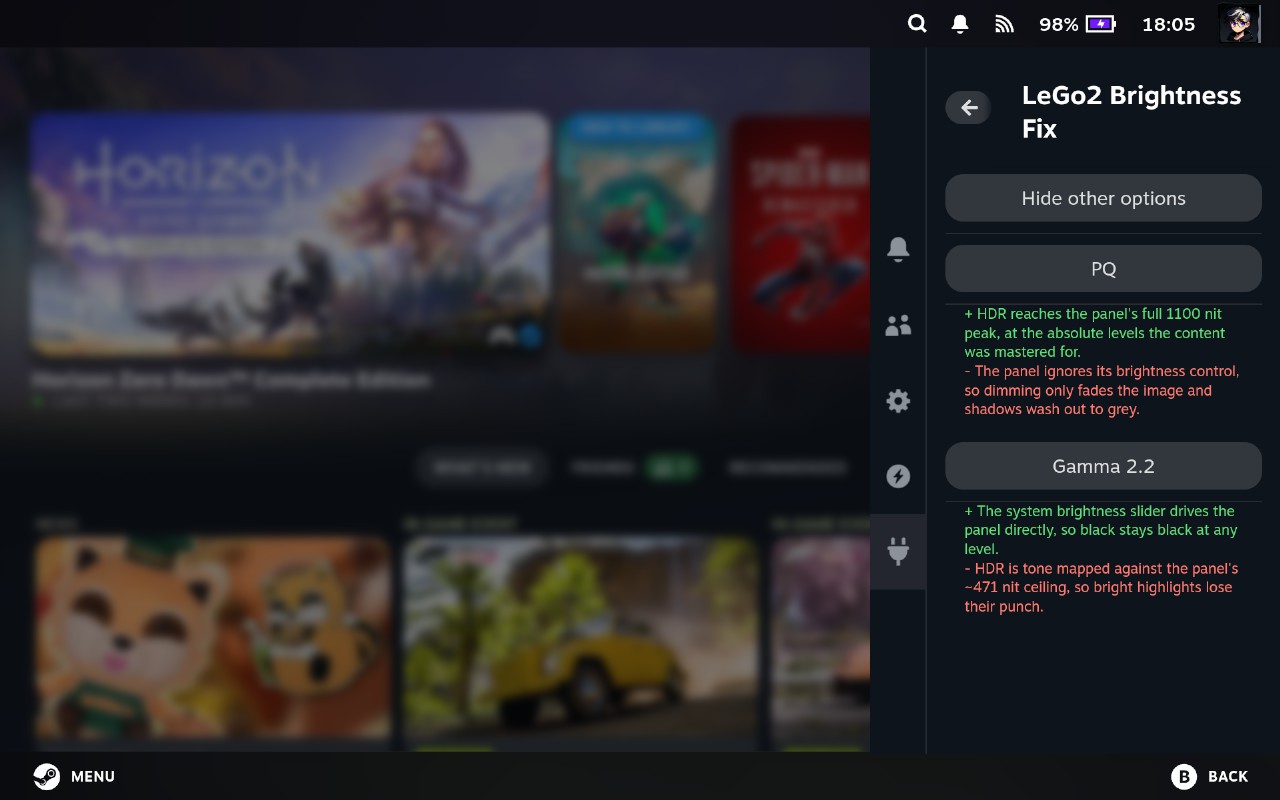
2 · Compare the fixed alternatives Expanding the other options puts PQ and Gamma 2.2 side by side with their exact brightness and HDR trade-offs. |
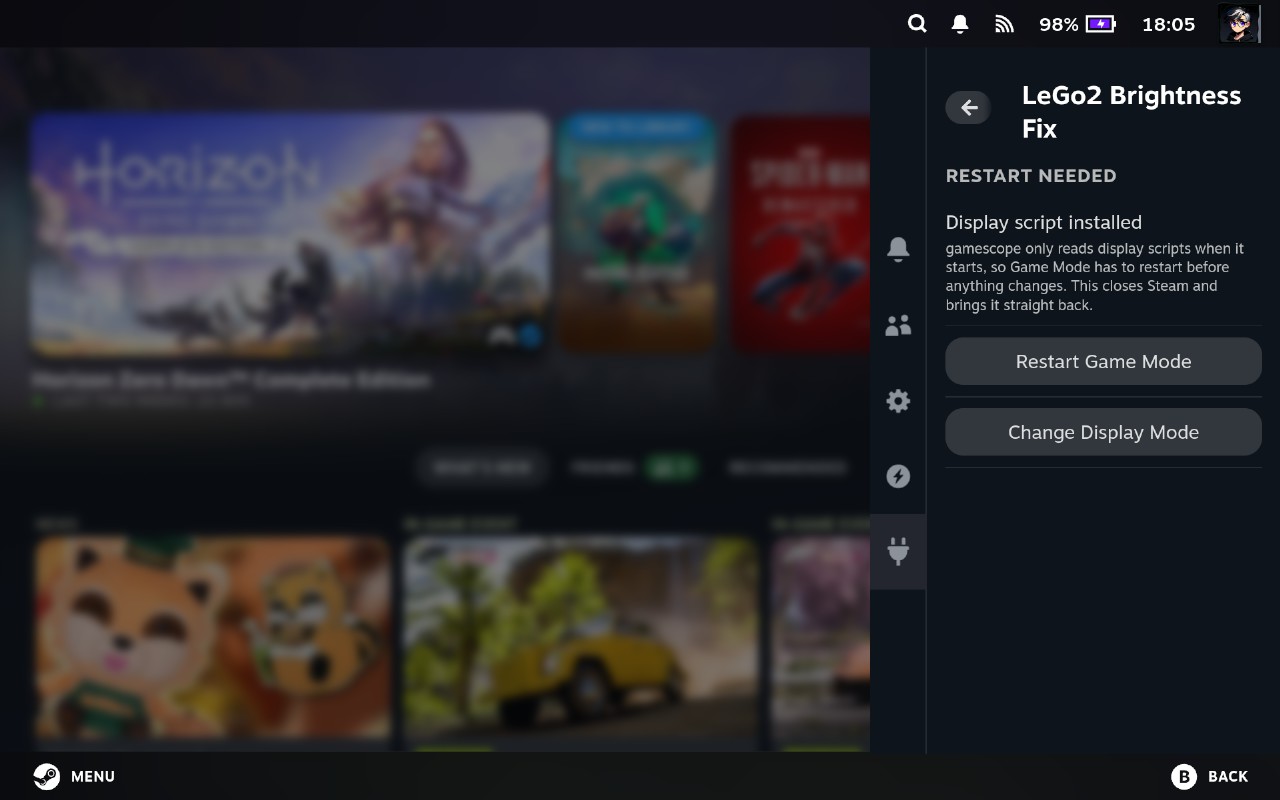
3 · Restart only when the script requires it
Once the display script is installed, the plugin can restart Game Mode directly or let
you return and choose another mode.
After setup, the main panel separates live display state from the two independent fixes. It shows what the panel is doing now, not merely what was selected earlier.
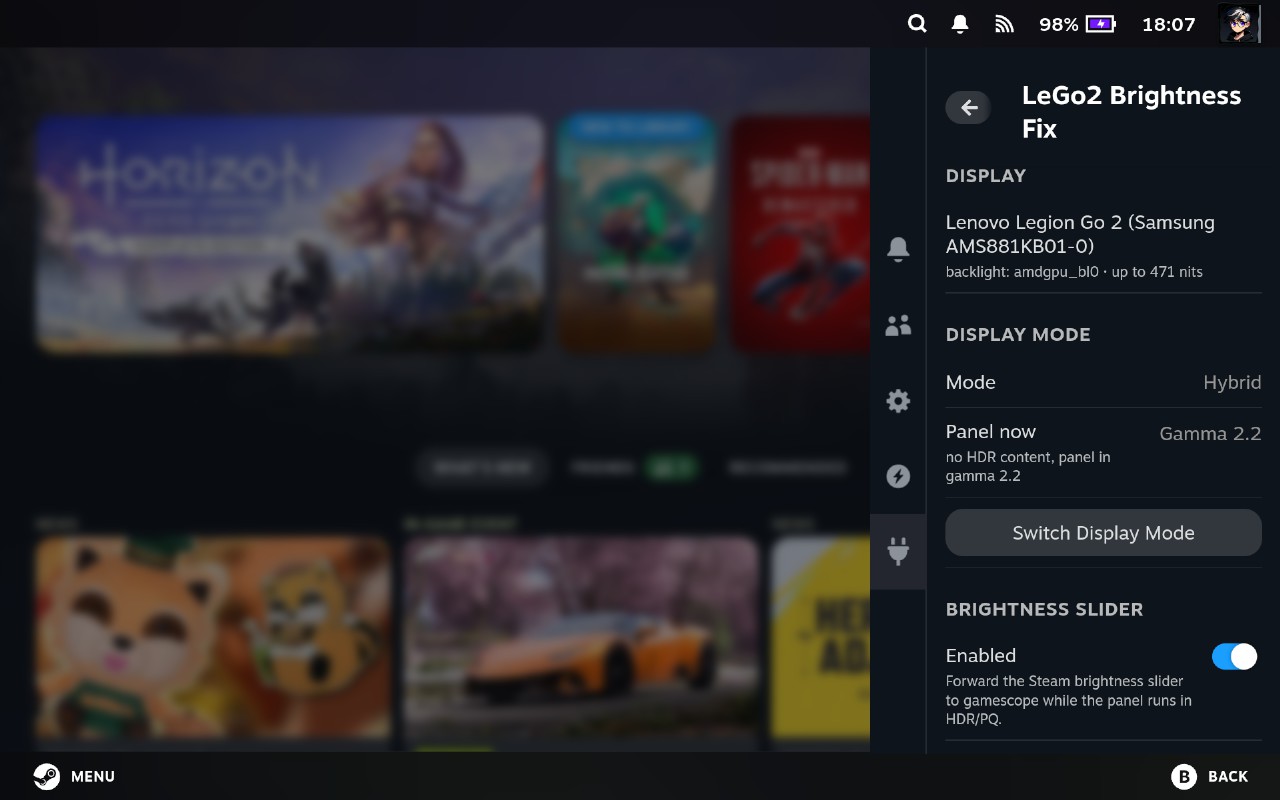
Live panel state The identified display, selected mode and current transfer function are visible at a glance, with the mode switcher directly below them. |
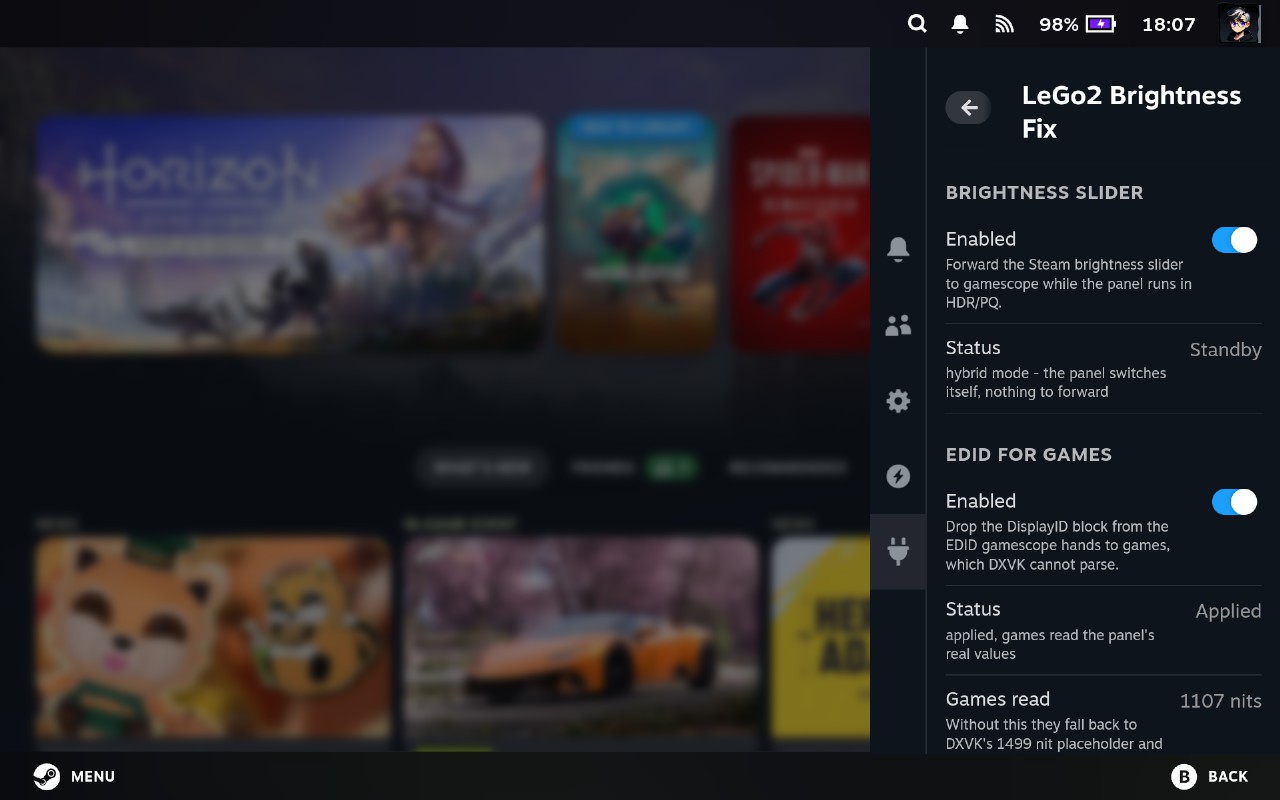
Independent fix status Brightness forwarding and EDID correction each report whether they are enabled, what they are doing, and the peak luminance games currently receive. |
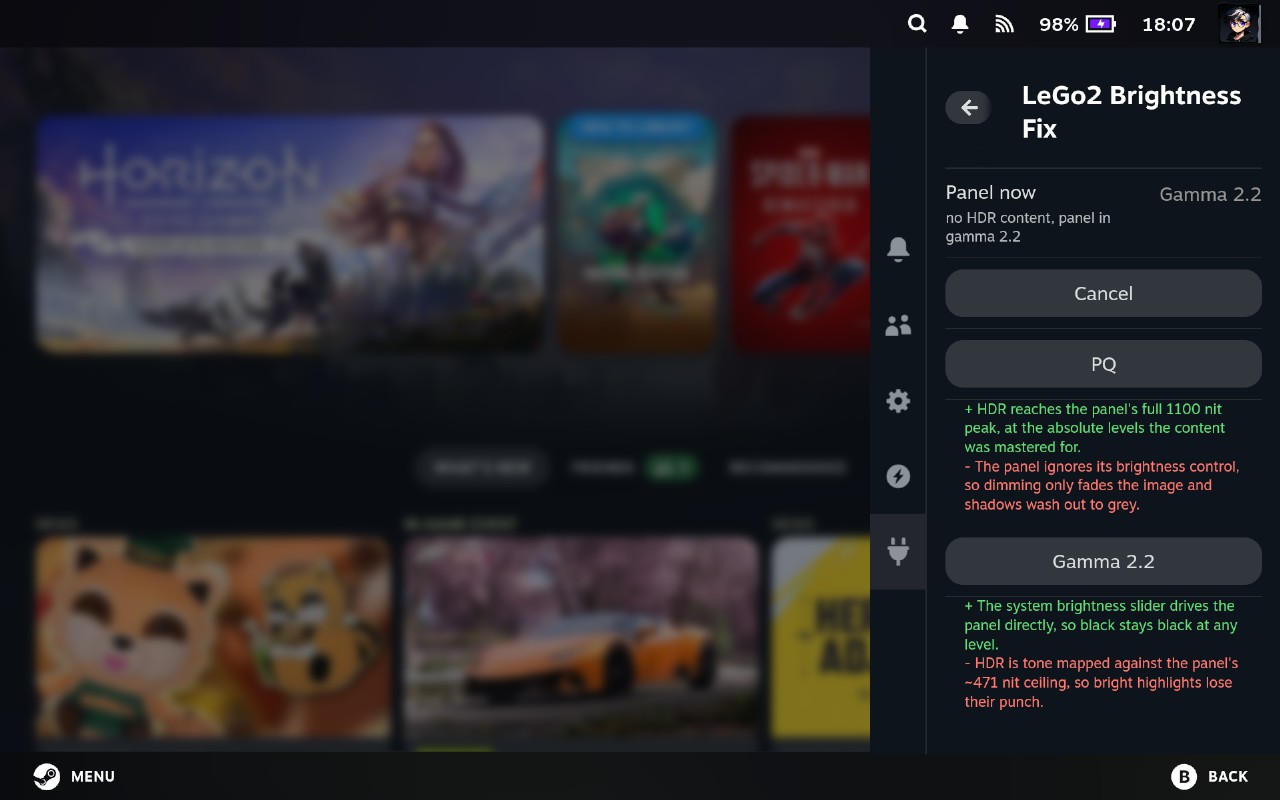
Change the decision later
The full mode chooser remains available after setup while the current panel state stays
visible above it.
Steam writes the slider position somewhere the panel is not listening. The panel is
driven over eDP AUX luminance control, so /sys/class/backlight/amdgpu_bl0 is expressed in
millinits and tops out at 471000, which is 471 nits of full-field white. While
gamescope drives the panel in PQ, the panel ignores that control completely, and the slider
moves with nothing happening on screen.
Steam does have a working path, but only for HDR content. With an HDR game on screen it
drives gamescope's GAMESCOPE_HDR_INPUT_GAIN and GAMESCOPE_SDR_INPUT_GAIN instead of the
backlight. That is the two-tone slider the Quick Access Menu shows in HDR, and it works.
With no HDR content it falls back to the backlight alone, and nothing downstream is
listening.
So the gap is narrow and precise: PQ output, no HDR content.
if the panel is in HDR/PQ  and  no HDR content is on screen:
        gamescope SDR level (nits) = backlight value / 1000
otherwise:
        stay out of the way
GAMESCOPE_SDR_ON_HDR_CONTENT_BRIGHTNESS takes nits, the same unit the backlight node
already uses, which is why the mapping is a plain divide. There is no curve of our own:
Steam has already spaced its 101 slider steps perceptually, and that spacing carries over
untouched.
Note
The plugin never touches anything while HDR content is up. Adding to Steam's own gain there would dim the image twice.
gamescope writes a copy of the panel EDID and publishes its path in
GAMESCOPE_DISPLAY_EDID_PATH. Proton loads that into the Wine registry, and DXVK parses it
to fill DXGI_OUTPUT_DESC1, the numbers every Direct3D game bases its HDR tone mapping on.
DXVK vendors libdisplay-info pinned at a commit from March 2023. In that revision
parse_ext() ignores errno, so when _di_displayid_parse() refuses a DisplayID 2.0 block
with ENOTSUP, the whole EDID is discarded rather than that one block. DXVK then
substitutes the placeholders in NormalizeDisplayMetadata().
Measured on the device, with DXVK_HDR=1 so DXVK is in the same HDR10 colour space a game
would be:
| What a game is told | Without the fix | With the fix | The panel's actual EDID |
|---|---|---|---|
| Peak luminance | 1499.000 nits | 1107.128 nits | 1107.128 |
| Full-frame luminance | 799.000 nits | 475.683 nits | 475.683 |
| Black level | 0.0100 nits | 0.0007 nits | 0.0007 |
| Red primary | 0.6800, 0.3200 | 0.6836, 0.3154 | 0.6836, 0.3154 |
| Green primary | 0.2650, 0.6900 | 0.2402, 0.7139 | 0.2402, 0.7139 |
| Blue primary | 0.1500, 0.0600 | 0.1396, 0.0439 | 0.1396, 0.0439 |
| White point | 0.3127, 0.3290 | 0.3135, 0.3291 | 0.3134, 0.3291 |
Every figure in the "without" column is a hardcoded constant inside DXVK. None of them has anything to do with this panel. Peak luminance overstated by 35%, full-field by 68%, black level by 14x, and a gamut that is simply a different one, DCI-P3, where this panel is noticeably wider in green and blue.
Cross-check: with the fix on, Marvel's Spider-Man Remastered reports 1107 nits in its own HDR calibration screen after a reset to defaults.
The plugin removes the DisplayID extension from gamescope's copy, nothing else, and fixes the extension count and base checksum so the result is still a valid EDID. DXVK never reads DisplayID at all, only base-block chromaticity and the CTA HDR static metadata, so dropping it cannot cost a game anything.
Note
The proper fix belongs in DXVK. This is a stopgap for as long as that copy is stale.
Brightness itself is not polled. The backlight class calls sysfs_notify() on every level
change, so the plugin blocks on that and the kernel wakes it when the slider moves.
PQ and gamma 2.2 make one recurring xprop query every two seconds to re-check gamescope
state and the published EDID. Hybrid adds one query every 0.5 seconds, because that interval
is the maximum delay before the panel follows a game's HDR request. Exact CPU cost depends
on the SteamOS build and selected mode, so no fixed percentage is claimed here.
The brightness half never engages
There are three reasons it stands down, and the panel says which one applies: HDR content is on screen and Steam is already driving gamescope's gain, the display has left PQ so the backlight works by itself, or this is not a panel it recognises.
The last one is deliberate. On a display that does honour its backlight, forwarding the level a second time would dim it twice, so the half only runs where that cannot happen. See the note under Requirements.
Games still read 1499 nits
That figure is DXVK's placeholder, so it means the EDID handed to the game is still the original one. Check that the EDID half reports as engaged in the panel, and note that Proton reads the EDID into the Wine registry when the game starts, so a game already running keeps the values it was given.
npm install
npm run build        # bundles src/index.tsx into dist/
npm run typecheck    # TypeScript check with no emit
npm run package      # builds the installable zip

python -m unittest discover -s tests -v
The suite is in two halves. test_logic.py runs anywhere, including CI. test_device.py
skips itself unless it is running on an affected panel.
tests/live_run.py runs the plugin's decision loop outside DeckyLoader and prints every
state change, the quickest way to check the bridge on the device without installing
anything.
lego_updater.py shares its implementation with my other plugins; updater fixes should be
kept in sync between them.
- libdisplay-info - the parser DXVK vendors, whose stale copy this works around; the proper fix belongs upstream
BSD 3-Clause - see LICENSE. Third-party components are listed in NOTICE.
Vibe coded with the help of Claude 🤖