








Reject FOMO! When facing the information stream, be lazy, leave the rest to AI!
Revornix is an open-source, local-first AI information workspace. Save the noisy stream of links, papers, audio and screenshots you can't keep up with, and let the platform turn them into structured knowledge, generate reports and podcasts you can actually consume, and deliver the result through notifications when you're ready.
The whole stack — web client, gateway, API, async workers, trending feed, docs site — is open and self-hostable.
- Official site: https://revornix.com
- Live workspace: https://app.revornix.com (users in mainland China should prefer the local mirror https://app.revornix.cn for a more reliable connection)
- Documentation: https://revornix.com/docs
- Environment variables: https://revornix.com/docs/environment
- Roadmap: Notion roadmap
- Community: Discord · WeChat · QQ
- One pipeline for noisy information — ingestion → conversion → summary → graph → podcast → notification, all in one place.
- Built for AI retrieval quality — chunked vector storage in Milvus paired with a personalized GraphRAG layer on Neo4j.
- Open and controllable — runs entirely on your own infrastructure. Your documents, your database, your keys.
- Model-flexible — any OpenAI-compatible provider can be wired in, and engines for parsing, embedding, summarising, podcasting and illustration can be swapped independently.
- Collaboration-ready — share knowledge sections privately with a team or publish them to the open web.
- Public discovery — published documents, sections, creators, labels and trending topics get SEO-friendly pages out of the box.
- Collect — drop in web pages, PDFs, Word, Excel, PPT, plain text, audio, or automate ingestion through the public API, Python SDK / CLI, or OpenClaw skill.
- Understand — pluggable converters (MinerU, Jina, custom engines) clean and normalise the content into Markdown.
- Organise — chunks are embedded into Milvus; entities and relations are written to a per-user Neo4j graph; tags are auto-assigned.
- Deliver — AI-generated summaries, illustrated reports, two-voice podcasts and notifications reach you on your schedule.
Revornix/
├── web/                       # Next.js client (workspace + SEO pages) — see web/README.md
├── api/                       # FastAPI core backend (auth, documents, sections, AI) — see api/README.md
├── celery-worker/             # Async workflows (embedding, summary, graph, podcast, notifications)
├── gateway/                   # Go public-entry gateway (routing, anti-scraping, upstream failover)
├── hot-news/                  # Trending aggregation service (based on DailyHotApi)
├── docs/                      # Public docs site (revornix.com/docs) — separate Next.js + Nextra
├── desktop/                   # Planned desktop app (Tauri/Electron) — placeholder for now
├── assets/                    # Repo-level images and brand assets
└── docker-compose-local.yaml  # Local dependency bootstrap (Postgres, Redis, Neo4j, MinIO, Milvus)
Each subdirectory has its own README with the details specific to that service.
A short tour of what the platform actually does today. For step-by-step walkthroughs and screenshots, see the docs site.
- Multi-format ingestion — web pages, PDF, Word, Excel, PPT, plain text, audio, and structured data through the public API.
- Pluggable converters — pick a default engine (MinerU, Jina, custom) per workspace; mix engines per document type if needed.
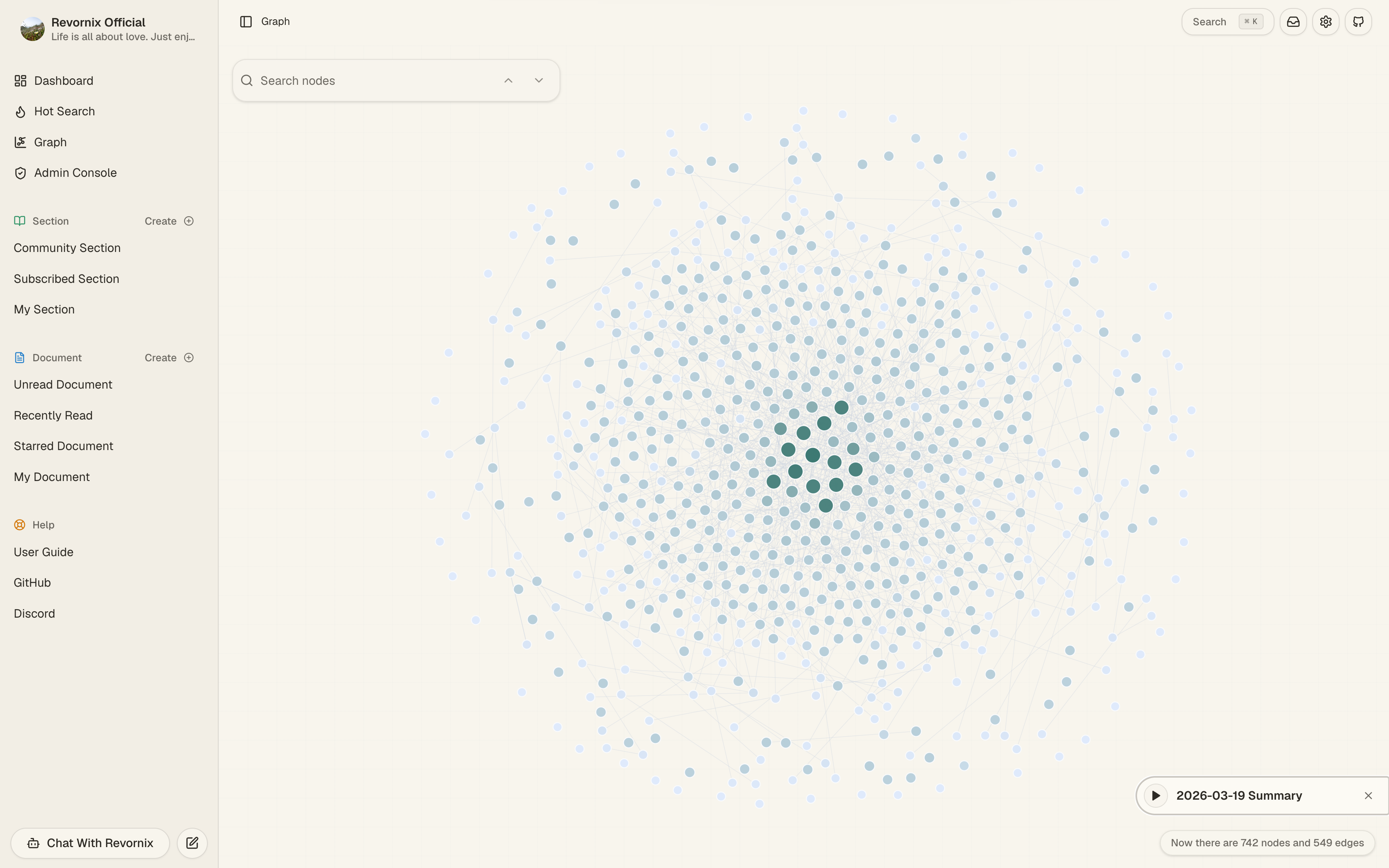
- Vector retrieval + GraphRAG — every document is chunked into Milvus and projected onto a personal knowledge graph in Neo4j for context-aware AI answers.
- Global search — vector or text mode over your private library, plus a separate public surface for published documents, sections, creators and labels.
- Sections — curated collections that can stay private, be shared with collaborators, or be published to the community feed.
- Day sections — automatic daily digests that gather what you saved into a single readable section.
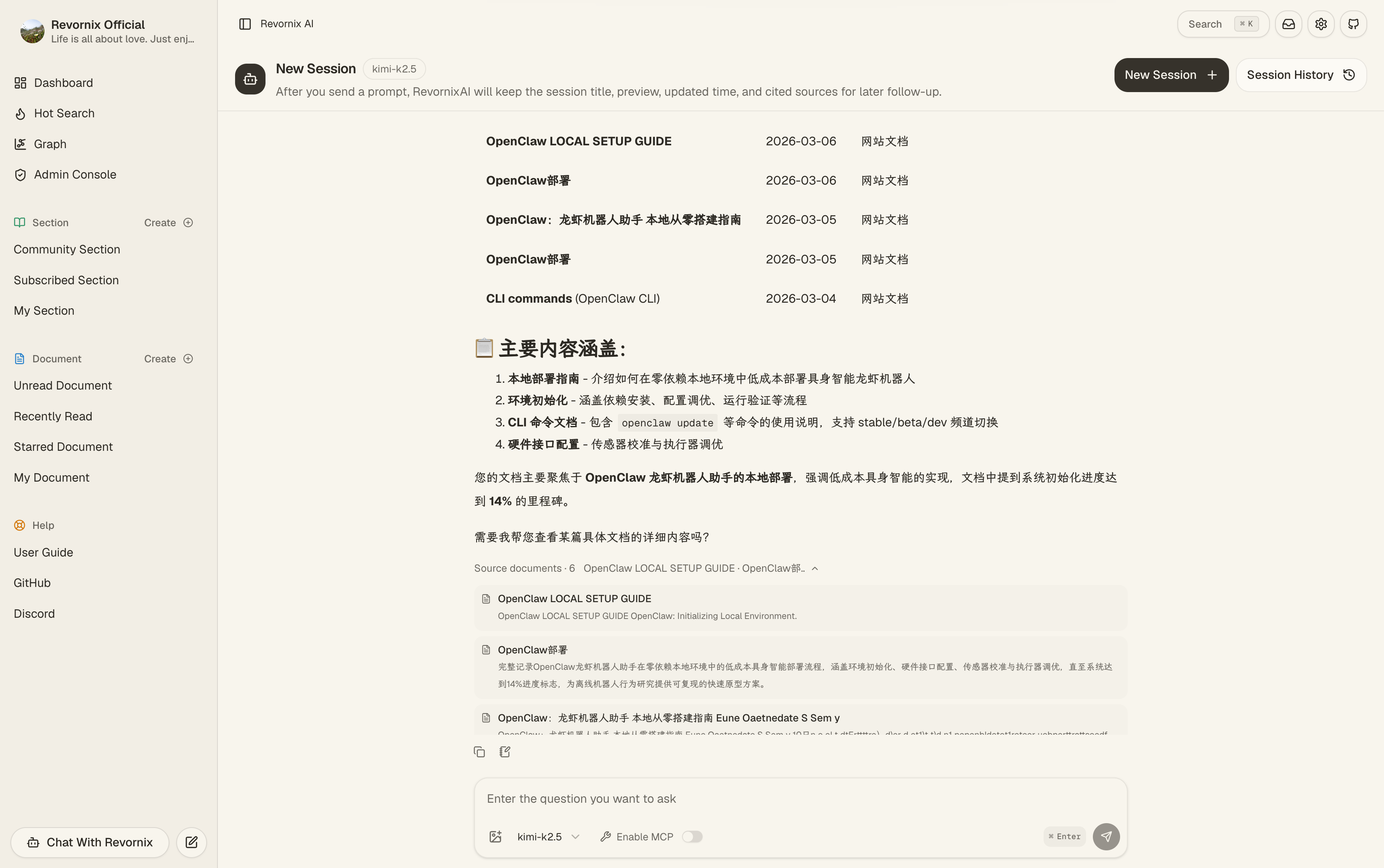
- AI assistant (Revornix AI) — chat that grounds on your documents and the personal graph.
- MCP — both MCP client (the workspace can drive external MCP servers) and MCP server (your library is exposed to MCP-aware tools).
- Auto podcast — two-voice podcast versions of documents and sections, regeneratable when content changes.
- AI illustrations — inline figures generated and embedded into long-form content.
- Trending feed — aggregated hot-search across mainstream platforms via the bundled
hot-news/. - Rich Markdown reading & editing — Tiptap-based editor with tables, Mermaid, math, images, and a floating table of contents on long public pages.
- Notifications — pick channels (email, in-app, push) and let the system surface task completion or scheduled digests.
- Multilingual & responsive — English / Chinese product UI, plus English / Chinese / Japanese repository docs; mobile and desktop layouts.
- Layered protection —
gateway/blocks obvious scraping at the edge,api/rate-limits sensitive public endpoints.
A glimpse of the workspace and the public surfaces. The full walkthrough lives in the docs.
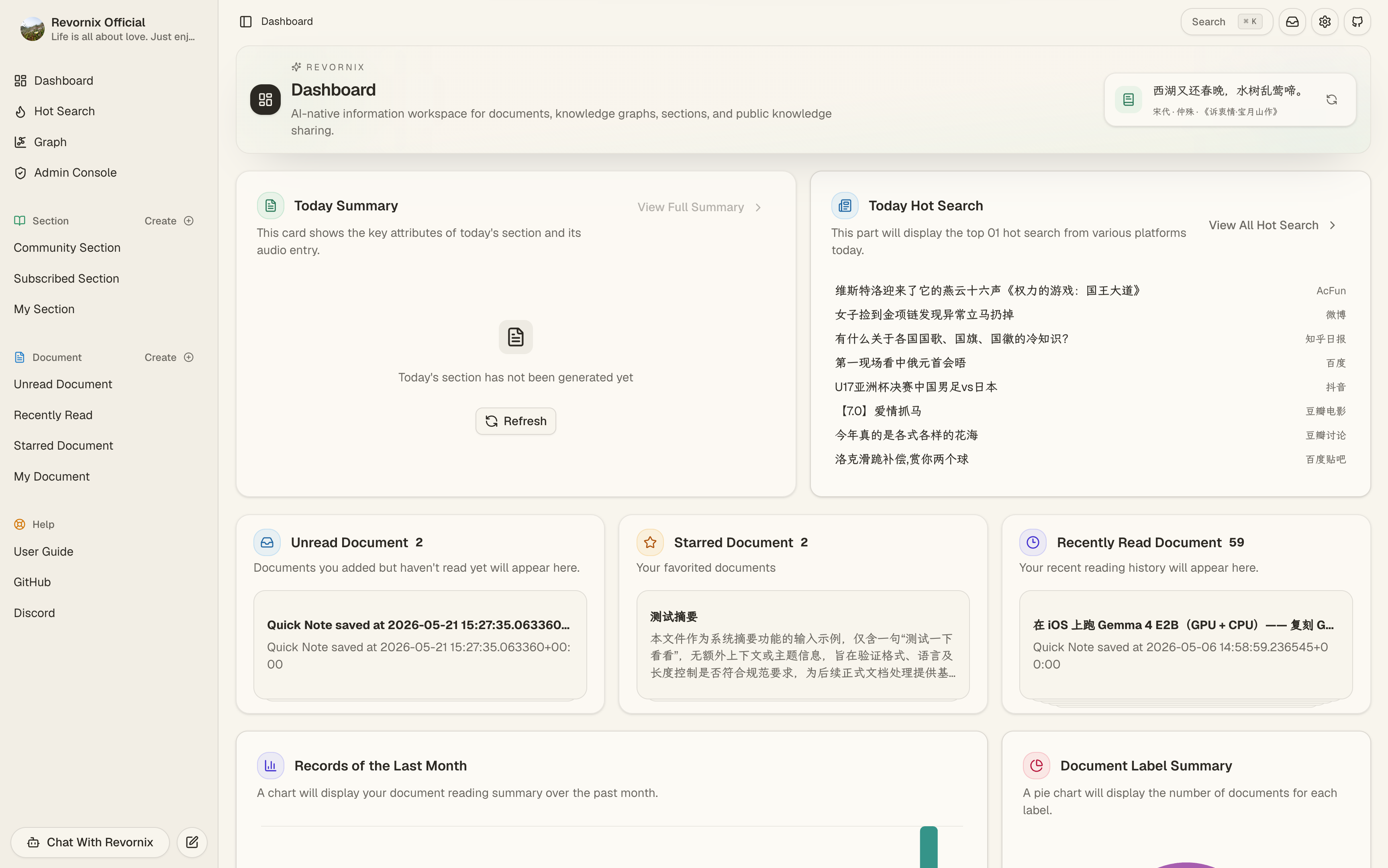
Dashboard — daily overview, AI suggestions, freshness signals.
Revornix AI — chat grounded on your documents and personal graph.
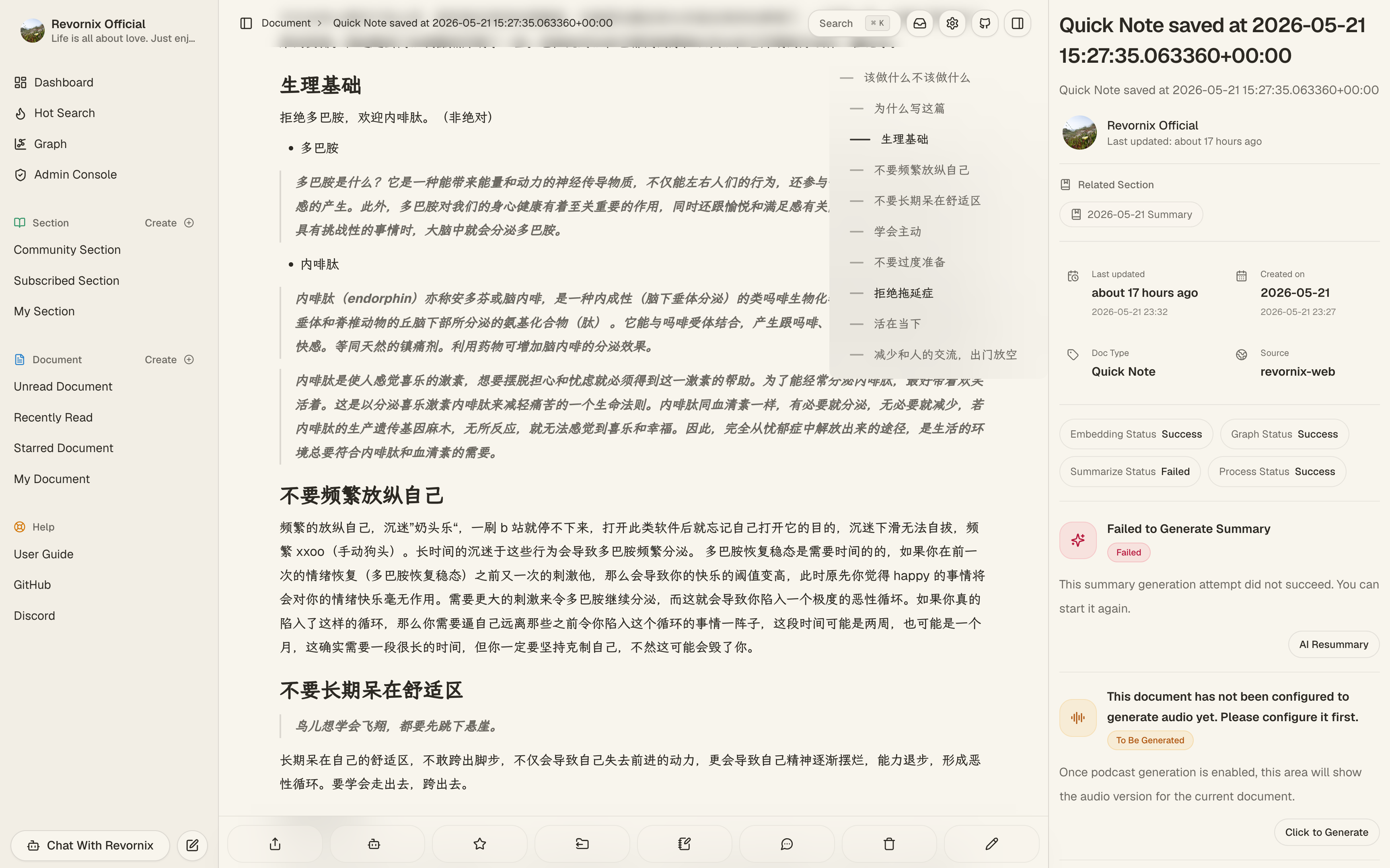
Document detail — Markdown reader, AI summary, podcast, knowledge graph and actions on one page.
Personal knowledge graph — entities and relations extracted from everything you've saved.
Section — curate a private or public collection of documents around a topic.
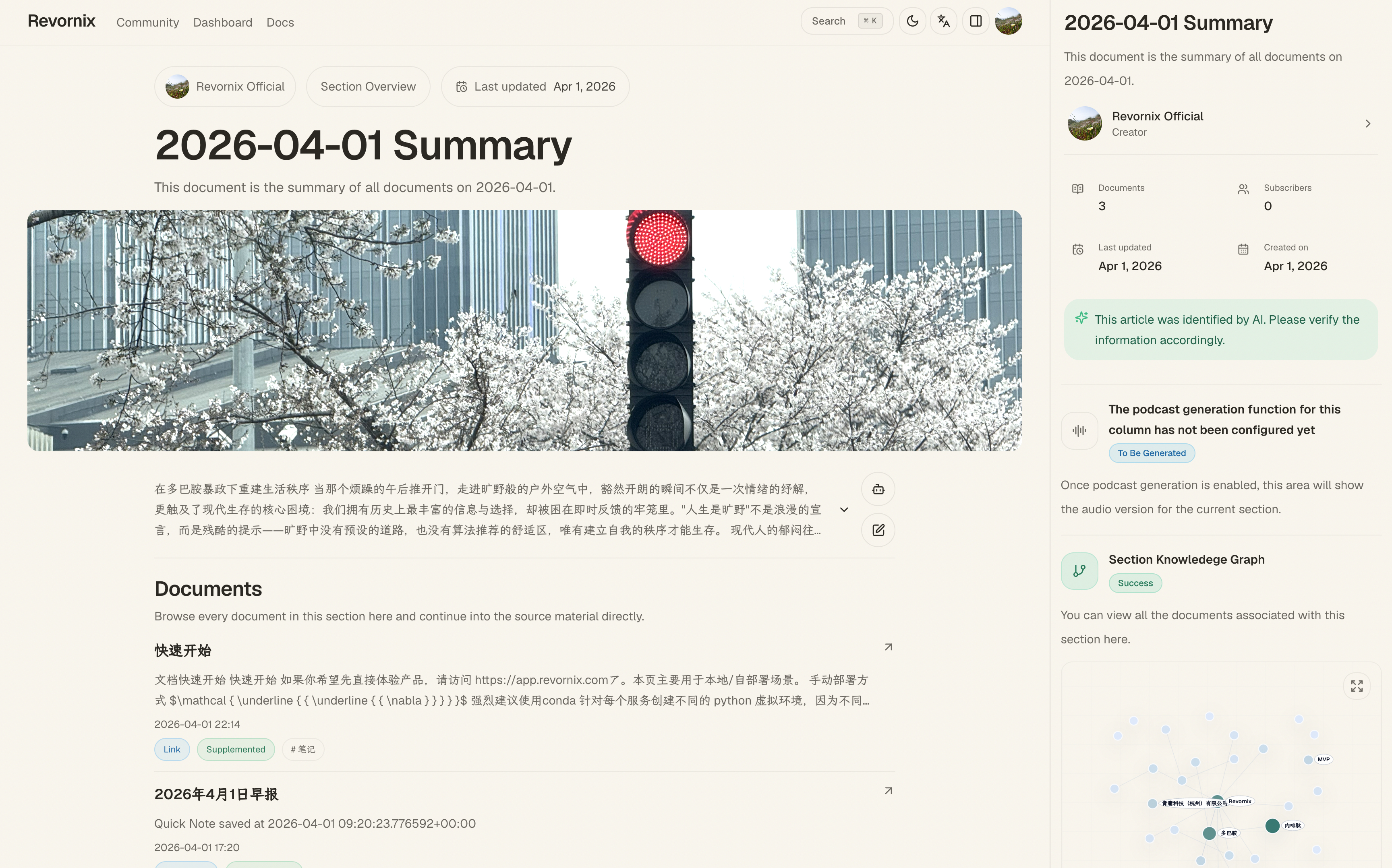
Podcast — turn a document or section into a two-voice audio episode.
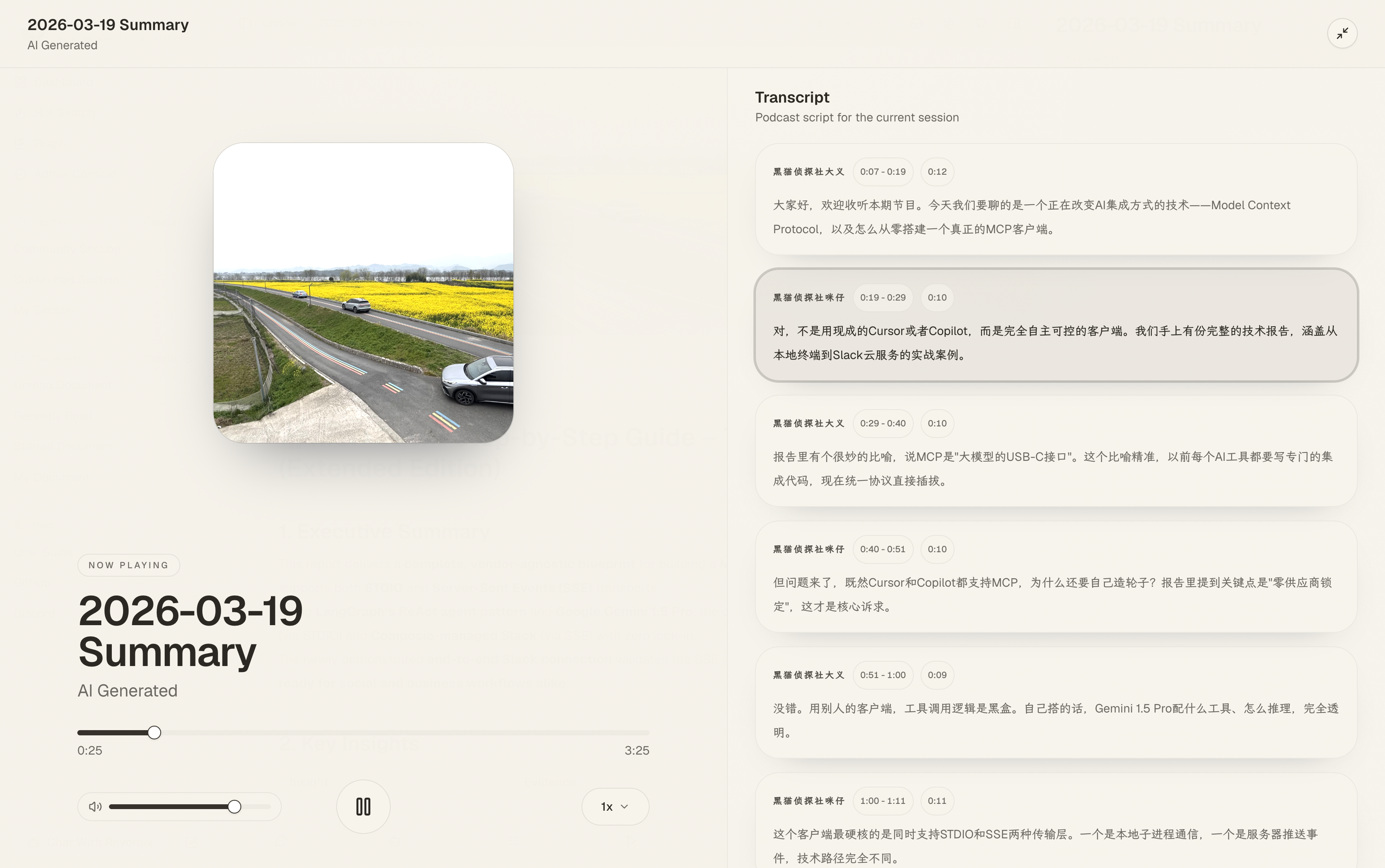
Public creator page — SEO-friendly profile for your published work.
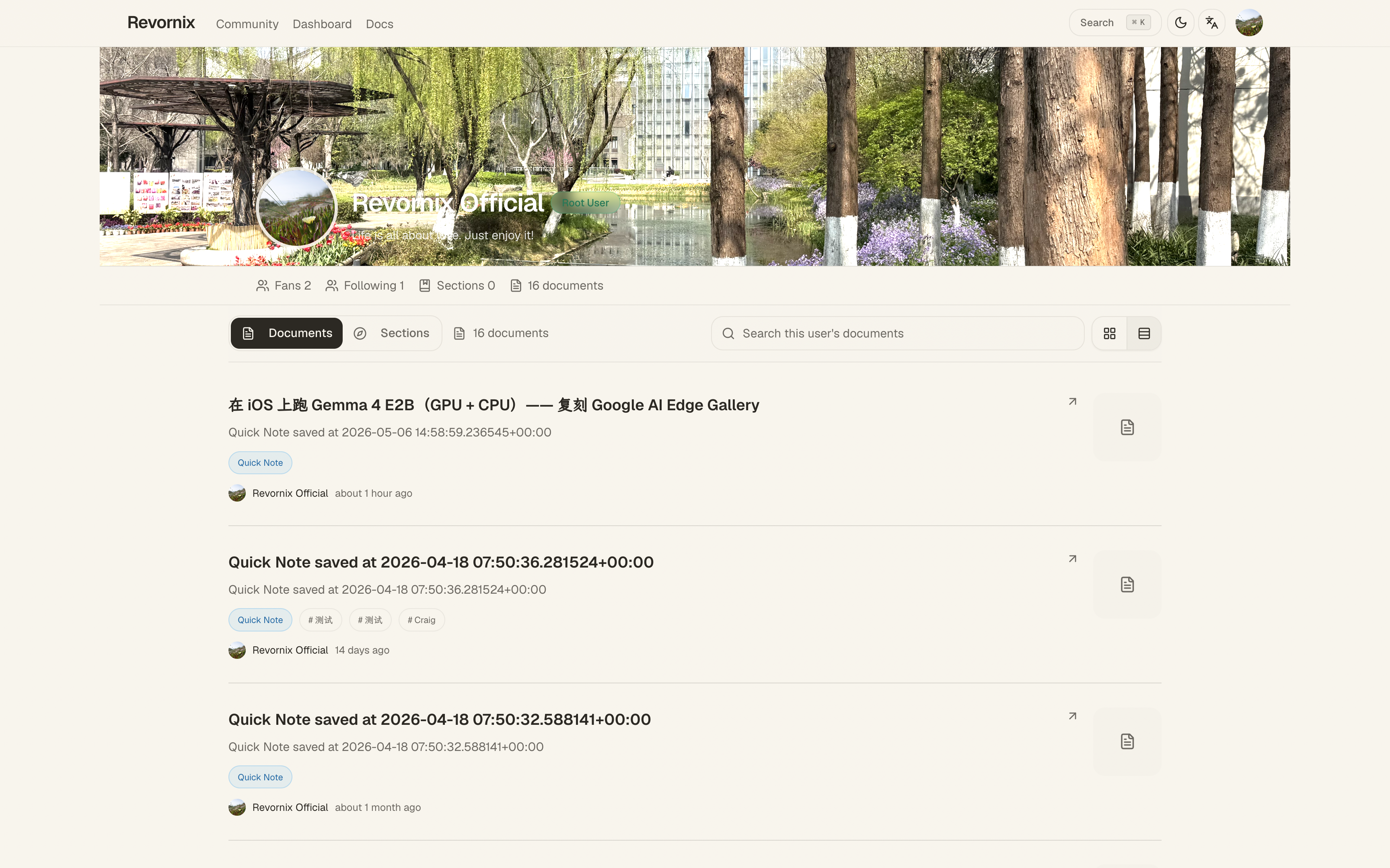
Community — browse what others have published.
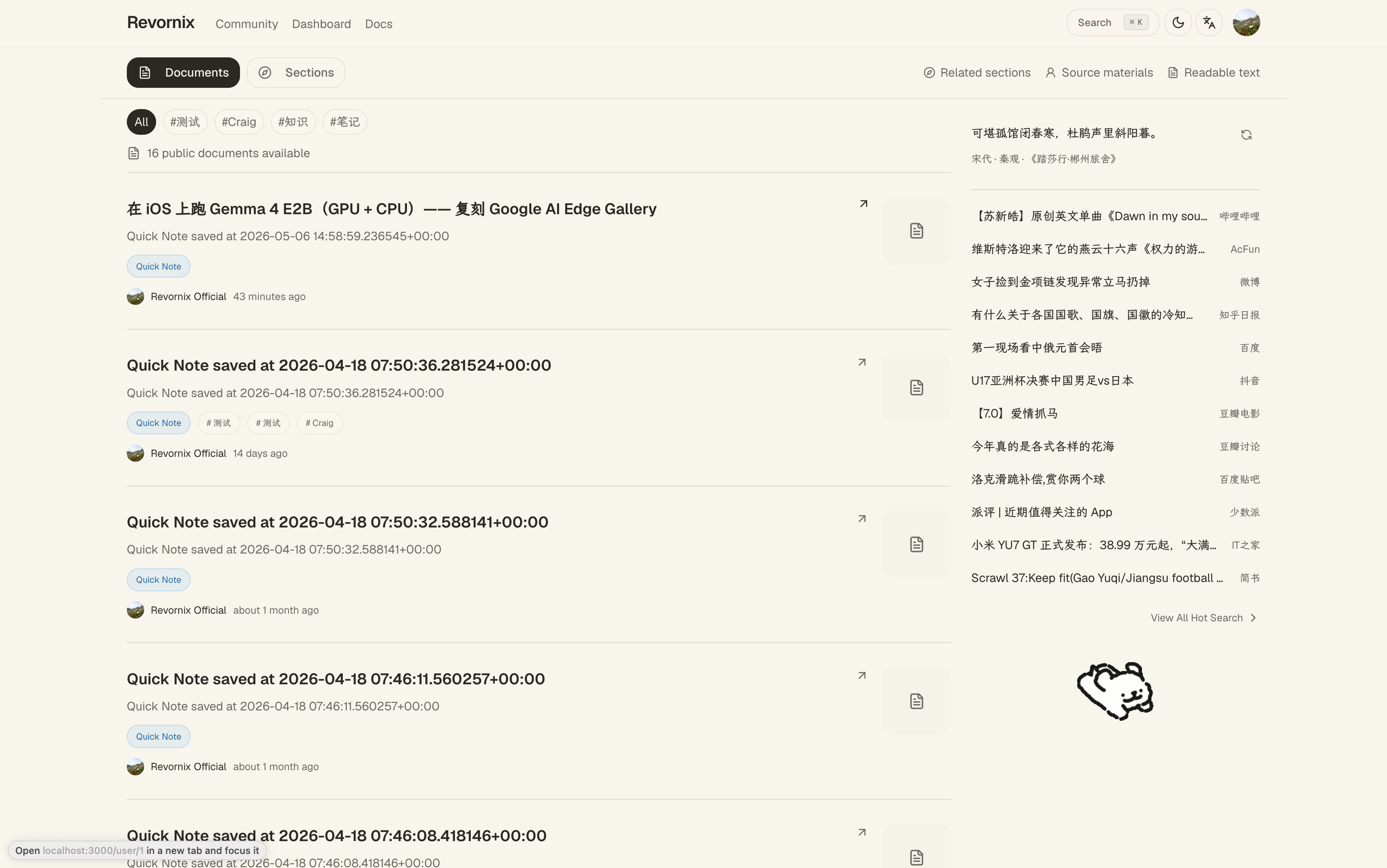
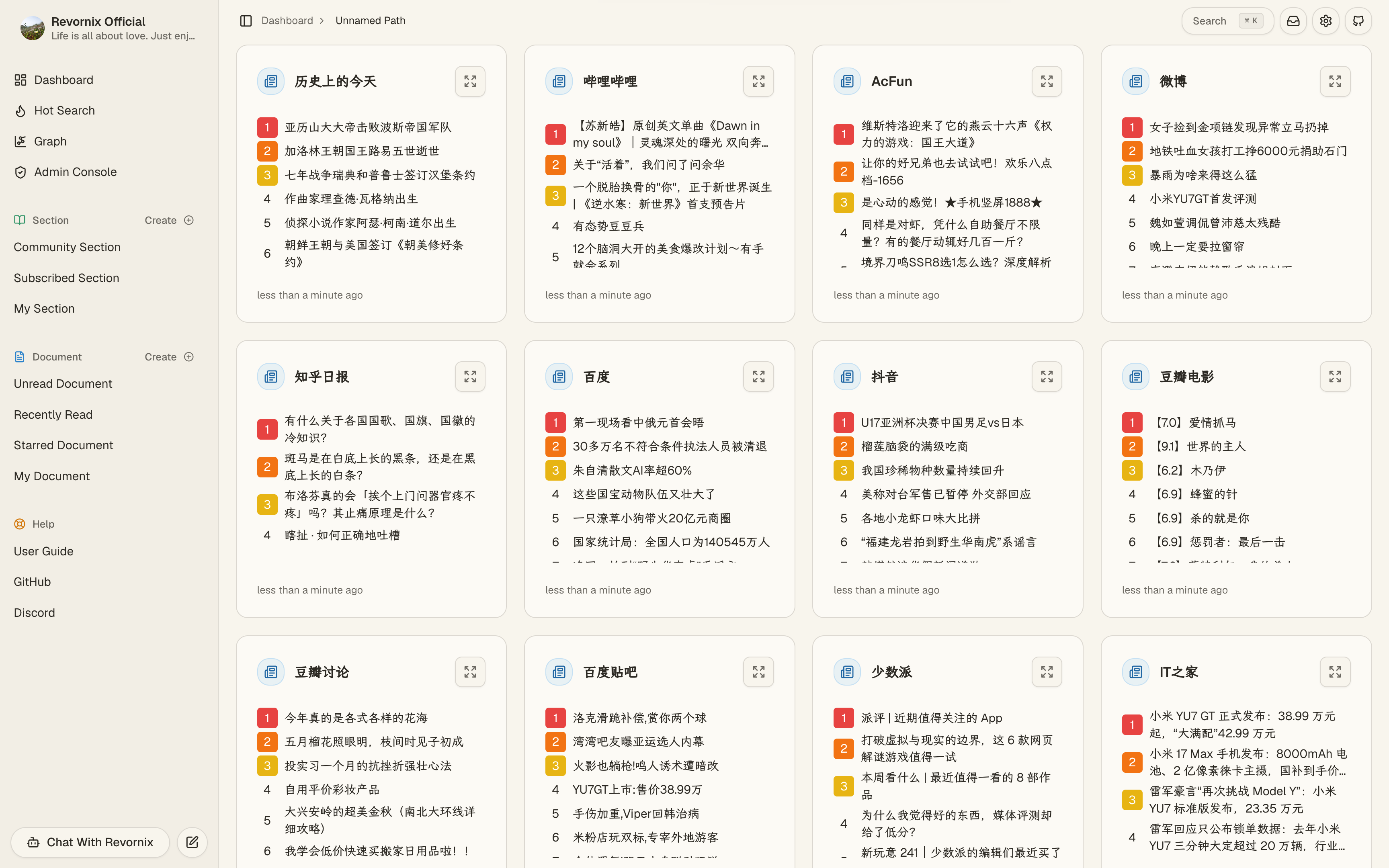
Trending headlines — aggregated from major platforms via the bundled hot-news/ service (based on DailyHotApi).
Note
We recommend creating isolated Python environments per service (for example with conda), because dependencies across services can conflict.
git clone git@github.com:Qingyon-AI/Revornix.git
cd RevornixNote
If you already have postgres, redis, neo4j, minio, and milvus installed, you can reuse them. Otherwise use docker-compose-local.yaml with .env.local.example.
Warning
If some dependencies are already running on your machine, disable the corresponding services in docker-compose-local.yaml to avoid conflicts.
cp .env.local.example .env.local
docker compose -f ./docker-compose-local.yaml --env-file .env.local up -dcp ./web/.env.example ./web/.env
cp ./gateway/.env.example ./gateway/.env
cp ./api/.env.example ./api/.env
cp ./celery-worker/.env.example ./celery-worker/.envConfigure env values based on environment docs.
Warning
For manual deployment, keep OAUTH_SECRET_KEY consistent across services, or cross-service authentication will fail.
cd api
python -m data.milvus.create
python -m data.sql.createcd api
conda create -n api python=3.11 -y
pip install -r ./requirements.txt
fastapi run --port 8001cd gateway
go run ./cmd/gatewayThe gateway is optional for local development, but recommended for production. It handles public routing, failover, and the first layer of anti-scraping protection before traffic reaches api/.
cd hot-news
pnpm build
pnpm startcd celery-worker
conda create -n celery-worker python=3.11 -y
pip install -r ./requirements.txt
playwright install
./start-worker.shcd web
pnpm build
pnpm startAfter all services are running, open http://localhost:3000.
- Want to use the product? Start at https://revornix.com/docs/start, then jump into the workspace at https://app.revornix.com.
- Want to extend it? Each service has its own README:
web/,api/,celery-worker/,gateway/,docs/. - Want to contribute docs? Add an MDX file under
docs/src/content/. - Curious about the desktop app? It's planned but not built yet — see
desktop/. - Architecture deep dive? https://revornix.com/docs/developer/structure.