Forked from MammaMiaTeam, originally by Dirbaio.
A feature-rich editor for New Super Mario Bros. (Nintendo DS) ROM hacking.
- This fork builds: Github Releases
- Official MammaMiaTeam builds: GitHub Releases
- Legacy builds: NSMBHD Downloads
- Discord: NSMB Central
- Forums: NSMBHD
- Windows: .NET Framework 4.8
- Linux/macOS/other platforms: Mono
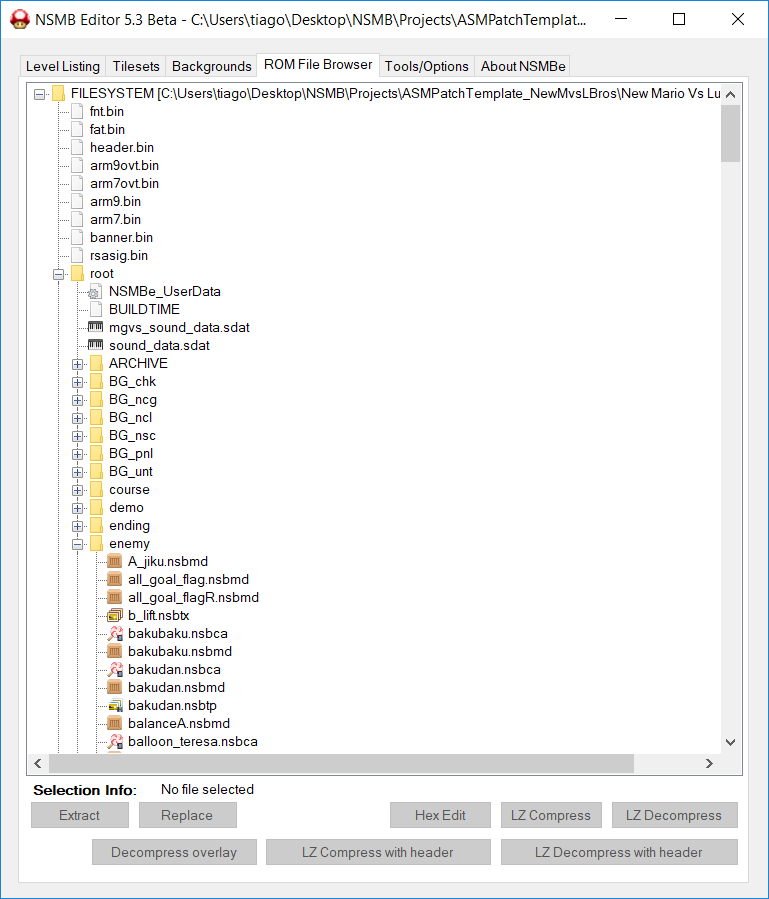
- ROM File Browser improvements:
- Search field for faster file lookup.
- Zoom and preview quality improvements:
- Map16 editor zoom controls (with grid/preview scaling improvements).
- Object editor zoom for editable canvas and Map16 tile picker.
- Tile behavior preview zoom controls in the Tileset Editor.
- Pixel-art rendering fixes (nearest-neighbor scaling where applicable).
- Level editor spriteset and snapping improvements:
- Yellow dependency warning outline for Swinging/able Vine objects when vine spriteset are valid but Rope spriteset are not set.
- Configurable snap-size presets (
1/2/4/8/16) with persisted setting in the Level Editor toolbar.
- Graphics tab quality-of-life:
Remove Selected Bitmapbutton.- Right-clicking a bitmap focuses that file in the ROM File Browser.
- New direct file import workflows:
- Direct Tileset file importing from the Graphics editor.
- Direct Background file importing from the Tilemap editor.
- Map16 randomization overlays:
- Runtime-table-based randomization tile highlighting in Tileset Editor.
- Toolbar toggle for Map16 canvas overlay (tile picker overlay removed).
- Outline color picker for randomization highlights with persisted color setting.
- Ongoing language updates (including French strings for newer UI options).
- Install Mono with
msbuildsupport. - Build from the repository root:
msbuild NSMBe5.sln /t:Build /p:Configuration=Release
- Run:
mono NSMBe5/bin/Release/NSMBe5.exe
- Install Visual Studio 2022 (or newer) with
.NET desktop development. - Open
NSMBe5.sln. - Select
Release | Any CPU. - Build (
Build > Build Solution). - Run
NSMBe5/bin/Release/NSMBe5.exe.
- First build may take longer due to NuGet restore.
- If Mono prints
Gtk not found ... using built-in colorscheme, the editor still works and falls back to built-in theming.
Use the scripts in scripts/ to generate distributable artifacts in dist/.
Build and package:
./scripts/build-windows-zip.shOutput:
dist/NSMBe5-windows-anycpu.zip
Recommended release note for users:
- Extract the ZIP and run
NSMBe5.exeon Windows.
Build and package:
./scripts/build-linux-appimage.shOutput:
dist/NSMBe5-linux-x86_64.AppImage
Requirements for packaging:
msbuild(Mono build tools)appimagetool
Runtime note:
- The generated AppImage currently uses system
monoby default. - If
monois not installed on the target machine, the AppImage will show an error and exit.
To bundle Mono in the AppImage (easier sharing):
./scripts/build-linux-appimage.sh --bundle-monoOutput:
dist/NSMBe5-linux-x86_64-bundled-mono.AppImage
Bundled mode note:
- This file is larger, but users usually do not need system Mono installed.
Generate both Linux AppImages and the Windows AnyCPU ZIP:
./scripts/build-all-packages.shRun:
chmod +x dist/NSMBe5-linux-x86_64.AppImage
./dist/NSMBe5-linux-x86_64.AppImageThis repository now includes a workflow at .github/workflows/release-builds.yml that:
- Builds
dist/NSMBe5-windows-anycpu.zipon Windows. - Builds both Linux AppImages on Ubuntu.
- Publishes all three files to a GitHub Release when you push a version tag.
Create and push a tag to trigger publishing:
git tag v1.2.3
git push origin v1.2.3
After the workflow finishes, assets appear under the matching GitHub Release tag.
- Treeki - Original developer
- Dirbaio - Second developer
- Piranhaplant - Developer
- MeroMero - Developer
- RicBent - Developer
- Mamma Mia Team - Developers and current maintainers
- Szymbar - Developer, adapted structure to work with MKDS assembly
- All other contributors