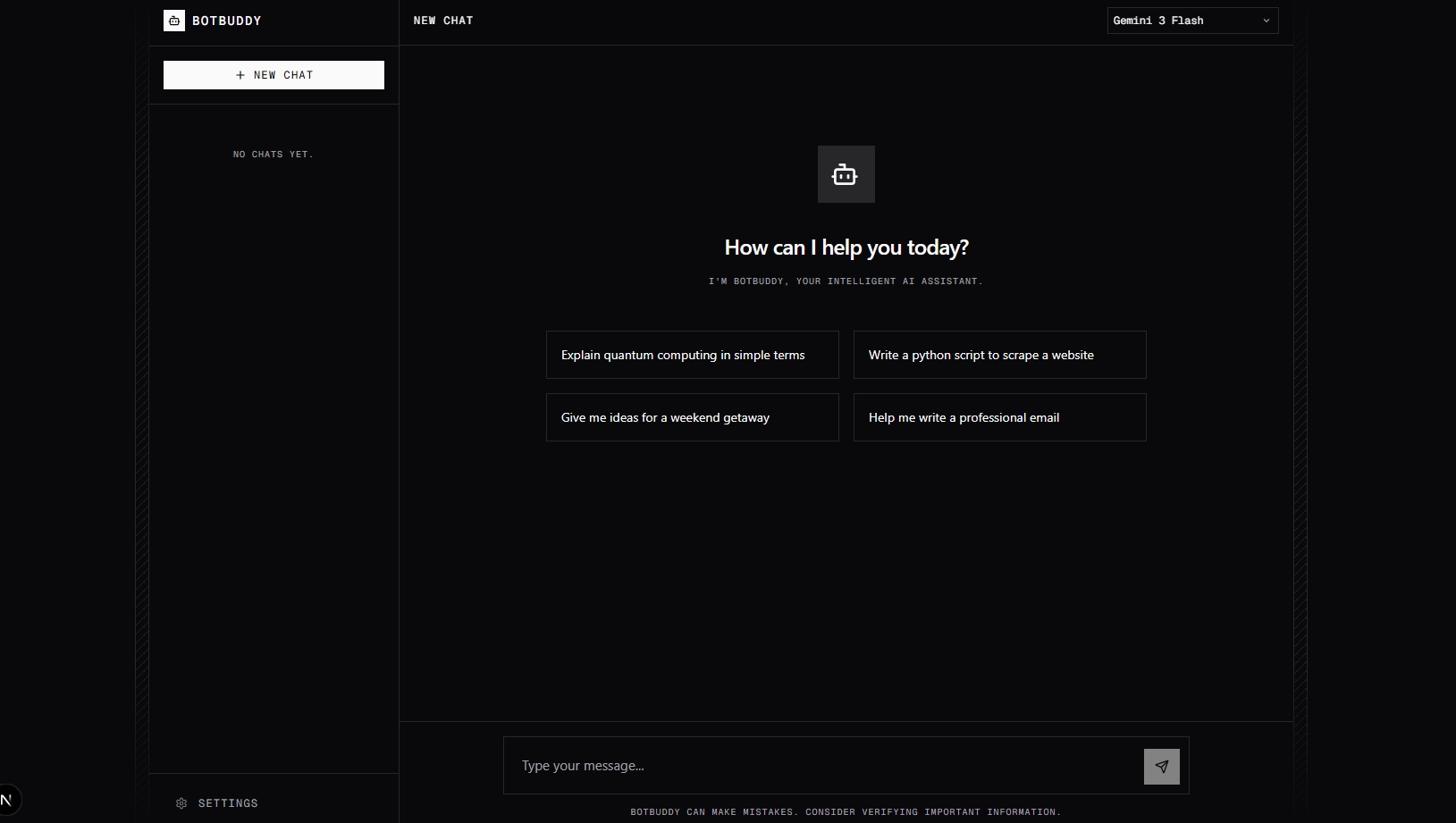
A sleek, responsive, and powerful AI chatbot template built with Next.js and shadcn/ui.


Bot Buddy is a modern, beautifully crafted chat application template powered by Next.js, Tailwind CSS, and shadcn/ui. It delivers a premium AI integration experience, complete with customizable models, real-time streaming text generation, and local session handling right out of the box. Supported models include Google's Gemini architectures and Anthropic's Claude.
Whether you're bootstrapping a new SaaS product, an internal AI dashboard, or just a personal assistant web app, Bot Buddy provides an elegant, production-ready starting point.
Here is a comprehensive breakdown of exactly how the core project is organized and what each directory and major file is responsible for performing:
This directory handles the core routing and backend APIs of the Next.js App Router application.
layout.tsx: The root layout wrapping the entire application in global providers (e.g.next-themesstyling).page.tsx: The main Landing Page composition. Aggregates all marketing and informational sections (Hero, FAQ, Testimonials) into a single optimized landing view.globals.css: Global design tokens and Tailwind CSS variables.
chat/page.tsx: The primary application route (/chat). Loads and isolates the interactive Chat Dashboard interface.api/chat/route.ts: The backend logic endpoint! This file is responsible for receiving chat messages and routing requests appropriately. It securely connects to both Google GenAI (@google/genai) and Anthropic (@anthropic-ai/sdk) depending on the user's selected model, fetching streaming answers and piping them back to the frontend.
The UI is heavily modularized to guarantee reusability and clean architecture.
chat-dashboard.tsx: The largest and most crucial component. Handles:- Sidebar layout & rendering previous chat memories.
- Form inputs, message histories, and scroll behaviors.
- The settings modal connecting user-provided API keys (
Gemini&Claude) persistently vialocalStorage. - Managing active state and streaming updates dynamically from the backend API.
MarkdownRenderer.tsx: Connects raw markdown API streams into beautiful formatting inside chat bubbles, powering syntactical highlighting for blocks of code and structured list elements.logo.tsx: Visual branding element component.theme-provider.tsx: Client-side provider logic wrapping standardnext-themessetup explicitly.- Landing Page Sections:
hero-section.tsx- High-polish, Framer Motion driven introduction banner.faq-section.tsx- Interactive, accordion-style questions and answers.pricing-section.tsx- Subscription tier descriptions.testimonial-section.tsx- Simulated social proof and customer ratings.stats-section.tsx,cta-section.tsx,navbar-section.tsx,footer-section.tsx- Core navigational and marketing wrappers.
This folder contains standardized UI components automatically generated via shadcn/ui based on Radix primitives. Items include buttons, dialog boxes, toggles, alerts, etc., which guarantee perfect a11y alignment across the app.
- Multi-Model Support – Seamlessly switch between cutting-edge AI models from the intelligent dropdown selector (Gemini 3 Flash, Gemini 3.1 Pro, Claude Sonnet 4.5 Beta).
- Dynamic API Key Provisioning – API keys are uniquely bound to your selected model provider inside the user settings modal, saving locally without pinging out-of-bounds database architectures.
- Streaming Responses – Real-time generative text typing for an authentic chat experience.
- Modern Design System – Built meticulously with shadcn/ui and Tailwind CSS for easy theme customization.
- Fully Responsive Interface – Polished mobile sidebar and buttery-smooth interactions powered by Framer Motion.
- Local Storage Memory – Your chats and preferences are automatically saved in the browser.
- Next.js 16 (App Router / Turbopack)
- React 19
- TypeScript
- Tailwind CSS V4 (PostCSS integration)
- shadcn/ui & Radix UI
- Framer Motion & Motion
Clone the repository:
git clone https://github.com/KingTroy125/Bot_Buddy.git
cd Bot_Buddy
Install the dependencies:
npm install
# or pnpm install / yarn
Using the Chat: The app natively pulls API keys from your .env.local configuration, or you can dynamically input your Gemini or Claude keys right from the UI Settings modal for maximum local control!
# Optional Setup: Create a .env.local file in the root
NEXT_PUBLIC_GEMINI_API_KEY=your_gemini_key_here
ANTHROPIC_API_KEY=your_claude_key_here
Run the development server:
npm run dev
# or pnpm dev
Open http://localhost:3000 with your browser to see your new assistant live!