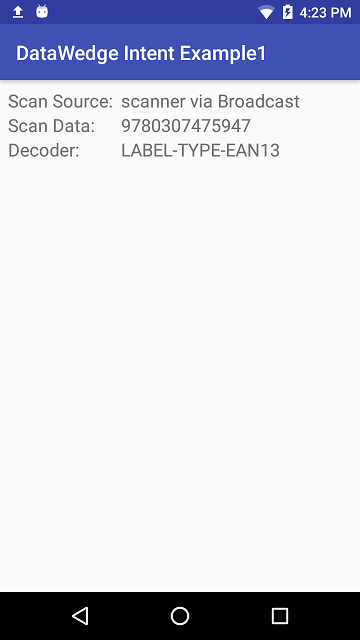
This is an unofficial demo application. An official version of this app is available from Zebra at https://github.com/Zebra/samples-datawedge/tree/master/BasicIntent1. I would personally recommend using the official sample, though this repository will remain for reference.
This application shows how to receive barcode scans via an Intent through the DataWedge service on Zebra mobile computing devices.
You need to configure DataWedge on your device to output scans via Intent
- Launch DataWedge via Applications --> DataWedge
- Select 'Profile0 (default)'. Note that this is the default Profile DataWedge uses, if you have configured a profile specifically for this app then select that instead.
- Ensure:
- The Profile is Enabled
- Barcode input is Enabled
- Intent output is Enabled
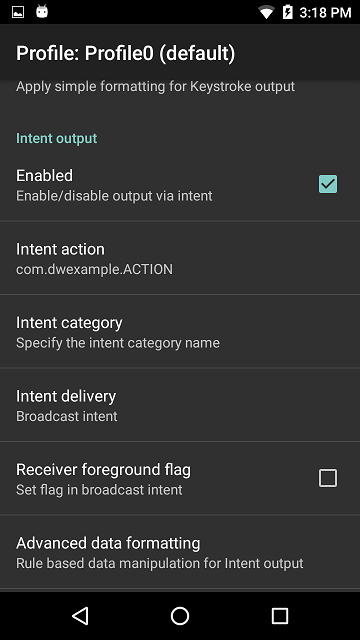
- Configure the Intent output as follows:
- Intent action: com.dwexample.ACTION (This matches the value defined at https://github.com/darryncampbell/DataWedge-Intent-Example-1/blob/master/app/src/main/res/values/strings.xml)
- Intent category: leave blank
- Intent delivery: Broadcast intent
- The following image shows the Intent output configuration
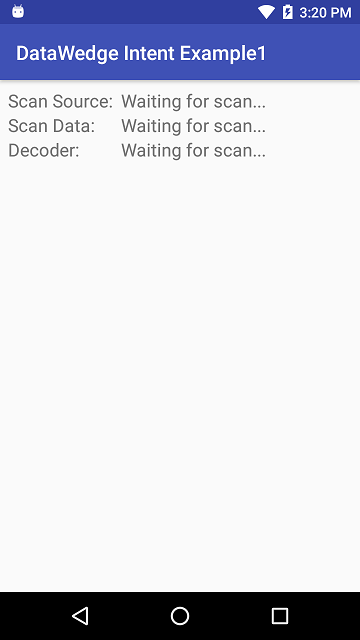
Launch the application
Scan a barcode. The read barcode should be shown on the UI