
A Python toolbox for correcting EEG artifacts using Averaged Artifact Subtraction (AAS) and other advanced methods. Built on MNE-Python.
Explore FACETpy docs »
Report bug
·
Request feature
·
Documentation
Built on MNE-Python, FACETpy provides a modular pipeline architecture that lets researchers process, evaluate, and compare correction results with minimal code.
Key features
- Load EEG from EDF, GDF, and BIDS formats
- Artifact correction: AAS, PCA, Adaptive Noise Cancellation (ANC)
- Full evaluation suite: SNR, RMS, Median Artifact, FFT-based metrics
- Batch processing across subjects/sessions with
Pipeline.map() - Generate synthetic EEG for algorithm testing
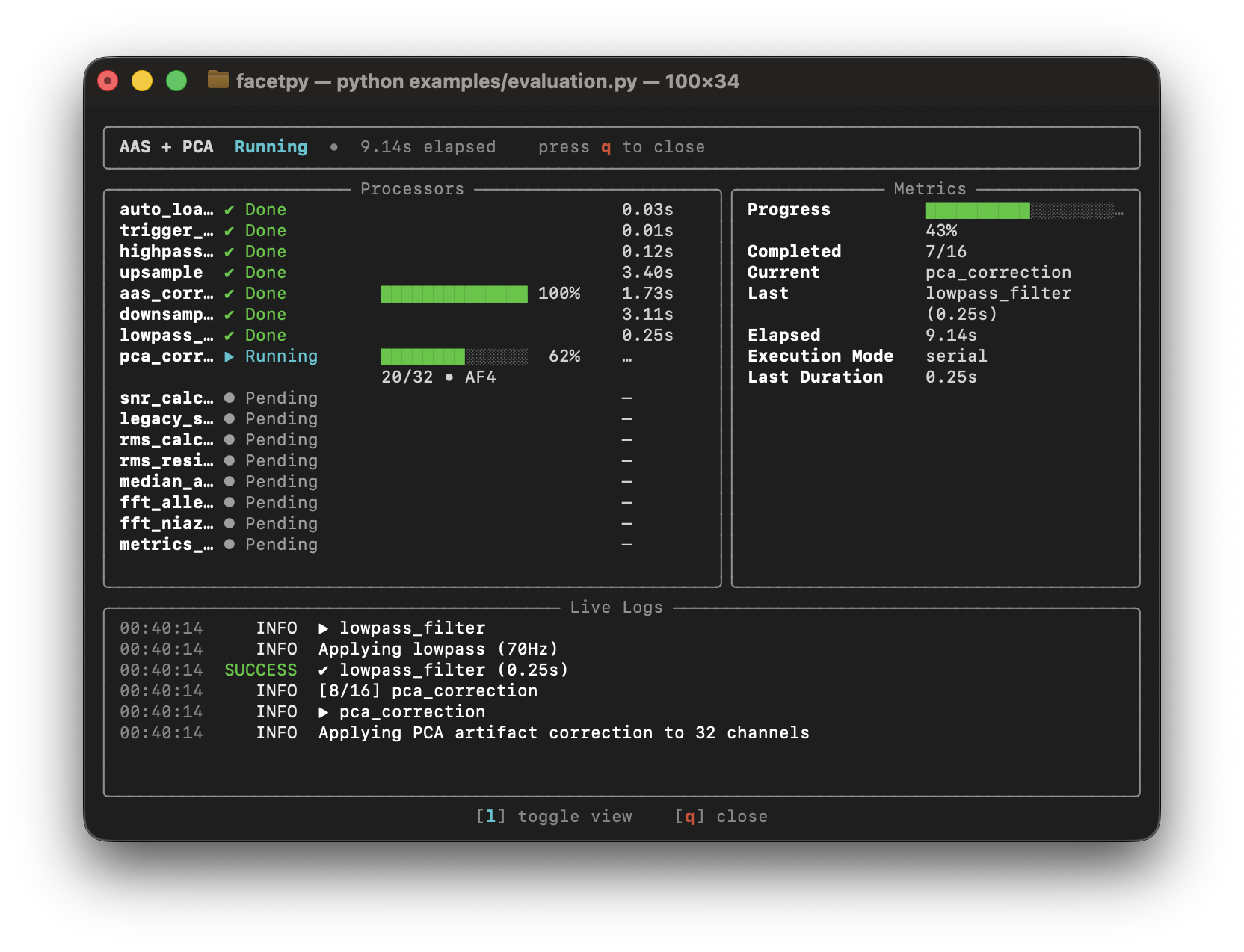
- Rich progress display in the terminal
| Artifact | Origin | Correction methods |
|---|---|---|
| Gradient artifact (GA) | MRI scanner gradient switching during simultaneous EEG-fMRI | AAS, PCA |
| Ballistocardiogram (BCG) | Cardiac-induced electrode movements in the MRI magnetic field | AAS (after BCG detection), PCA |
| Cardioballistic / pulse artifact | Pulsatile skin/vessel movement under electrodes | BCG detector + AAS |
| Motion artifact | Head movement, cable pull, electrode shift | Preprocessing filters, PCA |
| Power-line noise (50/60 Hz) | Electrical mains interference | Notch filter (via MNE preprocessing) |
| Muscle (EMG) artifact | Jaw, neck muscle activity contaminating high-frequency EEG | High-frequency filtering, PCA |
| Amplifier saturation / drift | Slow DC drift or clipping from long recordings | Baseline correction, filtering |
For a detailed description of use cases (EEG-fMRI research, batch studies, benchmarking, clinical pipelines, and more) see the Use Cases & Supported Artifacts page in the documentation.
Quick installation from PyPI (requires Python 3.11/3.12/3.13):
pip install facetpyStrongly recommended for fast ANC performance:
python -m facet.buildFor the Full Setup + Early Access to features (Repository, Examples, Contributing):
Unix (WSL/macOS/Linux) - bootstrap shortcut:
curl -fsSL https://raw.githubusercontent.com/H0mire/facetpy/main/scripts/bootstrap.sh | sh
cd facetpy
from facet import (
    Pipeline, Loader, EDFExporter,
    TriggerDetector, UpSample, DownSample, AASCorrection,
)

pipeline = Pipeline([
    Loader(path="data.edf", preload=True),
    TriggerDetector(regex=r"\b1\b"),
    UpSample(factor=10),
    AASCorrection(window_size=30),
    DownSample(factor=10),
    EDFExporter(path="corrected.edf", overwrite=True),
], name="Quickstart")

result = pipeline.run()
result.print_summary() # Done in 4.2s snr=18.3 rms_ratio=0.14Requires Python 3.11, 3.12, or 3.13.
For normal usage, uv is not required.
pip install facetpyThe package name on PyPI is facetpy; import it in Python as facet.
uv is required for contribution workflows (tests, linting, docs).
Unix (macOS/Linux) - bootstrap shortcut (installs uv):
curl -fsSL https://raw.githubusercontent.com/H0mire/facetpy/main/scripts/bootstrap.sh | sh
cd facetpy
Unix (macOS/Linux) - existing clone:
./scripts/install.shOther platforms (including Windows) with uv installed:
git clone https://github.com/H0mire/facetpy.git
cd facetpy
uv sync --locked
The Unix ./scripts/install.sh script:
- checks for Python 3.11/3.12/3.13
- checks whether uv is installed
- asks whether uv should be installed if missing
- runs
uv sync --locked
The bootstrap script:
- clones FACETpy into
./facetpy - runs
./scripts/install.shinside that clone
Manual uv setup (contributors):
# 1 — verify Python
python --version

# 2 — install uv (pick one)
curl -LsSf https://astral.sh/uv/install.sh | sh
# or: pip install --user uv

# 3 — install repository dependencies
uv sync --locked
Optional contributor extras:
uv sync --extra deeplearning     # TensorFlow-based models
uv sync --extra notebooks        # Jupyter notebook support
uv sync --extra gui              # PyQt6 GUI components
uv sync --extra docs             # Sphinx documentation toolchain
uv sync --all-extras             # everything above
Run contributor commands with uv run ... (for example, uv run pytest).
The fast Adaptive Noise Cancellation (ANC) path is significantly faster with the compiled FastRANC C extension. Build it once after installing.
Without uv:
python -m facet.buildWith uv:
uv run build-fastrancIf the extension is not compiled, ANC uses a slower Python fallback and the rest of the toolbox still works.
All examples are in the examples/ folder and use the bundled
NiazyFMRI.edf dataset.
To run repository examples, clone the repository and install FACETpy in your active Python environment (no uv required):
git clone https://github.com/H0mire/facetpy.git
cd facetpy
pip install facetpy
Then run from the project root:
# Recommended order for new users:
python examples/quickstart.py          # minimal pipeline
python examples/evaluation.py          # metrics & comparison
python examples/advanced_workflows.py  # conditional, parallel, factory
python examples/batch_processing.py    # multiple files at once
python examples/inline_steps.py        # custom steps & pipe operator
python examples/complete_pipeline_example.py  # full clinical pipeline
python examples/eeg_generation_visualization_example.py # synthetic EEG# Run the full test suite
uv run pytest
# Only fast unit tests (skip slow integration tests)
uv run pytest -m "not slow"
# A single test file
uv run pytest tests/test_core_pipeline.py -v
# With coverage report
uv run pytest --cov=facet --cov-report=htmlOpen the coverage report:
python -m webbrowser htmlcov/index.html# Install docs dependencies
uv sync --extra docs
# Build HTML docs
uv run sphinx-build -b html docs/source docs/build
Open docs locally:
python -m webbrowser docs/build/index.htmlFull online documentation: https://facetpy.readthedocs.io/
For comprehensive build instructions, theme configuration, and contribution guidelines see docs/README.md.
For PyPI release steps, see RELEASING.md.
Contributing uses the source/uv workflow. See installation guide above.
Use ./scripts/install.sh on Unix, otherwise run uv sync --locked.
Follow docs/source/development/contributing.rst for the full setup and checks.
src/facet/
├── core/           Pipeline, Processor, ProcessingContext, BatchResult
├── io/             Loader, BIDSLoader, EDFExporter, BIDSExporter
├── preprocessing/  Filters, Resample, TriggerDetector, Alignment, Transforms
├── correction/     AASCorrection, PCACorrection, ANCCorrection
├── evaluation/     SNRCalculator, RMSCalculator, MetricsReport, RawPlotter
├── misc/           EEGGenerator (synthetic data)
└── pipelines.py    create_standard_pipeline() factory

examples/
├── quickstart.py                         minimal pipeline
├── evaluation.py                         metrics & comparison
├── advanced_workflows.py                 conditional, parallel, factory
├── batch_processing.py                   multiple files
├── inline_steps.py                       custom steps & pipe operator
├── complete_pipeline_example.py          full clinical pipeline
└── eeg_generation_visualization_example.py  synthetic EEG
Tasks are defined in .vscode/tasks.json and can be run via Ctrl+Shift+P → Tasks: Run Task.
| Task | Shortcut | Description |
|---|---|---|
| Test: Run All | default test task | Full test suite with coverage report |
| Test: Run Current File | Run pytest on the file open in the editor | |
| Test: Unit Only | Only tests marked @pytest.mark.unit |
|
| Test: Integration Only | Only tests marked @pytest.mark.integration |
|
| Test: Skip Slow | All tests except those marked @pytest.mark.slow |
|
| Test: Show Coverage Report | Open htmlcov/index.html in the browser |
|
| Lint: Check (Ruff) | Check src/ and tests/ for lint errors |
|
| Lint: Fix (Ruff) | Auto-fix lint errors in place | |
| Format: Check (Ruff) | Verify formatting without changing files | |
| Format: Apply (Ruff) | Apply ruff formatting to src/ and tests/ |
|
| Build: FastRANC C Extension | Compile the FastRANC C extension | |
| Build: Install Dependencies | uv sync |
|
| Build: Install All Extras | uv sync --all-extras |
|
| Build: Update Dependencies | uv lock --upgrade |
|
| Docs: Build HTML | Build Sphinx documentation | |
| Docs: Open in Browser | Open the built docs in the browser | |
| Docs: Build & Open | Build docs and open immediately | |
| Run: Current Python File | Execute the file open in the editor | |
| Review: Uncommitted Changes (Codex) | Codex AI review of all local changes | |
| Review: Against Branch (Codex) | Codex AI review against a selected base branch (prompts for branch) | |
| QA: Full Check (Lint + Format + Test) | Lint + format check + full test suite in sequence |
GPLv3 — see LICENSE for details.
Author: Janik Michael Mueller