(go doom)


Automap view: better suited for modern displays, with a cleaner presentation.

Source Port mode at 3840x2160 [4k]: smoother camera motion, cleaner high-resolution rendering, 32-bit color, smoothed lighting animations, monster movement and a sharper modern presentation without losing Doom's original feel.
Still software rendered, not smeary GPU rendering.

Faithful mode: the classic Doom look, preserved.
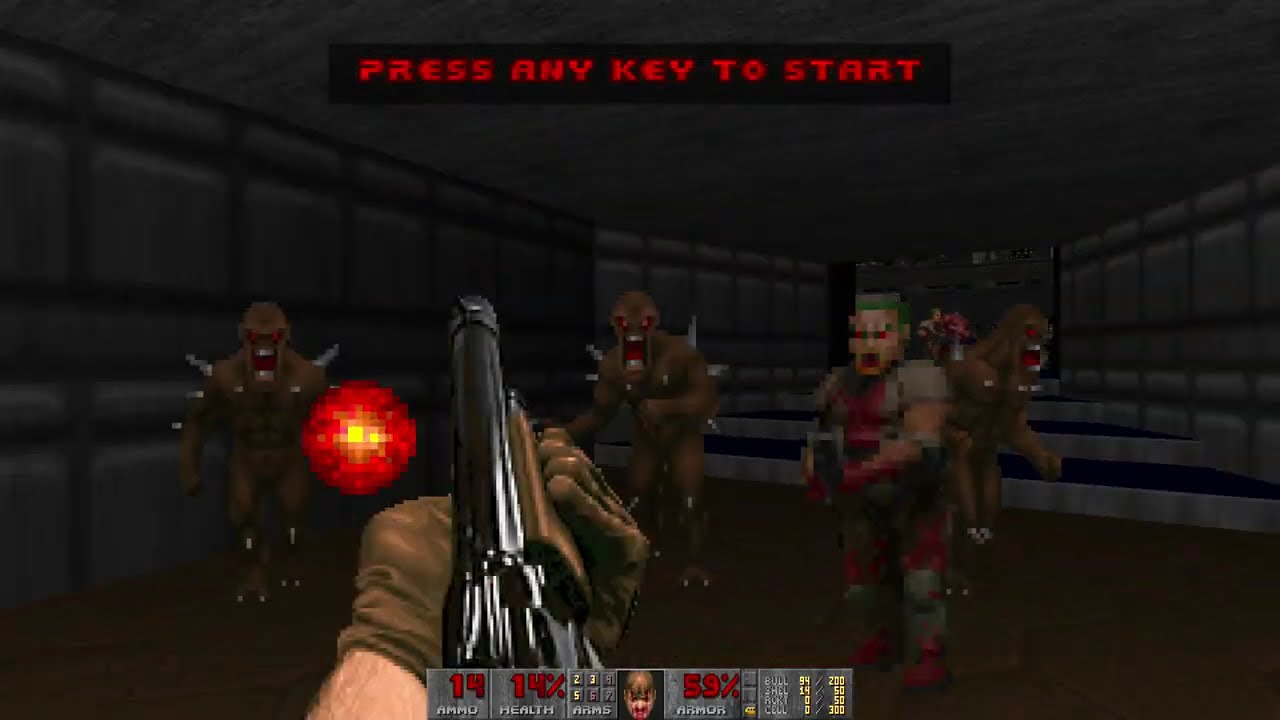
Watch on YouTube
E1M5: Doom's default first demo playback at game menu - HQ MIDI music
Full SGM (HQ MIDI) music renders playlist:
YouTube playlist
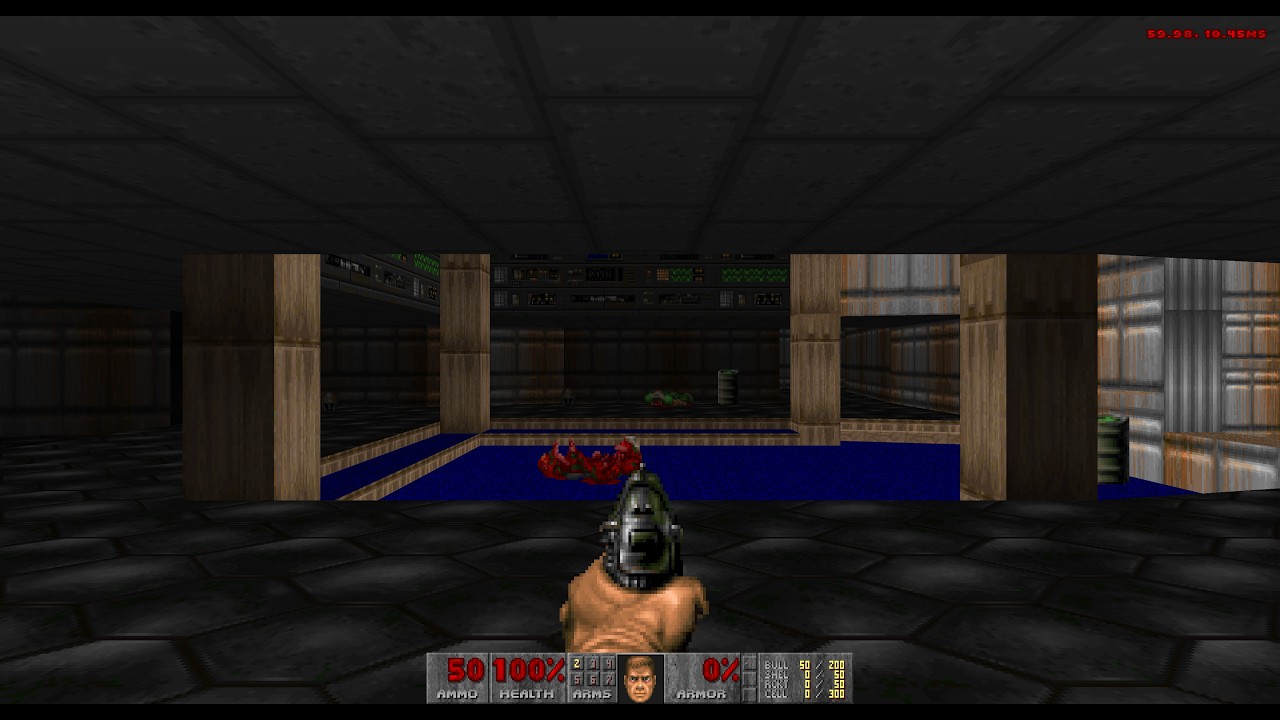
Watch on YouTube
E1M1 - OPL/AdLib FM music
Full OPL/AdLib FM-Synth music renders playlist:
YouTube playlist
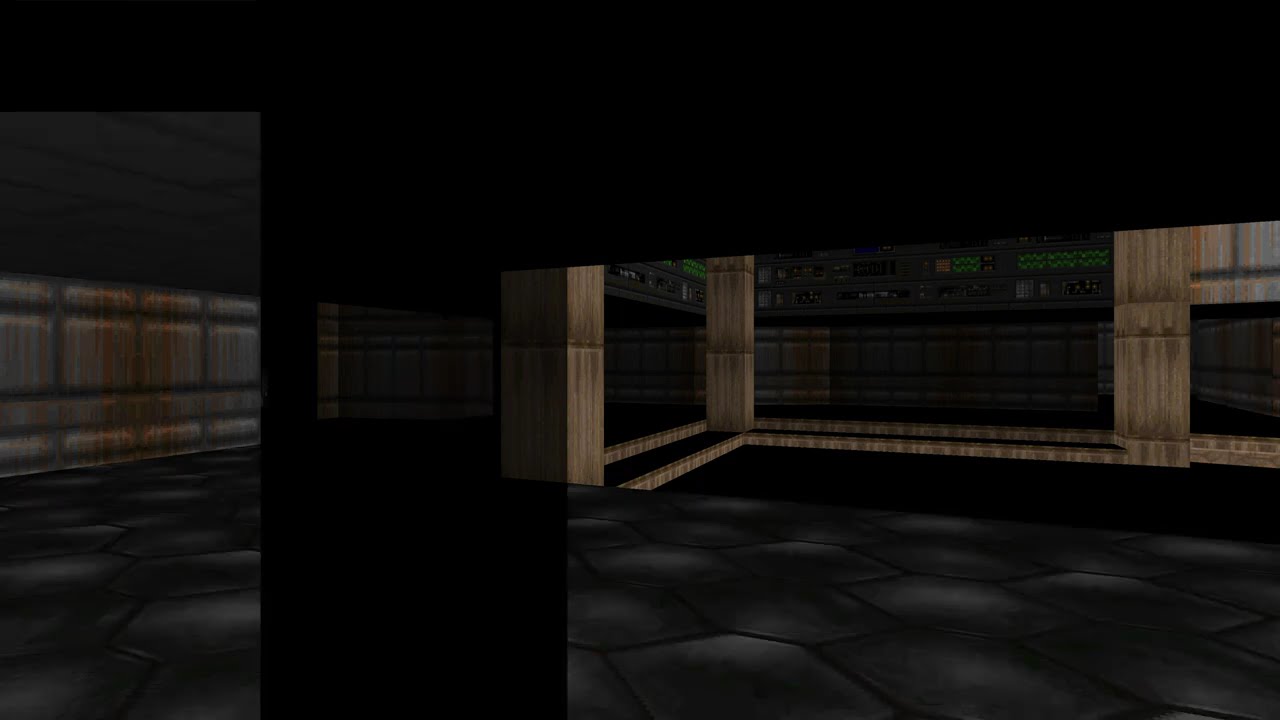
Watch on YouTube
Slow-motion look at how GD-DOOM renders in software, in the spirit of the original DOOM renderer.
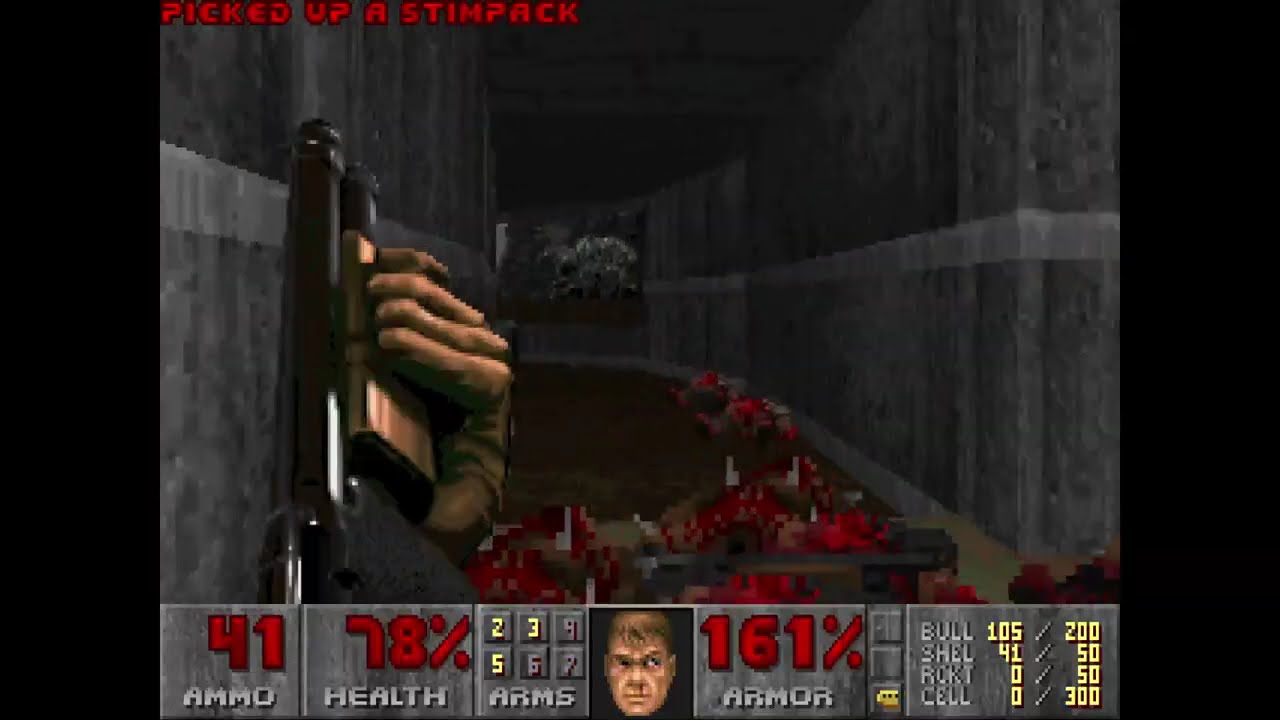
Watch on YouTube
PC-speaker emulation demo: GD-DOOM running with classic PC-speaker style audio.
Including music, which original Doom did not support!
Fully simulates the open air 2.25" 8-ohm paper speaker, driven with ~4v DC through 33-ohm resistor with steel pc case reverb.


Classic Doom effects kept intact at higher resolutions, including the screen melt transition and the signature invisibility fuzz effect.


Gameplay screenshots from different areas. Correct DOS gamma, colors and aspect ratio.
GD-DOOM is a Doom engine and source port for original Doom data. It runs on desktop and in the browser, loads base game WADs plus add-ons, plays and records classic Doom demos, and adds live watch, chat, and voice features on top.
GD-DOOM is distributed under GNU GPL v2. It is inspired by, ported from, and derivative of id Software's DOOM source release. See LICENSE and NOTICE.
Note: Not all features are exposed in the UI, some are still experimental.
GD-DOOM still uses original Doom WAD data and Doom-style game logic, but it is built to feel better on modern hardware. The biggest differences are:
- Two presentation styles: play in
Faithfulmode for a more classic look, orSource Portmode for smoother motion and a cleaner modern image. - Smoother gameplay: movement, turning, weapon animation, and monster motion are interpolated so the game does not feel locked to visible tic steps.
- Cleaner rendering: full-color output, better HUD scaling, and modern-display-friendly automap presentation.
- Classic effects preserved: the melt transition and invisibility fuzz effect are kept recognizable even at high resolutions.
- Better controls: mouse look, flexible bindings, in-game key setup, and browser touch controls are built in.
- Better save and demo support: normal saves, quicksave, unlimited save slots, classic demo playback/recording, and optional tick-by-tick trace export.
- More audio options: FM-style adlib/sb16 music, SoundFont MIDI playback, PC speaker emulation, and Linux hardware PC speaker output.
- Live watch features: one player can broadcast while others watch, chat, and listen or talk over voice in real time.
- Browser play: the same project also runs in the browser with local WAD loading and persistent web saves.
- Go
1.26.3or newer from golang.org - A Doom game WAD such as
DOOM.WAD,DOOM1.WAD,DOOM2.WAD,TNT.WAD, orPLUTONIA.WAD
On Linux, native builds also need the usual Ebiten desktop dependencies for X11, OpenGL, and audio.
On Debian/Ubuntu, a typical setup is:
sudo apt update
sudo apt install -y \
  build-essential pkg-config \
  libasound2-dev libpulse-dev \
  libx11-dev libxcursor-dev libxinerama-dev libxrandr-dev libxi-dev \
libgl1-mesa-dev libxxf86vm-devRun from the repository root:
go run . -wad DOOM1.WADThe dedicated desktop entrypoint is equivalent:
go run ./cmd/gddoom -wad DOOM1.WADYou can also pass the base game WAD as the first positional argument:
go run . DOOM1.WADAdd-on/mod WADs are comma-separated:
go run . -wad DOOM2.WAD -file mods/nerve.wad,mods/examplepatch.wadIf -wad is omitted and the working directory contains one known game WAD, GD-DOOM uses it automatically. If multiple supported game WADs are present, the runtime can open an in-game picker.
-file add-ons are layered on top of the chosen base game. If you want demo playback, watching, or live sessions to match correctly, every machine should use the same base game and the same mod files.
Print all flags:
go run . -helpFrequently used options:
-sourceport-modestarts in the smoother, higher-fidelity Source Port profile.-pc-speakerswitches sound effects to the PC speaker emulation path.-pc-speaker-hw(Linux only) routes PC speaker output to the real hardware buzzer device instead of the audio card. This uses thepcspkrevdev node and requires write permission to it.-pc-speaker-interleave-hz=Nsets the rate (in Hz) at which the speaker switches between SFX and music when both are active (default 140, which matches one Doom tic; range 10–1000).-music-backend=auto|impsynth|meltysynthselects the music style/engine.-soundfont=PATHselects an external.sf2file formeltysynth.-detail-level=Nsets starting image detail and-auto-detailtries to keep the game near 60 FPS automatically.-no-monstersdisables monster spawns.-crt-effectand-texture-anim-crossfade-frames=Nenable extra visual polish in Source Port mode.-map=E1M1or-map=MAP01starts on a specific map.-record-demo=out.lmprecords a Doom v1.10 demo from live play.-demo=path/to/demo.lmpplays back a Doom v1.10 demo and exits when playback ends.-trace-demo-state=path.jsonlwrites a detailed tick-by-tick state log during demo playback.-broadcast[=ADDR]starts a live session for watchers, defaulting to127.0.0.1:6670.-watch[=ADDR] -watch-session=Njoins a relay session as a viewer.-low-latencytrades some efficiency for faster live delivery.-micsends microphone audio while broadcasting.-mic-codec=silk|g726|pcmselects the voice codec used for microphone streaming.-config=config.tomlreads and persists native runtime settings.-dump-musicsaves the game's music tracks as WAV files. Note: the main app dump path currently exports the built-in OPL/SoundFont renderers, whilecmd/musicwavandscripts/dump_music.shsupport direct PC speaker WAV export modes.
There are more flags than the short list above. Use go run . -help for the full set if you want every tweak and debug option.
Aspect correction note: In faithful mode, GD-DOOM applies Doom's classic 4:3 correction as a whole-screen stretch after rendering. In Source Port mode, it applies that correction during rendering. A small set of sprites that are meant to read as circular, such as pickups and fireballs, are kept round instead of being stretched.
Examples:
go run . -wad DOOM1.WAD -sourceport-mode
go run . -wad DOOM1.WAD -pc-speaker
go run . -wad DOOM1.WAD -music-backend=impsynth
go run . -wad DOOM1.WAD -music-backend=meltysynth -soundfont=./soundfonts/general-midi.sf2
go run . -wad DOOM1.WAD -detail-level=2 -auto-detail
go run . -wad DOOM2.WAD -map=MAP01 -record-demo=output.lmp
go run . -wad DOOM1.WAD -demo=demos/DOOM1-DEMO1.lmp
go run . -wad DOOM1.WAD -dump-music
go run ./cmd/musicwav -doom2 DOOM2.WAD -song D_RUNNIN -mode pcspeaker-clean -out ./out/music-pcspeaker-clean
go run . -wad DOOM1.WAD -broadcast
go run . -wad DOOM1.WAD -broadcast -mic -mic-codec=silk
go run . -wad DOOM1.WAD -watch -watch-session=1
go run . -wad DOOM1.WAD -cheat-level=3
go run . -wad DOOM1.WAD -all-cheatsRun the relay server:
go run ./cmd/gdsfrelayBroadcast a session to the default local relay:
go run . -wad DOOM1.WAD -broadcastThe broadcaster prints the assigned session id on startup. View from another instance using the same base game and mod files:
go run . -wad DOOM1.WAD -watch -watch-session=1Optional voice broadcast is available on native Linux builds through PulseAudio capture:
go run . -wad DOOM1.WAD -broadcast -mic
go run . -wad DOOM1.WAD -broadcast -mic -mic-codec=silk
Notes:
-broadcastand-watchare mutually exclusive.-watchalso connects to the paired relay audio stream automatically.- Watchers can also participate in session chat.
-low-latencyfavors quicker delivery over more batching.- Current microphone codecs are
silk,g726, andpcm. - The wire format is documented in
netplay-protocol.md.
This is live spectating, not traditional co-op. One machine plays, the others watch the run as it happens, with chat and optional voice alongside the stream.
Startup cheats:
-cheat-level=1enables full automap reveal withIDDT 2.-cheat-level=2applies the above plusIDFA.-cheat-level=3applies the above plusIDKFAand invulnerability.-invulnstarts with invulnerability enabled.-all-cheatsis the alias for full startup cheats.
Typed in-game cheats:
iddqdtoggles invulnerability.idfagrants weapons, ammo, and armor.idkfagrants weapons, ammo, armor, and keys.iddtcycles automap reveal and thing display states.idcliptoggles no-clip.idspispopdalso toggles no-clip.idmyposprints the current player angle and coordinates.idchoppersgrants chainsaw + invulnerability tick behavior matching classic Doom.idclev##warps to a map such asidclev11oridclev23.idmus##changes music when the current WAD supports that track selection.idbeholdshows the power-up cheat prompt.idbeholdv,idbeholds,idbeholdi,idbeholdr,idbeholda, andidbeholdltoggle the matching power-up effect.
Default desktop controls are:
- Menus:
Arrow Keys+Enter,Escto go back. - Game:
WASDor arrow keys to move, mouse to turn. - Fire:
Ctrlor left mouse button. - Use / open:
EorSpace. - Run modifier:
Shift. - Strafe modifier:
Alt. - Automap:
Tab. - Chat:
T. - Push to talk:
Caps Lock. - Weapon next / previous:
Page Down/Page Upor mouse buttonsMB5/MB4. - Help:
F1.
Bindings can be changed in the frontend and pause-menu keybind screens and saved in config.toml. There are also extra runtime shortcuts for detail level, gamma, screenshots, and automap behavior.
The frontend and pause menus expose most settings people actually want to change while playing:
- Sound options for SFX/music volume.
- Voice options for codec, sample rate, automatic gain control, gate strength, device selection, and push-to-talk.
- Key binding menus with primary/alternate bindings and reset-to-default support.
- Browser/touch-friendly frontend flow, including touch prompts on the title screen, touch controls in frontend submenus such as the music player, and touch-safe menu-close debounce.
- Persisted native settings through
config.toml, including runtime options and thekeybindstable.
config.toml is the desktop settings file. GD-DOOM reads it at startup and writes changes back when you update settings or bindings in-game. You can ignore it and use the menus, or edit it by hand.
A representative config can include entries such as:
detail_level_faithful = 0
detail_level_sourceport = 0
auto_detail = false
gamma_level = 2
mouselook = true
music_backend = "meltysynth"
soundfont = "soundfonts/general-midi.sf2"

[keybinds]
move_forward = ["W", "UP"]
chat = ["T", ""]
voice = ["CAPSLOCK", ""]
use = ["SPACE", "E"]GD-DOOM also has a browser version. To build it locally:
./scripts/build_wasm.shThe script writes fresh browser assets, including gddoom.wasm.gz. It requires:
DOOM1.WADat the repository rootwasm_exec.jsfrom your local Go toolchain- optional
wasm-optonPATHfor automatic optimization (-O4by default, override withWASM_OPT_LEVEL)
Serve the generated app:
go run ./cmd/wasmserveBy default cmd/wasmserve serves the current directory if it already contains the built app; otherwise it falls back to build/wasm and listens on :8000.
You can also serve a specific output directory:
go run ./cmd/wasmserve -dir build/wasm -addr :8000The browser UI can load WAD files locally from your machine, cache SoundFonts for meltysynth, and keep saves in browser storage. It shares most of the same runtime code as desktop builds, though some features remain platform-specific, especially microphone capture.
On browsers with strict autoplay policies, a click is required before audio starts. On touch devices, the browser build uses a dual-pad layout for movement, turning, fire, use, and menu access.
Run the test suite:
go test ./...Run the slower export and real-asset integration checks explicitly:
scripts/test_integration.sh ./internal/appThis integration lane also includes generator-style tests that write artifacts, such as the billboard bbox dump in internal/doomruntime.
If you are working on the engine itself, extra utilities are included under cmd/:
cmd/gdsfrelayruns the live session relay used by-broadcastand-watch.cmd/wasmserveserves the browser build locally.cmd/demotracecmpcompares two demo state logs to help find mismatches or desyncs.cmd/musicwavexports in-game music tracks to WAV files, includingimpsynth,pcspeaker,pcspeaker-clean, andpcspeaker-piezomodes with optional single-song selection via-song.cmd/pcspeakercaptures live PC speaker output, interleaves music and SFX streams, and can drive the Linux hardware buzzer directly for testing.cmd/mapprobeinspects map data such as sectors, lines, tags, and things.cmd/mapauditgenerates a report about oddities in local Doom map data.cmd/wadtoolextracts individual files from WADs.
These tools are for development, testing, and troubleshooting rather than normal play.
These optional environment variables are mainly useful when troubleshooting voice or live-session behavior. Any non-empty value enables the feature.
GD_DOOM_NET_BANDWIDTH_OVERLAYshows the in-game network bandwidth overlay.GD_DOOM_VOICE_SYNC_OVERLAYadds the voice sync offset to the bandwidth overlay when voice sync data is available.GD_DOOM_VOICE_AGC_LOGprints occasional automatic gain control diagnostics while broadcasting voice.
Examples:
GD_DOOM_NET_BANDWIDTH_OVERLAY=1 go run . -wad DOOM1.WAD
GD_DOOM_NET_BANDWIDTH_OVERLAY=1 GD_DOOM_VOICE_SYNC_OVERLAY=1 go run . -wad DOOM1.WAD
GD_DOOM_VOICE_AGC_LOG=1 go run . -wad DOOM1.WAD
Voice runtime notes:
- If the viewer has to skip ahead to catch live audio back up, you will see
voice-skip ...messages in the console.
Supported commercial Doom-family game/add-on fingerprints tracked by the runtime are documented in commercial-wads.md.
That file is for recognition and compatibility lookup. It is not a promise that GD-DOOM fully supports every non-Doom title listed there.
GD-DOOM is still alpha. It is already playable and feature-rich, but vanilla parity work and edge-case cleanup are still in progress.