Open-source, locally buildable VR mod for the single-player base version of
F.E.A.R. 1.08 (FEAR.exe, LithTech Jupiter EX, Direct3D 9).
Note: This repo was created entirely with AI assistance. I've been a software developer for 11 years, but something like this is beyond me without AI. I guided the AI to the best of my knowledge. Nevertheless, the AI will certainly have made mistakes. PRs are welcome — help improve the mod!
Status: M6 (Packaging and regression). M5 is complete and confirmed in-game: native stereo world rendering, relative HMD headtracking, readable world-locked menu and stereo HUD are all confirmed with real F.E.A.R. on Quest 3/SteamVR. OpenXR controllers fully drive the game: movement, turning, weapon selection, jumping, reloading, crouching, slow-mo, sprinting, use, aim/fire, melee and pause menu; leaning uses left-hand tilt. First-person view keeps hands, torso and legs visible while hiding only the arms by default, and the ESC menu includes a native VR settings page. The classic D3D9 path still uses a flagged CPU compatibility fallback; translation remains opt-in with view collision and visible-body alignment. Details:
docs/TESTING.md.
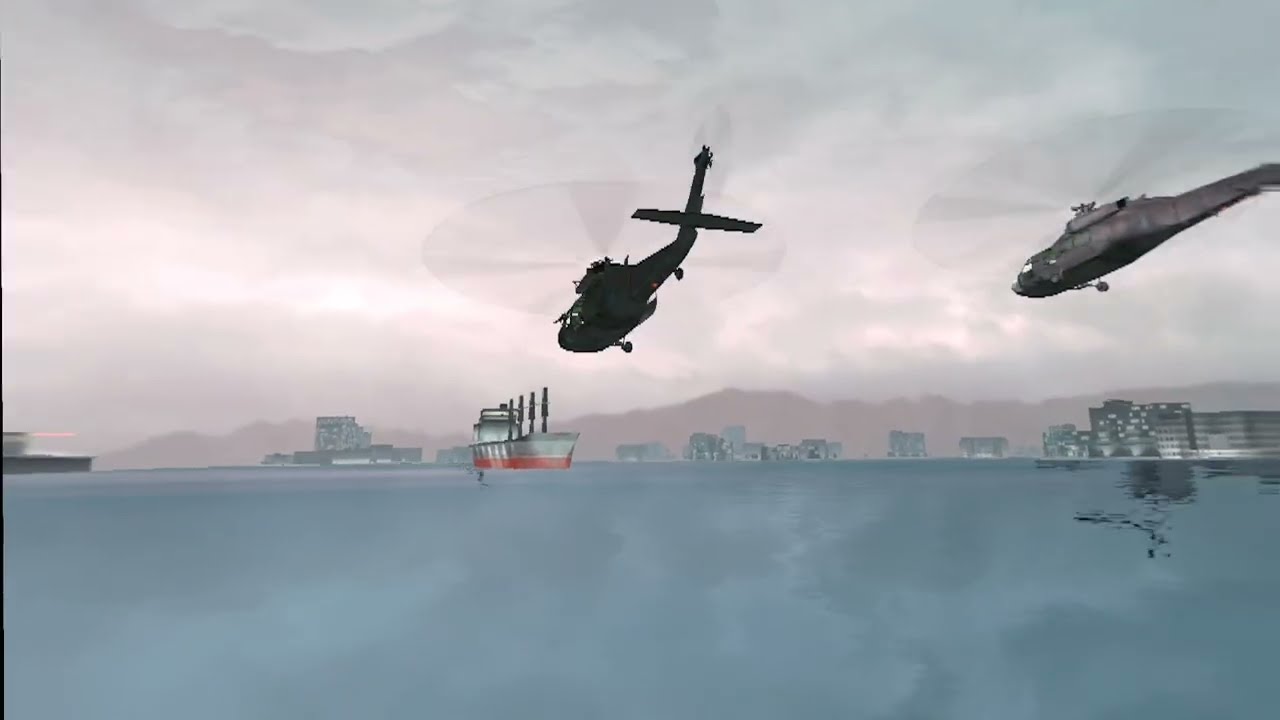
Installation is drag & drop: either run the installer, or drop the contents of
the ZIP into your existing F.E.A.R. folder — the one containing FEAR.exe.
Nothing is replaced, the mod's files simply sit next to the game's own.
What you need
- F.E.A.R. 1.08, legally installed. Only the Steam Ultimate Shooter Edition is confirmed in-game; GOG and retail-disc copies of 1.08 install and launch, but are untested — see Game editions. Versions below 1.08 are rejected, because the Public Tools modules do not match them.
- The public download needs the official Public Tools 1.08 installed
locally — bundled with the Steam Ultimate Shooter Edition under
extras\, or available as F.E.A.R. SDK v1.08 on AusGamers. Its installer defaults toC:\Program Files (x86)\Sierra\FEAR Public Tools; any other folder works too and is found automatically. A personal-PrivateBundlealready contains the required runtime modules. - A headset with SteamVR or Virtual Desktop (VDXR) as the active OpenXR runtime. Native SteamVR hardware is covered by explicit Valve Index and HTC Vive Wand controller profiles; Lighthouse headsets without bundled controllers use whichever of those controllers is connected.
- Windows 10/11, 64-bit.
For the best experience, install F.E.A.R. HD Textures v2.0.2 from ModDB. Download it, run its installer, select your F.E.A.R. folder and the correct Steam/non-Steam option, then click Install. That's it — install it and be happy. F.E.A.R. VR recognizes both the original Steam executable and the executable patched by this texture mod.
Each release offers two ways to install — pick one:
- Installer (recommended):
FearVR-Setup-<version>.exe. It asks for your F.E.A.R. 1.08 folder and your Public Tools 1.08 installation, puts the mod files in place, prepares them and optionally creates a desktop shortcut. Steps 2 and 3 are then already done for you. - Drag & drop:
fearvr-<version>+<commit>-overlay.zip. Unzip it and drop its contents into your F.E.A.R. folder yourself — continue with step 2.
Or build the files yourself:
pwsh -File tools\make-release.ps1Developers who own the Public Tools can build an immediately playable personal archive:
pwsh -File tools\make-release.ps1 -PrivateBundleThat private archive contains proprietary Public Tools runtime files. It is marked not for redistribution because their EULA does not grant public redistribution rights.
The graphical installer is built from an unpacked package and needs Inno
Setup 6 (see installer/README.md):
pwsh -File tools\make-release.ps1 -NoArchive
pwsh -File tools\build-graphical-installer.ps1 `
-PackageDir "dist\fearvr-<version>+<commit>-overlay"Copy everything from the ZIP into the folder containing FEAR.exe. It adds:
dinput8.dll
d3d9.dll
FEARVR\
Start F.E.A.R. VR.cmd
Start F.E.A.R. VR - SteamVR.cmd
No retail executable or archive is replaced. dinput8.dll is F.E.A.R. VR's
own early DirectInput proxy; it disables the base game's known accumulating
HID performance bug before input initialization, then forwards to Windows'
real DirectInput implementation. d3d9.dll is the early renderer bridge that
enables the non-blocking transfer worker before the game creates its graphics
device. If another graphics wrapper already uses that filename, preserve it
first; the development installer chains such a preserved wrapper
as d3d9.fearvr-upstream.dll. Updating works the same way: drop the newer
files into the same folder and overwrite. Saves, configuration and logs stay
below FEARVR\.
On first launch, the public download copies five proprietary runtime modules
from the owner's local Public Tools installation. The official
fear_publictools_108.exe is included with the Steam Ultimate Shooter Edition
under extras\. GOG and retail-disc owners can get the same installer as
F.E.A.R. SDK v1.08 from AusGamers.
The old installer expects registry value Patch=8, while Steam normally uses
10. Set it to 8 for installation and restore 10 afterwards:
$key = 'HKLM:\SOFTWARE\WOW6432Node\Monolith Productions\FEAR\1.00.0000'
Set-ItemProperty $key -Name Patch -Value 8
# run extras\fear_publictools_108.exe
Set-ItemProperty $key -Name Patch -Value 10
For a custom location, pass its root or Dev\Runtime\Game folder:
.\Start F.E.A.R. VR.cmd -PublicToolsGame "D:\FEAR Public Tools\Dev\Runtime\Game"Start the headset runtime, then double-click Start F.E.A.R. VR.cmd. To force
Valve's runtime, use Start F.E.A.R. VR - SteamVR.cmd.
SteamVR is an OpenXR runtime, so this uses the same x64 host binary with
Valve's runtime manifest—not a separate renderer or a compatibility wrapper.
VDXR can be selected with -Runtime vdxr; the system-wide OpenXR setting is
never changed.
Steam still has to run as the store front for a Steam copy
(-applaunch 21090). This is independent of which VR runtime renders.
Delete dinput8.dll, d3d9.dll, the FEARVR folder and the two
Start F.E.A.R. VR*.cmd files. No original retail file was replaced, so a
Steam file verification is unnecessary.
The mod is not bound to a specific store. Most byte signatures live in
GameOrig.dll, the stock client from the Public Tools. The early HID fix also
checks two F.E.A.R. 1.08 code regions in the in-memory FEAR.exe; it applies
only when timestamp, image size and every still-unpatched byte match. A
supported wrapper may already have safely patched either region; the proxy
then completes only the other verified region. It never edits the executable
on disk. What differs between editions is how the game starts:
| Edition | Launch | Status |
|---|---|---|
| Steam (Ultimate Shooter Edition 1.08) | steam.exe -applaunch 21090 |
Confirmed in-game |
| Steam 1.08 + HDTextures4FEAR/XP v2.0.2 | steam.exe -applaunch 21090 |
Recognized; exact patched EXE hash confirmed |
| GOG (1.08) | FEAR.exe directly, same arguments |
Should work, untested |
| Retail disc, patched to 1.08 | FEAR.exe directly, same arguments |
Should work, untested |
The mod picks the launch mode itself: a copy under steamapps\common
goes through Steam, anything else is started directly.
An unknown FEAR.exe build is no longer an error. The mod records its
SHA-256 with a warning and continues; on a byte mismatch the HID patch remains
off rather than touching unknown code. If you run a GOG or disc copy, that hash
plus the fear_hid_fix result from the log is what is needed to confirm it.
The HDTextures4FEAR/XP v2.0.2 installer replaces the Steam executable. Its patched hash and the original Steam hash are both recognized. Installing or removing that texture patch after F.E.A.R. VR was installed therefore does not require reinstalling the VR mod; unknown executable changes are still rejected.
| Message | Cause and fix |
|---|---|
Wrong FEAR.exe version |
Not patched to 1.08, or -RetailRoot points at a different installation. |
This FEAR.exe build has not been tested |
A 1.08 build other than Steam's (GOG, disc). Installation continues; please report whether it works. |
Public Tools 1.08 not found |
The public download could not find them—install the copy under extras\, pass -PublicToolsGame, or use a local -PrivateBundle. |
Package file is missing or was modified |
The package was altered after it was built; unpack it again. |
Steam creates no FEAR.exe after three launch attempts |
The launcher now falls back to the verified executable directly while Steam remains running, then still verifies that the matching VR bridge loaded. |
vrmonitor.exe reports missing d3dx10_43.dll |
SteamVR's legacy status window is missing the DirectX End-User Runtimes (June 2010). A private bundle supplies the local x64 redistributable through the child-process path without modifying SteamVR. |
Everything listed here is implemented and has run in the actual game. Where something is built but not yet verified in-game, it's noted.
- Native stereo world rendering. The LithTech camera renders twice per frame with its own per-eye matrix — not a duplicated mono image. Activates automatically after loading; F8 toggles at any time.
- Relative headtracking. HMD rotation rotates the game camera relative
to the neutral horizontal direction; physical pitch and roll are always
preserved. F9 or
Recenter VR originresets horizontal position and yaw; floor-relative eye height remains independently calibrated. The stable camera basis is initialized only from a fully tracked pose and rebuilt when the OpenXR runtime changes its reference-space origin. - No silent VGA VR mode. User-selected render resolutions at 1024×720 and above remain untouched. If Retail nevertheless requests its 640×480/800×600 fallback, VR uses the last verified render mode or the current desktop mode; no machine-specific resolution is hard-coded.
- Optional room-scale HMD translation (
-Translation). Physical movement is applied 1:1, collision-limited against world geometry and guarded against tracking jumps beyond 2 m. The visible body follows the permitted horizontal offset while Retail's gameplay capsule stays at the locomotion origin. The host prefersLOCAL_FLOOR, thenSTAGE, thenLOCAL. - Support-wrist status HUD. Looking directly at the inside of the support wrist opens a compact technical line display for health, armor, total ammo, frag grenades, proximity mines, remote charges, medkits and air. It renders in front of the hand without depth occlusion and stays closed while the support hand holds the weapon. The classic status panels are hidden only during active stereo gameplay and restored before pause, ESC and fullscreen menus render.
- Stereo overlay for remaining HUD messages. Hints and other non-status overlays are still lifted into both eyes instead of being left flat over one eye. Pickup prompts for weapons, medkits, grenades and gear use an opaque 26-pixel face plus a transport-safe dark contour, so bright props and floors cannot wash out the thin Retail glyphs.
- Flat-screen mode for fullscreen UI. Menus, loading screens, movies and
the mission briefing appear as a world-locked 2.4 × 1.8 m panel at 2 m
distance. Detection is based on the retail game state
CInterfaceMgr::m_eGameState, not pixel heuristics. Right stick click, F9 andRecenter VR originre-anchor the panel to the current gaze direction. - Comfort screen (F10). World-locked rendering for camera shakes and cutscenes, so forced camera movement doesn't pull at the head.
- Quiet camera. Weapon bob and camera recoil are disabled; head bob is off
by default and only toggleable via
fearvr.ini. Retail's original vertical smoothing remains active to blend discrete stair-height steps. - Stable collision camera. Native VR uses Retail's raycast anti-clipping fallback instead of its moving camera-collision model, avoiding contact wobble without adding a delayed post-process position filter.
- Stable slide-kick view. The body and height animation remain visible, but its scripted camera rotation cannot tilt the HMD-controlled view or leave it pointing downward afterward.
- First-person body corrected. Upper and lower arms are hidden by default; hands, torso, legs and weapon remain visible, so kick animations can be seen. Arms can be toggled in the VR menu. The classic crosshair is off, since the red aim laser takes over its role.
- Full game control via OpenXR controllers — move, turn, jump, crouch, sprint, weapon switch, reload, grenade, slow-mo, use, aim, fire, pause and melee. Touch and Valve Index controllers expose every dedicated button. Vive Wands map their two menu buttons to pause and reload/grenade; their digital grip clicks are converted to the squeeze actions used by analog controllers. Mouse, keyboard and gamepad remain usable in parallel.
- Weapon follows the right hand. Shot origin and fire vectors come from the muzzle transform, not from gaze direction. View, hands and weapon share one directional camera-height basis: Retail smoothing remains for upward steps and crouching, while descending/airborne motion bypasses its trailing height until it catches up.
- Red aim laser from the muzzle, toggleable on/off.
- Point instead of look. Activate and pick-up follow the weapon laser with approx. 1.5 m range, instead of head direction.
- Configurable VR flashlight. It can follow the left hand, the headset or the weapon (default) and toggles with X. Head mode keeps world shadows but suppresses shadows from the player's body, hands and weapon so they cannot block the head-mounted beam. The second, non-toggleable retail flashlight is removed.
- Full gesture melee. A forward thrust of either available hand produces the weapon or off-hand strike. The same thrust becomes a jump kick during a player-initiated jump. Sprinting forward plus a physical 25 cm crouch or stick-down enables the guarded slide kick. Direction is measured against each hand's own pointing direction, so sideways swings and pulling back do not count.
- Ladder climbing by hand, switchable in the VR settings page ("Ladder climbing: HANDS / CLASSIC", classic by default). On a ladder a grab button grabs the rung and pulling the hand down climbs up. It drives the same commands the game itself evaluates on a ladder, so no write into the player physics is involved, and the grab buttons keep their usual meaning everywhere else.
- Physical lean with world collision. Retail's lean only rolls the camera;
the viewpoint never leaves the player position. Physical head movement now
moves the viewpoint too, limited by a ray against the world so you cannot
lean through a wall. Hands, weapon, muzzle and shot origin follow the same
offset. The visible body follows its horizontal component during rendering,
keeping the viewer naturally above the torso, while Retail's player object
and collision capsule remain at the player position. No locomotion axes are
injected, preventing counter-steering or oscillation. Switchable as
Physical leanin the VR settings. - Physical duck. Lowering the headset by 26 cm engages Retail crouch and releases above an 18 cm hysteresis threshold. It is independently switchable in VR settings; the classic stick crouch always remains active.
- Leaning via hand tilt. Tilting the left hand sideways leans around corners; inverted and hanging hands are handled.
- Haptics per shot, including full-auto — triggered on the retail shot, not on the trigger edge. Empty magazine = no vibration; Dual Pistols pulse the controller whose pistol actually fired.
- Native Dual Pistols in both hands. The left pistol follows the support controller with its own muzzle and aim ray. Left trigger fires left, right trigger fires right; holding both lets Retail alternate its dual-pistol cadence. While they are equipped, X controls slow-mo and leaves the current flashlight state unchanged.
- Categorized native VR settings in the ESC menu ("VR Settings"), usable with keyboard, mouse, or controller. Six submenus cover Display & HUD, Movement & Comfort, Controls, Weapons, Melee, and Advanced settings. B/Back returns to the category list before leaving VR settings.
- Floating live-tuning panel during gameplay. Hold both grip buttons and
press B to place the panel in front of your current view. Its Recoil, Weight,
Collide, Weapon, IK, Move, Melee, and VR tabs expose the settings that are
safe and useful to change during play. Point at a tab or row and press trigger or
A; the right stick navigates rows and switches tabs. B closes the panel.
Changes apply immediately and save to
fearvr.ini; controller gameplay commands are captured while it is open. The VR tab can change stereo world render scale live from 100% through 200% without changing the desktop resolution. - Live arm IK and left-hand alignment. The IK tab has Elbows and Left Hand
pages. Elbow outward/down/back pole components and straight-arm stability
can be tuned while the full arms are visible. The off-hand uses the OpenXR
grip pose consistently and adds controller-local right/up/forward plus
pitch/yaw/roll calibration. Fine steps are 5%, 0.5 cm and 5 degrees.
Values persist under
[VR]asIkElbow*andIkLeftHand*; Reset All IK restores the anatomical defaults. - All normal VR preferences are editable in game and persist immediately
to
fearvr.ini, including HMD translation, head bob, comfort screen, flashlight mount, physical leaning and ducking, all four individual melee gestures, and simulated weapon weight. - Body visibility switch saved as
ShowArms(0by default). The generated Alpha-Test material hides only upper and lower arms; hands, torso and legs remain visible, while the head is hidden through its separate material slot. F11 remains a developer diagnostic for isolating Retail body pieces, not the arm-hiding mechanism. - Optional simulated weapon weight, selectable in the VR menu as None,
Light, Medium, or Heavy. These apply
0x,0.5x,1x, or2xto the configured profile; None is the default. The detailedWeaponWeight,WeaponPositionalFollow,WeaponRotationalFollow, andWeaponCatchUpStrengthdefault to1.0,18.0,20.0, and1.5. Per-weapon overrides use[WeaponWeight.<model-name>]withWeight,PositionalFollow,RotationalFollow, andCatchUpStrength. Unknown models explicitly use the[VR]defaults.WeaponWeightDiagnostics=1emits rate-limited raw/filter error and velocity telemetry. The Weapons category is split into Handling & appearance, Simulated weight, and Recoil pages. Advanced contains diagnostics and the global defaults reset. - Per-weapon weight and recoil profiles can be tuned from the native menu
or floating tool panel. Recoil, Weight, and Weapon tabs show the equipped
weapon in their header. Choose Current or Default, then adjust weight,
positional follow, rotational follow, catch-up, recoil strength (up to
500%), muzzle rise, and recovery through safe presets. Exact values remain
available in
fearvr.iniunder[VR],[WeaponWeight.<model-name>], or[WeaponRecoil.<model-name>]. Weapons without overrides use the[VR]defaults. Recoil remains active when simulated weight is off; per-weapon weight still scales the kick when enabled. Empty trigger pulls do not recoil.WeaponWeightDiagnostics=1emits rate-limited raw/filter error and velocity telemetry, including the current recoil offsets. Recommended ranges are0.10-4.00,2.0-40.0,2.0-40.0, and0.0-4.0, respectively. - Per-weapon world-collision boxes use the measured grip-to-muzzle length
and nine stable longitudinal probes across an adjustable width and height. A
solid hit resolves the rendered weapon, muzzle, and attached hands along the
contacted level-polygon normal without moving the physical controller.
Object-only/AABB hits are deliberately excluded so invisible Retail helper
volumes cannot move the weapon. The Collide tab selects Current or Default
and tunes length, width, height, and forward offset. Its wireframe box is
green when clear and red while obstructed;
collision and visualization have independent switches. Overrides persist under
[WeaponCollision.<model-name>]. - Rigid two-hand weapon handling. Grabbing with the support hand stores the exact Retail-animated weapon-local attachment. The dominant hand supplies roll, the hand-to-hand line supplies direction, and translation keeps the support grip pinned to the left controller. Moving the dominant hand therefore rotates around the support hand instead of dragging its visible model.
- Two processes by bitness: x64 OpenXR host and x86 D3D9 bridge over a versioned shared-memory protocol with frame ring and heartbeat monitoring. If the host crashes, the game continues flat.
- Runtime selection at launch: SteamVR and VirtualDesktopXR are confirmed;
-RuntimesetsXR_RUNTIME_JSONonly for the host process. - Targeted SteamVR theater suppression: the launcher verifies
steamvr.autoShowGameTheater=falseand briefly watches onlyvalve.steam.desktopgame.21090during startup. SteamVR's normal dashboard remains untouched. - Structured JSON logs for launcher, host and bridge with perf counters;
each run writes to its own directory under
logs\. - Version-bound with fail-safe. All retail hooks check timestamp, image
size and expected byte patterns. If something doesn't match, the hook stays
disabled and the game continues. Diagnostic switches like
-fearvr-safe,-fearvr-no-interactionor-fearvr-no-gamestateare available. - Distributable package (
tools\make-release.ps1) with installer, desktop shortcut and uninstaller. It contains only our own MIT-licensed binaries; the proprietary modules are pulled from the local Public Tools installation.
- Original retail files stay untouched. The development and release
launchers add their own
dinput8.dllandd3d9.dllproxies besideFEAR.exe; no original EXE/archive is overwritten. Game modules, saves and logs remain in the isolated stage orFEARVR\overlay. - No retail/SDK/asset files in Git. See
.gitignore. - Separate processes by bitness: an x64 OpenXR host owns the OpenXR
session; the x86
FEAR.exerenders via ad3d9.dllbridge and a locally rebuilt GameClient module. Reason: the 32-bit OpenXR runtime registry entry is missing on this machine (seedocs/ENVIRONMENT.md).
SteamVR / OpenXR (x64)
   ^  OpenXR + XR_KHR_D3D11_enable
fearvr-host.exe (x64, D3D11)
   ^  versioned IPC (poses, FOV, shared texture handles)
FEAR.exe (x86) + early dinput8 HID fix + D3D9 bridge + GameClient module
   v  LithTech RenderCamera, twice per frame
Details: docs/ARCHITECTURE.md.
| Path | Contents |
|---|---|
docs/ |
Environment, architecture, coordinates, stereo research, tests |
src/common/ |
shared IPC contract (protocol.h) + math |
src/host64/ |
x64 OpenXR host (fearvr-host.exe) |
src/proxy32/ |
x86 D3D9 proxy/bridge |
src/dinput8_proxy/ |
early x86 DirectInput forwarder and guarded HID fix |
src/gameclient_loader/ |
ABI-neutral loader for the real archcfg stage |
src/launcher/ |
Launcher (starts host, then isolated FEAR.exe) |
game-source-overlay/ |
only newly written GameClient project files |
patches/ |
minimal, license-checked diffs / transform scripts |
shaders/ |
host fullscreen/composite shaders |
tests/ |
automated tests (protocol, math, state machine …) |
tools/ |
verify-install.ps1, prepare-m5-stage.ps1, launch-m5-fear.ps1 … |
vendor-local/, build/, stage/, logs/ |
local, not in Git |
See docs/ENVIRONMENT.md for the verified current state and still-missing
components. In short:
- F.E.A.R. 1.08 (Ultimate Shooter Edition), legally installed
- Visual Studio 2022 with "Desktop Development with C++" (+ v141 toolset for compile/source analysis; runtime Public Tools modules need VC7.1)
- CMake, Git
- SteamVR as active OpenXR runtime + headset
- Local official Public Tools installer 1.08
pwsh -File tools/verify-install.ps1Checks retail path, FEAR.exe hash/version, OpenXR runtime, registry and
available build tools, and reports missing components — without changing
anything.
The original game can initialize general HID devices as controllers and then
degrade permanently after several minutes until the process is restarted.
F.E.A.R. VR now includes only the isolated correction for those redundant
input blocks plus the legacy input-hook latency block. The patch validates all
original bytes before replacing them with NOPs and records fear_hid_fix in
each run log. The full EchoPatch remains uninstalled because its unrelated
module hooks and exception handler conflict with this VR mod. Details:
docs/ECHOPATCH.md.
One command checks pinned dependencies, builds x86 and x64, runs both test
suites and writes stage\build-manifest.json with SHA-256 sums of all
artifacts:
pwsh -File tools\build-all.ps1Individual builds are still possible; x86 (proxy) and x64 (host) are built separately:
pwsh -File tools\prepare-dependencies.ps1

cmake -S . -B build\x86 -A Win32 -DFEARVR_BUILD_PROXY=ON -DFEARVR_BUILD_HOST=OFF
cmake --build build\x86 --config RelWithDebInfo

cmake -S . -B build\x64 -A x64 -DFEARVR_BUILD_PROXY=OFF -DFEARVR_BUILD_HOST=ON
cmake --build build\x64 --config RelWithDebInfo
-G "Visual Studio 17 2022" is part of this: without -G, CMake picks the
newest installed Visual Studio, and the x86 modules must remain v141/VC7.1
compatible. build-all.ps1 detects a build tree created with a foreign
generator and recreates it.
The artifacts are process-reproducible, not bit-identical: MSVC embeds timestamps and PDB GUIDs, so two builds of the same sources produce different hashes. The manifest records the Git state and warns if the working tree is dirty.
Verify M1 host against the active OpenXR runtime:
build\x64\src\host64\RelWithDebInfo\fearvr-host.exe --validate-only
build\x64\src\host64\RelWithDebInfo\fearvr-host.exe --max-frames 120
M2 bridge and real stage:
pwsh -File tools\test-m2-bridge.ps1
pwsh -File tools\test-m2-bridge.ps1 -ClassicD3D9
pwsh -File tools\test-m2-bridge.ps1 -AbortHost
pwsh -File tools\prepare-m2-stage.ps1
pwsh -File tools\launch-m2-fear.ps1
Playable M4 build:
pwsh -File tools\prepare-m4-stage.ps1
pwsh -File tools\launch-m4-fear.ps1
M5 with Motion Controls:
pwsh -File tools\prepare-m5-stage.ps1
pwsh -File tools\launch-m5-fear.ps1The mod is not bound to any specific runtime — the x64 host only speaks OpenXR. SteamVR and VirtualDesktopXR (VDXR) are confirmed.
For native SteamVR hardware the host supplies dedicated bindings for Valve
Index controllers and HTC Vive Wands. When SteamVR advertises
XR_KHR_generic_controller, the host also enables that profile so SteamVR can
automatically remap newer driver-provided controllers. The selected profile is
written to the host log as input_interaction_profile for each hand.
pwsh -File tools\launch-m5-fear.ps1                    # active runtime
pwsh -File tools\launch-m5-fear.ps1 -Runtime vdxr      # Virtual Desktop
pwsh -File tools\launch-m5-fear.ps1 -Runtime steamvr   # SteamVR
-Runtime sets XR_RUNTIME_JSON only for the host process. The
system-wide setting under
HKLM\SOFTWARE\Khronos\OpenXR\1\ActiveRuntime is not changed; to change it
permanently, do so in the Virtual Desktop Streamer or SteamVR respectively.
tools\verify-install.ps1 shows the active runtime and which ones are
installed.
Runtime selection only affects the host's OpenXR manifest. Store launches
briefly run the theater guard whenever SteamVR is actually active, including a
VDXR game launch made while SteamVR is open. The guard is integrated into
play.ps1; the old standalone theater tools remain removed.
Steam is still required — but only as the store: F.E.A.R. is officially
launched via steam.exe -applaunch 21090. This is independent of which VR
runtime renders. SteamVR itself does not need to run under VDXR.
Touch/Index bindings: left stick moves, left grip sprints — or, with that hand placed on
the weapon, holds it as a second hand; left stick click uses a medkit.
Movement is body-relative by default, so looking around does not steer a held
movement direction. Move direction: Head opts into steering forward from
the HMD's current horizontal facing direction. The locomotion stick uses a
circular deadzone plus a smoothly released forward corridor: small sideways
thumb drift stays forward, while deliberate diagonals preserve direction and
speed.
Right stick turns; at 80% deflection it jumps up and crouches down, stick
click performs a melee attack in the 3D world and re-anchors the panel in 2D.
A switches weapons, B reloads (short press) or
throws a grenade (hold), X toggles the flashlight, Y opens pause. Right grip
uses, the left trigger toggles slow-mo, and the right trigger fires. With Dual
Pistols equipped, left/right trigger fire the matching pistol and X controls
slow-mo without changing the flashlight. Tilting the left hand sideways leans
around corners.
On Vive Wands, the trackpads replace the sticks, trackpad clicks replace the
primary face buttons, grip clicks provide sprint/use, the left menu button
opens pause and the right menu button reloads on a short press or throws a
grenade when held. Vive Wands have no physical stick clicks: medkit remains
available on the keyboard, while the normal motion gesture provides melee.
Holding the weapon with both hands steers longer weapons along the line
between the hands. The visible support hand snaps to the weapon-specific grip
from Retail's original animation instead of freezing at the controller's grab
position; the physical controller still steers the weapon. Sprinting and
leaning rest while that grab is held.
Controls: LEFT-HANDED in the VR menu mirrors every binding between the
hands.
The flashlight mount can be switched between left hand, head and weapon in the
VR menu and toggles with X, except while Dual Pistols reserve X for slow-mo.
Every shot vibrates. Mouse,
keyboard and gamepad remain usable in parallel. Details:
docs/OPENXR-INPUT.md.
In first-person view, hands, torso, legs and weapon remain visible; only upper
and lower arms are hidden by default. Show arms: On / Off in the VR menu
switches immediately between the original Retail material and the VR arm mask.
The M5 launch enables the stereo overlay and support-wrist status HUD by default. Options:
-Translation: 1:1 room-scale HMD translation with world collision and a 2 m tracking-jump guard;- Head bob is off by default;
HeadBob=1infearvr.inienables only the camera movement while the weapon stays steady for stable aiming; -NoHeadBob: forces head bob off, even if the INI enables it;-NoStereoHud: for comparison/troubleshooting only.
Keys in-game:
- F8: toggle native stereo world rendering on/off;
- F9: recenter the 3D tracking origin; in flat views it also re-anchors the menu or 2D panel;
- F10: toggle world-locked comfort screen for camera shakes and cutscenes;
- F11: developer diagnostic that isolates player body pieces one by one.
The ESC menu in M5 contains the English-labeled entry "VR Settings" directly
after "Options". Six short native submenus cover Display & HUD, Movement &
Comfort, Controls, Weapons, Melee and Advanced settings without overflowing
the Retail frame. This includes HMD translation, head bob, comfort screen,
flashlight mount, physical lean and duck, individual melee switches and
simulated weapon-weight profiles with None/Light/Medium/Heavy presets.
Changes are applied immediately and saved to fearvr.ini. Stick navigates,
A or trigger confirms, and B returns to the category list before leaving VR
settings.
For faster testing without pausing, hold both grips and press B during gameplay
to open the world-space live-tuning panel. The right-controller ray selects a
tab or row, trigger or A confirms/changes it, right-stick left/right switches
tabs, right-stick up/down selects rows, and B closes it. The Move tab shows the
movement direction and active eye height. Use MOVE DIRECTION: BODY to look
around without steering. Stand or sit in the intended neutral posture and
choose SET HEIGHT FROM HMD; select the height row to return to automatic
session calibration. The explicit value persists as EyeHeightMeters in
fearvr.ini.
The development launcher does not change the registry or SteamVR configuration.
Stage preparation installs only F.E.A.R. VR's own guarded dinput8.dll beside
FEAR.exe; original retail files remain unchanged.
pwsh -File tools\uninstall-fearvr.ps1          # dry run, changes nothing
pwsh -File tools\uninstall-fearvr.ps1 -Apply   # actually remove
Removes stage\, build\, dist\, local-runtime\, logs\ and the verified
F.E.A.R.-VR dinput8.dll.
For installations made by older revisions, the uninstaller can still restore
the legacy autoShowGameTheater backup without replacing other SteamVR
settings.
Save games are not removed. stage\userdata-* is the game's
-userdirectory and contains saves, profiles and screenshots. Those are user
data, not mod files; they are only removed with -IncludeUserData.
Additional switches: -KeepLogs, -IncludeVendor and
-Scope SteamVrOnly|ProjectOnly.
A Steam file integrity check is not needed, because no original retail file is
replaced. The script verifies the SHA-256 of FEAR.exe before and after.
SteamVR should be closed during uninstall: it rewrites its configuration on shutdown and would otherwise overwrite the restoration. The script warns if it sees SteamVR running.
- The classic D3D9 path still requires a CPU readback per eye and frame
(
FEARVR_BF_CPU_FALLBACK). F.E.A.R. creates a plainIDirect3DDevice9, and D3D9 can only share surfaces across processes from a D3D9Ex device — so this is the one remaining copy. The readback no longer stalls F.E.A.R.'s Present thread: the early root-leveld3d9.dllcreates the game device multithread-safe, and a latest-frame worker performs readback plus D3D9Ex upload in the background. Existing queued images are superseded instead of building latency. The zero-copyDirectSharedpath already exists and engages the moment the device is an Ex device; getting there needs a wrapper for textures and buffers, becauseD3DPOOL_MANAGEDdoes not exist on Ex devices. The stereo HUD compositor no longer reads back: the pixel comparison runs as aps_2_0shader on the GPU, and its coverage heuristic reads a few kilobytes one frame late instead of a full frame. That removed one of three readbacks and all per-pixel CPU work.-fearvr-no-gpu-hudforces the old CPU compositor back. - Room-scale HMD translation is collision-limited and remains opt-in
(
-Translation). Retail's gameplay collision capsule does not physically follow room movement; the visible body does, and the view ray prevents crossing nearby solid geometry. - The version-dependent hooks verify byte signatures, image size and timestamp
of the F.E.A.R. 1.08 Public Tools modules. The early HID fix performs the
same full validation on its two small
FEAR.exeregions. On a mismatch the affected hook stays disabled instead of patching unknown code. - On Touch controllers SteamVR captures the left system/menu button; Y remains the pause binding. Vive Wand application-menu buttons remain available and are mapped explicitly.
- The weapon jump when climbing stairs is not conclusively solved and deliberately deferred.
- "Motion-controlled aiming" is verified via aim laser and hit point; a general "6DoF weapon" is not claimed.
The self-written components are under the MIT License (see LICENSE).
For the license boundaries of dependencies and the official F.E.A.R. Client
and Public Tools components, see THIRD_PARTY_NOTICES.md.
This mod contains no retail files, no proprietary SDK source code and no extracted assets. Building and running it requires your own, legally purchased F.E.A.R. installation and the official Public Tools installer. "VR playable" is claimed earliest from M4, "Motion Controls" from M5.