
Containerizing an application helps to use it more conveniently across different platforms and, most importantly, as a microservice. Further, scaling an application becomes more straightforward as various standardized orchestration tools can be utilized. A Microservice can be launched either (locally) or, for example, as a highly-scalable web-micro-service in a Kubernetes cluster.
This repository provides C# examples for interacting with the JOpt TourOptimizer REST API by DNA Evolutions. JOpt TourOptimizer is a route optimization and scheduling engine for transportation, field service, and resource planning scenarios. It solves tour-optimization problems with complex constraints such as time windows, skills, capacities, zone-based routing, and mandatory requirements.
The examples demonstrate two integration modes:
-
Synchronous runs (
OptimizationApi): The client submits an optimization viaPOST /api/v1/runs, receives arunId, subscribes to Server-Sent Event (SSE) streams for real-time progress and status updates, and retrieves the result once complete. Suitable for on-premise deployments with synchronous mode enabled. -
Asynchronous jobs (
JobApi): The client submits a fire-and-forget job viaPOST /api/v1/jobs, receives ajobId, and can poll for status, progress, warnings, errors, and the final result at any time. All job endpoints are tenant-scoped via theX-Tenant-Idheader. Suitable for all deployments with a connected database.
The generated REST client is built from the OpenAPI 3 specification using the openapi-csharp generator.
This client can be used with JOpt-TourOptimizer Spring Server Compatible Versions:
- 1.3.5-SNAPSHOT or newer (Specs)
Note: Versions prior to 1.3.5 used different API class names (e.g.
OptimizationServiceControllerApi) and are not compatible with this client.
- Documentation Hub - dna-evolutions.com/docs/getting-started
- Special features - Overview of special features
- Nexus repository - nexus.dna-evolutions.net
- Our official JavaDocs - public.javadoc.dna-evolutions.com
- Our YouTube channel - DNA Tutorials
- TourOptimizer server guide - REST server documentation
- Our DockerHub channel - DNA DockerHub
- Our LinkedIn channel - DNA LinkedIn
If you need any help, don't hesitate to get in contact with us via our company website www.dna-evolutions.com or write an email to info@dna-evolutions.com.
This repository is part of our JOpt-REST-Suite. It provides examples of how to set up a REST client in C# to access the following DNA Evolution's web services:
- JOpt-TourOptimizer based on JOpt-Core (available as a local Container and via Azure)
All our RESTful Services utilize Spring WebFlux and Swagger. Internally the Java version of TourOptimizer is used. Indeed all specifications for the different services are derived from the core library, leading to guaranteed compatibility between all three services.
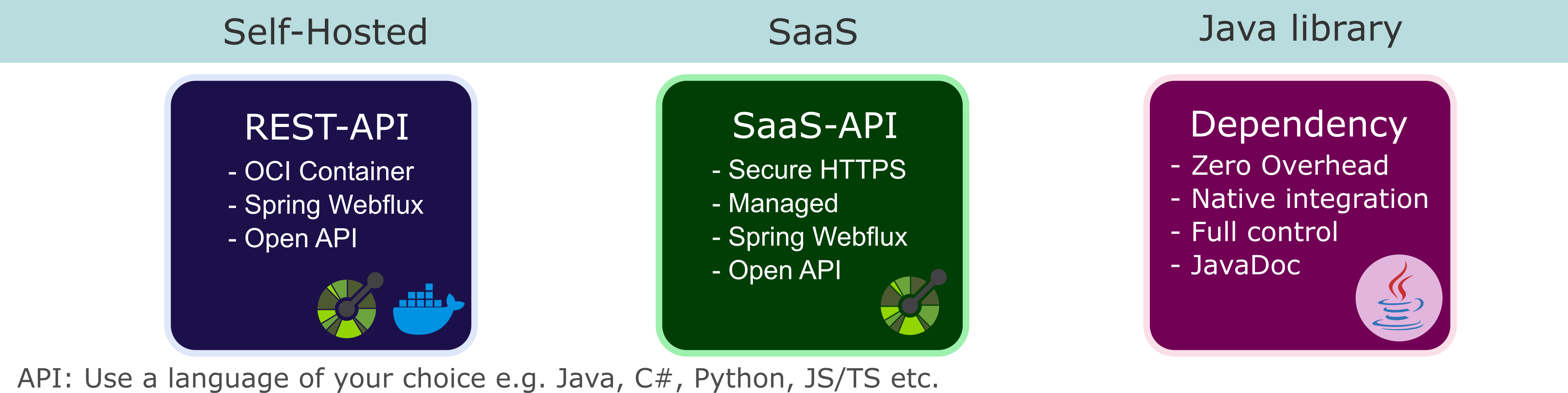
Optimize a problem consisting of Nodes, Resources, and optionally externally provided connections. In contrast to our other services, we allow you to host your JOpt-TourOptimizer locally. Please refer to "How to start JOpt TourOptimizer in docker" for more help.
Examples
Each of the sections has its README.
DNA.Evolutions.Csharp.Rest.sln
|
+-- src/Org.OpenAPITools/          Auto-generated REST client (API + Model classes)
|   +-- Api/
|   |   +-- OptimizationApi.cs     Synchronous run endpoints (POST /api/v1/runs, ...)
|   |   +-- JobApi.cs              Async job endpoints (POST /api/v1/jobs, ...)
|   |   +-- StreamApi.cs           SSE stream endpoints (progress, status, warnings, errors)
|   |   +-- HealthApi.cs           Health check endpoint
|   +-- Model/                     Data transfer objects (RestOptimization, Node, Resource, ...)
|
+-- src/Dna.Utils/                 Utility/wrapper library
|   +-- endpoints/                 Server URL constants
|   +-- restcaller/                TourOptimizerRestCaller - high-level API wrapper
|   +-- testinputcreation/         Factories for test nodes, resources, positions
|
+-- src/Dna.Example/               Runnable example projects
|   +-- TourOptimizer/
|       +-- optimize/              Synchronous optimization (local + Docker + zone-travel)
|       +-- constraint/            Constraint violation example
|       +-- optimizeFAF/           Fire-and-forget job submission
|       +-- searchFAF/             Search persisted jobs by metadata
|       +-- loadFAF/               Load a persisted job result by jobId
|
+-- src/Org.OpenAPITools.Test/     Auto-generated API test stubs
The C#-REST-Client class files used by the examples of this repository were generated utilizing the openapi-csharp Generator by OpenAPI Tools.
For creating the models, we used the containerized version of Open-API-Generator by calling:
docker run --rm -v "${PWD}:/local" openapitools/openapi-generator-cli generate -i '/local/swagger/touroptimizer/spec/touroptimizer_spec.json' -g csharp -o /local/generated/dna-csharp-models --library=httpclient --additional-properties=targetFramework=net8.0where ${PWD} needs to be adjusted to find the Open-API-docs under /local/swagger/touroptimizer/spec/touroptimizer_spec.json when mounting the volume ${PWD} into /local. Calling the command will generate the folders /Org.OpenApiTools and /Org.OpenApiTools.Test that are also part of this repository. You can find the touroptimizer_spec.json here.
You can also generate a client in the programming language of your choice utilizing our API-docs. REST facilitates software integration in your desired language (including famous ones like C#, Java, JS, Scala, Python, and many more ). Don't hesitate to reach out to us if you need help setting up your client.
For setting up a local test environment with database support, please refer to the separate Hands-on Tutorial: Setting Up a Local Fire and Forget TourOptimizer-Database Test Environment tutorial.
You can start using our examples:
Clone this repository and open it, for example, with Visual Code. The DNA.Evolutions.Csharp.Rest.sln file contains three util-projects that need to be built. In addition, it contains multiple example-projects that will be built.
- .NET SDK 8.x (link)
- Working Docker environment for local TourOptimizer instance
- JOpt TourOptimizer Server 1.3.5+ running locally or accessible via Azure
You can call (from the main folder):
dotnet restore
dotnet build
The call will generate the OpenApiTools.dll, Dna.Utils.dll and the example-executables (e.g. TourOptimizerExample.exe) and will download all dependencies. The target-framework is net8.0. You can also use Microsoft Visual Studio and perform the standard solution build process.
You can run the examples directly with dotnet run:
# Basic synchronous optimization
dotnet run --project src/Dna.Example/TourOptimizer/optimize/TourOptimizerExample.csproj

# Run from inside a Docker container (uses host.docker.internal)
dotnet run --project src/Dna.Example/TourOptimizer/optimize/TourOptimizerDockerExample.csproj

# Zone-travel optimization (Manhattan + New Jersey City)
dotnet run --project src/Dna.Example/TourOptimizer/optimize/TourOptimizerZoneTravelExample.csproj

# Constraint violation example
dotnet run --project src/Dna.Example/TourOptimizer/constraint/TourOptimizerConstraintExample.csproj

# Fire-and-forget job submission (requires database)
dotnet run --project src/Dna.Example/TourOptimizer/optimizeFAF/TourOptimizerFAFExample.csproj

# Search persisted jobs
dotnet run --project src/Dna.Example/TourOptimizer/searchFAF/TourOptimizerSearchFAFExample.csproj

# Load a persisted job result
dotnet run --project src/Dna.Example/TourOptimizer/loadFAF/TourOptimizerLoadFAFExample.csproj
By default, the examples expect a locally running TourOptimizer at http://localhost:8081.
If you want to get started without the hassle of installing C# and an IDE, we provide a sandbox. The sandbox is based on code-server and can be used inside your browser, and the interface itself is based on Visual Code. The sandbox is available via DockerHub (here). You have to host the sandbox in your Docker environment (Please provide at least 2-4Gb of Ram and 2 Cores). You can pull the sandbox from our DockerHub account (The Dockerfile for creating the sandbox is included in this repository). The latest version of our examples is cloned by default on launching the Docker container, and you can start testing JOpt-REST right away.
You must mount a volume to which the examples of this project are downloaded on the container's startup. After re-launching the container, the latest version of our examples is only cloned if the folder is not already existing, keeping your files safe from being overridden.
Launching a sandbox and mount your current directory ('$PWD') or any other directory you want:
docker run -it -d --name jopt-net-rest-examples -p 127.0.0.1:8023:8080 -v "$PWD/:/home/coder/project" dnaevolutions/jopt_net_example_server:latest
Please wait some time before attempting to login with your browser (1-2 minutes). You can also check the logs of the container. Plugins etc. need to be installed. After your first login, OmniSharp is installed. This also take some time.
After starting the container, you can open http://localhost:8023/ with your browser and login with the password:
joptrest
You can start testing with TourOptimizerDockerExample.cs (assuming you are locally running a JOptTourOptimizer Server at port 8081). You can run it from the terminal:
dotnet run --project /home/coder/project/csharp.rest.examples/src/Dna.Example/TourOptimizer/optimize/TourOptimizerDockerExample.csprojModify any cs file in DNA.Example folder. The dotnet run command will automatically rebuild before running.
dotnet sln DNA.Evolutions.Csharp.Rest.sln add src/Dna.Example/TourOptimizer/optimize/NewProject.csproj

dotnet build DNA.Evolutions.Csharp.Rest.sln- If you see an error like this:
Unhandled exception. System.AggregateException: One or more errors occurred. (Connection refused (localhost:8081))
 ---> System.Net.Http.HttpRequestException: Connection refused (localhost:8081)
 ---> System.Net.Sockets.SocketException (111): Connection refused
You are trying to connect to a local JOpt server but have not adjusted the endpoint. Remember, the sandbox is a docker container and you need to connect to it via the endpoint http://host.docker.internal:8081 instead of http://localhost:8081TourOptimizerDockerExample.cs from the namespace Optimize where Endpoints.LOCAL_SWAGGER_TOUROPTIMIZER_FROM_DOCKER_URL is used instead of Endpoints.LOCAL_SWAGGER_TOUROPTIMIZER_URL.
- If you see an error like this:
Build failed
simply try again.
JOpt is a flexible routing optimization engine written in Java, allowing to solve tour-optimization problems that are highly restricted. For example, regarding time windows, skills, and even mandatory constraints can be applied.
Click to open our video:

For reading our license agreement and for further information about license plans, please visit www.dna-evolutions.com.
A product by DNA Evolutions GmbH ©