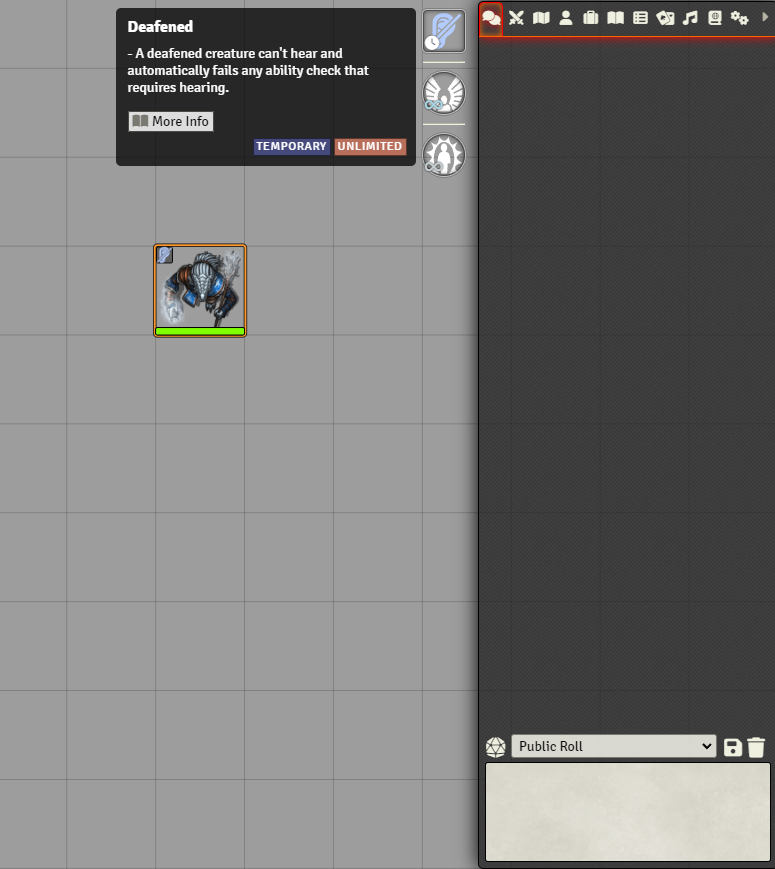


DFreds Effects Panel is a FoundryVTT module that adds a panel of active effects for the selected token.
- View all effects (active, disabled, and passive) on your selected token in a convenient panel
- Click an effect to see its name, description, and remaining duration, and click again to dismiss it
- Double-click any effect to quickly access its configuration
- Customize right-click behavior to enable, disable, or delete effects with a single click
- Configure visibility settings for different effect types and adjust panel behavior to match your preferences
- Pick individual effects to always show or always hide, so you can surface a couple of important passives without turning on every passive. These choices are per player, override the visibility settings, and are managed from the toggle at the top of the panel