


Production-ready React UI components built with TypeScript and Tailwind CSS. Use this package to ship consistent, accessible interfaces faster across multiple apps.
- Ready-to-use components for common product UI patterns
- TypeScript-first API with editor autocomplete and static safety
- Tailwind CSS styling model for fast customization
- Lightweight integration with simple install + import flow
- React 19+
- React DOM 19+
This package is published from GitHub Packages.
npm config set @cloudvisionapps:registry https://npm.pkg.github.com
npm install @cloudvisionapps/react-ui
yarn add @cloudvisionapps/react-uipnpm add @cloudvisionapps/react-uiImport components and include the library styles in your app (e.g. in your root layout or main.tsx):
import { Button, Card, Input } from '@cloudvisionapps/react-ui';
import '@cloudvisionapps/react-ui/styles';

function App() {
  return (
    <Card title="Welcome" footer={<Button>Submit</Button>}>
      <Input label="Email" placeholder="Enter your email" />
      <Button variant="primary">Submit</Button>
    </Card>
  );
}
You can also import only what you need from the package entry point.
| Component | Description |
|---|---|
| Accordion | Collapsible content sections |
| Alert | Inline messages and notifications |
| Avatar | User or entity image/initials |
| Badge | Labels and status indicators |
| Breadcrumb | Navigation path |
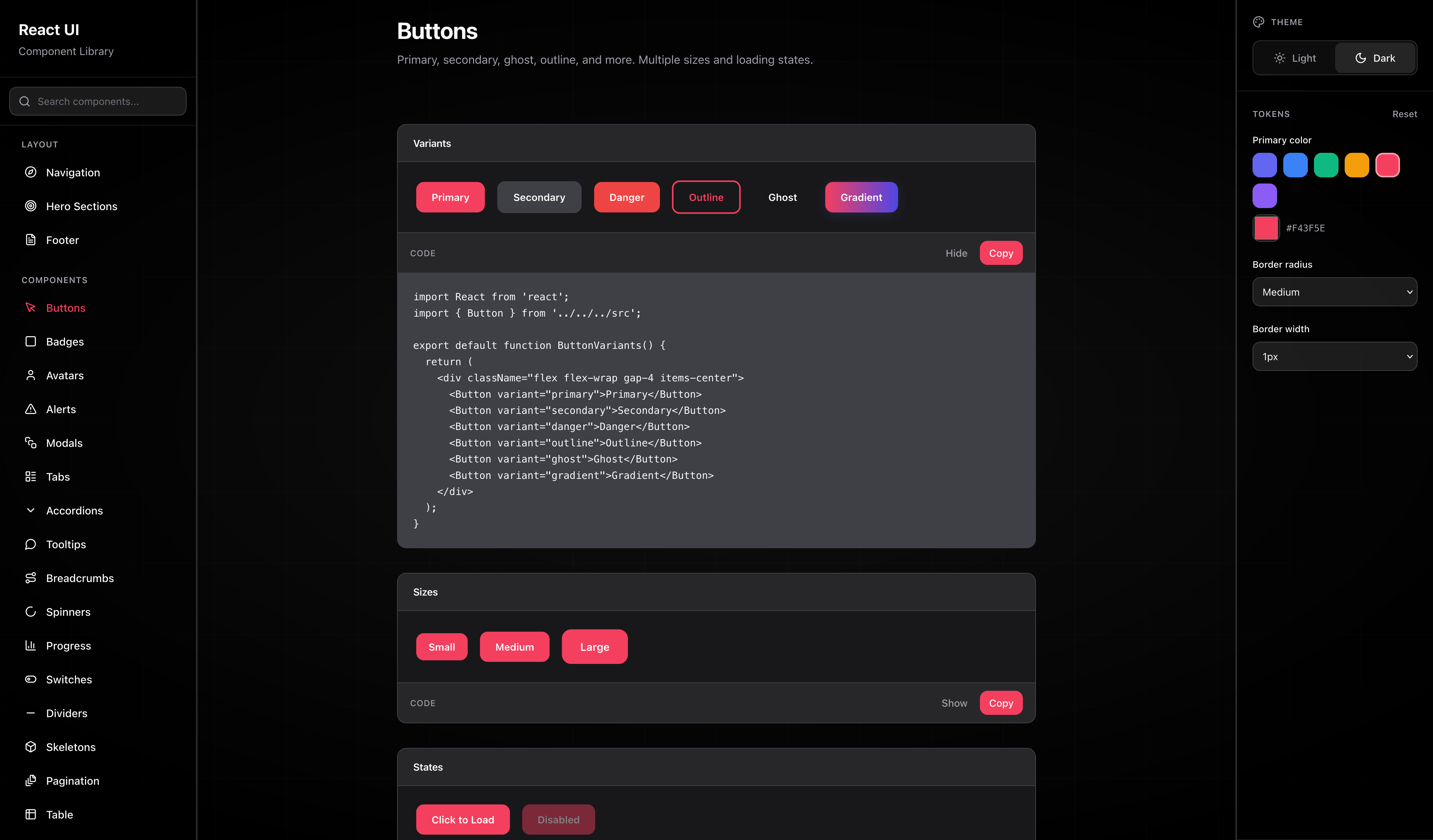
| Button | Actions with variants and loading state |
| Card | Container with optional title and footer |
| Checkbox | Boolean form control |
| Divider | Visual separator |
| EmptyState | Placeholder when there is no content |
| Footer | Page footer with links and columns |
| Hero | Hero / landing section |
| Input | Text input with label and validation |
| Link | Styled link |
| Modal | Dialog overlay |
| Navigation | Top or side navigation |
| Pagination | Page navigation controls |
| Progress | Progress bar |
| Radio | Single choice from a group |
| Select | Dropdown selection |
| Skeleton | Loading placeholder |
| Spinner | Loading indicator |
| Switch | Toggle control |
| Table | Table with TableHead, TableBody, TableRow, TableHeader, TableCell |
| Tabs | Tabbed content (Tabs, TabPanel) |
| Textarea | Multi-line text input |
| Tooltip | Hover/popover hint |
All components are typed (TypeScript) and accept standard HTML attributes where relevant.
<Button variant="primary" size="medium" isLoading={false}>
  Save
</Button>- variant:
'primary' | 'secondary' | 'danger' | 'outline' - size:
'small' | 'medium' | 'large' - isLoading:
boolean
<Input
  label="Email"
  placeholder="you@example.com"
  error="Invalid email"
  helperText="We never share your email."
/>import { Table, TableHead, TableBody, TableRow, TableHeader, TableCell } from '@cloudvisionapps/react-ui';
<Table>
<TableHead>
<TableRow>
<TableHeader>Name</TableHeader>
<TableHeader>Status</TableHeader>
</TableRow>
</TableHead>
<TableBody>
<TableRow>
<TableCell>Alice</TableCell>
<TableCell>Active</TableCell>
</TableRow>
</TableBody>
</Table># Install dependencies
npm install
# Build the library
npm run build
# Type check
npm run type-check
# Run component preview (dev server)
npm run preview:devThe preview app runs at http://localhost:3000 so you can try all components and variants.
Watch mode (rebuild on change):
npm run devPreview production build:
npm run build && npm run previewFrom this repo:
npm linkFrom your app:
npm link @cloudvisionapps/react-uiReleases are now set up for GitHub Packages and GitHub Releases.
Run one of these commands locally:
npm run release:patch
npm run release:minor
npm run release:major
Each command will:
- bump the version in the package manifest,
- create a Git tag like v2.0.1,
- push the tag to GitHub,
- trigger the workflow that builds the library, publishes it to GitHub Packages, and creates a GitHub Release.
If you want to publish manually, authenticate with a token that has package permissions and then run:
export NODE_AUTH_TOKEN=YOUR_GITHUB_TOKEN
npm run build
npm publishMIT