Bulldozer, a DTM extraction tool that requires only a DSM as input.




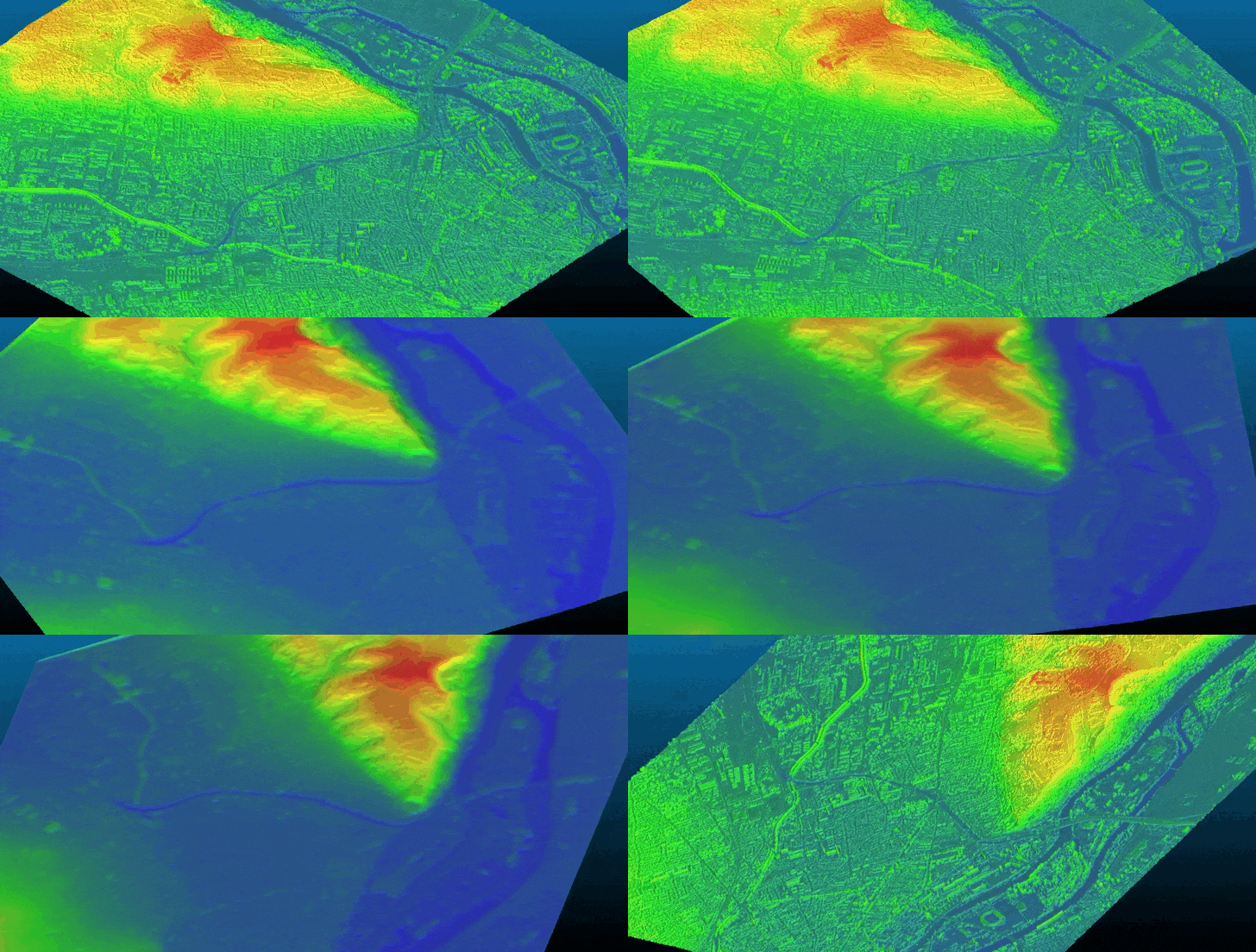
Bulldozer is a pipeline designed to extract a Digital Terrain Model (DTM) from a Digital Surface Model (DSM). It supports both noisy satellite DSMs and high-quality LiDAR DSMs.
- Digital Terrain Model (DTM) extraction from a single Digital Surface Model (DSM)
- Requires only a DSM as mandatory input
- Optional ground / non-ground mask support
- Designed for both noisy satellite DSMs and high-quality LiDAR DSMs
- Command-line interface (CLI)
- Python API
- Configuration-file based execution
- Docker container support
- Fully open-source (Apache 2.0)
You can install Bulldozer by running the following command:
pip install bulldozer-dtmFor alternative installation methods, please refer to the documentation.
- Python ≥ 3.10
As described in the documentation, there are many different ways to launch Bulldozer. Here are the three most popular:
- Using the CLI (Command Line Interface) - Run the following command line after updating the parameters
input_dsm.tifandoutput_dir:
bulldozer -dsm input_dsm.tif -out output_dirYou can also add optional parameters such as -ndsm, please refer to the helper (bulldozer -h) command to see all the options.
✅ Done! Your DTM is available in the output_dir.
- Using the Python API - You can directly provide the input parameters to the
dsm_to_dtmfunction:
from bulldozer import dsm_to_dtm

dsm_to_dtm(dsm_path="input_dsm.tif", output_dir="output_dir")
✅ Done! Your DTM is available in the output_dir.
- Using a configuration file (CLI) - Based on provided configuration file templates, you can run the following command line:
bulldozer conf/configuration_template.yaml✅ Done! Your DTM is available in the directory defined in the configuration file.
Bulldozer is available on Docker Hub and can be downloaded using:
docker pull cnes/bulldozerAnd you can run Bulldozer with the following command:
Linux / macOS
docker run --user $(id -u):$(id -g) -v <absolute/path>:/data cnes/bulldozer:latest /data/<conf>.yamlWindows (PowerShell)
docker run --rm -v C:<absolute/path>:/data cnes/bulldozer:latest /data/<conf>.yaml<absolute/path> to provide a valid absolute path to a directory where the input data are stored and where Bulldozer will write the output DTM. You also have to provide a configuration file (and rename <conf>.yaml in the command line) in this directory with an output_dir value using the data folder given to docker, e.g.: output_dir : "/data/outputdir".
If you use Bulldozer in your research, please cite the following paper:
@article{bulldozer2023,
  title={Bulldozer, a free open source scalable software for DTM extraction},
  author={Dimitri, Lallement and Pierre, Lassalle and Yannick, Ott},
  journal = {The International Archives of the Photogrammetry, Remote Sensing and Spatial Information Sciences},
  volume = {XLVIII-4/W7-2023},
  year = {2023},
  pages = {89--94},
  url = {https://isprs-archives.copernicus.org/articles/XLVIII-4-W7-2023/89/2023/},
  doi = {10.5194/isprs-archives-XLVIII-4-W7-2023-89-2023}
}
Bulldozer is licensed under permissive Apache License 2.0. Please refer to the LICENSE file for more details.
For issues, questions, or feature requests, please open an issue on our GitHub Issues page or check the documentation for additional resources.
We welcome contributions! Please read our Contributing Guidelines for details on how to get involved, including coding standards and submission processes.