PenguFresh is a Home Assistant integration that answers one simple question for every configured room:
Should I ventilate now?
It evaluates indoor and outdoor temperature and humidity, including absolute humidity and dew point, and combines everything into one clear Ventilate / Do not ventilate recommendation.
| 🪟 Clear decision | 🌡️ Cooling | 💧 Dehumidifying | 🏠 Profiles |
|---|---|---|---|
| One ventilation sensor per room | Ventilate when outdoor air can usefully cool the room | Ventilate only when outdoor air can actually remove moisture | Apartment, Basement, Garage and Room |
The default desired indoor relative humidity is 50 %. PenguFresh supports multiple rooms, multiple integration instances and automatic °C / °F handling.
- Open HACS in Home Assistant.
- Open ⋮ → Custom repositories.
- Add
https://github.com/Borderlane-HA/PenguFreshand select Integration. - Install PenguFresh and restart Home Assistant.
- Go to Settings → Devices & services → Integrations → Add integration.
- Search for PenguFresh and complete the setup.
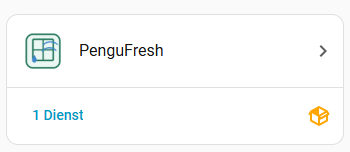
Starting with 0.4.0, PenguFresh is a regular Home Assistant integration. It is no longer managed through the Helpers section.
Open:
Settings → Devices & services → Integrations → PenguFresh
From there you can open the PenguFresh service and use Configure to change outdoor sensors, limits, profiles and indoor rooms.
PenguFresh creates normal Home Assistant binary sensor entities. They can be found under:
Settings → Devices & services → Entities
Each configured room receives its own Ventilate entity, and every PenguFresh instance also creates an overall Ventilate entity.
on→ Ventilateoff→ Do not ventilate
The entities remain normal Home Assistant sensors and can be used in automations, conditions, templates and any compatible dashboard card. The reason for the current decision is available in the entity attributes, for example Cooling, Dehumidifying, Cooling and dehumidifying, or Moisture guard.
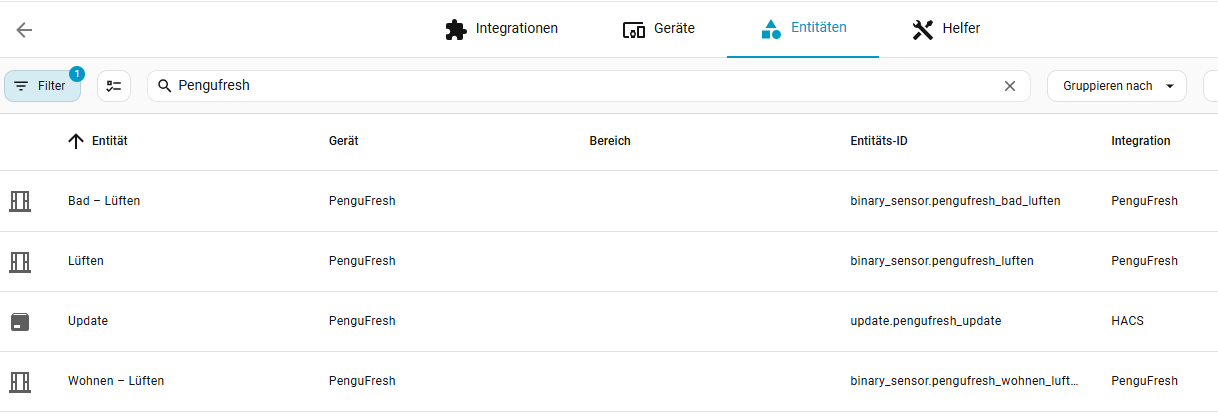
You can use the normal Home Assistant entity settings to rename an entity, assign it to an area, change its icon or disable it. The actual PenguFresh calculation settings are changed from the PenguFresh integration configuration, not from the entity itself.
PenguFresh includes its own dashboard card:
Edit dashboard → Add card → PenguFresh
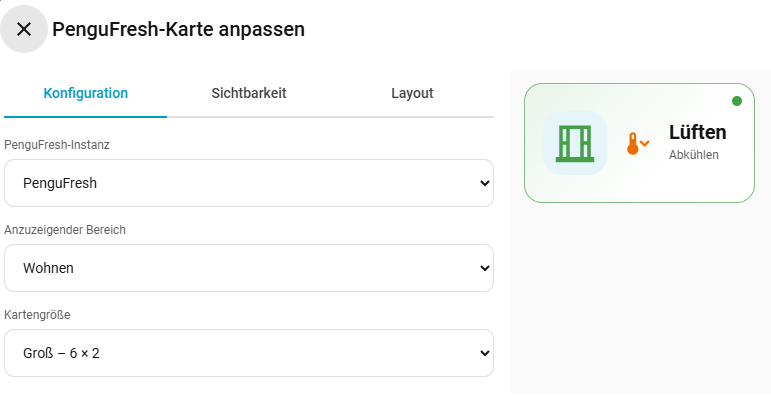
Choose the PenguFresh instance, select Overall or a specific room, and pick one of the two card sizes:
- Small – 6 columns × 1 row
- Large – 6 columns × 2 rows
A green status means ventilation is recommended. A red status means the window should stay closed. The window icon automatically changes between open and closed, while the small reason icon shows why PenguFresh made the decision.
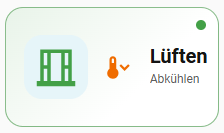
The card is configured directly in Home Assistant's visual dashboard editor:
PenguFresh does not expose separate competing temperature and humidity recommendations anymore. Both are evaluated together and result in one ventilation decision per room.
Typical reasons include:
- Cooling – outdoor air is sufficiently cooler than the room.
- Dehumidifying – outdoor air can actually remove moisture.
- Cooling and dehumidifying – both benefits apply at the same time.
- Moisture guard – ventilation would introduce too much moisture, particularly important for basements.
- No ventilation benefit – the current indoor/outdoor conditions do not provide a useful advantage.
For moisture decisions, PenguFresh uses absolute humidity and dew point instead of comparing relative humidity percentages alone. This prevents misleading recommendations such as bringing warm, moisture-rich summer air into a cool basement.
Existing PenguFresh instances are migrated automatically. The previous separate Ventilate for temperature and Ventilate for humidity entities are replaced by the combined room and overall ventilation entities.
Automations, templates or dashboards that still reference the old entity IDs may need to be updated once after upgrading.
PenguFresh · Smart ventilation decisions for Home Assistant
GitHub repository · Issues