





MikroDex is a premium Windows desktop application for managing MikroTik hotspot networks. Built with a dark futuristic UI, real-time monitoring, and seamless router integration.


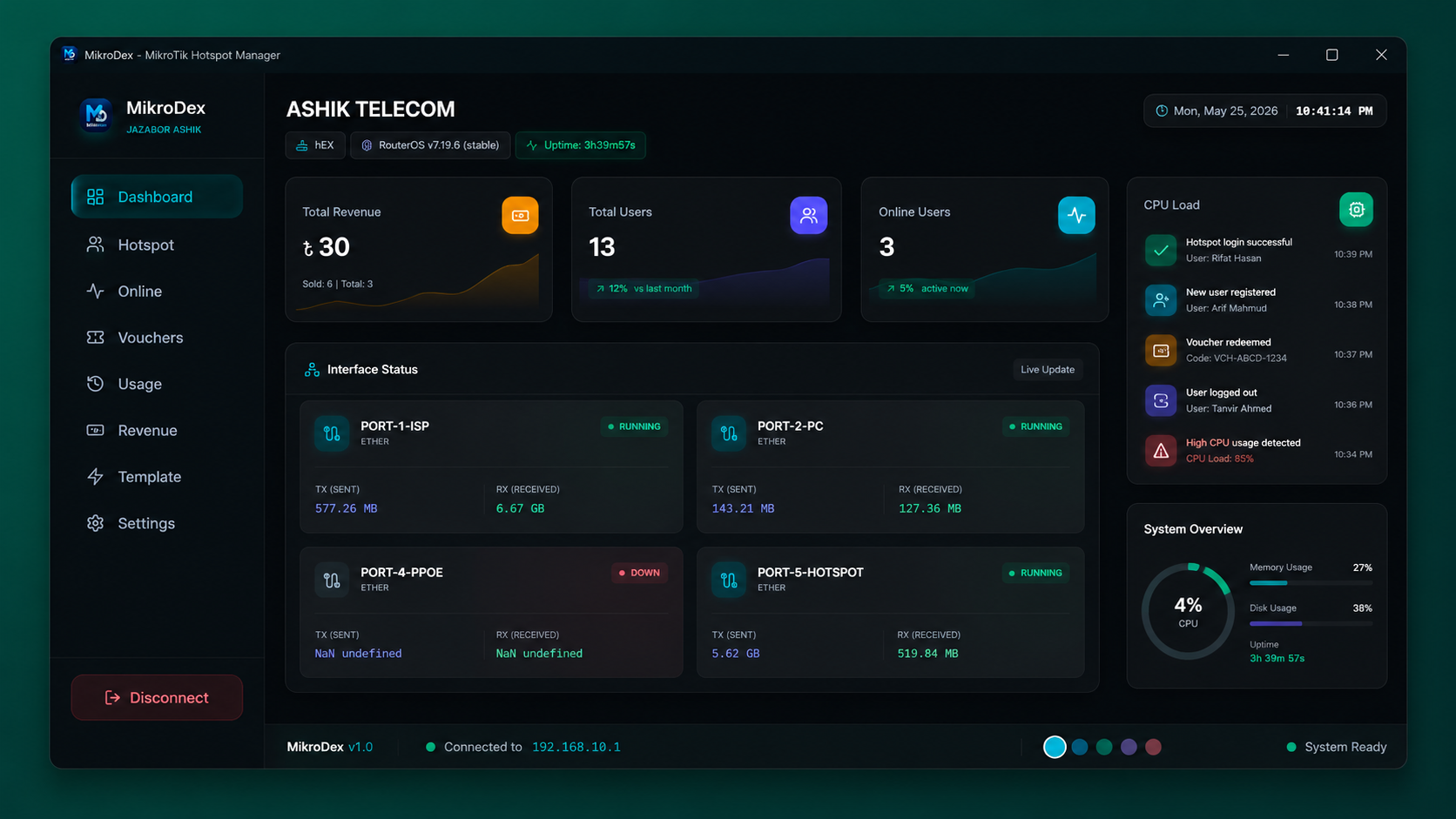
📊 Dashboard |
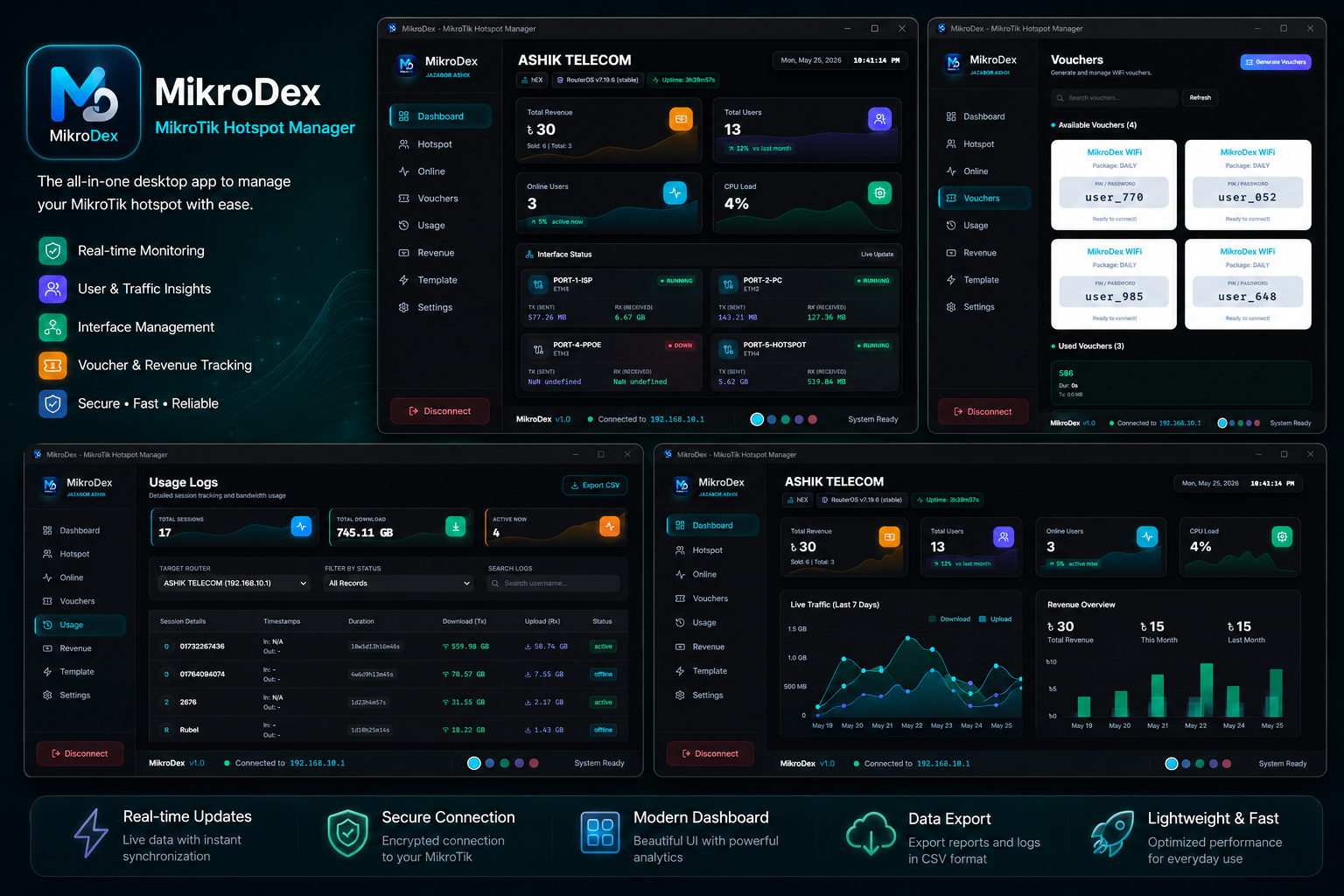
👥 User Management |
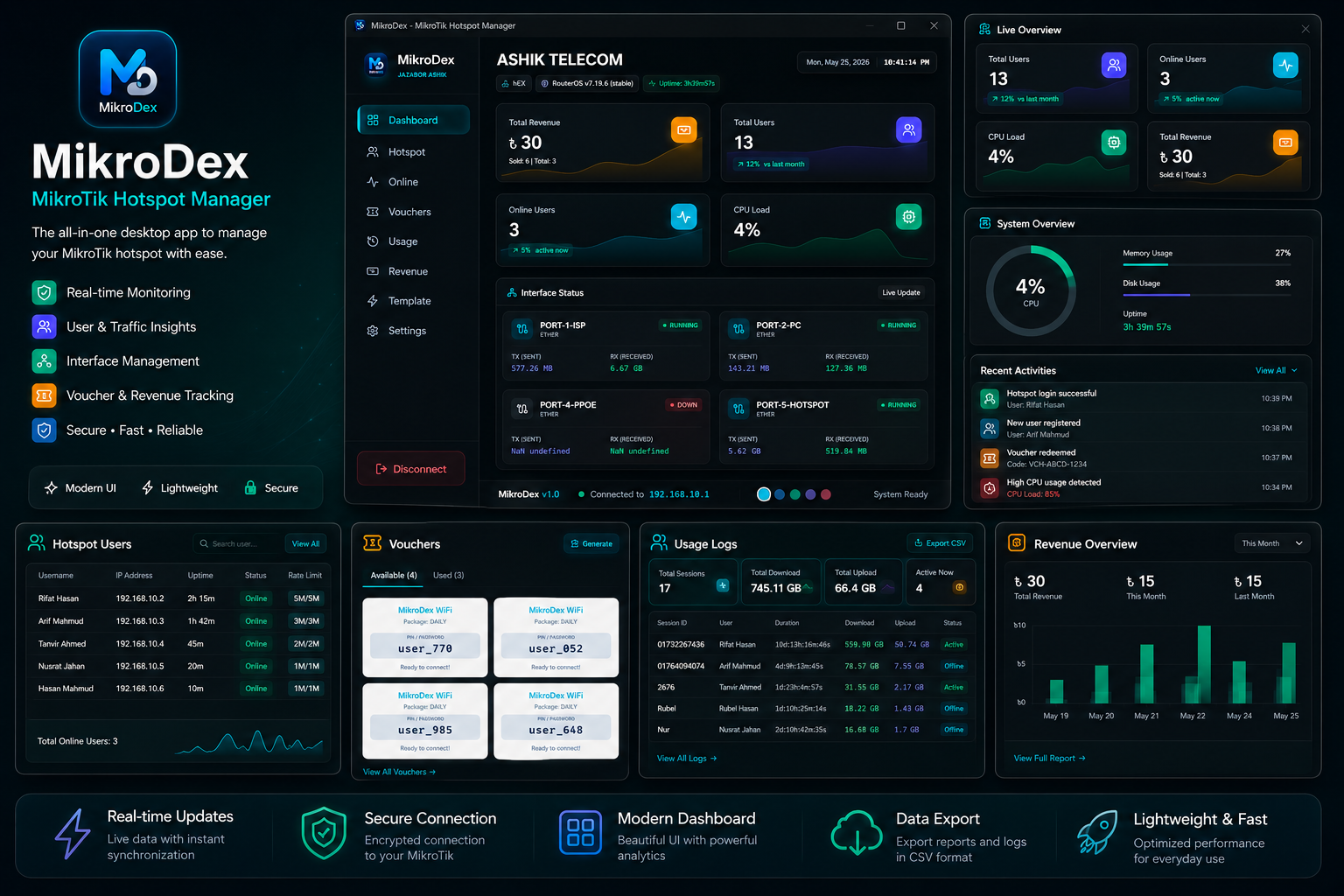
🟢 Online Users |
MikroDex brings a professional, glassmorphism-powered interface to MikroTik hotspot management. Whether you're an ISP technician or a network admin, MikroDex gives you full control — beautifully.
| Problem | MikroDex Solution |
|---|---|
| 😤 Winbox is outdated & clunky | ✅ Modern dark UI with smooth animations |
| 😤 No real-time monitoring | ✅ Live dashboard, auto-refresh every 10s |
| 😤 No local data history | ✅ SQLite — full session & usage history |
| 😤 Slow user management | ✅ One-click create, edit & delete users |
| 😤 No offline access | ✅ Works fully offline, no cloud needed |
| Live network statistics with auto-refresh every 10 seconds. Always know what's happening on your network at a glance. | One-click connection to any MikroTik router via REST API with auto-reconnect on drop. |
| Create, edit, and delete hotspot users with profile assignment, bandwidth control, and credential management. | Real-time view of every active session — IP, MAC, uptime, and data usage in one clean table. |
| Complete log of every user session — login/logout time, data consumed, and session duration. | Glassmorphism cards, neon glow accents, and buttery-smooth Framer Motion animations. |
| All your data stays on your machine. No cloud. No subscription. Full privacy. | Context isolation, disabled nodeIntegration, secure IPC bridge, and SQL prepared statements. |
| Layer | Technology | Purpose |
|---|---|---|
| 🖥️ Desktop Framework | Electron | Cross-platform desktop app |
| ⚛️ UI Library | React | Component-based interface |
| ⚡ Build Tool | Vite | Fast dev server & bundler |
| 🎨 Styling | TailwindCSS | Utility-first CSS |
| 💾 Database | SQLite / better-sqlite3 | Local data persistence |
| 🗂️ State Management | Zustand | Global app state |
| 🎞️ Animations | Framer Motion | Smooth UI transitions |
| 🌐 HTTP Client | Axios | Router API requests |
| 🔣 Icons | Lucide React | Clean icon set |
- Node.js v16 or higher → Download
- npm or yarn
- A MikroTik router with REST API enabled on port
8728
1. Clone the repository
git clone https://github.com/A3hiK/MikroDex.git
cd MikroDex
2. Install dependencies
npm install3. Start in development mode
npm run electron-dev💡 This starts the Vite dev server on
http://localhost:5173and launches the Electron app with hot reload.
4. Build for production
npm run electron-build📦 Windows installer will be generated in the
out/directory.
MikroDex/
│
├── 📂 src/
│   ├── 📂 components/          # Reusable UI components
│   │   └── Sidebar.jsx
│   ├── 📂 pages/               # Application pages
│   │   ├── Dashboard.jsx
│   │   └── RouterConnection.jsx
│   ├── 📂 services/            # Business logic & API layer
│   │   ├── MikroTikService.js
│   │   └── DatabaseService.js
│   ├── 📂 store/               # Zustand global state
│   │   └── store.js
│   ├── 📂 styles/              # Tailwind CSS entry
│   │   └── index.css
│   ├── App.jsx                 # Root app component
│   └── main.jsx                # React entry point
│
├── 📂 electron/
│   ├── main.js                 # Electron main process
│   └── preload.js              # IPC preload script
│
├── 📂 public/                  # Static assets
├── vite.config.js              # Vite configuration
├── tailwind.config.js          # TailwindCSS config
├── postcss.config.js           # PostCSS config
├── package.json
└── index.html
| Parameter | Default | Notes |
|---|---|---|
| Host | 192.168.88.1 |
Your router's IP address |
| Port | 8728 |
MikroTik REST API port |
| Username | admin |
Router admin username |
| Password | — | Your router password |
Windows: C:\Users\{Username}\.mikrodex\database.db
import MikroTikService from './services/MikroTikService';

// Connect to router
const result = await MikroTikService.connect('192.168.88.1', 'admin', 'password');

// Get all online users
const onlineUsers = await MikroTikService.getOnlineUsers();

// Create a new hotspot user
const newUser = await MikroTikService.createHotspotUser({
  name: 'testuser',
  password: 'pass123',
  profile: 'default'
});

// Delete a user
await MikroTikService.deleteHotspotUser('testuser');
Supported Operations:
| Operation | Description |
|---|---|
connect() |
Establish connection to router |
disconnect() |
Close router connection |
getHotspotUsers() |
List all hotspot users |
createHotspotUser() |
Add a new user |
deleteHotspotUser() |
Remove a user |
getOnlineUsers() |
Get live active sessions |
getRouterInfo() |
Fetch router system details |
routers          -- Saved router connection profiles
users            -- Hotspot user records
usage_history    -- Session logs with data usage
settings         -- App configuration key-value store
login_history    -- Login and logout event records
import DatabaseService from '../services/DatabaseService';
// Save a setting
DatabaseService.setSetting('theme', 'dark');
// Read a setting
const theme = DatabaseService.getSetting('theme');# ── Development ──────────────────────────────
npm run dev # Vite dev server only
npm run electron-dev # Electron app + Vite ← recommended
# ── Production ───────────────────────────────
npm run build # Build React for production
npm run electron-build # Package Windows installer
# ── Code Quality ─────────────────────────────
npm run lint # Run ESLint
npm run format # Format with Prettier
npm run preview # Preview production buildEdit tailwind.config.js to adjust the color system:
colors: {
  primary:  '#6095ff',  // Blue  — buttons, links
  accent:   '#00f0ff',  // Cyan  — highlights
  purple:   '#b026ff',  // Purple — badges
  pink:     '#ff006e',  // Pink  — alerts
  dark:     '#0f1419',  // Deep background
  surface:  '#1a232f',  // Card surface
}| Class | Usage |
|---|---|
.btn-primary |
Primary action buttons |
.btn-secondary |
Secondary / ghost buttons |
.card-glass |
Glassmorphism cards |
.badge |
Status indicator badges |
🔴 Connection Issues
- Verify the router IP address is reachable on your network
- Ensure MikroTik REST API is enabled on port
8728- Go to: Winbox → IP → Services → api-ssl / api
- Check firewall rules on both the router and your machine
- Confirm your username and password are correct
🔴 Database Issues
- To fully reset the database, delete this file:
C:\Users\{Username}\.mikrodex\database.db - Rebuild the native module:
npm rebuild better-sqlite3
🔴 Electron / Build Issues
- Clear the Vite cache — delete the
.vitefolder - Reinstall all dependencies from scratch:
rm -rf node_modules
npm install
| Feature | Status |
|---|---|
| Context isolation in Electron | ✅ Enabled |
nodeIntegration |
✅ Disabled |
| IPC communication via preload | ✅ Secure |
| Form input validation | ✅ All forms |
| SQL injection prevention | ✅ Prepared statements |
1. Create component in  src/pages/YourPage.jsx
2. Import it in        src/App.jsx
3. Add a route in      <Routes>
4. Add menu entry in   src/components/Sidebar.jsx
1. Create file in      src/services/YourService.js
2. Export as singleton instance
3. Import and use in your components
| Link | |
|---|---|
| 🌐 Website | mikrodex.pro.bd |
| 📥 Download | Latest Release |
| 🐛 Issues | Report a Bug |
| 💬 Developer | Jazabor Ashik |
MIT License — Free to use, modify, and distribute.
See the LICENSE file for full details.
Network Engineer · Desktop Developer · MikroTik Enthusiast


If MikroDex made your life easier, drop a ⭐ — it keeps this project alive!