
A full desktop operating system experience — running entirely in the browser.



Live Demo · Support Portal · Changelogs
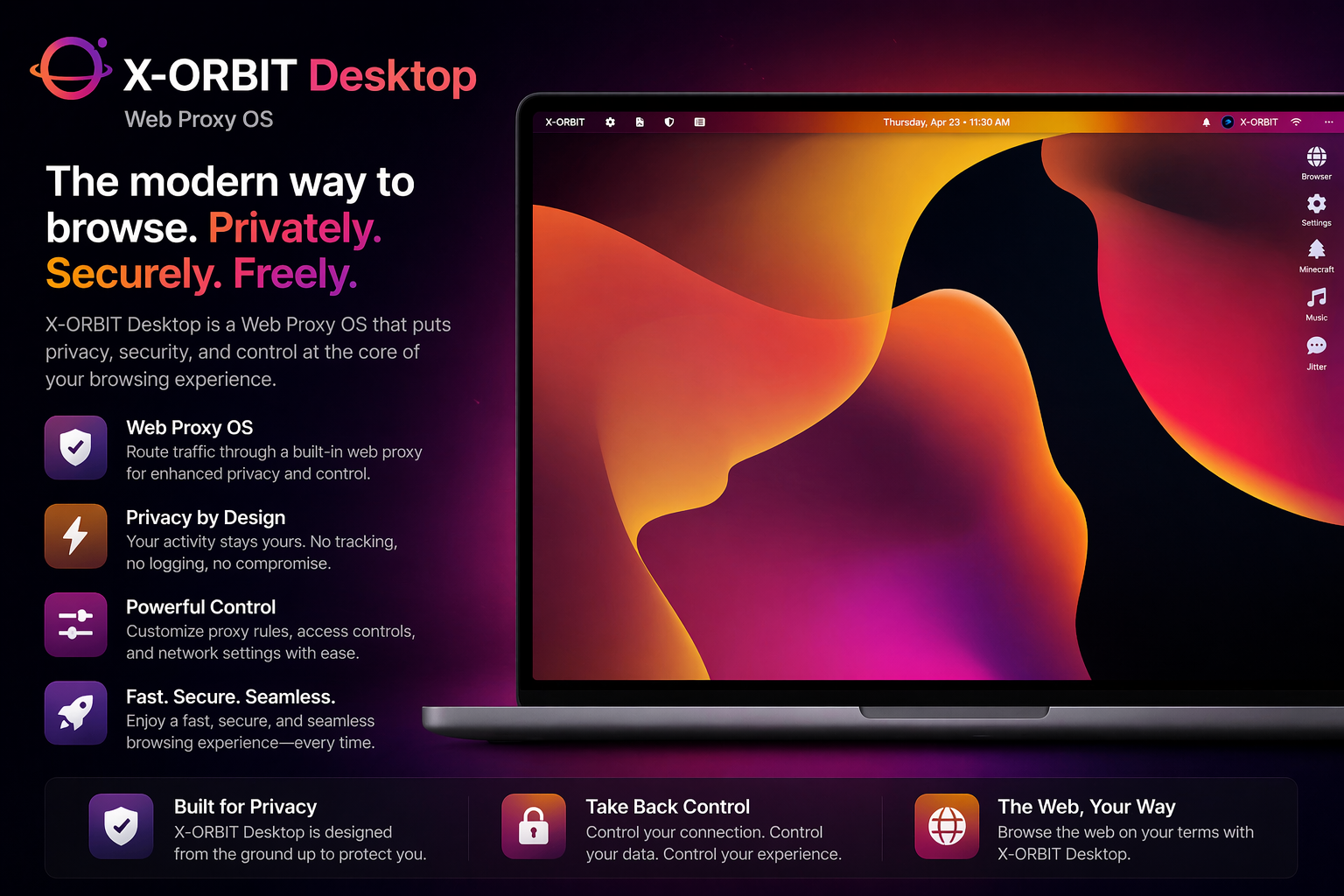
X-ORBIT Desktop is a browser-based operating system built entirely in HTML, CSS, and JavaScript. It delivers a full windowed desktop environment — complete with a dock, menu bar, notification center, and native-feeling apps — from any modern web browser, with nothing to install.
X-ORBIT is a passion project pushing the boundaries of what the web can do.
- Windowed UI — resizable, draggable windows with macOS-style title bar controls (close, minimize, maximize)
- Dock — app launcher with hover animations and active indicators
- Menu Bar — clock, notification badge, quick-access menus
- Notification Center — in-OS notification feed with filtering
- Themes — swappable theme stylesheets (Dark, Minimalist, Orange, and more)
- PWA Support — installable as a standalone desktop/mobile app via Web App Manifest
- macOS Catalina-style login screen — full-screen wallpaper, floating account circles, glassmorphism inputs
- Remembered user — saves the last logged-in account with avatar loading
- Click-first interaction — circles animate to center on click before showing the password field
- Field state indicators — inputs turn red/green with Font Awesome icons on failed/successful login
- Inline account creation flow — transforms the login screen to guide new users through the support portal signup process
- Account warnings — modal acknowledgement for flagged accounts before login completes
- Powered by Supabase for auth, login attempt logging, and live alert fetching
| App | Description |
|---|---|
| Browser | Full in-OS web browser with Ultraviolet and Rammerhead proxy support for unrestricted browsing |
| Music | Integrated music player linked to a proxies Spotify SDK thorugh Monochrome |
| Minecraft | Playable Minecraft via Eaglecraft 1.12 |
| Jitter | Built-in X-ORBIT messaging platform to DM your friends |
| Changelog | In-OS release notes viewer |
| Support | Help & support portal access |
| Settings | OS configuration and personalization |
| Layer | Technology |
|---|---|
| Frontend | HTML5, CSS3, Vanilla JavaScript |
| Auth & Database | Supabase |
| Proxy | Ultraviolet + Rammerhead |
| Icons | Font Awesome 6 |
| Fonts | Inter (Google Fonts) |
| PWA | Web App Manifest + Service Worker |
| Hosting | Custom domain via CNAME () |
X-ORBIT is account-gated. To get access:
- Visit the Support Portal
- Register for an Account Services account
- Submit a ticket requesting X-ORBIT access
- Receive your login credentials via email
Once you have credentials, log in at xorbit.org.
| Version | Codename | Status | Date |
|---|---|---|---|
| 5.1.0 | Nova | ✅ Stable | Apr 2026 |
| 5.0.1B | Ventas | 🧪 Beta | Feb 2026 |
| 4.6.1 | Astra | ✅ Stable | Feb 2026 |
Full release notes: GitHub Releases
xorbit-main/
├── index.html              # Main desktop OS shell
├── auth.html               # Login screen
├── browser.html            # In-OS web browser
├── terminal.html           # Terminal emulator
├── notification-center.html
├── changelogs.html
├── spotify-player.html     # Music app
├── X-MUSIC.html
├── studios.html
├── support.html
├── account.html
├── admin/                  # Admin dashboard
├── manifest.json           # PWA manifest
├── sw.js                   # Service worker
├── theme-minimalist.css
├── theme-orange.css
└── ...
|
Demitri Burns Founder · Lead Developer · Designer Every line of code. Every pixel. |
X-ORBIT — All systems operational.
xorbit.org · Support · Terms · Privacy