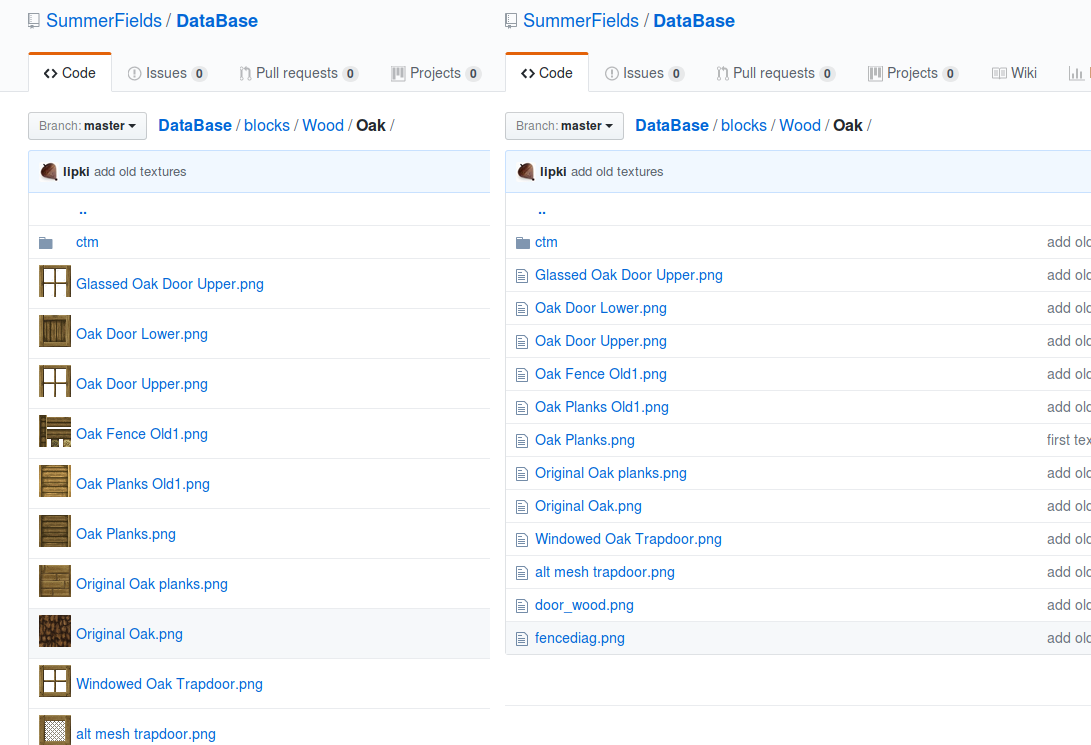
I made a script that displays png images as an icon in github listings.
I use Tampermonkey :
// ==UserScript==
// @name         add miniature in github
// @namespace    http://tampermonkey.net/
// @version      0.1
// @description  try to take over the world!
// @author       You
// @match        https://github.com/*
// @grant        none
// ==/UserScript==

(function() {
    'use strict';
    console.log('script add miniature in github');
    var url = window.location.protocol+'//'+window.location.host+window.location.pathname+'/';
    url = url.split('github.com').join('raw.githubusercontent.com');
    url = url.split('tree/').join('');

    console.log('url :', url);

    var files = document.getElementsByClassName("js-navigation-item");
    for( var f in files )
        if( typeof files[f].getElementsByClassName === 'function' ) {
            var line = files[f].getElementsByClassName('js-navigation-open');
            console.log('line :', line);

            if( line[0] !== undefined ) {
                var text = line[0].innerText;
                var ext = text.split('.')[text.split('.').length-1];
                console.log('text :', text, ext);
                switch(ext) {
                    case 'png' :
                        var icon = files[f].getElementsByClassName('icon')[0];
                        var image = document.createElement("img");
                        image.src = url+text;
                        image.width = 32;
                        image.height = 32;
                        image.src = url+text;
                        icon.innerText = '';
                        icon.appendChild(image);
                }
            }
        }

})();
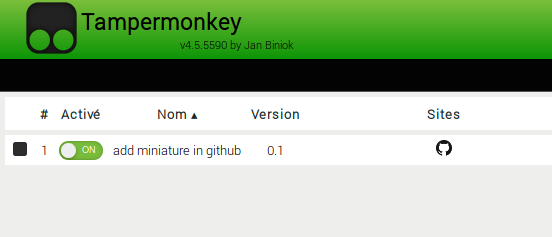
- The script is displayed here, it is activated.
-On GitHub, images are not displayed systematically.
you reload the page.

I made a script that displays png images as an icon in github listings.
I use Tampermonkey :
Install Tampermonkey for your browser.
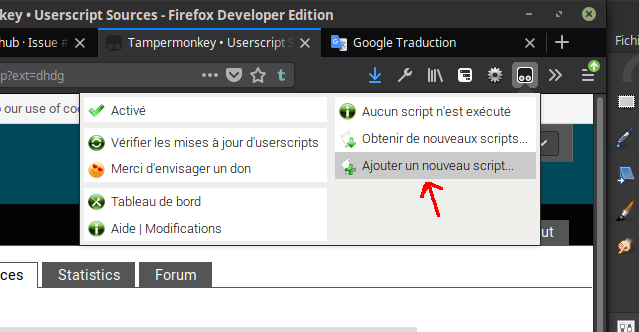
Create a new script
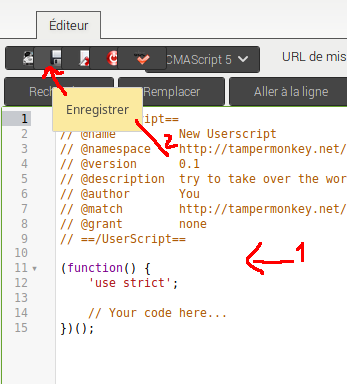
Add this new code, then save.
-On GitHub, images are not displayed systematically.
you reload the page.