| title | Team Members |
|---|---|
| description | Manage your team from one place: invite members, track pending invites, and remove access. |
| og:title | Team Members | ActivitySmith |
| og:description | Invite members, review roles, and manage team access in ActivitySmith. |
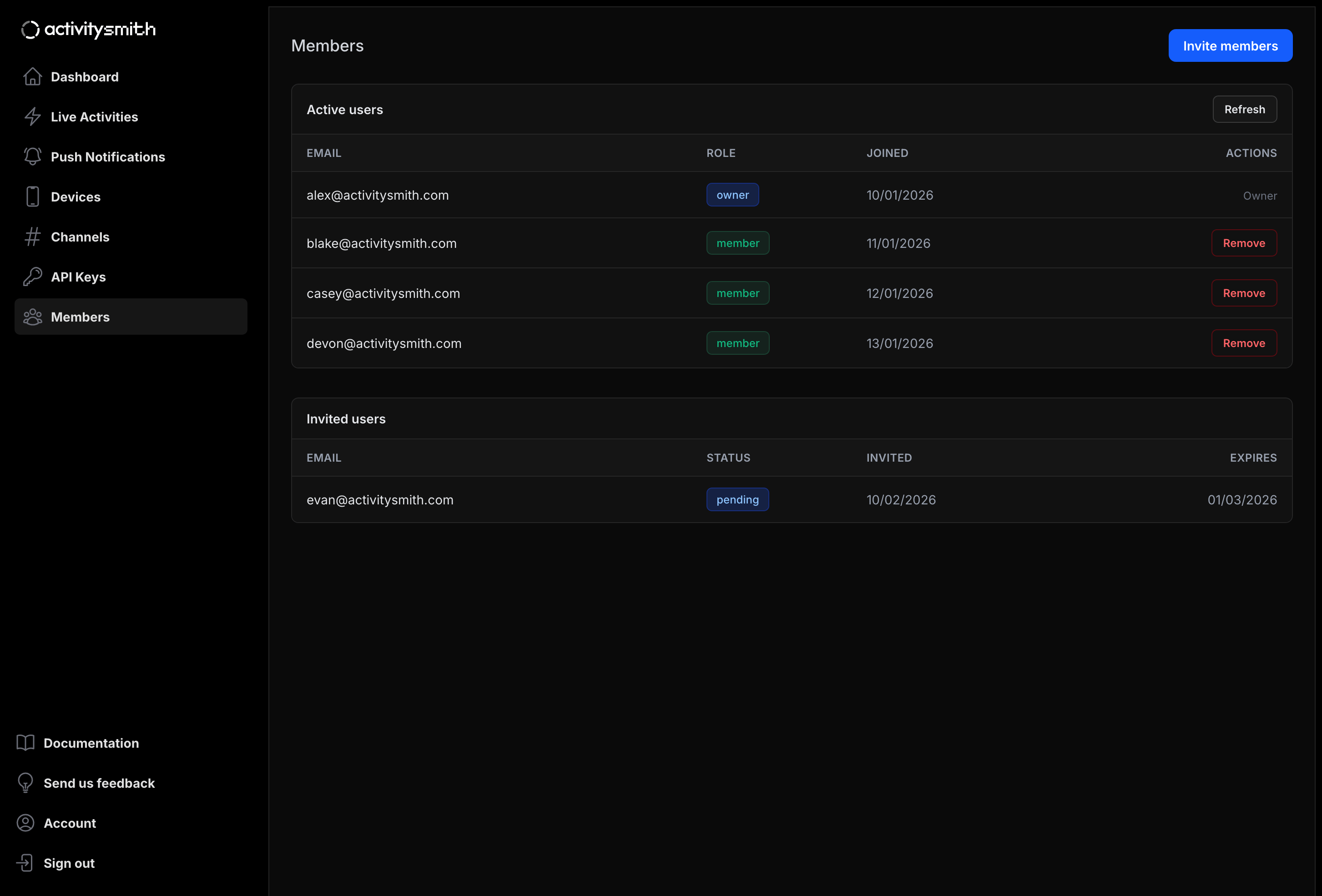
The Members page is where team owners manage access for the whole workspace.
You can:
- Invite one or many people at once
- See active users and their role
- Track pending invitations and expiration dates
- Remove members when they no longer need access
ActivitySmith currently supports two team roles:
| Role | Access |
|---|---|
owner |
Full access, including inviting and removing members |
member |
Standard workspace access without team management permissions |
Only team owners can invite new members.
- Open your ActivitySmith dashboard.
- Go to Members in the left sidebar.
- Click Invite members.
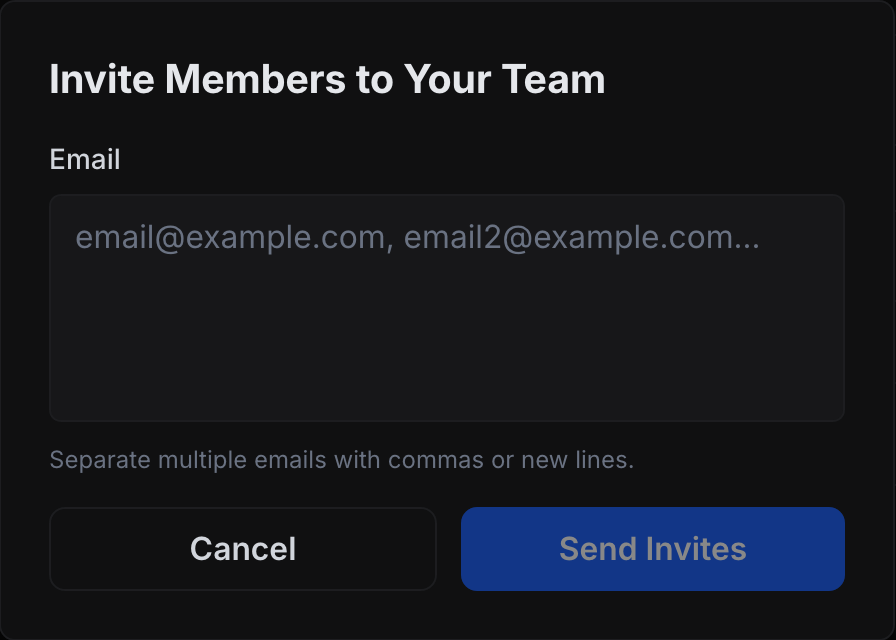
- Enter one or more email addresses in the invite modal.
- Separate multiple emails with commas or new lines.
- Click Send Invites.
Newly invited users appear in the Invited users table with:
pendingstatus until accepted- Invite date (
Invited) - Expiration date (
Expires)
Members are added to Active users only after they accept the invite.
Only team owners can remove members.
- Open Members.
- Find the user in Active users.
- Click Remove in the Actions column.
- Confirm the removal.
The removed member loses team access immediately.